
Dell UltraSharp U3224KB
3.2Editor score
Native 6144 by 3456 resolution
450-nit peak brightness
USB-C data connectivity
Compact 16:9 design
A 32 inch 6K monitor delivers exceptionally sharp detail while remaining compact enough for a professional desk. These displays suit photographers, video editors, 3D artists, designers, programmers, and serious gamers who want substantially more visible detail than a conventional 4K panel without moving to a large 5K or 6K workstation display.
The monitors in this guide were compared using resolution and pixel density, panel technology, color coverage, brightness, contrast, refresh rate, response time, HDR capability, connectivity, ergonomics, and the features that shape a daily creative or gaming workflow. The list includes productivity-focused professional panels, high-refresh gaming displays, bundles, and a specialist 6K touchscreen.
Each review explains who the monitor is best suited for, the strengths that distinguish it, and the compromises potential buyers should consider. Product ratings and availability can change over time, and current prices should be checked before purchase because 6K displays remain a comparatively specialized category with relatively few established options.
3.2Editor score

3.9Editor score

5.0Editor score
As an Amazon Associate we earn from qualifying purchases.
This side-by-side comparison highlights the 10 available 32 inch 6K options, emphasizing panel resolution, color performance, motion specifications, ports, and the type of workflow each model is designed to support.


The LG UltraFine 32U990A-S combines a native 6144 by 3456 panel with 224 pixels per inch, giving creators a highly detailed workspace without the footprint of a much larger monitor. Its 3.8 rating reflects a still-developing product category, but the supplied specifications present a compelling professional feature set for photography, video, 3D, web design, and visual AI work.
We may earn a commission when you buy through this link, at no additional cost to you.
Its Nano IPS Black panel covers up to 99.5 percent Adobe RGB and 98 percent DCI-P3, supports true 10-bit color, and is paired with DisplayHDR 600 certification. A stated contrast ratio of 2000:1 should provide deeper blacks and more dimensional shadows than many conventional IPS panels, while Thunderbolt 5 supplies 96W power delivery and daisy-chain support. HDMI 2.1, DisplayPort 2.1, USB-C, speakers, and adjustable stand round out a workstation-focused package.
The main limitation is the 60Hz refresh rate. Fast games will not receive the smoothness offered by a high-refresh gaming panel, and the 3.8 user rating indicates that the overall package has not yet generated universal satisfaction. The provided information also describes this as the world's first 6K monitor with Thunderbolt 5, but such first-generation claims should be considered alongside the relatively limited public customer history.
This is a strong recommendation for creative professionals who place resolution, color breadth, single-cable connectivity, and docking convenience above competitive gaming speed. It is especially appealing for Mac users or mixed Mac-and-Windows studios that want one display to handle detailed work, reference material, and productivity simultaneously.
Thunderbolt 5 combines display transmission, high-speed data, 96W charging, and daisy chaining over a single connection. This can reduce cable clutter while making a multi-display creative setup easier to manage.
Coverage of 99.5 percent Adobe RGB, 98 percent DCI-P3, and 10-bit color makes the panel relevant to demanding photo, video, and 3D workflows. HDR 600 support and a 2000:1 contrast ratio add useful range for detailed editing.
We may earn a commission when you buy through this link, at no additional cost to you.
The ASUS ProArt PA32QCV is built for creators who value measured color accuracy and effortless Mac integration. Its 3.9 rating is the highest among the conventional LG, Dell, and Samsung professional models in this roundup, while Calman Verified calibration, Delta E below two, and an M Model-P3 preset support a refined color workflow.
We may earn a commission when you buy through this link, at no additional cost to you.
The 31.5-inch LuxPixel AGLR IPS panel delivers 6016 by 3384 resolution, 178-degree viewing angles, 98 percent DCI-P3 coverage, and 100 percent sRGB. Connectivity is particularly strong: dual Thunderbolt 4 ports provide up to 96W power delivery and daisy chaining, while HDMI 2.1, DisplayPort 1.4, and a built-in USB hub expand the available options.
Its Intelligent Light Sync uses ambient and backlight sensors to support consistent performance, and the built-in Auto KVM makes moving between two laptops or computers straightforward. These features are highly practical for designers and editors, although the standard 60Hz-class productivity emphasis does not target competitive gaming. The included three-month Adobe Creative Cloud offer and extended warranty also make the package more attractive, subject to the stated eligibility terms.
Choose the PA32QCV when color consistency, MacBook matching, wired docking, and precise professional output matter more than fast motion. It is a particularly coherent option for photographers, illustrators, motion designers, and video editors who want 6K detail without requiring a touch interface.
Factory calibration and a Delta E below two indicate an emphasis on accurate output rather than merely broad color claims. The M Model-P3 preset can also simplify matching between a MacBook and an external display.
The automatic KVM switch allows one keyboard and mouse to control two connected systems. Dual Thunderbolt 4 connections further improve the appeal for mobile and multi-computer creative offices.
We may earn a commission when you buy through this link, at no additional cost to you.
The Samsung Odyssey G8 G80HS is the gaming specialist in this guide, pairing 6144 by 3456 native resolution with a 165Hz refresh rate. Its 3.7 rating should be considered alongside the unusual feature set, which includes a 330Hz mode at 3K resolution and a stated one-millisecond response time.
We may earn a commission when you buy through this link, at no additional cost to you.
The Fast IPS panel provides a 178-degree viewing angle, while HDR10+, NVIDIA G-SYNC compatibility, and AMD FreeSync Premium support dynamic contrast and synchronized motion. DP 2.1, HDMI 2.1, a USB hub, and an adjustable stand make the monitor suitably equipped for modern gaming systems, although the supplied information gives no detailed professional color-calibration claims.
The important trade-off is the dual-mode design. When the monitor operates at its extreme 330Hz refresh rate, output shifts to 3K, which sacrifices some of the 6K detail that makes this category distinctive. Native 6K at 165Hz offers the better combination for high-fidelity gaming, but demanding software and graphics hardware must be capable of driving that resolution at a useful frame rate.
This display is best for a gamer who wants 6K detail for supported titles and also values fast motion for competitive or action-oriented play. Creative professionals focused strictly on calibrated color may find the ASUS ProArt or LG UltraFine more directly aligned with their requirements.
The monitor lets buyers prioritize native 6K detail at 165Hz or a faster 3K mode at 330Hz. This dual approach is versatile, but users should select the mode that matches their games and GPU rather than expecting 6K and maximum refresh simultaneously.
Compatibility with both G-SYNC and FreeSync Premium can help reduce tearing, choppiness, and perceived lag. The one-millisecond response specification and fast IPS technology reinforce the model's gaming focus.
We may earn a commission when you buy through this link, at no additional cost to you.
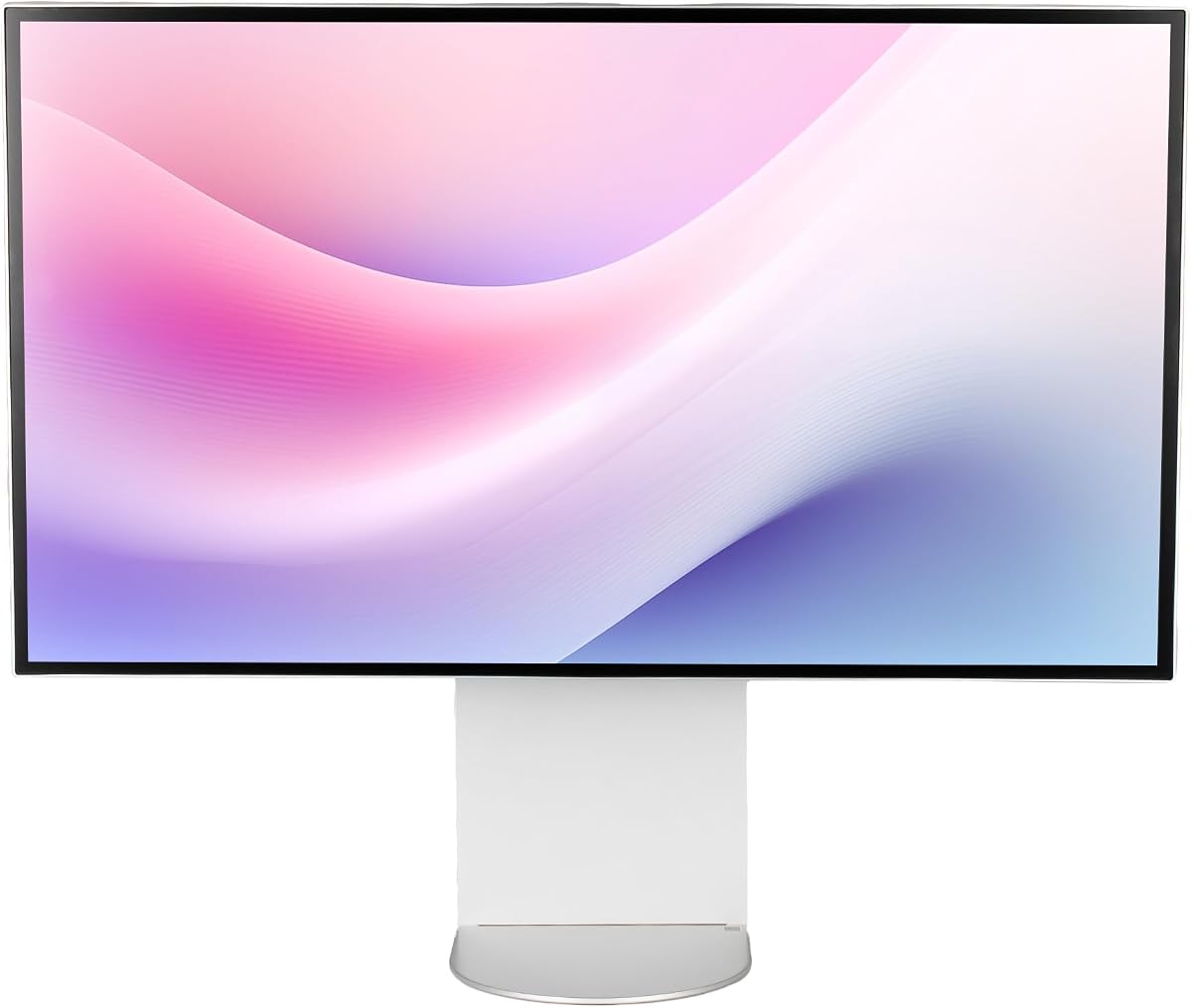
The Dell UltraSharp U3224KB offers a direct route to 6K productivity in a conventional 31.5-inch 16:9 design. Its 3.2 rating is the lowest listed in this roundup, but the core specifications are focused: 6144 by 3456 resolution, 450-nit brightness, and a five-millisecond GTG response time.
We may earn a commission when you buy through this link, at no additional cost to you.
The display's native 6K mode offers a substantial increase in working space and fine detail for office applications, editing timelines, and viewing high-resolution media. USB Type-C supports faster data transmission, while the 16:9 format fits standard widescreen content without unusual scaling considerations. Its 60Hz refresh rate is more appropriate for productivity than fast competitive gaming.
Compared with the ProArt and LG models, the supplied specifications are less detailed about color gamut, calibration, contrast, and advanced docking. This makes the Dell easier to understand as a conventional productivity display, but buyers who require explicit professional color guarantees may prefer a model with published calibration and gamut coverage. Its lower user rating may also reflect early-product concerns that are not fully visible in the basic feature list.
The U3224KB is most suitable for office professionals, developers, and general users who want 6K text clarity and expansive screen space without specialized gaming or touch features. Check the latest port, stand, and software compatibility information before ordering because the product summary emphasizes basics rather than every supported feature.
A 6144 by 3456 canvas makes small interface text easier to read and allows more applications or panels to remain visible. The familiar 16:9 ratio also keeps windows proportioned as users expect on a standard professional monitor.
The stated 450-nit brightness can help content remain visible in bright offices or controlled viewing environments. It is a useful productivity specification, though it does not by itself establish HDR performance.
We may earn a commission when you buy through this link, at no additional cost to you.
This LG UltraFine evo bundle centers on the same 32U990A-S hardware while adding cable ties and an LCD screen-cleaning kit. Its 4.5 rating is the strongest listed for a conventional 32-inch 6K monitor, making it a notable choice for buyers seeking both a high-resolution professional display and a tidy setup.
We may earn a commission when you buy through this link, at no additional cost to you.
The 6144 by 3456 Nano IPS Black panel offers 224 pixels per inch, true 10-bit color, 98 percent DCI-P3 coverage, and 99.5 percent Adobe RGB. DisplayHDR 600, a 2000:1 contrast ratio, and brightness up to 450 nits support demanding visual work, while the built-in speakers and extensive stand adjustment improve everyday convenience.
Thunderbolt 5 provides data transfer at up to 80 gigabits per second and up to 96W of laptop charging over one cable. A built-in KVM can control two computers using a single keyboard and mouse in picture-in-picture or picture-by-picture arrangements, and daisy chaining can support a second matching display. As with the standard LG, the 60Hz refresh rate limits appeal for fast competitive gaming.
This bundle is a good choice for creators who appreciate a more complete package and want a 6K monitor as the center of a professional workstation. It is especially useful for owners of multiple computers or laptops who can take advantage of the KVM and high-bandwidth Thunderbolt workflow.
Cable ties help maintain a clean Thunderbolt-based workstation, while the cleaning kit supports routine care of the high-resolution panel. These additions are modest, but particularly relevant for a premium desktop setup.
The integrated KVM and picture-in-picture options make the monitor useful for cross-system work. Users can move between machines without rearranging peripherals every time they need to switch tasks.
We may earn a commission when you buy through this link, at no additional cost to you.
The G32X 6K Monitor is a minimalist, general-purpose model aimed at users who want strong specifications without the specialized emphasis of a gaming or touch display. Its 5.0 rating is the highest listed in the group, although a small or evolving customer base can make such a perfect score less informative than a longer review history.
We may earn a commission when you buy through this link, at no additional cost to you.
The 32-inch IPS panel produces 6016 by 3384 resolution at 218 pixels per inch, with 500-nit brightness, 98 percent DCI-P3 coverage, and a stated Delta E below two. These specifications position it for professional editing and media work, while the 178-degree viewing angle and anti-glare treatment broaden its suitability for everyday use.
A high-speed USB-C port supplies 100W charging while carrying video and data, and multiple high-performance interfaces support consoles, PCs, and peripherals. The included ergonomic stand offers height, swivel, tilt, and pivot adjustment, plus 100 by 100 millimeter VESA compatibility. The supplied information does not state a refresh rate, HDR certification, or calibration method, so buyers should not assume capabilities that have not been documented.
The G32X is a credible all-rounder for a buyer who prioritizes sharp resolution, accurate color claims, brightness, clean single-cable operation, and flexible positioning. It is less obviously suited to competitive gaming or users who require a published professional calibration report.
A stated 500-nit brightness provides headroom for detailed editing and brighter source material. The claimed DCI-P3 coverage and Delta E below two make the display more compelling for color-conscious work than a basic office monitor.
The included adjustable stand and universal mounting pattern make it possible to optimize screen position or add a monitor arm. USB-C power delivery reduces the number of cables needed for a compatible laptop.
We may earn a commission when you buy through this link, at no additional cost to you.
The G32P 6K Monitor is the stand-free version of a distinctive minimalist 6K design, offering 6144 by 3456 resolution, 223 pixels per inch, and a 4.6 rating. Its glossy surface and honeycomb visual design give it a more premium appearance than many conventional office monitors.
We may earn a commission when you buy through this link, at no additional cost to you.
Color specifications are strong: the IPS panel claims 99 percent DCI-P3, 99 percent sRGB, a Delta E below two, and 500-nit brightness. A 100W high-speed power port can charge a laptop while carrying display and data, and the included high-speed interfaces support consoles, PCs, and peripherals.
The absence of a stand is the most important practical consideration. Although the display supports 100 by 100 millimeter universal mounting, buyers without a compatible arm or another VESA-compatible stand must account for that extra component. Its glossy finish can also reflect bright windows or lamps, so controlled room lighting may be necessary for comfortable creative work.
Choose the G32P if you already have a suitable monitor arm or specifically prefer the honeycomb design and glossy presentation. It is otherwise a high-specification option for editing, gaming, and detailed productivity where 6K resolution, color claims, and brightness take priority over a ready-to-use desktop arrangement.
The honeycomb housing and cooling design distinguish the G32P visually and may contribute to sustained performance management. Buyers should still maintain normal airflow around the enclosure during extended professional sessions.
The model is sold without a stand, which can be an advantage for an existing arm setup. Confirm the 100 by 100 millimeter mounting standard and obtain compatible hardware before ordering if a stand is not already available.
We may earn a commission when you buy through this link, at no additional cost to you.
The Dell U3224KB Protection Bundle combines a 31.5-inch 6K UltraSharp display with a two-year premium extended service protection plan. Its 3.3 rating is modest, but the package's defining advantage is the combination of high-resolution productivity hardware and added protection for buyers who value device coverage.
We may earn a commission when you buy through this link, at no additional cost to you.
The panel offers 6144 by 3456 maximum resolution, 450-nit brightness, a five-millisecond GTG response time, and a 60Hz standard refresh rate. These specifications favor document work, media viewing, and general office applications rather than fast competitive gaming. USB Type-C provides a convenient route for high-speed data and modern laptop connections.
The bundle includes a five-foot Thunderbolt 4 or USB-C cable, a 3.3-foot Mini DisplayPort cable, and a 3.3-foot USB 3.2 Gen 2 Type-A-to-C cable. That accessory selection is useful for setup, although the supplied summary does not provide detailed color gamut, calibration, contrast, or stand-adjustment information.
This package is most appropriate for an office or home professional who wants native 6K clarity and added service protection. Those who need verified color performance or a more advanced docking and KVM feature set should review the ASUS ProArt or LG UltraFine alternatives more closely.
The included two-year premium plan can provide reassurance for a specialized and relatively costly workstation component. Buyers should review the plan's exclusions, coverage terms, and claim process before purchase.
Thunderbolt 4 or USB-C, Mini DisplayPort, and USB 3.2 Gen 2 cables provide useful options for connecting modern systems. This reduces immediate accessory shopping and supports different source-device arrangements.
We may earn a commission when you buy through this link, at no additional cost to you.
The ALOGIC Clarity Touch 6K is the most specialized product in the guide, combining a 6016 by 3384 touchscreen with an included pressure-sensitive stylus and foldable drafting stand. Its 5.0 rating reflects an exceptional proposition for artists, architects, illustrators, and users who want a large digital canvas for drawing, annotation, and design.
We may earn a commission when you buy through this link, at no additional cost to you.
At 216 pixels per inch, the display offers retina-like clarity and nearly 2.5 times the screen space of a 4K display. Factory-calibrated color gamuts and an average Delta E below one support color-critical work, while the Active Stylus provides 4096 pressure levels and low-latency input. Multitouch gestures, including pinch to zoom, function across macOS and Windows.
The included Clarity Fold Stand can switch between upright desktop use and a flatter drafting-tablet orientation, and its base rotates 360 degrees. A built-in USB-C hub provides 90W charging, two USB accessory connections, and audio over one cable to the computer. The trade-off is specialization: this is not a conventional high-refresh gaming monitor, and its premium position narrows the audience that genuinely needs touch and stylus input.
The Clarity Touch 6K is an exceptional recommendation for digital illustrators, concept artists, architects, and creative teams that regularly sketch or annotate directly on screen. Buyers should verify operating-system support and their preferred application workflow, but for high-resolution draftsmanship the feature combination is unusually complete.
Pressure-sensitive stylus input transforms the display from a passive viewing surface into a large drawing and annotation tool. The 6K resolution supplies enough detail for fine lines, small interface elements, and detailed hand-rendered work.
The foldable stand and rotating base allow the screen to move between conventional upright viewing and a low, tablet-like position. This makes the product more adaptable to sketching, drafting, and collaborative design sessions.
We may earn a commission when you buy through this link, at no additional cost to you.
The LG Ultrafine 32U990A-S.AEU is a more compactly summarized version of the 32-inch 6K proposition, offering 6144 by 3456 resolution on a Nano IPS panel. Its 3.6 rating places it in the middle of this group, while the clearly listed specifications cover the core display and basic adjustment features.
We may earn a commission when you buy through this link, at no additional cost to you.
The monitor operates at 60Hz with a five-millisecond G2G response time, supports HDR 600, and uses an anti-glare finish. Connectivity includes one DisplayPort, one HDMI, and three USB-C ports, giving it more USB-C options than a basic office display while offering a more modest overall specification list than the fully described UltraFine models.
Tilt, height adjustment, pivot, and 100 by 100 millimeter VESA mounting make it practical for a standard professional desk. Its main limitation is the 60Hz refresh rate, which is less attractive for fast games. The energy efficiency class is listed as G, a relevant consideration for users who intend to operate the display for long creative sessions or throughout the workday.
This model is a sensible choice for buyers who recognize the LG UltraFine platform and want the essential 6K experience without a gaming-focused feature set. Those seeking broader color coverage, Thunderbolt 5, richer connectivity, or bundled accessories should compare the more extensively specified LG listings and the ASUS ProArt before deciding.
The 6144 by 3456 panel provides the category's defining benefit: very fine detail and a large digital canvas within a familiar 32-inch footprint. It is a meaningful upgrade for text-heavy and detail-oriented work.
Height adjustment and pivot support make it easier to align the display with adjacent screens. VESA compatibility provides additional flexibility for users who prefer a monitor arm.
We may earn a commission when you buy through this link, at no additional cost to you.
Choosing a 32 inch 6K monitor requires balancing pixel density against color performance, motion speed, connectivity, desk space, and workflow needs. The most detailed display is not automatically the best option for every user, so the following factors deserve careful consideration before purchase.
Native 6K resolution normally means either 6016 by 3384 or 6144 by 3456 pixels in a 16:9 format. On a 32-inch panel, that produces roughly 216 to 224 pixels per inch, allowing small text, fine photographic detail, and dense editing interfaces to appear exceptionally crisp. Confirm that the operating system and creative applications support the 6K canvas without unwanted scaling limitations.
Choose native 6K for maximum detail, especially when editing high-resolution media or working with complex timelines. Verify native resolution rather than relying on an upscaled 6K mode.
Most of the listed models use IPS technology, which offers consistent colors, broad viewing angles, and fast response compared with many older professional panels. Nano IPS Black models add a higher stated contrast ratio, while conventional IPS panels may show less separation between deep shadows and bright highlights. Glossy and anti-glare finishes also affect perceived clarity differently.
For color-critical work, compare published contrast and coating details. Matte finishes reduce reflections, while glossy screens may look more vivid under controlled lighting.
A wide gamut is only useful when the display is calibrated and stable. DCI-P3 coverage is important for digital video and modern design workflows, while Adobe RGB coverage can benefit print-oriented photo work. Factory calibration, Delta E figures, and automatic light or backlight sensors provide more evidence of accuracy than a broad color claim alone.
Prioritize models with published calibration data when color matching is non-negotiable. General productivity users can focus on the required gamut instead.
A 60Hz display is well suited to design, documents, coding, and general media work, while the Samsung Odyssey G8 supports 165Hz at native 6K and a faster 330Hz mode at 3K. Response time also influences motion clarity, but high refresh rates and low latency matter most to competitive gamers than to editors working at a conventional pace.
Choose native 6K for visual fidelity or reduced resolution for maximum speed. Check the graphics card can drive the selected mode.
Brightness figures in this category range from 450 to 500 nits. Sustained brightness, panel uniformity, and local dimming behavior determine how well a display handles HDR, so an HDR label should not be treated as a complete measure of tonal performance. DisplayHDR 600 appears on the LG models, while the Samsung offers HDR10+ for gaming.
Match brightness capability to room lighting. High brightness helps in bright offices, though glare and sustained output remain important.
USB-C is particularly useful when it supports display input, data transfer, and laptop charging through one cable. Thunderbolt 4 or 5 adds bandwidth and daisy-chaining, while HDMI, DisplayPort, a built-in USB hub, and KVM switching broaden compatibility with desktop workstations and multi-computer setups. Compare the exact port versions and power-delivery limits.
Prioritize one-cable operation for laptops and KVM for multiple computers. Verify adapters and dock requirements before buying.
A 32-inch 6K screen offers substantial workspace, but its pixel density can make interface elements appear physically tiny. Height, tilt, swivel, pivot, and portrait adjustment can improve comfort and help users combine it with other displays. Some models include an adjustable stand, while the G32P is sold without one and requires a compatible VESA arm or stand.
Measure the desk and compare the stand's range. Confirm VESA size and include a separate arm if a stand is absent.
The ALOGIC Clarity Touch 6K adds multitouch, an active pressure-sensitive stylus, and a folding drafting stand. These features make it compelling for illustration, architecture, and annotation but add little to a conventional office setup. Its specialized design should be matched to a genuine need for direct input rather than chosen solely for its unusual feature set.
Choose touch only when drawing or direct manipulation is central. For standard productivity, a non-touch panel is usually simpler and more affordable.
Start by connecting the display with the appropriate cable and enabling the native 6K mode in the operating system's display settings. For USB-C or Thunderbolt systems, use a certified cable that supports the required video bandwidth, data transfer, and charging functions. Allow the graphics driver to detect the display before changing its scale or resolution, and update the graphics software when a newly installed monitor appears incorrectly.
Set brightness according to the room rather than automatically using the maximum level. Professional users should install the display's color-management profile, choose the appropriate color preset, and avoid changing system color settings without a defined reference. For gaming, verify that variable-refresh technology and the intended resolution and refresh combination are enabled within both the game and graphics control panel.
Keep the panel clean with a soft microfiber cloth and avoid harsh liquids, abrasive pads, and persistent direct sunlight. Leave the housing's ventilation paths unobstructed, particularly for displays with dense cooling designs. Periodically inspect cables, tighten connections without forcing them, and update firmware or utility software when the manufacturer provides corrections relevant to the installed model.
For detailed creative work, a native 6K monitor offers noticeably more pixels, finer text, and a larger usable workspace than a 4K model. The improvement is less dramatic when viewing ordinary web pages or standard-resolution media. Consider 5K or 6K only when your applications and computer can use the extra resolution effectively.
A modern capable graphics system is advisable, particularly for gaming, 3D rendering, or video playback at full 6K resolution. Professional applications that do not constantly redraw the screen may place less strain on the GPU. Your CPU, operating system, and application also need to support the selected 6016 by 3384 or 6144 by 3456 canvas.
The models in this guide use either 6016 by 3384 or 6144 by 3456 pixels. Both are 16:9 resolutions close to the 6K standard. Check the operating system's scaling because the higher pixel density can make small interface elements appear smaller than on a 4K display.
They can be excellent because the high pixel density reveals fine detail and provides more room for editing tools and reference images. Color gamut, calibration, contrast, and brightness matter just as much as resolution. The ASUS ProArt, LG UltraFine, and ALOGIC models provide particularly relevant color specifications for professional image work.
Yes, provided the game, graphics card, and connection support the target resolution and refresh rate. The Samsung Odyssey G8 offers native 6K at 165Hz and can switch to 3K at 330Hz. Other listed displays are primarily designed for professional productivity and use a 60Hz-class refresh rate.
Not every model provides the same charging power or the same USB-C functionality. The ASUS ProArt and LG models support up to 96W through Thunderbolt 4 or 5, the G32X states 100W, and the ALOGIC provides 90W. Confirm that the monitor's port and cable also support charging for your specific laptop.
A 6K touchscreen allows precise drawing, sketching, and annotation directly on a very high-resolution canvas. The ALOGIC Clarity Touch adds pressure-sensitive stylus input and a foldable stand, making it useful as a large drafting surface. This specialization is unnecessary for users who only need conventional desktop interaction.
Buying now makes sense if your current workflow clearly benefits from more resolution, color coverage, or specialized connectivity. The category is still relatively new, and model ratings can change as more owners publish experiences. Compare current specifications, warranty coverage, operating-system support, and return terms before making a final decision.
The ASUS ProArt PA32QCV is the most balanced professional recommendation because it combines factory calibration, DCI-P3 coverage, dual Thunderbolt 4, a MacBook preset, and automatic KVM switching. The LG UltraFine 32U990A-S stands out for Thunderbolt 5, deep 2000:1 contrast, extensive color coverage, and a complete workstation feature set, while the Dell UltraSharp offers a more straightforward productivity path.
Prioritize the workflow that will occupy most of your time. Choose the Samsung Odyssey G8 for high-speed 6K gaming, the ALOGIC Clarity Touch for pressure-sensitive digital drafting, the Dell U3224KB for basic 6K productivity, and the G32X or G32P when brightness and a high-density IPS panel are central. Evaluate ports, stand requirements, scaling, and warranty coverage as carefully as the headline resolution.
Finally, check current prices, availability, seller information, and the latest manufacturer specifications before ordering. Product details and customer ratings can change, particularly in a developing category where new models and updated bundles appear regularly. The right 32 inch 6K monitor is the one that pairs sharp resolution with the color, speed, connectivity, and ergonomics your daily work actually requires.