
Anker 45W USB C Charger 2-Pack
4.8Editor score
45W Super Fast Charging
Two charger blocks included
Two five-foot USB-C cables
MultiProtect safety system
Discover the best Anker USB C fast charger options, comparing power, portability, port count, displays, safety, and device compatibility.
An Anker USB C fast charger can simplify daily power by replacing bulky power bricks with compact adapters for phones, tablets, and USB-C notebooks. The most useful model depends on wattage, port configuration, foldable design, supported charging protocols, and whether you travel or work at a shared desk.
We compared ten current Anker options by examining maximum output, port flexibility, physical dimensions, included accessories, safety features, device support, and customer ratings. The list ranges from a two-pack of 45W chargers to a display-equipped 160W desktop-class adapter, making it useful for nearly every charging setup.
Each pick highlights a distinct use case, such as high-output laptop charging, multi-device travel, budget value, or compact phone charging. Product details and customer feedback can change over time, so readers should confirm current specifications, compatibility, and pricing before making a final purchase.
4.8Editor score
4.7Editor score

4.6Editor score
The comparison below places every Anker charger in the guide side by side, focusing on maximum power, port count, portability, displays, and the kinds of devices each model is designed to support.




The Anker 45W USB C Charger Block 2-Pack is a strong budget choice for anyone who wants dependable USB-C fast charging without paying for a display or multi-port design. It carries a 4.8 customer rating, and its main advantage is that the package contains two separate 45W charger blocks rather than one adapter with multiple ports.
We may earn a commission when you buy through this link, at no additional cost to you.
Each block supports up to 45W and is advertised as capable of bringing a Samsung S24 Ultra to 50% in 20 minutes. The package also includes two five-foot USB-C to USB-C cables rated to handle up to 100W, plus two cable organizers. That combination makes it easy to keep one charger at home and another at work, or to share a charger with a family member.
The trade-offs are straightforward. Because each 45W unit has one USB-C connection, it cannot charge several devices at once and offers no visibility into charging status, temperature, or negotiated output. It also focuses on compatible USB-C devices rather than providing legacy USB-A ports, although its broad USB-C compatibility makes it suitable for many modern phones and accessories.
This is our Best Budget pick because the two-pack format adds flexibility that a single basic charger cannot offer. It is especially compelling for Samsung phone users, travelers, and households that want a spare USB-C adapter. If one-port charging and a 45W ceiling meet your needs, it is a particularly complete package.
The two-pack format is more useful than it might initially appear. You can place one block in a travel bag and leave another at home, use them in separate rooms, or keep one as a dedicated laptop charger and the other for a phone. Both are paired with long USB-C cables for easier reach across a desk or nightstand.
The 45W output targets modern fast-charging phones, including supported Samsung models, while MultiProtect adds high-voltage and short-circuit protection. This combination of speed and safeguards makes the block a practical daily adapter rather than merely a simple low-power charger.
We may earn a commission when you buy through this link, at no additional cost to you.
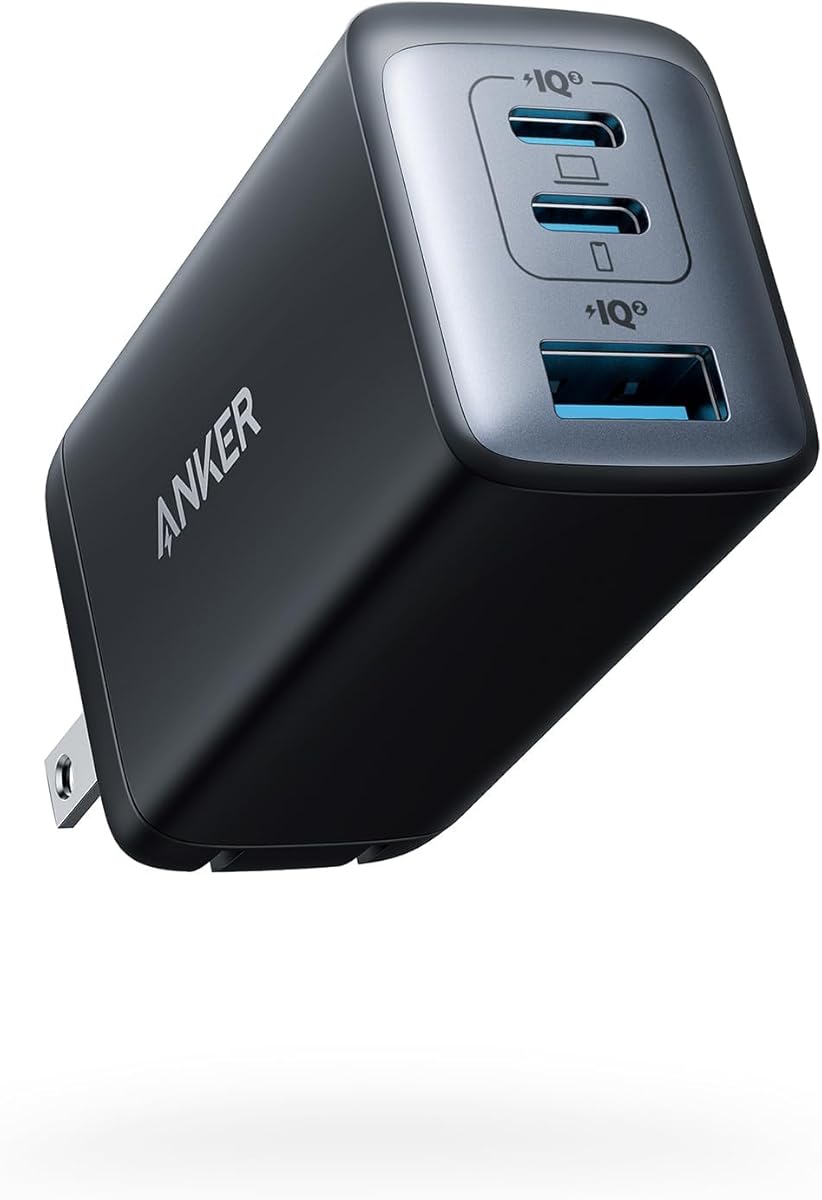
The Anker 65W Max 3-Port USB C Charger Block is the most versatile all-round option in this guide. Its 4.7 rating reflects strong customer satisfaction, while its combination of 65W maximum output, three ports, and a roughly AirPods Pro case-sized body addresses nearly every common travel charging need.
We may earn a commission when you buy through this link, at no additional cost to you.
When one device is connected, the charger can deliver up to 65W, enough for a 2020 13-inch MacBook Pro at full speed according to the product information. With three devices attached, Anker distributes power across the connections. This makes the adapter useful for a phone, tablet, and smaller USB-C accessory at once instead of forcing the user to carry separate wall plugs.
Its main limitation is the lack of a cable and display. You will need to supply a suitable USB-C cable, and unlike Anker's display-equipped chargers, it does not show live power, temperature, or port information. The GaN II design also does not make the unit so small that it disappears; it is exceptionally compact, but still designed primarily as a travel charger.
We chose this model as the Editor's Choice because it balances laptop-capable output, multi-device flexibility, safety features, and portability without unnecessary complexity. It is a strong first choice for frequent travelers, hybrid workers, and anyone who wants one dependable adapter to cover a phone, tablet, and USB-C computer.
The three-port layout gives the 65W charger more practical value than a similarly powerful single-port adapter. It can serve a phone, tablet, and USB-C notebook or accessory together, with power distributed intelligently as demand changes. The result is less outlet competition and fewer adapters to pack.
GaN II technology supports a smaller footprint without reducing the charger's maximum output. The stacked design and upgraded circuit board help it approach the size of an AirPods Pro case, while the foldable plug keeps the unit easier to place in a bag or backpack.
We may earn a commission when you buy through this link, at no additional cost to you.
The Anker Nano 65W GaN II is built for people who prioritize the smallest charger capable of handling a USB-C notebook. It has a 4.7 customer rating, a single 65W USB-C port, and a foldable plug, making it a clean alternative to larger multi-port power bricks.
We may earn a commission when you buy through this link, at no additional cost to you.
The stated charging performance is substantial for such a compact unit. Anker says it can charge a 2020 MacBook Air in under two hours, power a 13-inch MacBook Pro at full speed, and charge an iPhone 13 up to three times faster than with a 5W charger. Compatible Samsung phones can also reach their full Super Fast Charging capability.
The compromises are clear. Since it has only one port, it is intended for one device at a time, and it cannot serve as a shared charging hub. No cable is included, either, which may add an extra purchase if you do not already own a suitable USB-C to USB-C lead.
Choose this Nano model when portability and single-device charging matter more than simultaneous charging. It is particularly useful for a travel kit built around a phone or lightweight USB-C laptop. Users who regularly need to power several gadgets should move up to the three-port 65W option.
At 58% smaller than an original 61W USB-C charger, the Nano II demonstrates how GaN II can reduce physical size without lowering maximum output. That makes it well suited to compact travel pouches, laptop sleeves, and outlets where a full-size adapter would be inconvenient.
PPS support helps optimize charging for compatible Android devices, while the product information specifically calls out Samsung Super Fast Charging. USB-C notebook support extends the charger's usefulness beyond phones, provided your computer accepts a 65W USB-C supply.
We may earn a commission when you buy through this link, at no additional cost to you.
The Anker Nano 70W Max 3-Port combines high output with a small footprint, earning it a 4.7 customer rating. Unlike the earlier 65W Nano products in this guide, it provides three USB-C connections and can deliver up to 70W from each port, depending on connected-device demand and power distribution.
We may earn a commission when you buy through this link, at no additional cost to you.
Anker states that the charger can bring a 14-inch 2024 MacBook Pro from 0% to 50% in 35 minutes. It also positions the unit as a better fit for recent M4 models than a standard 65W charger. The included 4.9-foot USB-C to USB-C cable makes the package ready for immediate use with compatible USB-C devices.
Thermal management is a notable strength. TÜV Rheinland certification and ActiveShield 4.0 thermal monitoring are intended to keep surface temperatures as much as 10°F below international charging benchmarks. The textured shell, glossy finish, and metal frame also give it a more refined appearance than a basic plastic wall adapter.
This model is a good fit for a traveler who needs multiple USB-C connections without accepting a large brick. It may be less appealing to buyers who want live power monitoring, since there is no display, or to people who need four simultaneous device connections. For those situations, the 100W or 140W models offer more room.
The 70W per-port specification is the standout feature, offering enough headroom for demanding USB-C computers while retaining room for smaller devices. When several high-draw products are connected, shared power limits still apply, so checking the device requirements remains important.
ActiveShield 4.0 monitors thermal conditions as the charger operates. The reported lower surface temperature is particularly relevant for a compact high-wattage adapter, where heat management can affect efficiency, confidence, and the practical experience of using the charger beside a device.
We may earn a commission when you buy through this link, at no additional cost to you.
The Anker 100W Max USB C Charger with Smart Display is ideal for users who want more than basic fast charging. It has a 4.7 rating and adds a high-definition screen that shows charging status, temperature, and port performance, allowing you to see how the adapter is distributing its output.
We may earn a commission when you buy through this link, at no additional cost to you.
Advanced GaN technology provides up to 100W on any USB-C port, and Anker says the charger can sustain peak performance for up to twice as long as the average 100W charger. That makes it suitable for a USB-C notebook, a phone, and smaller devices without moving to a much larger power supply.
A useful automatic mode switches USB-C2 or USB-A to a 95W plus 5W low-current arrangement after output remains at or below 5W for one minute. This is designed for earbuds and other low-power accessories. One consideration is that the display itself adds complexity compared with a simple three-port adapter, and the product does not offer the Bluetooth customization found in the Anker Prime model.
This is the strongest choice in the guide for a desk that benefits from charging transparency. The screen makes troubleshooting easier, the low-current mode is thoughtful, and the included 4.9-foot USB-C cable improves convenience. Buyers who only need basic speed can save money and space with a simpler charger.
The smart display turns otherwise hidden charger behavior into useful information. Seeing temperature, output status, and port performance can help identify a weak cable, an inactive connection, or an unexpected power allocation without relying on guesswork.
Automatic low-current mode is helpful when earbuds or other small devices share the charger with demanding equipment. Instead of treating every connection identically, the unit shifts its allocation to suit the lower-power load.
We may earn a commission when you buy through this link, at no additional cost to you.
The Anker 45W iPhone Charger is a straightforward, pocket-oriented adapter for people who mainly want one phone charged quickly. Its 4.7 rating reflects a favorable balance of compact size, modern charging speed, and the useful inclusion of a six-foot USB-C to USB-C cable.
We may earn a commission when you buy through this link, at no additional cost to you.
GaN technology supports the 45W output, allowing compatible iPhones and other USB-C devices to receive fast charging in a small housing. The product information positions it as a quick power boost for iPhone users, but its universal USB-C approach also covers supported Samsung devices and other compatible equipment.
ActiveShield technology helps prevent overheating, while built-in electrical safeguards reduce the risk of hazards during charging. The foldable plug and low weight improve portability, although this remains a single-port model. It cannot charge a phone, watch, and earbuds at the same time, and it does not provide the live output information seen on Anker's display-equipped models.
Buy this charger if your priority is a small, dependable phone adapter with enough power for fast charging and a cable in the box. It is less suitable as a laptop charger or shared travel hub. For those needs, the 65W three-port Nano or 70W Nano would offer a more adaptable design.
The lightweight housing and foldable prongs are especially helpful for a pocket, small handbag, or carry-on organizer. A charger that is easy to carry is more likely to be present when a battery is low, which is the point of a travel adapter.
ActiveShield and the charger's built-in protections are intended to manage heat and electrical risks while sustaining fast output. These features make the 45W model a sensible everyday option for compatible Apple and Samsung devices.
We may earn a commission when you buy through this link, at no additional cost to you.
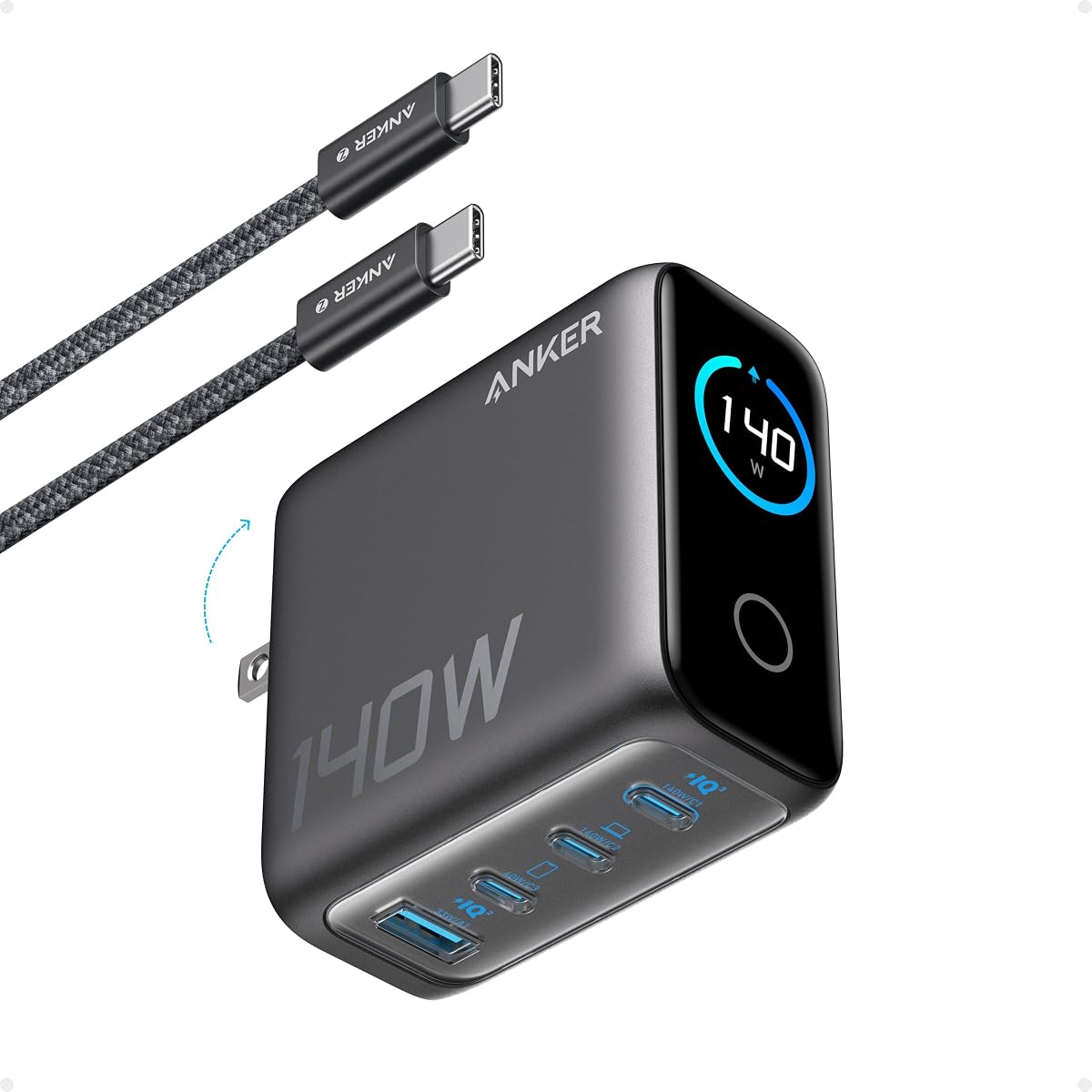
The Anker 140W Max 4-Port GaN Charging Block is the most comprehensive multi-device charger here. It supports four connected devices, includes two high-speed USB-C ports capable of up to 140W each, and adds a high-definition color display for monitoring charging status, temperature, and port details.
We may earn a commission when you buy through this link, at no additional cost to you.
Anker states that either high-output USB-C port can charge a 15-inch MacBook Air to 50% in 30 minutes. That performance makes the unit appropriate for a demanding desk setup where a notebook, phone, tablet, and accessory may need power at once. The included five-foot 240W USB-C cable is also better suited to high-output charging than a basic cable.
Safety is handled by ActiveShield 4.0, which the product information says monitors device temperatures more than 10 million times per day. The 4.4 rating is still positive, although it is lower than those of several smaller and less expensive models. At 2.72 by 2.72 by 1.42 inches and 9.7 ounces, it is also bulkier than the travel-focused chargers in the guide.
Choose the 140W model when four-device support and high laptop power are non-negotiable. It can replace several separate adapters at a stationary workspace, though it is less attractive for minimalist packing. Travelers with fewer devices may find the 70W three-port Nano lighter and easier to manage.
Four ports distinguish this charger from models that require you to choose between a laptop and a collection of smaller devices. It is a practical stationary hub for users who regularly carry several USB-C products between a desk, meeting room, or home office.
The color display provides a clearer view of port activity and charging conditions than a simple indicator light. That information is useful in a multi-device environment, where understanding which connection is active can make cable and power-management problems easier to diagnose.
We may earn a commission when you buy through this link, at no additional cost to you.
The Anker Nano Smart Display Charger combines 45W fast charging with device recognition and a temperature-conscious Care Mode. Unlike most entries in this guide, it does not have an available numerical customer rating, so its evaluation should rely more heavily on the stated features and the defined compatibility list.
We may earn a commission when you buy through this link, at no additional cost to you.
The charger automatically recognizes supported iPhone models and adjusts power delivery based on battery level. Anker states that an iPhone 17 Pro can reach 50% in 20 minutes under its internal laboratory conditions, while actual results will vary with usage and conditions. The display supports tap, double-tap, and press controls, including a 180-degree rotation.
Care Mode is the distinctive feature. It is TÜV-certified and is claimed to lower charging temperature by as much as 9°F compared with a standard 45W charger, making it appealing for overnight charging. Compatibility is specific: the listed devices include iPhone 17, 16, and 15 series, several iPad Pro models, and exclude iPhone 17e.
This is the best choice for an Apple-centric user with one of the explicitly supported devices who values automatic adjustment and cooler overnight charging. It is less appropriate for everyone else because the smart recognition does not cover all phones and tablets, and the display is not a touchscreen.
Supported devices receive charging tailored to their battery level, reducing the need to manage output manually. The approach can be particularly useful overnight, when automatic behavior is more convenient than repeatedly checking a display or changing modes.
The TÜV-certified Care Mode is designed to reduce temperature relative to a standard 45W charger. Lower heat is a meaningful benefit for prolonged charging sessions and for users who prefer a more conservative approach to overnight power delivery.
We may earn a commission when you buy through this link, at no additional cost to you.
The Anker Zolo USB C Charger Block is a strong option for households that still rely on a mixture of USB-C and USB-A accessories. It has a 4.8 customer rating, four ports, and a 50W total output, with two USB-C connections and two USB-A ports accommodating a broader range of equipment.
We may earn a commission when you buy through this link, at no additional cost to you.
The output allocation is designed to remain useful when both USB-C ports are occupied. Anker specifies that USB-C1 can maintain 30W while USB-C2 delivers 20W. This is not the same as providing 50W to every connected device, so high-demand laptops and phones may still require careful scheduling.
Its ActiveShield 4.0 system provides 24-hour monitoring, while upgraded GaN architecture supports a compact design with built-in foldable plugs. The absence of a display and included cables are the main drawbacks. You must bring compatible charging leads, and the two-pack structure should not be mistaken for two completely independent 50W power supplies.
Choose the Zolo set for a family, dorm room, or travel group that needs several USB-A and USB-C connections in each location. The two-pack adds value by allowing a charger to remain in two separate places. For a single laptop-focused setup, a dedicated higher-output model would be more appropriate.
Most modern compact chargers have moved entirely to USB-C, but that does not eliminate older accessories. The Zolo's mixed layout is useful for older power banks, peripherals, and devices that still depend on USB-A without requiring a separate adapter.
Maintaining 30W on USB-C1 and 20W on USB-C2 creates a practical division of power when two USB-C devices are connected. The arrangement works especially well for a mix of phones, tablets, and lightweight accessories rather than several power-hungry notebooks.
We may earn a commission when you buy through this link, at no additional cost to you.
The Anker Prime 160W Max 3-Port GaN Charger is the premium desktop-class option in this guide. It combines 160W total capacity, a 140W single-port output, three ports, a smart display, and Bluetooth app controls in a package that Anker describes as comparable in size to an AirPods Pro 3 case.
We may earn a commission when you buy through this link, at no additional cost to you.
The 140W output is the critical feature for demanding notebooks. Anker states that a 16-inch MacBook Pro can charge from 0% to 50% in 25 minutes, and the output does not derate at that level. For a mixed setup, the charger can power a 16-inch MacBook Pro, iPhone 16 Pro Max, and 11-inch iPad Pro together with an allocation of 140W, 35W, and 35W.
AnkerSense View adds real-time information on the built-in screen and permits immediate mode changes. Bluetooth connectivity also unlocks custom modes through the app, offering more control than the display-equipped 100W and 140W models. The 4.6 rating remains solid, and the 24-month warranty is longer than the 18-month coverage listed for most other products.
This is the most capable premium choice for a power-intensive desk. It can replace three original chargers for a major phone, tablet, and laptop combination, while its display and app make power allocation easier to understand. It is less relevant for light users, however, and the package does not include a cable.
The 1.35W per cubic centimeter power density allows substantial capacity without the footprint of a large desktop charging station. This matters when the adapter needs to serve as the main charging point for a large notebook, a phone, and a tablet in the same workspace.
AnkerSense View presents live power information and allows mode changes directly on the charger. Bluetooth app support goes further by enabling custom modes, making this a more flexible option for users who want to fine-tune how power is distributed across several connected devices.
We may earn a commission when you buy through this link, at no additional cost to you.
The right Anker USB C fast charger depends mainly on device power, the number of devices you expect to connect, portability requirements, and the value of monitoring features. Use the following factors to narrow the field before comparing the models above.
Start with the power your devices actually need rather than choosing based on the largest number printed on the box. A 45W adapter is well suited to many modern phones and can be appropriate for lightweight tablets, while 65W and 70W models provide more headroom for USB-C notebooks. The 100W, 140W, and 160W options are intended for demanding laptops and multi-device workspaces. A charger with a higher maximum rating may still be the right choice when it offers multiple ports, efficient sharing, or a more compact design.
Single-port chargers are simple and often compact, but every connected device competes for a limited power budget. Two- and three-port models are convenient for a phone, tablet, and watch or for a laptop plus accessories. The four-port Zolo and 140W models suit busy desks and families. Do not assume that a multiport charger can reproduce its headline wattage on every connection simultaneously; read the stated allocation rules and prioritize the ports used by your most demanding device.
USB-C is the common denominator among the products in this guide, but not every charger has the same mix. Most premium and travel models rely entirely on USB-C, while the Anker Zolo includes two USB-C and two USB-A ports. USB-A remains useful for older accessories and legacy power banks. You should also consider whether a suitable cable is included: several models provide one, the single-port Nano II does not, and the Prime 160W is sold without a cable.
For travel, the dimensions and plug design matter nearly as much as output. GaN models such as the 65W and 70W Nano chargers are especially compact, while the 140W and 160W desktop models prioritize capacity and features. Foldable plugs reduce snagging in a bag and make it easier to fit the adapter into a crowded power strip. If the charger will remain on a desk, a larger housing may be acceptable in exchange for more ports or an informative display.
A fast charger should include protections against common electrical risks, not just advertise a high wattage. MultiProtect on the 45W two-pack provides high-voltage and short-circuit protection, while the 45W iPhone model includes ActiveShield. The newer 70W, 100W, 140W, and Zolo models reference ActiveShield 4.0 and temperature monitoring. Certification such as TÜV Rheinland on the 70W Nano and the Care Mode model adds another layer of confidence, especially for overnight charging.
A display is useful when power is shared because it can show status, temperature, and individual port performance. The 100W model provides real-time details, the 140W unit uses a color screen, and the Prime 160W adds Bluetooth app controls and custom modes. The 45W Nano Smart Display offers tap navigation and automatic device recognition. These conveniences are most valuable on a shared desk or with mixed devices, while travelers may prefer the simplicity of a display-free charger.
USB-C physical compatibility does not guarantee the same charging experience for every device. Power Delivery, PPS, and device-specific fast-charging modes can influence negotiated output. The guide includes models described as supporting Samsung Super Fast Charging, PPS, current MacBook Pro and MacBook Air configurations, and specific supported iPhone and iPad models. Always confirm that the charger supports the protocol and power level required by your device, particularly for the premium chargers that use USB Power Delivery 3.1.
The total package can be more useful than the adapter alone. The 45W two-pack includes two chargers, two long cables, and organizers. The 70W and 100W units include USB-C cables, while the 140W model includes a five-foot 240W cable suited to its high output. The 160W Prime prioritizes controls and capacity but omits a cable. Consider warranty duration, included accessories, and whether you need one powerful adapter or several simpler ones before deciding.
Begin by confirming that your device and cable support the charger's output and charging protocol. Connect the charger to a compatible wall outlet, unfold the plug if applicable, and then attach your device. For the best laptop results, use a cable rated for the wattage being delivered; the 140W model's included 240W cable and the 100W model's included USB-C cable are suited to their respective systems.
When several devices are connected, use the display or app controls where available to review port performance and allocation. Do not assume every port receives the headline maximum at once. Allow high-output chargers to operate on a stable, open surface, and avoid covering them with fabric or placing them in a tightly enclosed space where heat can accumulate.
To keep the charger in good condition, handle it by the housing rather than pulling it from the outlet by the cable. Inspect cables for damaged connectors, keep ports free of dust, and avoid using the charger with damaged wiring. Let the unit cool before moving it, and follow the included warranty and support guidance if you notice unusual behavior, excessive heat, or inconsistent output.
The best match depends on the MacBook model and the number of other devices involved. The 65W and 70W models are appropriate for many lighter configurations, while the 140W charger is designed for demanding 15-inch MacBook Air use and the 160W Prime can deliver 140W to a 16-inch MacBook Pro. Confirm the power requirement and charging protocol for your exact computer before purchasing.
Yes, any model in this guide with multiple ports can charge more than one device at a time. Output is shared according to device demand, so a laptop and phone may receive different amounts of power. The 100W, 140W, and 160W models are the strongest choices for simultaneous high-output charging, while the 50W Zolo is better suited to lighter device combinations.
A compatible modern phone or tablet will negotiate an appropriate power level with the charger and its connected cable. The wattage figure is the maximum the adapter can provide, not a requirement that every device must consume. Use standards-compliant cables and avoid damaged connectors, because cable quality and device support also influence charging behavior.
The main differences are maximum output and port flexibility. The 45W options are focused on modern phones, with one offering a two-pack and another adding a smart display, while the 65W model has three ports and can serve a wider mix of phone, tablet, and USB-C notebook equipment. The 65W charger is the better general-purpose travel choice.
Yes, the display-equipped models in the guide provide live information that can include charging status, temperature, and port performance. The 160W Prime adds Bluetooth app controls and custom modes, while the 45W Nano Smart Display uses touch gestures and device-recognition features. These options are helpful for multi-device setups but not necessary for basic charging.
No. The 45W two-pack includes two five-foot USB-C cables, and the 70W Nano, 45W iPhone charger, 100W charger, and 140W charger each include a cable. The 65W Max 3-Port and 65W Nano II do not include one, while the Prime 160W is also listed without a cable. Check the package contents before ordering.
The 65W Max 3-Port is the strongest all-round travel choice because it combines three ports, laptop-capable output, GaN II construction, and a foldable plug. The smaller 65W Nano II is better for one USB-C laptop or phone at a time, while the 70W Nano offers three ports and higher maximum output for travelers who want more power in a similarly compact format.
The Anker 45W USB C Charger 2-Pack is the best budget option because it provides two dependable 45W blocks, two long cables, and a strong customer rating. The 65W Max 3-Port earns the Editor's Choice for its balanced mix of compact size, laptop-capable power, and three-device flexibility, while the Prime 160W is the premium choice for demanding desks and extensive control.
Your next priority should be the device you need to charge most often. Choose 45W for modern phones, 65W or 70W for a flexible phone-tablet-notebook kit, and 100W or higher for demanding laptops and several connected devices. A smart display is most useful in a multiport setup, while foldable plugs and GaN II construction matter most for travel.
Before ordering, verify the charger's protocol support, required wattage, port arrangement, and included accessories against your own devices. Specifications, ratings, availability, and pricing can change, so check the current listing and Anker's current support information before making your final decision.