ZAGG Glass+ Screen Protector
4.3Editor score
Up to three-times stronger glass
Bubble-free alignment tray
Smudge-resistant oleophobic finish
An ASUS ROG Ally screen protector should do more than fit over the display. It needs to preserve touchscreen responsiveness, maintain clear visuals, fit safely around the device’s edges, and withstand fingerprints, scratches, dust, and daily handling. Model compatibility is especially important because the standard ROG Ally, Ally X, newer Xbox-branded versions, and the MSI Claw A1M do not all have identical screen dimensions.
This guide compares ten protectors using the specifications and product information available for each listing. The evaluation considers device fit, glass or film type, stated hardness, transparency, touch sensitivity, anti-fingerprint features, installation method, included accessories, and case compatibility. It also separates installation-friendly options, value-focused multipacks, anti-glare choices, and protectors with alignment trays.
The top picks show why convenience and model coverage can be just as important as raw protection. Readers can follow the numbered reviews for detailed analysis, use the comparison table to narrow the field quickly, and consult the buying guide before purchasing. Prices and availability can change, so confirm the current listing, device model, and included contents before ordering.
4.3Editor score

4.6Editor score

4.6Editor score
As an Amazon Associate we earn from qualifying purchases.
The comparison highlights the major differences among all ten products, including supported handheld models, protector type, installation method, clarity features, and included quantities. Model fit deserves particular attention because listings may cover several closely related devices.




The amFilm Screen Protector for ASUS ROG Xbox Ally X and related Ally models earns a 4.6 rating and stands out for its unusually broad device coverage. It is designed for the 2025 ROG Xbox Ally X, the 2025 ROG Xbox Ally, the 2023 ROG Ally, the 2024 ROG Ally X, and the MSI Claw A1M. That makes it a strong candidate for shoppers who are unsure which handheld they own or who want a spare for more than one compatible system.
We may earn a commission when you buy through this link, at no additional cost to you.
Its 0.3mm thickness is one of the most useful listed specifications. The thin profile is designed to preserve touchscreen sensitivity while adding a scratch-resistant surface rated at 9H hardness. The protector is also described as 99.9% transparent, so it should maintain the display’s natural appearance rather than creating an obviously tinted layer. An oleophobic coating helps reduce the fingerprints that tend to accumulate during long gaming sessions.
The main trade-off is the apparent construction. Although the listing emphasizes durability and resilience, the protector’s unusually thin design suggests a film-style product rather than a rigid glass sheet. A flexible film can be more forgiving around edges and curves, but it may not provide the same rigid protection against direct impact as tempered glass. It also places more importance on clean installation because trapped particles can remain visible on a thin transparent layer.
This is the most versatile option in the guide for buyers who want a three-pack covering several current handheld models. The package includes three protectors, a microfiber cloth, cleaning wipes, and an installation manual. It is a practical choice for owners of the standard ROG Ally, Ally X, or the newer Xbox-branded models, provided the stated device compatibility matches the exact hardware in your possession.
The supported-model list is the defining feature of this amFilm set. It covers several generations of the ROG Ally family and the MSI Claw A1M, making it useful for households with more than one compatible handheld. Buyers should still verify the exact model number and screen size before ordering.
At 0.3mm, the protector is designed to remain unobtrusive on a display used for touch controls. Its listed touch compatibility, high transparency, and oleophobic coating make it appealing for users who want a clear, responsive surface without the bulk of a thicker glass installation.
We may earn a commission when you buy through this link, at no additional cost to you.
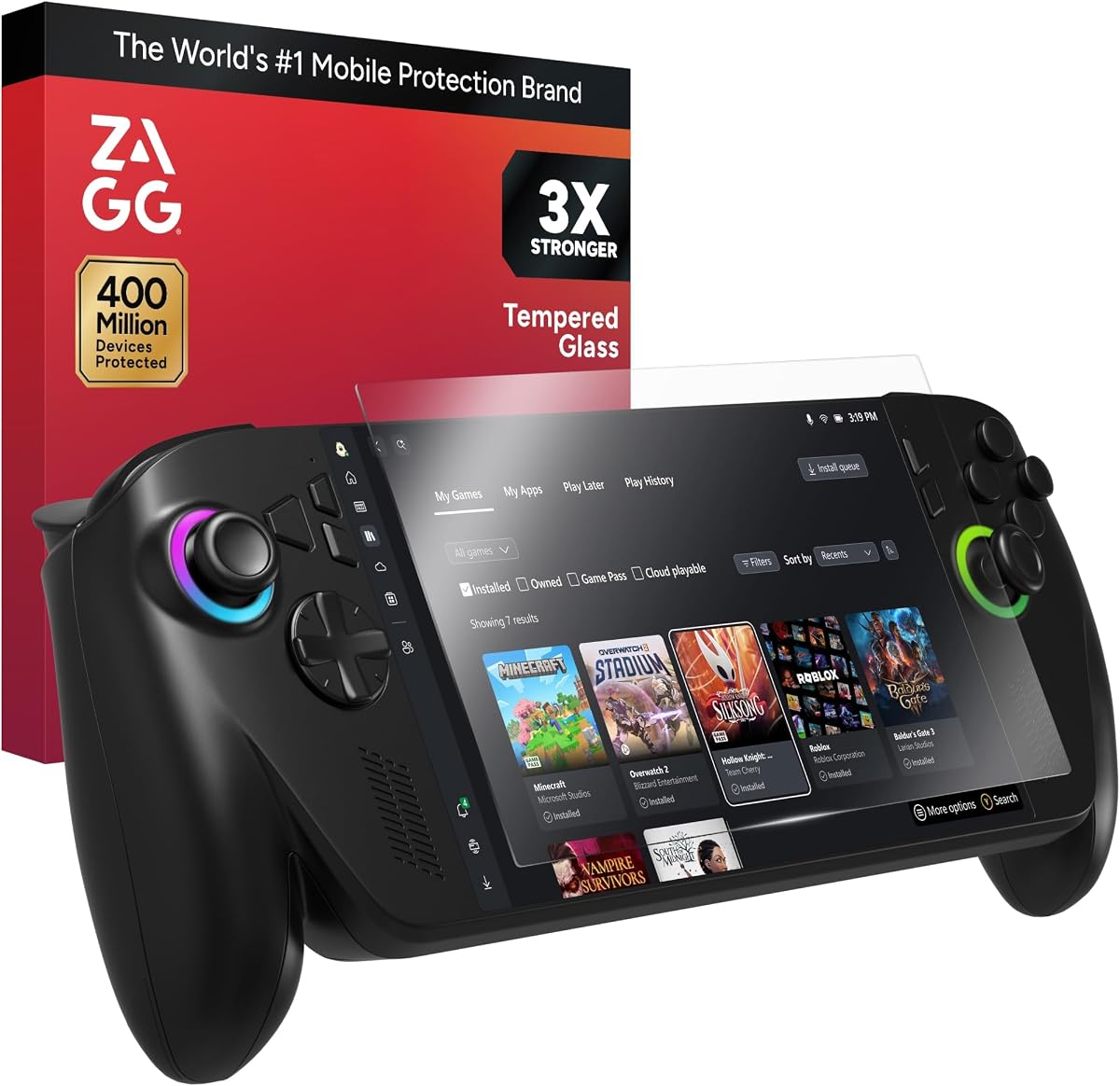
The ZAGG Glass+ is the premium-focused selection in this guide, with a 4.3 rating and a feature set built around rigid glass, precise finishing, and simplified installation. It is designed for the ROG Xbox Ally X and ROG Xbox Ally, giving it a narrower compatibility scope than several multipack competitors. Buyers with an older 2023 ROG Ally or 2024 ROG Ally X should verify compatibility before choosing it.
We may earn a commission when you buy through this link, at no additional cost to you.
Its central claim is that the glass is engineered to be up to three times stronger than standard screen protectors. That claim, combined with scratch-resistant precision finishing, makes the protector appealing for people who routinely place their handheld on shared desks, carry it in travel bags, or use it in environments where the display is exposed to keys and other hard objects. The advanced oleophobic coating is intended to repel oils and fingerprints over extended gaming sessions.
The EZ Apply tray and tabs are perhaps its most consumer-friendly feature. Rather than relying entirely on manual placement, the tray is designed to help align the glass accurately while reducing dust and bubbles. The listing also promises a smooth, silky touch and natural response for taps, swipes, and gestures. These qualities make it a more premium installation experience than a basic adhesive sheet, although a rigid glass protector can still be unforgiving if it is positioned incorrectly.
Choose the ZAGG Glass+ when the ROG Xbox Ally or ROG Xbox Ally X is your device and you value a refined, tray-assisted installation alongside a strong tempered-glass feature set. It is less attractive for owners of earlier Ally generations or those seeking several spare protectors, but it offers a focused and polished solution for the specifically supported newer handhelds.
The EZ Apply system is a meaningful advantage when installing rigid glass. Its tray and pull tabs are intended to center the protector and support a cleaner, bubble-free application, reducing the precision required during the most delicate part of setup.
Scratch resistance, an oleophobic coating, and a smooth surface are particularly valuable for a frequently handled handheld. The listing positions the Glass+ as a long-term surface upgrade for users who dislike persistent smudges and want a silky touchscreen experience.
We may earn a commission when you buy through this link, at no additional cost to you.
This four-pack of 0.33mm tempered glass carries a 4.4 rating and focuses on providing a large supply of standard ROG Ally 2023 protectors. It is especially useful for owners who expect to replace the protector after long periods of use, keep one installed at all times, or want enough spares for several compatible handhelds.
We may earn a commission when you buy through this link, at no additional cost to you.
The glass is described as 9H hard and equipped with anti-scratch and anti-shatter characteristics. A hydrophobic, transparent coating is intended to resist fingerprint oil and other residues. Its listed high-definition transparency is designed to restore the original appearance of the screen, while the 0.33mm profile is meant to maintain sensitive touch and a clean fit. The auto-adhesion system is advertised as making installation possible without a separate frame.
Its limitations come primarily from model specificity and installation support. Unlike several competing sets, the product title focuses on the 2023 ASUS ROG Ally and does not prominently list the newer Xbox editions or the 2024 Ally X. It also does not mention a dedicated alignment tray, so users will need to rely more heavily on careful manual alignment, dust removal, and the device’s edges as guides.
This protector is best for a standard 2023 ROG Ally owner who prioritizes tempered-glass hardness and wants a generous four-piece set. It is a straightforward choice when the number of spares matters as much as the protective features. Confirm the exact device model and installation contents before buying if you own a newer or differently named handheld.
The set’s defining advantage is quantity. Four sheets make it easy to maintain a spare protector, replace a damaged sheet, or share the set among compatible devices. That makes it more versatile than a single-sheet package despite its narrower model focus.
The 0.33mm glass and hydrophobic coating balance rigidity with a relatively unobtrusive profile. The stated 9H hardness and anti-shatter features add everyday scratch protection, while the coating is intended to simplify cleanup after oily or sweaty fingers contact the display.
We may earn a commission when you buy through this link, at no additional cost to you.
The two-pack tempered glass protector earns a 4.6 rating and delivers one of the strongest combinations of compatibility, features, and value in this guide. It is listed for the 2025 ROG Xbox Ally X, 2025 ROG Xbox Ally, 2024 ROG Ally X, and 2023 ROG Ally accessories, all using a seven-inch form factor. That broad model range makes it a particularly practical option for current-generation Ally owners.
We may earn a commission when you buy through this link, at no additional cost to you.
Protection comes from 0.33mm military-grade tempered glass with 9H hardness. The listing claims 99.9% transparency and 99.99% response sensitivity, while a plasma oleophobic coating helps reduce fingerprints from sweat and grease. Rounded 2.5D-style corners are intended to improve edge smoothness and durability without creating a harsh perimeter around the display.
The product also makes a thoughtful case-compatibility claim. Its glass is listed as 0.5mm smaller than the ROG Xbox Ally X screen, with the reserved space intended to prevent edge lifting and help it sit beneath a protective case. That choice trades a small amount of coverage for smoother integration with cases, making it practical for owners who always use a shell.
This is the best budget pick for buyers who want broad compatibility, tempered-glass protection, and a spare in the box. The lack of a stated alignment tray means installation is less assisted, but the combination of high transparency, anti-fingerprint treatment, 9H hardness, and case-conscious dimensions makes it an excellent everyday choice for several major Ally models.
The supported list covers four named handheld variants, giving this budget set an unusually useful device range. It is a sensible choice for shoppers comparing the standard Ally and Ally X families, though buyers should still confirm their exact model and whether a protective case will be used.
The listed 0.5mm edge clearance is designed to reduce the chance that the glass will lift or create an uneven border when a case is fitted. That makes this a practical option for users who prefer complete shell coverage over maximal screen-edge overlap.
We may earn a commission when you buy through this link, at no additional cost to you.
The amFilm OneTouch is built around installation confidence, receiving a 4.4 rating and offering an automatic alignment kit designed to complete the process in about 30 seconds. It is designed specifically for the ROG Xbox Ally X and ROG Ally 2025, making it most relevant to buyers with one of those newer models.
We may earn a commission when you buy through this link, at no additional cost to you.
Its ultra 9H glass provides the product’s core physical-protection claim. The protector is also described as ultra-clear and touch-sensitive, aiming to maintain visual quality and responsive swipes, taps, and gaming controls. A transparent hydrophobic layer is intended to repel sweat and oil, with the listing stating that it prevents 99.99% of fingerprints caused by those substances. That performance claim should be understood as a manufacturer statement rather than an independently verified standard.
The alignment system is the distinguishing feature. A tray can make a rigid screen protector easier to position, and the product’s marketed 30-second installation gives buyers a clear expectation for setup. The main limitation is that the product is tied to two specific models, so it is not a flexible choice for a mixed collection of older Ally and Ally X devices.
Choose the OneTouch if you own the ROG Xbox Ally or ROG Xbox Ally X and want the strongest installation support in the guide. Its high hardness, hydrophobic coating, and clear touch-focused design make it an attractive all-around option, while the limited compatibility means careful model verification is essential before purchase.
The included alignment kit is designed to remove much of the guesswork from positioning glass. For first-time installers or anyone concerned about bubbles, dust, and crooked placement, a guided tray can make the process faster and easier.
Long handheld sessions often produce sweat and oil on the display. The transparent oil-repellent layer is intended to limit those marks, making the screen easier to wipe clean without requiring a separate solution during use.
We may earn a commission when you buy through this link, at no additional cost to you.
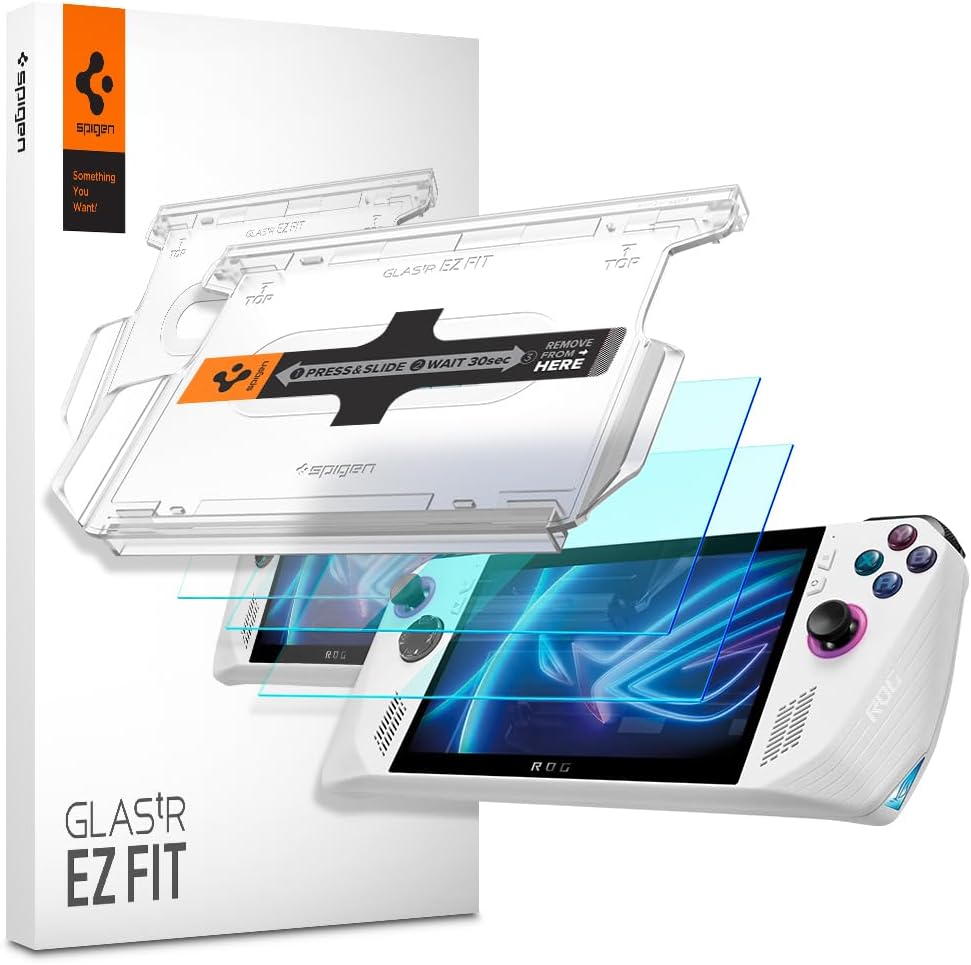
The Spigen GlasTR EZ FIT has a 4.5 rating and is explicitly precision-cut for the standard ASUS ROG Ally. Its list of features is especially comprehensive for a screen protector, including 9H hardness, 100% optical clarity, an oleophobic coating, anti-shatter film, an alignment tray, and a case-friendly edge-inset design. It is a strong option when the older 2023-style ROG Ally form factor is exactly what you own.
We may earn a commission when you buy through this link, at no additional cost to you.
The protective glass resists scratches from everyday objects such as keys, coins, and other sharp items, according to the listing. Its clear adhesive is designed to preserve the original touch experience without lag or resistance, while the oleophobic surface makes oils and smudges easier to remove. Spigen also states that the protector was independently lab-tested for optical clarity.
Installation is handled with an EZ FIT auto-alignment tray. The listing claims the tray can position the protector in under a minute, and the complete package includes two glass sheets, two trays, dust-removal stickers, and a microfiber cloth. A silicone adhesive layer supports a flush fit, while the inset cut is intended to avoid lifting with Spigen cases and many third-party cases.
The decisive limitation is model fit: this product is expressly not compatible with the ROG Xbox Ally. It is best for a standard ROG Ally owner who wants a complete, professional installation package and reliable scratch protection. The anti-shatter construction also adds a layer of safety for minor everyday impacts without replacing the need for sensible device care.
Two protectors, two alignment trays, dust-removal stickers, and a microfiber cloth provide everything required for a careful setup. Redundant accessories are useful because a replacement can be installed without searching for additional tools if the first sheet is damaged.
The 100% stated optical clarity and flush adhesive design prioritize a natural viewing and control experience. A slim, edge-inset cut also helps the protector sit neatly inside a case rather than creating a pronounced raised border around the display.
We may earn a commission when you buy through this link, at no additional cost to you.
The magglass Anti-Glare Matte is the specialist anti-glare choice in this guide, with a 4.1 rating. It is intended for seven-inch ASUS ROG Ally and Ally X models from 2023 and 2024, giving it broader support for the earlier Ally family than products designed only around the new Xbox-branded handhelds.
We may earn a commission when you buy through this link, at no additional cost to you.
Its distinguishing feature is a matte texture that reduces harsh reflections from surrounding lights. That can be especially helpful during travel, in a brightly lit room, or when the handheld is used near a window. The surface is also described as highly resistant to oil smudges and fingerprint marks, supporting a cleaner display during regular handheld use.
The trade-off inherent to a matte screen protector is reduced visual depth. Diffusing reflections can make dark areas appear less deep and may slightly soften perceived contrast compared with a high-clarity glossy surface. The product also has the lowest rating in this particular list, although a 4.1 still indicates generally favorable customer feedback. Buyers most concerned with punchy blacks and glass-like clarity may prefer a transparent option.
This is a smart pick for a ROG Ally or Ally X owner who regularly plays under bright lighting or wants to minimize visible fingerprints. Installation is described as straightforward, and the package includes a tempered-glass anti-glare guard and cleaning kit. It is also backed by the Encased Ltd. lifetime warranty and associated support, adding reassurance that is not explicitly offered by every competing listing.
A matte finish spreads reflected light rather than allowing a sharp mirror-like glare to obscure the display. This makes the protector useful in bright rooms and other environments where direct reflections would otherwise compete with the game or system interface.
Because the matte texture is designed to resist oil smudges and fingerprints, it suits users who frequently pick up the handheld without a cloth. Reduced visible marks can make the display feel cleaner between cleaning sessions, although the finish remains intentionally less reflective than glossy glass.
We may earn a commission when you buy through this link, at no additional cost to you.
The Mr.Shield two-pack receives a 4.6 rating and uses the company’s Ballistic Glass approach for the ASUS ROG Ally. It is aimed at users who want a clear, smooth display with scratch protection and straightforward silicone-based installation. Two protectors are included, providing a spare without turning the package into a large multipack.
We may earn a commission when you buy through this link, at no additional cost to you.
Japan Hardnest Glass is used for scratch resistance, and the product is described as having smooth, highly responsive touch. Its stated 99.99% HD clarity and touch accuracy make it a compelling choice for gamers who prioritize an undisturbed image and dependable control response. The silicone adhesive is intended to support viewing clarity and easy installation and removal.
Mr.Shield also frames the set as protection ranging from ordinary scratches to high-impact drops. As with any thin screen protector, that does not mean the handheld display cannot break, but a separate glass layer can help reduce direct contact with abrasive surfaces and everyday hazards. The key practical question is installation, because the listing does not identify a dedicated alignment tray.
This protector is a good match for a standard ROG Ally owner who values optical clarity and touch performance over specialized features such as anti-glare or a guided installation system. The two-sheet format, strong customer rating, and silicone adhesive make it a straightforward, well-rounded choice for everyday gaming and travel.
The Japan Hardnest glass construction is designed to resist scratches while preserving a clear view. It is a practical layer for a portable gaming display that may contact desk surfaces, bag compartments, or small everyday objects.
With 99.99% stated HD clarity and a focus on touch accuracy, the protector is designed not to compete visually with the game. A smooth surface and silicone adhesive also make it suitable for users who favor direct screen interaction.
We may earn a commission when you buy through this link, at no additional cost to you.
This two-pack holds the highest customer rating in the guide at 4.8 and is designed around several seven-inch handheld model identifiers. Its compatibility list includes the ASUS ROG Ally X RC72LA, the ROG Ally RC71L from 2023, and the MSI Claw A1M. That makes it a versatile choice among the less expensive options for users with one of those named devices.
We may earn a commission when you buy through this link, at no additional cost to you.
The protector uses 9H hardness tempered glass to protect against dirt, dust, and scratches caused by keys or other hard items. It is described as maintaining both touch and pressure sensitivity, with high transparency intended to preserve the original screen appearance. These characteristics make it relevant to the ROG Ally’s touch-control interface, where responsiveness must remain predictable during intense games.
Installation is described as direct and simple. More notably, the product uses a non-adhesive backing, which the listing says will not leave sticky residue. That can make the protector easier to handle, reposition, or remove than a permanently bonded sheet, although users should still follow the supplied installation guidance. The product does not make as many advanced claims about anti-fingerprint coatings, alignment trays, or edge treatment.
This is an attractive value-oriented pick for an owner of the RC72LA, RC71L, or MSI Claw A1M who wants two tempered-glass sheets and strong stated hardness. Its strong customer rating is notable, but the detailed model list should be checked carefully because the product title contains several closely related names. Exact device identification is more important than assuming every seven-inch handheld uses the same cut.
The protector includes explicit compatibility with the RC72LA, RC71L, and MSI Claw A1M. Those model codes help buyers make a more informed choice, but the length of the compatibility list also means careful verification is important before installation.
The stated non-adhesive backing is useful because it can reduce the risk of sticky residue if the protector needs to be lifted or replaced. It also simplifies initial handling compared with immediately committing to an adhesive layer during alignment.
We may earn a commission when you buy through this link, at no additional cost to you.
The Mr.Shield multi-model set has a 4.6 rating and is designed for the ASUS ROG Ally X, ROG Xbox Ally, and MSI Claw A1M. Its compatibility mix distinguishes it from products limited to only the standard Ally or only the new Xbox-branded devices, although the ROG Xbox Ally X is not explicitly included in the title.
We may earn a commission when you buy through this link, at no additional cost to you.
The set includes two Ballistic Glass sheets with 9H surface hardness, offering scratch and everyday impact protection. A precision laser cut creates a tailored shape, while polished rounded edges are intended to improve comfort and durability. Its stated 99.99% HD clarity and touchscreen accuracy emphasize a natural display and control experience.
Installation uses what the listing describes as high-technology glues and a bubble-free design. Since no dedicated alignment tray is mentioned, users will need to clean the surface carefully and position the glass manually. Bubble-free claims are most realistic when the screen is free of dust and the sheet is aligned before the adhesive is set, so preparation remains an essential part of the process.
This protector is a strong option for a buyer who owns the standard ROG Ally X, the ROG Xbox Ally, or the MSI Claw A1M and wants a two-sheet package with rounded edges. It combines good scratch resistance, high stated clarity, and broad cross-brand coverage, but owners of the ROG Xbox Ally X should confirm fit before purchasing.
Polished, rounded edges reduce the harsh feel that a sharply cut glass sheet can create when a finger travels near the display perimeter. This is a small feature, but it improves the everyday feel of a handheld heavily controlled through touch.
Covering the ROG Ally X, ROG Xbox Ally, and MSI Claw A1M gives this set broader utility than a single-model product. The package includes two sheets, so owners of more than one listed device can protect both without purchasing separate accessories.
We may earn a commission when you buy through this link, at no additional cost to you.
The right ASUS ROG Ally screen protector depends on the exact handheld model, the type of surface you prefer, and how much emphasis you place on installation, clarity, impact protection, or case compatibility. Use the following factors to narrow the options before making a final selection.
The ROG Ally family contains devices that may look similar but differ in model year, branding, dimensions, and edge layout. Products in this guide name the ROG Ally, ROG Ally X, ROG Xbox Ally, ROG Xbox Ally X, and MSI Claw A1M in different combinations. The Spigen GlasTR EZ FIT, for example, is specifically excluded from ROG Xbox Ally compatibility, while the amFilm multi-model protector and several tempered-glass sets cover broader ranges. Check the device name and model number printed on the original packaging or in the handheld’s system information before buying. A protector that appears almost identical in shape should still be treated as a different product unless its listing explicitly includes your model.
Film-style protectors are typically thinner and more flexible, which can make them comfortable around a curved or narrow display edge. The amFilm multi-model set, for example, uses a listed 0.3mm thickness and emphasizes touch sensitivity. Tempered glass feels firmer, resists scratches with a stated 9H hardness, and can provide a more rigid barrier against direct contact. Most of the other products in this guide are tempered glass. The best choice depends on whether you prioritize flexibility and edge comfort or a crisp, rigid touchscreen experience. Neither material makes the underlying display impact-proof, so careful handling remains necessary regardless of which type you choose.
A clear glossy protector is usually the most direct way to preserve the vivid appearance of the display, and products such as the ZAGG Glass+, Spigen GlasTR EZ FIT, and Mr.Shield sets emphasize high transparency. A matte protector reduces reflections but can slightly lower perceived contrast and make dark scenes look less deep. The magglass option is the clear choice for that anti-glare preference. Decide whether uninterrupted color and sharpness matter more than minimizing glare and visible fingerprints. For gaming outdoors, in bright rooms, or during travel, the reduced glare from a matte finish may outweigh the visual trade-off.
A ROG Ally is designed around touch controls, so the protector must support accurate taps, swipes, pressure input, and multi-touch gestures. Look for explicit statements about touch sensitivity or response accuracy. Products with thin profiles, smooth finishes, and silicone or auto-adhesion systems are designed to reduce interference. The amFilm OneTouch, ZAGG Glass+, Spigen GlasTR EZ FIT, and Mr.Shield protectors all place touch feel or accuracy among their leading features. After installation, test several menu screens, keyboard inputs, and the interface controls you use most. If taps feel inconsistent, carefully rule out dust or bubbles before assuming the protector itself is defective.
Installation support ranges from a simple adhesive sheet to a full auto-alignment tray. The ZAGG Glass+, amFilm OneTouch, and Spigen GlasTR EZ FIT include alignment systems, making them more approachable for first-time installers. Other products may be easy to apply but rely more heavily on manual positioning. A useful installation kit should also provide cleaning wipes, a microfiber cloth, or dust-removal stickers, although the presence of these accessories varies by product. The Mr.Shield RC72LA set uses a non-adhesive backing that may be easier to handle initially, while fully adhesive options require more care before the protector is committed to the screen.
A protector that fits the display perfectly can still lift at the edges when a protective case is installed. The two-pack tempered glass with broad model support deliberately leaves 0.5mm of edge clearance to reduce this problem and remain case-friendly. The Spigen GlasTR EZ FIT uses a slim, inset cut intended to work with Spigen cases and many third-party cases. If you always use a shell, choose a protector whose listing explicitly discusses case clearance. If you travel without a case, a more extensive edge overlap may be acceptable, although installation difficulty can increase if the glass extends into a tight bezel.
The number of sheets ranges from one to four across the guide. A two-pack is a sensible middle ground because it provides a spare without excessive bulk, while the four-pack is especially useful for repeated replacement or multiple compatible devices. Some two-packs also include two alignment trays, as with the Spigen GlasTR EZ FIT. Count the actual installation tools, not just the glass, when comparing multipacks. A cleaning cloth and dust-removal stickers can be more useful during setup than an additional spare that has no dedicated tray or cleaning supplies.
Many listings use a 9H hardness rating, making it a common baseline rather than a decisive difference between products. Coating behavior can be more useful for distinguishing the everyday experience. Oleophobic, hydrophobic, plasma-treated, or oil-repellent surfaces all target fingerprints and oils, while matte texture reduces reflections as well. The ZAGG Glass+ and Spigen GlasTR EZ FIT pair high stated clarity with smudge resistance. The amFilm OneTouch combines 9H glass with a hydrophobic layer. Consider these features together rather than choosing on hardness alone, because installation quality, edge design, and surface finish often have a greater effect on daily satisfaction.
Before installation, power off the ROG Ally and remove any existing screen film. Use the supplied cleaning materials or a soft lint-free microfiber cloth to remove dust, oil, and fingerprints from the display. Work in a clean, well-lit area, and avoid touching the adhesive side of the protector with bare fingers. If an alignment tray is included, place it over the device and center the protector before applying pressure.
For adhesive glass, lift the protector by its edges and lower it gradually rather than dropping it onto the screen. Work outward from the center to distribute the adhesive and reduce trapped air. Film-style products can usually be laid down gently and pressed into place using the supplied manual. Do not press forcefully against the display, and avoid using heat unless the manufacturer specifically permits it.
After installation, allow the adhesive to settle according to the product instructions. Test the touchscreen in several areas and look for missed taps, bubbles, lifting, or edge interference with a case. Clean the surface with a soft dry microfiber cloth and avoid harsh chemicals or abrasive tools. If a protector is badly scratched, lifting, or no longer responsive, remove it carefully and replace it rather than leaving a damaged layer on the display.
Only if the product listing explicitly includes the ROG Ally X or the relevant model number. Some protectors cover both the standard ROG Ally and Ally X, while others are limited to one generation. The ROG Xbox Ally and ROG Xbox Ally X should also be treated as distinct compatibility groups unless the manufacturer says otherwise. Check the full device name and model number before ordering to avoid a poor cut or incompatible edge shape.
Tempered glass usually provides a firmer feel, strong scratch resistance, and a more rigid barrier against direct contact. Film can be thinner, more flexible, and easier to fit around narrow edges. The best option depends on personal preference and installation confidence. Read the listed thickness, hardness, coating, and touch-response details rather than assuming one material is universally better.
A matte or anti-glare finish can slightly reduce perceived contrast and make dark areas appear less deep than they do under glossy glass. In exchange, it reduces harsh reflections and can make fingerprints less visible. If color vibrancy and image depth are your priority, a high-transparency glossy protector is preferable. If bright-room use and smudge control matter more, a matte option may be the better compromise.
Poor installation, trapped debris, bubbles, or a misaligned sheet can interfere with touch input. A thin protector with compatible adhesive and a smooth surface is more likely to preserve accurate taps, swipes, and pressure responses. After installation, test the controls and carefully remove any particles beneath a lifted edge. Persistent input problems can also result from unrelated software or display issues, so troubleshooting should proceed methodically.
It depends on the protector’s edge design and the case’s opening. Some products use an inset cut or intentionally leave edge clearance so the glass does not lift or interfere. Other full-coverage designs may be difficult to fit beneath a tight shell. Look for an explicit case-friendly statement and compare the protector’s dimensions with the case manufacturer’s guidance before installation.
For an adhesive glass sheet, warm the area gently if permitted by the manufacturer and lift one corner slowly rather than pulling from multiple points at once. Keep fingers away from the underside and avoid bending the glass sharply. A non-adhesive-backed protector may be easier to lift. If the adhesive resists, do not force it, because fragments or excessive pulling can create a separate problem.
Replacement depends on visible wear, touch performance, and installation condition rather than a fixed schedule. Replace it when deep scratches, persistent smudging, lifting edges, bubbles, or missed touches make the display frustrating to use. A well-maintained protector in a protective case may last longer, while one used without a case or stored in a crowded bag may wear sooner.
No. A long list indicates that the manufacturer or seller claims support for several devices, but you should still verify the exact model and release. Screen dimensions, bezel design, and edge construction can differ even among similar seven-inch handhelds. The safest approach is to match your complete device name and model number with every item in the product’s compatibility section.
The amFilm multi-model protector is the strongest general recommendation because it combines broad compatibility, a very thin profile, high transparency, and a three-piece package. The ZAGG Glass+ is the premium choice for owners of the ROG Xbox Ally or ROG Xbox Ally X who value rigid glass and tray-assisted installation. The two-pack tempered glass set stands out as the best budget option because it supports several Ally generations, provides 9H protection, and leaves room for case compatibility.
Your exact handheld should drive the final decision more than any general rating. Older standard Ally owners can look closely at the Spigen GlasTR EZ FIT, while the magglass matte protector is worth considering for bright environments and fingerprint control. The Mr.Shield products offer clear glass for different device groups, and the RC72LA pack supports several named model identifiers. Prioritize verified fit, a smooth touch surface, suitable edge clearance, and an installation method you are comfortable using.
Listings can change over time, including available models, package contents, ratings, and price. Before buying, confirm the current product title, compatibility statement, quantity, and included installation accessories for the specific protector. That final check prevents the most common screen protector mistake: choosing a highly rated product that does not actually match the device in your hands.