
HDMI Cable Fiber Optic 8K 4K 100 ft
4.7Editor score
48Gbps bandwidth capacity
8K at 60Hz
4K at 120Hz
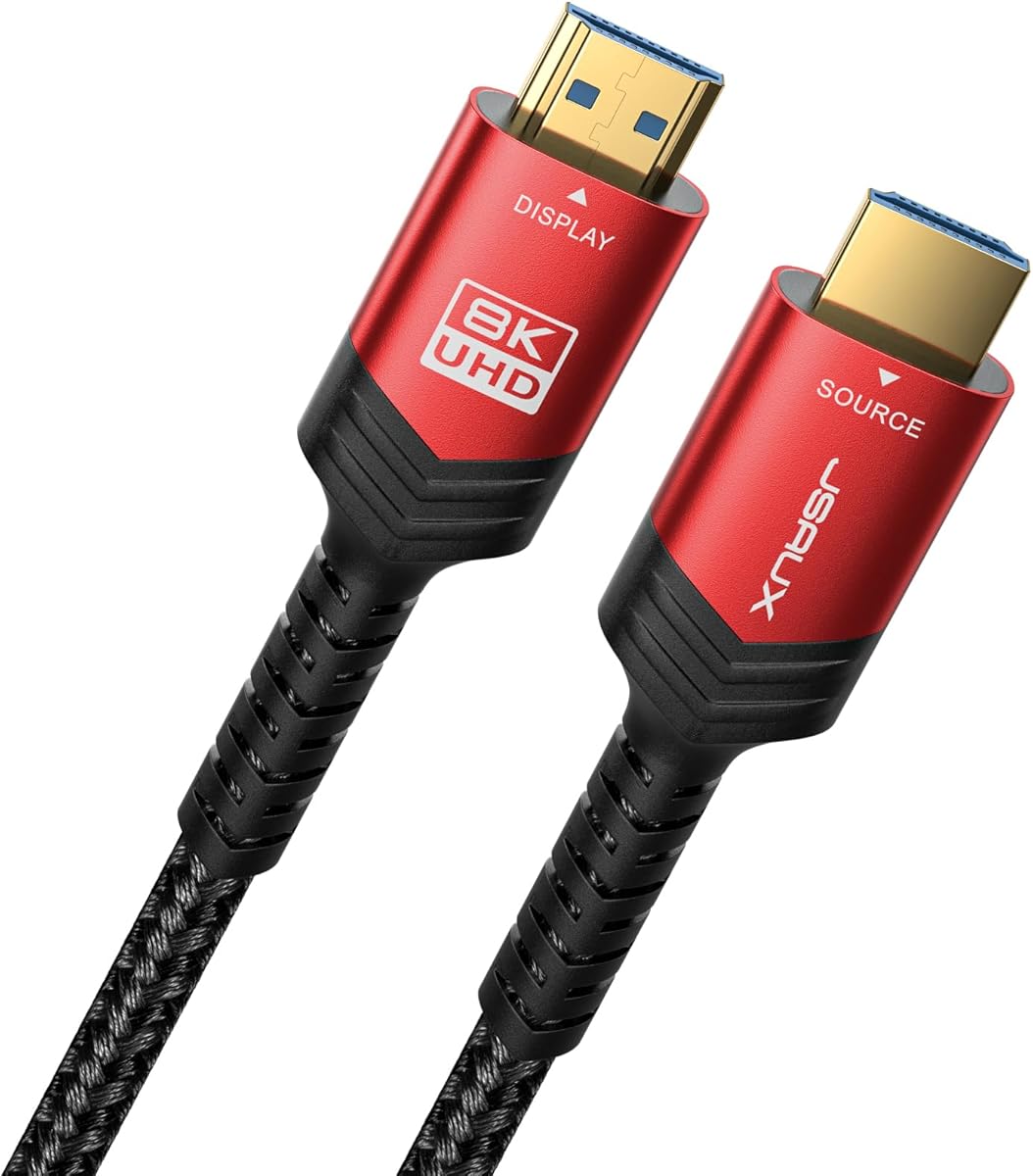
Directional source display design
Backward HDMI compatibility
Our 100 Foot HDMI Cable guide compares ten long-length options for bandwidth, gaming features, directional design, in-wall rating, compatibility, and value.
A 100 foot HDMI cable solves a familiar installation problem: bringing high-quality audio and video to a television, projector, monitor, or display located far from the source device. The right cable must preserve signal integrity, support the resolution and refresh rate you need, and suit the route between your equipment.
We compared ten cables using the specifications and features supplied by their manufacturers, paying particular attention to bandwidth, supported resolutions, directional requirements, construction, gaming functions, audio return support, and installation rating. The list includes both HDMI 2.1 fiber optic models and more affordable 18Gbps alternatives.
Each review identifies the setup best suited to that cable and the compromises involved. The top recommendations cover a budget-conscious 4K option, a strong all-around gaming choice, and a premium armored model, while the remaining entries show where alternative bandwidth or construction may make more sense. Prices and availability can change.
4.7Editor score

4.7Editor score

4.3Editor score
This side-by-side comparison highlights each cable's bandwidth, maximum advertised video mode, directional construction, and best-fit installation. It also shows how the 48Gbps HDMI 2.1 options differ from the 18Gbps models designed primarily for 4K displays.



The Snowkids 8K HDMI Fiber Optic Cable is a 48Gbps HDMI 2.1 cable built for long runs, high-resolution displays, and mixed entertainment setups. With a 4.6 rating, it stands out for combining 8K at 60Hz, 4K at 120Hz, and a wide collection of gaming and audio features without presenting itself as a specialized installation-only product.
We may earn a commission when you buy through this link, at no additional cost to you.
Its advertised feature set includes VRR, ALLM, QFT, QMS, DSC, Dynamic HDR, eARC, TrueHD 7.1, 3D, and Ethernet support. That breadth makes it useful for a living-room television, desktop monitor, projector, game console, Blu-ray player, or conference display. The manufacturer also lists backward compatibility with multiple earlier HDMI versions, which helps when one end of the system is older than the other.
The main trade-off is directionality. The fiber optic signal path must run from the source end to the display end, so a reversed installation can produce no picture. Its four-millimeter-class physical flexibility and 24K gold-plated connectors are positive installation details, but the cable still requires more care than a basic copper alternative when routed around furniture or through narrow spaces.
This is a strong recommendation for buyers who want 48Gbps bandwidth, current gaming functions, and broad compatibility in one 100-foot cable. Choose it when both source and display support HDMI 2.1 features. For a simpler 4K system, a less advanced cable may be more appropriate, but for a future-oriented installation this Snowkids model offers a generous and useful specification set.
The support for VRR, ALLM, QFT, QMS, and DSC makes this cable particularly relevant to modern gaming displays and compatible consoles. It also provides eARC and high-resolution audio support for setups that route sound through a television or compatible receiver.
The fiber optic construction, reinforced flexible design, gold-plated ports, and stated 25,000-bend endurance make the product a practical option for 100-foot installations. Always follow the printed source and display labels when routing it.
We may earn a commission when you buy through this link, at no additional cost to you.
The Highwings 8K@60 Fiber Optic Cable combines a 4.7 rating with a full 48Gbps HDMI 2.1 specification, making it one of the strongest all-around entries in this guide. It supports 8K at 60Hz and 4K at 120Hz, providing meaningful headroom for high-end televisions, projectors, and computer displays.
We may earn a commission when you buy through this link, at no additional cost to you.
Gaming is the central strength in the supplied specifications. Variable refresh rate is included, allowing compatible graphics hardware and displays to adjust their refresh behavior as scenes change. The cable also supports eARC, and its stated device compatibility includes PCs, PlayStation systems, Xbox systems, Blu-ray players, monitors, televisions, and projectors.
Construction details receive considerable attention. Highwings describes an upgraded aluminum alloy shell, an anti-bending tail design, 24K gold-plated plug contacts, and military-grade tensile nylon. These features make sense at 100 feet, where connector strain, repeated bending, and long-distance signal integrity are legitimate concerns.
Buyers should note that the cable is unidirectional and that both plugs are clearly marked source and display. A reversed connection produces no image according to the manufacturer. This cable is best for gamers and enthusiasts who want high refresh rates, high bandwidth, and a durable connection over a long route, especially where the installation is not concealed in a wall.
The advertised 4K at 120Hz capability and variable refresh rate support target demanding game consoles and modern PC displays. Its 48Gbps bandwidth also leaves room for 8K output and the dynamic refresh features used by compatible equipment.
An aluminum alloy shell, reinforced tail, gold-plated contacts, and tensile nylon jacket address common weaknesses of long cables. These construction claims make the model appealing for permanent connections that will be handled infrequently after installation.
We may earn a commission when you buy through this link, at no additional cost to you.
The Highwings CL3 In-Wall Cable is built around a permanent-installation scenario, making its in-wall rating the feature that distinguishes it from most general-purpose 100-foot HDMI cables. It carries 48Gbps bandwidth and supports 8K at 60Hz, 4K at 120Hz, Dynamic HDR, 3D, HDCP 2.2, eARC, VRR, and other advanced functions.
We may earn a commission when you buy through this link, at no additional cost to you.
Its listed compatibility covers laptops, Blu-ray players, televisions, monitors, projectors, game consoles, AMD and RTX graphics cards with HDMI output, and audio-video receivers. The specifications also identify support for DTS Master, DTS:X, Atoms, and enhanced audio return, which is useful when the television is responsible for sending sound to a soundbar or receiver.
The fiber optic core is described as thinner, lighter, resistant to signal attenuation, and less susceptible to interference than traditional copper. A CL3 jacket is appropriate for routing through a wall, subject to local building requirements. Because the cable is unidirectional, installers should test the route and confirm source and display orientation before concealing it.
This is the most relevant choice for a new home theater, renovation, or commercial room where the cable will be embedded in a wall. It is less necessary for a temporary connection across a room, where a directional fiber cable may add installation constraints without a corresponding benefit. Its claimed lifetime after-sales service also provides some added confidence for a permanent route.
The CL3-rated jacket identifies this cable for more demanding in-wall paths than a standard loose cable. Confirm the requirements of your wall type, conduit, and local building rules before installation.
Dynamic HDR, eARC, VRR, 3D, and high-bitrate audio support make this more than a basic 8K signal cable. It is appropriate for a modern entertainment system intended to evolve over time.
We may earn a commission when you buy through this link, at no additional cost to you.
The HDMI Cable Fiber Optic 8K 4K offers a budget-oriented route into 48Gbps HDMI 2.1 performance. Its 4.7 rating, 8K at 60Hz support, and 4K at 120Hz capability make it one of the most compelling choices here for buyers who want current high-bandwidth features without moving to a premium armored design.
We may earn a commission when you buy through this link, at no additional cost to you.
The supplied specifications include Dynamic HDR, 3D, HDCP 2.2, mirror and extend modes, VRR, and eARC. Dolby Atmos, DTS:X, and DTS-HD Master Audio are also listed as supported formats. Compatibility covers TVs, projectors, monitors, laptops, Blu-ray players, AV receivers, PlayStation 5, Xbox Series X/S, and gaming PCs.
Its fiber optic construction is advertised as reducing signal loss and improving interference resistance, while the lightweight braided jacket makes a 100-foot run easier to manage. The directionality remains important: source devices such as PCs, laptops, and players must connect to the source end, while displays connect to the display end.
This is the top budget recommendation for a 4K television or modern gaming display. It gives up a stated in-wall rating and the detachable connectors found on premium alternatives, but it preserves the bandwidth and gaming features most likely to matter in everyday home use. Confirm orientation before pulling the cable through a difficult route.
The 48Gbps data rate supports a modern 8K television, high-refresh 4K display, and compatible gaming hardware. Backward compatibility with HDMI 2.0 and earlier versions makes it easier to use across mixed equipment.
VRR can improve visual consistency on supported gaming systems, while eARC offers a convenient way to return high-quality television audio to a compatible receiver or soundbar.
We may earn a commission when you buy through this link, at no additional cost to you.
The 18Gbps Active Fiber Optic Cable focuses on delivering dependable 4K at 60Hz rather than pursuing the highest headline bandwidth. Its 4.4 rating reflects a practical option for users whose television, projector, or monitor does not require HDMI 2.1's 48Gbps capacity.
We may earn a commission when you buy through this link, at no additional cost to you.
Full 4:4:4 RGB at 4K 60Hz is a meaningful detail for a long cable, particularly for a high-quality display, desktop use, or detailed source material. The specifications also include HDR10, HDCP 2.2, eARC, CEC, 3D, and backward support for 2K at 144Hz. A German chipset handles conversion between optical and electrical signals, according to the manufacturer.
The four optical fibers provide a thin, flexible route over 100 feet. At only 4.8 millimeters in diameter, the cable should be easier to conceal, bend, and store than a thicker conventional cable. Electromagnetic interference is another stated advantage of the optical approach, useful near electronics or in a busy installation environment.
The limitation is bandwidth: this is not a cable for an 8K television or a full 48Gbps gaming link. It is a sensible choice for a 4K display, a mixed home system, or a long run where slimness and focused feature support matter. As with the other optical cables in this guide, source and display ends must be connected in the correct direction.
EighteenGbps is sufficient for 4K at 60Hz with 4:4:4 RGB, a strong configuration for many televisions, projectors, and computers. It avoids paying for capabilities that the connected equipment cannot use.
The stated 4.8-millimeter diameter helps when the cable must pass behind furniture, along a baseboard, or through a conduit. Its flexibility also simplifies storage when the installation is temporary.
We may earn a commission when you buy through this link, at no additional cost to you.
The 4K HDMI 2.0 Cable is a straightforward traditional-copper option for a long connection. Its 4.5 rating and 18Gbps bandwidth focus on 4K at 60Hz, 2K, 1080p, 3D, Ethernet, and ARC rather than the 8K capabilities of the leading fiber optic models.
We may earn a commission when you buy through this link, at no additional cost to you.
The manufacturer highlights pure copper conductors, triple cable shielding, and 24K gold-plated full-metal-jacket connectors. Those details address resistance to corrosion and signal stability over a lengthy run. It is also described as a solution for large-screen projection, office presentations, and automatic synchronization of audio and video.
Compatibility is extensive for a conventional HDMI cable. The listed devices include Blu-ray players, Apple TV, Xbox One, PlayStation 4, Roku, laptops, 4K televisions, projectors, and audio-video receivers. The cable is also described as compatible with PS5, although its 18Gbps limit prevents use of every advanced feature available to the newest consoles.
Choose this model when your primary requirement is stable 4K video, the route is visible or easily accessible, and you do not plan to use high-refresh 4K or 8K modes. Its simple construction avoids the source and display orientation restrictions of an active fiber cable, which can be convenient in temporary or changing setups.
Pure copper conductors and triple shielding form a conventional design intended to maintain signal quality across 100 feet. The gold-plated connectors also help resist oxidation over long installation periods.
Streaming boxes, disc players, game consoles, projectors, computers, and receivers fall within the stated device list. It remains best suited to the HDMI 2.0 bandwidth envelope rather than 8K.
We may earn a commission when you buy through this link, at no additional cost to you.
The Highwings 4K Fiber Optic Cable delivers 4K at 60Hz over 100 feet and carries a 4.7 rating. It is a well-reviewed middle ground for buyers who value fiber optic construction and a slim long-run format but do not need the full 48Gbps capacity associated with HDMI 2.1.
We may earn a commission when you buy through this link, at no additional cost to you.
Its 18Gbps data capacity supports 3840 by 2160 video at 60Hz and is positioned for audio, video, and image transmission without a buffering requirement. The cable is described as plug-and-play, requiring no driver installation, and is backward compatible with HDMI 1.4, 1.3, and 1.2 equipment.
Highwings emphasizes gold-plated connectors, a unique reinforced joint design, and more than 15,000 bends in laboratory testing. The easy-grip ends are intended to simplify connection, although the fiber optic design still requires the marked source end to face the source device and the display end to face the television, monitor, or projector.
This is a good fit for a 4K home theater, a projector installed away from source equipment, or a mixed system with older HDMI devices. It does not provide 8K or the newest gaming modes, but it offers a strong rating and a focused 4K feature set in a long, manageable cable.
The 3840 by 2160 at 60Hz target is well suited to 4K televisions and projectors that operate within the HDMI 2.0 bandwidth range. It delivers the core benefits of a long cable without unnecessary high-end claims.
The joint design and stated bend endurance address the stress points most likely to fail on a long cable. Gold-plated contacts support consistent signal transmission across repeated installations.
We may earn a commission when you buy through this link, at no additional cost to you.
The JSAUX 10K HDMI 2.1 Cable combines 48Gbps bandwidth with an unusually broad list of supported resolutions. It handles 8K at 60Hz, 4K at 120Hz and 144Hz, 5K modes, several 1440p and 1080p refresh rates, and 720p output, making it a flexible choice for mixed high-end equipment.
We may earn a commission when you buy through this link, at no additional cost to you.
Its feature list includes HDCP 2.2 and 2.3, 48-bit HDR, ARC, eARC, Dynamic HDR, ALLM, VRR, QMS, QFT, HDR10, CEC, 3D, Ethernet, and major surround-sound and video formats. The stated device compatibility covers Blu-ray players, Fire TV, Apple TV, PlayStation consoles, Xbox systems, Nintendo Switch, computers, laptops, monitors, and projectors.
Unlike most 48Gbps models in this roundup, the JSAUX cable uses 28AWG copper wire with triple tin shielding and a double braided nylon exterior. The 24K gold-plated connectors are described as corrosion resistant. This construction may be easier for buyers who prefer a familiar copper cable, though the physical bulk can be greater than that of a slim optical cable.
The cable is a strong general choice for a high-end television, a gaming PC, or a multi-device entertainment room. It does not state a CL3 in-wall rating, and its long list of supported modes still depends on the source and display. It is also a conventional bidirectional cable rather than a directional optical product, so setup is less constrained.
The compatibility list extends well beyond basic 4K, including high-refresh 4K, 5K, 1440p, and 1080p modes. That makes it useful when equipment may change during the life of the installation.
Triple shielding, 28AWG copper, gold-plated connectors, and a double braided jacket provide a substantial construction. Buyers should compare its diameter with the available route before choosing it for tight spaces.
We may earn a commission when you buy through this link, at no additional cost to you.
The BENFEI 8K Fiber Optic Cable combines 48Gbps bandwidth with an advertised 4K at 240Hz mode, placing it among the most ambitious specifications in the guide. Its 4.6 rating reflects a well-received option for modern gaming systems, high-end televisions, projectors, and home theater installations.
We may earn a commission when you buy through this link, at no additional cost to you.
The listed features include VRR, eARC, Dynamic HDR, and HDCP 2.3. Dolby Atmos and DTS:X are also identified as supported high-bitrate audio formats. Compatibility is broad, covering PlayStation 5, Xbox Series X, current graphics processors, 4K and 8K televisions, projectors, and soundbars.
Its CL3-rated jacket identifies it as suitable for permanent in-wall installation, while the thin, lightweight optical construction makes routing through conduit or along a planned pathway more manageable. The stated lack of signal loss over long distances and resistance to electromagnetic interference are additional advantages for professional or permanent installations.
The key caveat is directionality. The source connector must attach to the console, PC, or other transmitter, and the display connector must attach to the television or monitor. Its 18-month warranty provides some reassurance, but buyers should still verify the path, local in-wall requirements, and equipment support before installation.
The advertised 4K at 240Hz mode is useful for compatible high-refresh monitors and exceptionally demanding gaming hardware. VRR support complements that capability by helping the display adapt refresh timing to the rendered image.
Optical fiber keeps the cable thinner and lighter than many copper alternatives, which helps when pulling it through conduit. The CL3 jacket provides a clear signal that this model is intended for a more permanent route.
We may earn a commission when you buy through this link, at no additional cost to you.
The RUIPRO 8K Detachable Full Fiber Optic Armored HDMI 2.1 Cable is the most specialized entry in the guide. Its distinguishing feature is a pair of detachable connector ends, allowing a damaged head to be replaced without replacing the entire 100-foot cable, an especially useful benefit for in-wall or difficult installations.
We may earn a commission when you buy through this link, at no additional cost to you.
It supports 48Gbps bandwidth, uncompressed 8K at 60Hz, 4K at 120Hz, Dynamic HDR, and eARC. The full optical-fiber composition is designed to minimize electromagnetic interference, while the special stainless steel armored structure adds bend flexibility, tensile strength, compression resistance, and tangle resistance.
Installation is easier in some respects because the thin, flexible cable can be threaded through a conduit before its ends are attached. The manufacturer specifically identifies home theaters, conference rooms, engineering installations, and medical environments as suitable applications where flexible wiring and low interference are valuable.
Its 4.3 rating is the lowest among these ten products, although the rating does not erase the practical value of detachable connectors and armored construction. This is the premium recommendation for installers who prioritize serviceability, physical protection, and long-term flexibility. Buyers should confirm connector compatibility, routing plans, and local installation requirements before committing.
Detachable ends can save a major rerouting effort if a connector is damaged after the cable is already in place. The replaceable-head design also makes future connector upgrades easier than replacing the full run.
The stainless steel armored structure is intended to withstand bending, pulling, compression, and tangling while the core remains thin. That balance is valuable in professional installations where a conventional bulky cable would be difficult to route.
We may earn a commission when you buy through this link, at no additional cost to you.
The best 100 foot HDMI cable is not automatically the one with the largest headline bandwidth. Match the cable's version, maximum resolution, refresh rate, directional design, jacket rating, and physical construction to the source, display, route, and signals you actually intend to use.
HDMI 2.1 cables in this guide advertise 48Gbps bandwidth, while the 18Gbps models are built around HDMI 2.0 capabilities. A 48Gbps cable provides the greatest flexibility for 8K at 60Hz, 4K at 120Hz, high-refresh gaming, and features such as VRR, ALLM, eARC, and Dynamic HDR. An 18Gbps cable remains appropriate for a 4K television or projector operating at 4K 60Hz, particularly when the goal is a simpler installation.
Choose bandwidth based on your endpoints, not on the cable alone. A higher-rated cable cannot make an older television support 8K, and a display limited to HDMI 2.0 will not unlock HDMI 2.1 features. For a permanent system expected to handle new consoles and graphics hardware, 48Gbps provides the safer long-term foundation.
Resolution and refresh rate are separate parts of the performance target. 8K at 60Hz describes pixel density and refresh timing, while 4K at 120Hz or 144Hz targets high-refresh gaming and motion. Some products advertise even higher modes, such as 4K at 240Hz, but those require compatible graphics hardware, a matching display, and source settings.
For a general home theater, 4K at 60Hz with HDR and 4:4:4 RGB is a practical target. For gaming, 4K at 120Hz and VRR provide a more future-oriented combination. Check the cable's supported mode list and ensure the television, projector, monitor, console, and graphics card can all participate in the selected mode.
Fiber optic cables use optical transmission for part of the signal path and are generally thinner, lighter, and less vulnerable to electromagnetic interference over long distances. Their active nature makes them directional, so the source and display ends must be connected correctly. They also use electronics at the connector or within the cable to convert the signal between electrical and optical forms.
Copper HDMI cables are familiar, often bidirectional, and may be simpler to reposition. Models using 28AWG conductors can provide 48Gbps performance, but they may have a larger diameter than an optical cable. Choose fiber for demanding long routes, slim routing, or high-interference environments; choose copper for a conventional 4K setup where simple orientation and a familiar construction are priorities.
Most of the 48Gbps fiber optic cables listed here are unidirectional. Their connectors are marked source and display, and reversing them can result in no image. This is especially important when the cable is routed through furniture, conduit, or a wall, because correcting an error later can be inconvenient.
Identify the source device before installation. A laptop, game console, disc player, set-top box, or AV receiver generally belongs on the source side, while a television, monitor, or projector belongs on the display side. Test the complete route before concealing the cable or attaching permanent trim. A conventional copper option may be preferable for temporary setups that will be connected in both orientations.
A cable intended for permanent in-wall routing should carry an appropriate in-wall rating. The Highwings CL3 model and BENFEI 8K Fiber Optic Cable in this guide specifically identify CL3-rated jackets. Copper cables and products without a stated rating may still work in some routes, but their suitability can depend on the wall material, conduit, and local building requirements.
Check the cable's jacket classification and follow applicable installation rules. A fiber cable's thin construction can make it easier to pull through conduit, but the directional requirement and connectors still need to be considered. Before cutting or mounting anything, confirm that the complete source-to-display path is correct and leave service access where practical.
HDMI 2.1 cables can provide more than raw video bandwidth. VRR adjusts refresh behavior to reduce visual inconsistency, ALLM can support low-latency gaming automatically, and QMS and QFT are designed to simplify switching or frame transport on compatible devices. For television audio, eARC enables high-quality audio to travel back from a compatible display to a receiver or soundbar.
Check which functions your actual components support rather than assuming every advertised HDMI 2.1 feature will work. Game consoles, PCs, televisions, projectors, and soundbars vary in their supported modes. A basic 4K audience may gain little from paying for a feature set it will never use, while a serious gamer may consider VRR and high-refresh support essential.
Long cables experience strain near the plugs, so connector shells, flexible strain relief, and jacket durability deserve attention. Several products in this guide describe reinforced joints, anti-bending tails, gold-plated contacts, braided exteriors, or armored structures. The RUIPRO model adds detachable heads, allowing a failed connector to be replaced without replacing the entire cable.
Do not make durability claims solely from connector plating. Consider how often the cable will be moved, whether it will be pinched, and whether the route crosses a walking area. Avoid sharp bends and pulling force on the plug itself. For an exposed route, a robust jacket and easy-grip connector may be more valuable than extra signal features that your equipment cannot use.
A nominal 100-foot cable is long enough to cross most rooms, offices, and entertainment areas, but the real installation can consume more length than expected when curves, service loops, and wall routing are included. Fiber optic construction is useful here because the stated diameters of several products are relatively small, but the final route should still be measured before installation.
Leave enough slack for maintenance without creating a trip hazard or an untidy tangle. Test the cable at full length with the intended source and display, then secure it away from power cords and high-interference equipment where practical. The product instructions are particularly important for directional optical models because a reversed connection can appear to be a failed cable.
Begin by identifying the source and display ends. Connect the source-labeled end to the laptop, game console, disc player, set-top box, or receiver, and connect the display-labeled end to the television, projector, or monitor. If you see no picture on a directional fiber cable, disconnect it, check the labels, and reconnect it before changing any equipment settings.
Route the cable carefully. Avoid sharp bends, excessive twisting, and strong pulling force at either connector, particularly during initial installation. Keep the run away from power cords, Wi-Fi routers, and large electrical equipment when possible. For an in-wall route, use an approved pathway, follow the jacket rating, and avoid connecting or adjusting the cable after it has been permanently concealed.
For troubleshooting, reconnect both ends, try another compatible input on the display, restart the source and display, and confirm that the selected output resolution and refresh rate do not exceed the specifications of the weakest device in the chain. You can also test with a shorter known-good cable to determine whether the problem lies with the long cable or the equipment.
No. They can differ in bandwidth, maximum resolution, refresh rate, directional design, construction, and installation rating. Some support 48Gbps HDMI 2.1 and 8K video, while others provide 18Gbps and are intended primarily for 4K at 60Hz. Copper and fiber optic models also behave differently when routed and connected.
It is not strictly necessary if your television, source, and desired refresh rate operate within an HDMI 2.0 cable's 18Gbps capability. An HDMI 2.1 cable can still be worthwhile for a permanent installation, mixed future devices, or features such as VRR and eARC, but the television must support those features for them to provide a benefit.
The most common cause is reversed direction. Optical HDMI cables in this guide are unidirectional, so the source end must connect to the transmitting device and the display end to the television, monitor, or projector. After checking orientation, reseat the connectors, try another input, and restart the devices.
Only when the cable and installation method are appropriate. A product with a stated CL3 in-wall rating is designed for qualifying permanent routes, but you should also follow local building requirements and use suitable conduit or pathway materials. Confirm source and display orientation before the cable is concealed because a directional model may be difficult to correct later.
An 18Gbps cable supports the HDMI 2.0 bandwidth level, including 4K at 60Hz with suitable color and sampling formats. A 48Gbps cable supports HDMI 2.1, including 8K at 60Hz and 4K at 120Hz, plus compatible gaming, audio, and dynamic video features when the connected devices support them.
A properly engineered cable is intended to maintain its advertised performance over its specified length. Signal quality can still be affected by poor connections, sharp bends, severe interference, damaged connectors, or a cable routed well beyond its intended installation conditions. Following the orientation and handling instructions helps preserve performance.
Copper is a familiar choice for conventional 4K setups and situations where simple bidirectional use matters. Fiber optic is attractive for slim routing, high bandwidth, long permanent installations, and lower electromagnetic interference, but it is generally directional. Compare the route, equipment, installation rating, and connector style before deciding.
Many HDMI 2.1 models do, but the cable alone is not enough. The source console or graphics card, television or monitor, and selected game mode must all support the feature. Older 18Gbps cables may carry 4K video but omit newer functions such as VRR, ALLM, QMS, QFT, or enhanced eARC.
The three leading choices serve different needs. The budget-focused HDMI Cable Fiber Optic 8K 4K provides 48Gbps, 8K at 60Hz, and 4K at 120Hz in a versatile directional design. The Highwings 8K@60 Fiber Optic Cable is the strongest general recommendation for gaming, while the RUIPRO Armored Detachable Cable offers the most specialized premium construction.
Prioritize compatibility with your actual equipment before considering every advertised capability. A modern gaming system and high-refresh display justify attention to 48Gbps bandwidth, VRR, and eARC, while a standard 4K room may be fully served by an 18Gbps cable. Direction, in-wall rating, cable diameter, and connector durability can be more important than a small difference in advertised bandwidth.
Finally, check current prices, availability, warranty terms, and the latest product listing before purchasing, since these details can change. Measure the route, confirm the source and display ends, and make sure your television, projector, monitor, receiver, console, and computer support the resolution and refresh rate you intend to use.