
Mini VR Remote Controller
4.3Editor score
Compact joystick remote design
Simple Bluetooth pairing
Android and iOS support
A Bluetooth VR Gaming Controller can turn a compatible headset, phone, tablet, or computer into a more interactive entertainment hub. The best unit should feel comfortable, respond reliably, and match the functions available in your chosen apps rather than simply adding buttons that cannot be used.
This guide compares ten controllers based on control styles, supported platforms, wireless connectivity, motion interaction, media functions, portability, and compatibility. It covers compact ring remotes, traditional gamepads, a Samsung Gear VR motion controller, and a complete phone VR headset bundle.
Each review highlights the strongest reasons to choose a model, along with practical limitations involving operating systems, app support, or setup. Product details and availability can change, so confirm the current listing and your device requirements before ordering.
4.3Editor score

4.2Editor score

4.1Editor score
As an Amazon Associate we earn from qualifying purchases.
The table below compares all ten products by controller format, device support, control capabilities, and practical limitations, helping you identify the option that best fits your headset and preferred type of interaction.


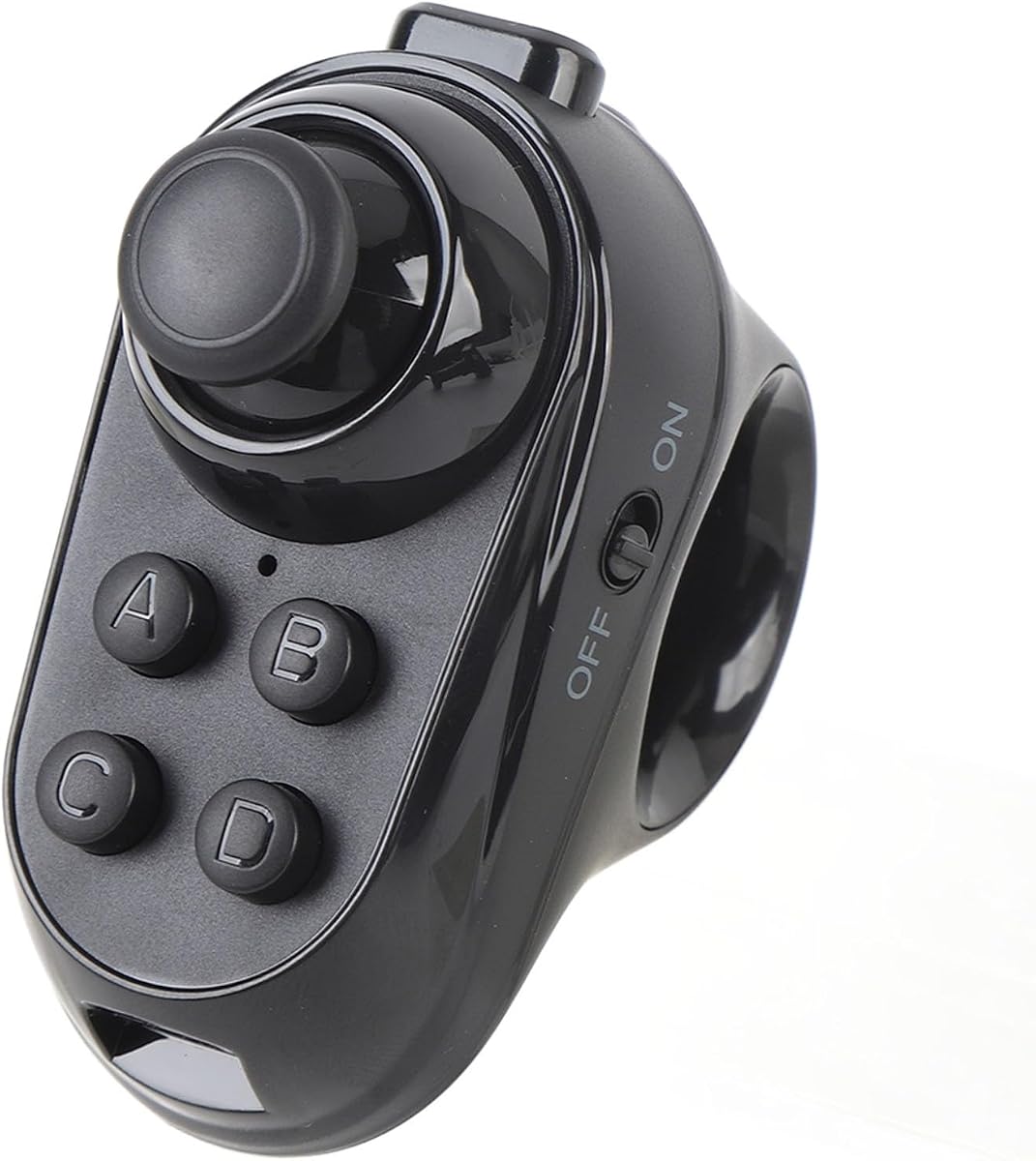

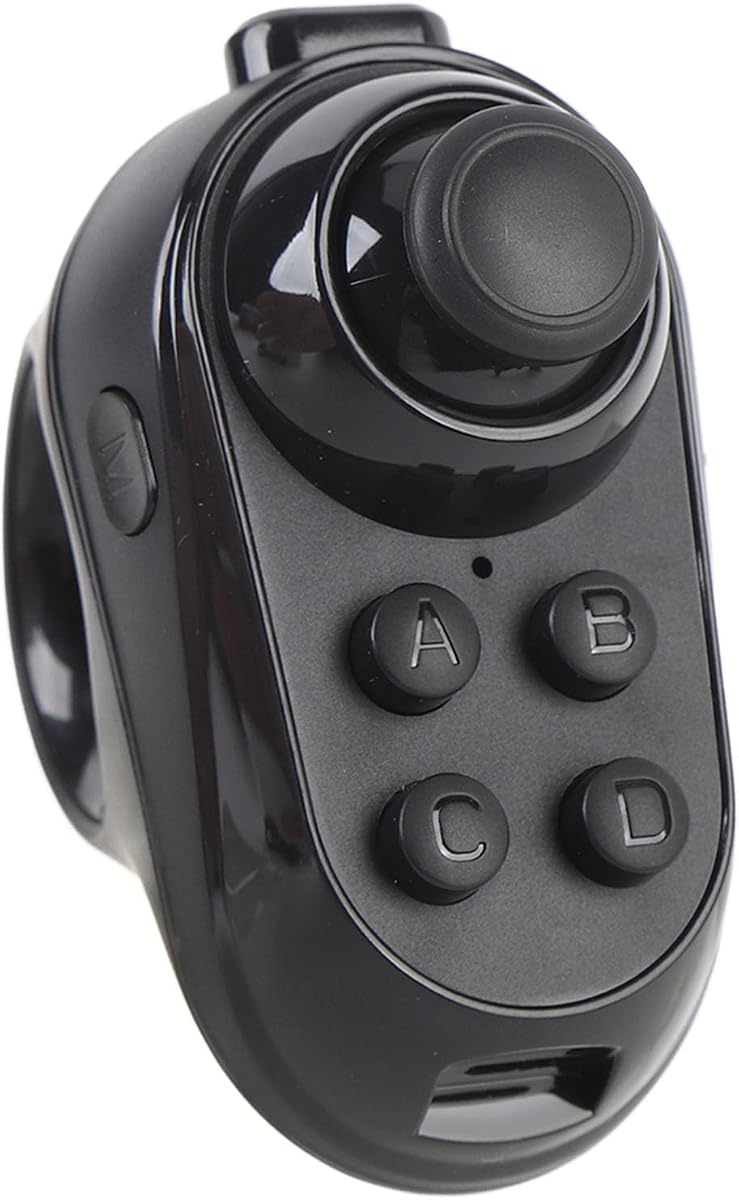


This remote-style controller has a 3.5 rating, but its unusually broad list of supported functions makes it worth considering for anyone who wants more than a single-purpose gamepad. It can serve as a game controller, VR remote, wireless mouse, music controller, presentation remote, e-book page-turner, and camera shutter, making it useful across entertainment, work, and education.
We may earn a commission when you buy through this link, at no additional cost to you.
Its strongest detail is the combination of a 360-degree rocker and a broad device list. The control allows precise directional movement, while compatibility extends to mobile VR games, Android and iOS devices, tablets, laptops, PCs, smart TVs, and TV boxes. The shutter control is particularly convenient for selfies, and page-turning support covers Kindle, Nook, and PowerPoint functions.
The main limitation is that iOS is restricted by system limitations. Listed game support includes selected titles such as Crowdy City, Clean Road, and Crossy Road, but the controller does not provide broad MFi-style game compatibility. It also uses two AAA batteries rather than a rechargeable cell. Its 3.5 rating suggests that some buyers may encounter pairing or app-specific frustrations.
This is a practical choice for Android users, VR headset owners, students, and anyone who wants a remote that performs several jobs. It is less suitable for buyers who need a full gamepad with dual analog sticks, standard console mapping, or unrestricted iOS game support. For a general-purpose Bluetooth remote, however, the feature set is unusually expansive.
The ability to control video, music, presentations, e-book pages, selfies, and compatible games reduces the need to keep several remotes nearby. That flexibility is particularly helpful when a headset or phone is being used for more than immersive entertainment.
The arc-shaped rocker is designed to remain stable during movement and resist slipping or unwanted finger contact. Its 360-degree positioning gives compatible apps another navigation method beyond simple button presses.
We may earn a commission when you buy through this link, at no additional cost to you.
The PUSOKEI Wireless VR Ring is a compact, multifunction Bluetooth controller rated 3.2. Its ring-shaped body and integrated joystick are designed for navigation in VR environments, while the broader feature set also covers selfies, page turning, mouse operation, and sound adjustment.
We may earn a commission when you buy through this link, at no additional cost to you.
Wireless operation is the defining advantage. A user can move around without managing a cable between the controller and a phone, tablet, computer, or headset. The lightweight, ergonomic construction is also well suited to longer sessions, while the joystick should appeal to users who prefer directional input to a flat button-only remote.
The listing is broad in terms of device categories, but it does not provide the same platform-specific detail as some competitors. Its rating of 3.2 suggests that buyers should consider the exact application they hope to use. Function labels alone cannot guarantee that every game recognizes the joystick, mouse mode, or page-turning commands.
This controller makes sense for casual VR users, students, and anyone who wants a portable remote for a headset, phone, tablet, or computer. It is less compelling for dedicated console-style gaming because it lacks a familiar pair of analog sticks, shoulder controls, and a conventional gamepad layout.
Bluetooth connectivity simplifies setup and allows the controller to move independently of the device. That freedom is especially helpful during headset use, where a tethered controller can feel restrictive.
The listing emphasizes a lightweight shape and comfortable grip. Those qualities can reduce the fatigue associated with holding a remote for prolonged periods, although the exact feel will ultimately depend on the user's hand size.
We may earn a commission when you buy through this link, at no additional cost to you.
The VELATEMOR VR Remote Ring is built around a straightforward concept: a wireless joystick remote for compatible headsets, smartphones, and tablets. It supports gaming, selfies, page turning, mouse operation, and sound adjustment, giving it more everyday utility than a controller designed exclusively for a single VR title.
We may earn a commission when you buy through this link, at no additional cost to you.
Its light, ergonomic housing should be comfortable to hold, and Bluetooth connection removes the need for a cable between the user and the controlled device. The joystick provides directional control, while the additional functions make the remote useful for presentations, browsing, and media playback. The product listing specifically states that mouse control and page turning are supported on Android.
Compatibility is the most important caveat. The listing mentions VR headsets, smartphones, and tablets, while mouse and page-turning functions are limited to Android. There is no listed customer rating, so prospective buyers have less historical feedback to consider, and app-specific support remains an important question for anyone expecting specialized game controls.
Choose this model if you use Android devices and want one portable remote for a headset, phone, or tablet. It is less suitable for users whose workflow depends on iOS mouse navigation, PC-specific commands, or a controller that is guaranteed to map to a particular title.
Page turning and mouse functions can be useful for e-books, documents, and web navigation. Because these features are limited to Android, Android users receive the most complete functional package from the design.
The same device can handle compatible gaming, selfie capture, sound changes, and page navigation. This makes it easier to carry than a full-size gamepad and more useful than a single-purpose button remote.
We may earn a commission when you buy through this link, at no additional cost to you.
The Samsung ET-YO324BBEGUS Gear VR Controller has a 4.2 rating and stands apart from the generic remotes in this list. It is a purpose-built motion controller designed to recognize hand movement and deliver more realistic interaction within compatible Gear VR experiences.
We may earn a commission when you buy through this link, at no additional cost to you.
Its ergonomic form and trigger are central to the experience. Rather than relying entirely on abstract button commands, the controller can translate natural hand motion into in-world interaction, which can make object selection, aiming, and scene navigation feel more direct. The result feels purpose-built for immersive applications rather than adapted from a television remote.
Compatibility is the decisive limitation. It works with Android Lollipop 5.0 or later and is designed for the Galaxy S8, S8+, S7, S7 Edge, S6 series, Galaxy Note5, and previous Gear VR headsets. Buyers outside Samsung's supported phone and headset ecosystem may find its usefulness restricted, and it is not a full gamepad for PC, Switch, or modern Android titles.
This is the strongest option in the list for a compatible Samsung Gear VR setup, particularly when motion recognition matters. It also serves as a good choice for collectors or users who already own listed Galaxy devices. It is not the most versatile remote, but it offers the most specialized and coherent VR control experience.
Recognizing hand movement allows compatible scenes to react more naturally than with a conventional remote. That can improve selection and navigation in experiences designed specifically around the Gear VR controller.
Compatibility with listed Galaxy smartphones and earlier Gear VR headsets makes setup more predictable. The controller is especially attractive to users whose existing hardware was designed around the original Gear VR platform.
We may earn a commission when you buy through this link, at no additional cost to you.
The Mini VR Remote Controller carries a 4.3 rating, the highest numerical score among the products in this guide. It combines a compact form, a sensitive joystick, and straightforward Bluetooth pairing, offering a focused alternative to full-size gamepads.
We may earn a commission when you buy through this link, at no additional cost to you.
Its wireless range is listed at two to ten meters, which should be sufficient for seated VR, mobile gaming, and casual desktop use. The controller supports Android and PC systems, and its stated functions include phone camera control, music and video playback, and game input. The ergonomic design and sensitive controls are especially appealing for users who want accurate directional movement without carrying a larger gamepad.
iOS functionality is deliberately limited to camera shutter release and music or video playback. The listing does not promise full iOS game support, and PC compatibility also depends on how the selected software recognizes the controller. This narrower approach keeps the device simple but means it is not suitable for every platform equally.
For Android or PC users seeking a small Bluetooth joystick, this is one of the most attractive options in the guide. It is particularly useful as a travel-friendly media remote and simple game controller. Buyers should confirm that the intended application accepts its control layout before committing.
The 4.3 rating is encouraging for a controller category where software compatibility can make results inconsistent. A straightforward layout also reduces the learning curve for first-time VR remote users.
Its small size makes it easier to carry with a phone, tablet, or laptop than a conventional gamepad. That portability makes it a practical choice for short sessions away from home.
We may earn a commission when you buy through this link, at no additional cost to you.
The Ultimaxx Xtreme VR Remote is a small, lightweight Bluetooth controller with six listed modes: Music, Video, Game, VR, Selfie, and Mouse. Its 3.2 rating places it among the lower-scored products here, but the clearly defined modes and broad device support can still make it relevant for casual users.
We may earn a commission when you buy through this link, at no additional cost to you.
The streamlined body is designed to fit around the fingers, supporting accuracy while reducing the bulk associated with a conventional gamepad. The six modes cover common media and navigation tasks, including page turning for e-books and presentations, video control, camera shutter operation, and mouse input.
Its Bluetooth 3.0 connection is functional but not the newest wireless standard described in the category. iOS is not fully compatible, so buyers should not expect a consistent experience across every Apple function. The listed battery life of up to 120 hours depends on use and requires two 1.5-volt AAA batteries, which are not included.
This is a good pick for Android users who value portability and want a remote for several everyday tasks. It is less appropriate for iPhone-centric workflows, demanding VR simulations, or users who require a full set of gamepad axes and programmable buttons.
Separating gaming, media, VR, selfie, and mouse functions into distinct modes makes the device easier to understand. Users can switch tasks without carrying a different remote for every category.
The small housing should be easier to carry than a full gamepad and comfortable for basic pointing or navigation. It is well suited to travel, office presentations, and casual headset use.
We may earn a commission when you buy through this link, at no additional cost to you.
The GOWENIC BT VR Remote is a cordless joystick controller for VR headsets, smartphones, tablets, and computers. It supports gaming, selfies, page turning, mouse operation, and sound adjustment, giving users a general-purpose tool for both entertainment and routine navigation.
We may earn a commission when you buy through this link, at no additional cost to you.
Its cordless design allows more natural movement than a wired controller, particularly during VR use. The lightweight, ergonomic shape is designed for a secure one-handed grip, while the joystick provides more precise directional input than a basic button remote. Its broad device support also makes it convenient to move between a headset, tablet, and computer.
The product listing provides less detail about platform limitations than some alternatives, and it does not include a numerical customer rating. Compatibility therefore depends heavily on the operating system and software. Users who require a specific function, such as mouse control or page turning, should verify that the relevant app supports the corresponding remote mode before ordering.
This model is worth considering for general VR users, students, and people who want to navigate several types of devices with one compact accessory. It is a less obvious recommendation than a controller with strong published ratings or detailed native-device support, but its broad function set and cordless operation remain useful.
Support for headsets, phones, tablets, and computers reduces device switching friction. The same accessory can handle a game, presentation, selfie, or page-turning task depending on the active software.
The joystick adds directional control without the size of a conventional dual-stick gamepad. It offers a middle ground for users who need more precision than a button-only remote but prefer portability.
We may earn a commission when you buy through this link, at no additional cost to you.
The Pomya Bluetooth VR Ring is a compact controller aimed at VR headset and smartphone users. It combines a ring-style body with an integrated joystick and offers gaming, selfie, page turning, mouse operation, and sound adjustment functions through a wireless connection.
We may earn a commission when you buy through this link, at no additional cost to you.
Its main benefit is portability. The ring form is easier to carry than a full gamepad, and Bluetooth operation permits the user to move without a cable while wearing a headset. The joystick makes it better suited to directional navigation, while the extra media functions can be useful outside gaming.
As with several similar controllers in this guide, the mouse and page-turning functions are limited to Android. There is no numerical customer rating in the supplied listing information, and platform support is described primarily in general terms. Users who require extensive iOS or PC functionality should look for more explicit compatibility details before choosing it.
The Pomya is best suited to Android-based mobile VR use and buyers who value a small, multifunction remote. It is a reasonable secondary option for general navigation, but it is harder to recommend without confidence that the intended app supports the required controls.
The compact ring format is well suited to phone-based VR, where a larger gamepad can be difficult to manage. It also simplifies storage when the controller is not in use.
Selfie capture, page turning, mouse operation, and audio control extend the controller beyond headset navigation. Android users can use the broadest set of these features.
We may earn a commission when you buy through this link, at no additional cost to you.
The TECKNET VR Headset with Bluetooth Controller is the most complete package in the list, combining a phone-mounted VR headset with a wireless controller. Its 4.1 rating reflects a well-rounded option for viewers who want both the display and input accessory in one setup.
We may earn a commission when you buy through this link, at no additional cost to you.
The headset supports phones with screens from 4.7 to 7.2 inches, including a long list of iPhone and Samsung models. Its field of view is listed at 90° to 110°, while independent lenses, adjustable pupil distance, and adjustable focal length are intended to improve the viewing experience. Blue-light filtering lenses and a soft nose rest add comfort-oriented features.
The included Bluetooth controller provides interaction for games, videos, and educational content, but it is not a full console-style gamepad. Users also need to remember that the headset does not automatically transform ordinary video into 3D. That requires compatible 3D applications or panoramic content. Larger phones may require removal of the screen frame for a better fit and improved heat dissipation.
This bundle is the most convenient choice for a first phone-based VR setup. It is less appropriate for buyers who already own a suitable headset and want a more advanced gamepad. The adjustable headband, light 268-gram weight, and soft foam mask are particularly valuable for users concerned with comfort during longer sessions.
Receiving the headset and controller together removes the need to source a separate remote and solve compatibility questions. It is a convenient starting point for phone-based games, videos, and interactive learning.
Independent lenses, adjustable pupil distance, and adjustable focal length allow the headset to be tuned more closely to the viewer's needs. The listing also supports naked-eye use for some users with myopia within the stated range.
The adjustable headband, soft nose rest, breathable foam mask, and light construction are designed to reduce pressure during extended use. The removable frame for larger phones may also help with fit and heat management.
We may earn a commission when you buy through this link, at no additional cost to you.
The AceGamer Aurora II has a 4.2 rating and is the most conventional gamepad in the list. It supports both 2.4G wireless and Bluetooth connections across PC, Android, Switch, iOS, Switch 2, and Steam Deck platforms, making it more suitable for traditional gaming than a headset-specific motion controller.
We may earn a commission when you buy through this link, at no additional cost to you.
Its standout features include Hall effect joysticks, a 1000mAh rechargeable battery, RGB lighting, rotary motor feedback, and two programmable buttons on the back. The Hall effect sticks are designed to reduce drift, while the rear buttons can be assigned to trigger combinations or other shortcuts. Two additional switches provide control over the back-button lock function.
This is not a dedicated VR motion controller, so it lacks the hand tracking and natural gesture sensing associated with products such as the Samsung Gear VR Controller. It is also not compatible with Xbox systems. Connection methods differ: the included 2.4G receiver requires holding the A and Home buttons, while Bluetooth pairing involves holding Home for approximately three seconds. The controller also enters sleep mode after five minutes of inactivity.
Choose the AceGamer for mobile, PC, Switch, or Steam Deck gaming where traditional analog sticks and programmable controls matter. It is a strong fallback for VR apps that support standard gamepad input, but it is not the most natural choice for immersive motion experiences.
The two Hall effect sensors are intended to provide smooth, accurate input while reducing stick drift. That makes the controller attractive for longer sessions and games that depend on precise directional movement.
Users can choose the included 2.4G receiver or Bluetooth depending on the device. The 2.4G option is positioned as a stable, low-interference connection, while Bluetooth offers a more universal cable-free setup.
Two programmable rear buttons, trigger-combo support, RGB lighting, and rotary motors make this more configurable than the compact remotes. The physical back-button lock switches add another layer of control for users who customize their setup.
We may earn a commission when you buy through this link, at no additional cost to you.
The right controller depends less on button count than on hardware compatibility, control style, and the software you intend to use. Review these factors before choosing a compact remote, motion controller, bundled headset, or full gamepad.
Start with the devices you already own. Some remotes are optimized for Android, while others support a wider mix of phones, tablets, computers, smart TVs, and VR headsets. The Samsung Gear VR Controller is designed around supported Galaxy phones and Gear VR hardware, and the TECKNET bundle specifically accommodates phones with screens from 4.7 to 7.2 inches. Generic Bluetooth remotes may work across more hardware categories, but their functions can still differ by operating system and app.
Check the product description and the intended app's input requirements before buying. A controller can pair with a phone yet still fail to operate a particular game if the software expects a different layout.
Compact remotes are convenient for media browsing, basic menus, and supported VR applications. A motion controller is better when the experience depends on hand movement or trigger interaction, as with compatible Gear VR games. A conventional gamepad is preferable for traditional titles requiring dual analog sticks, shoulder inputs, programmable buttons, or standard console-style mapping. Each format trades portability for interaction depth.
Choose the format that matches your main activity rather than the one with the longest feature list.
Bluetooth is convenient because it eliminates cables, but connection behavior varies with the controller and receiving device. The Mini VR Remote lists a two-to-ten-meter operating range, while the AceGamer offers both Bluetooth and a 2.4G receiver option. The 2.4G mode is positioned as a stable, interference-resistant alternative for gaming. Consider both wireless standard and the environment in which you will use the controller.
For active VR, verify both signal reliability and the amount of free movement available around the device.
Labels such as mouse, selfie, page turning, game, and volume do not guarantee identical behavior on every platform. The VELATEMOR and Pomya remotes specifically limit mouse and page-turning functions to Android. The first-ranked remote also has restricted iOS game support because of system limitations. Applications may recognize only some buttons or may require standard gamepad input. A longer feature list is useful only when the relevant software supports those commands.
Look for explicit operating-system notes and confirm that the required mode appears in the app's supported accessories.
A controller that is comfortable during a short demonstration may become tiring during a long session. Ring remotes emphasize a lightweight one-handed grip, while full gamepads distribute controls across two handles. The Samsung controller uses an ergonomic form and a natural trigger, and the TECKNET headset uses a 268-gram body, adjustable headband, soft nose rest, and foam mask. Ergonomic specifications are useful, but hand size and wearing preferences still matter.
For extended play, prioritize comfortable weight, secure grip, and controls that can be reached without moving your hands away from their resting position.
The compact remotes in this guide commonly use two AAA batteries, which means replacements may be needed during extended use. The Ultimaxx Xtreme lists continuous gaming of up to 120 hours under its stated conditions, while the AceGamer Aurora II uses a 1000mAh rechargeable battery. Power considerations are especially important for standalone headsets and long gaming sessions. A controller that enters sleep mode may be convenient for conserving power but can require reconnection after inactivity.
Decide whether user-replaceable batteries or a rechargeable built-in battery better suits your routine.
A controller cannot make an incompatible headset suitable, and a headset bundle has different requirements from a standalone remote. The TECKNET package depends on a compatible phone, while the Samsung controller depends on supported Galaxy hardware and Gear VR accessories. Phone size, removable frames, focal length, pupil distance, and headset comfort may matter more than controller refinements if immersive viewing is your main goal.
Match the complete hardware chain, including headset, phone, controller, and selected applications, before making a purchase.
A full gamepad provides more physical controls but takes up more space. Compact ring remotes are easier to carry and can also control music, videos, presentations, e-books, and selfies. The first-ranked remote and Ultimaxx Xtreme explicitly organize many everyday functions into one accessory. If you want one remote for several purposes, prioritize operating modes, media keys, and page controls. If gaming is your sole priority, focus instead on sticks, triggers, motion sensing, and game-specific mapping.
The best accessory is the one that fits your most frequent tasks without forcing unnecessary compromises.
Begin by fully charging the controller if it has a built-in battery, or install the specified batteries if it uses removable cells. For the first-ranked remote, hold the power control for two seconds to turn the device on and for five seconds to shut it down. Place the controller into pairing mode, enable Bluetooth on the target device, and select the controller from the available accessory list.
Begin with a simple app such as a media player, document viewer, or a supported VR scene. Test basic buttons, the joystick, camera shutter, and any secondary modes before entering a demanding game. The AceGamer uses separate procedures for 2.4G and Bluetooth, so follow its listed button combinations carefully. If a function does not respond, check the selected operating-system mode and the application's accessory support.
Keep the controller dry, avoid blocking ports or vents, and clean the housing with a soft dry or lightly dampened cloth. Remove batteries from a remote that will remain unused for an extended period, and avoid leaving rechargeable controllers in hot or enclosed environments. Before every session, confirm that the device has sufficient power, the connection remains stable, and the app recognizes the intended controls.
Some models support both operating systems, but functionality can differ significantly. Android usually provides broader support for mouse control, page turning, and third-party games, while iOS may limit a remote to camera, media, or a small group of compatible apps. Check the listing for platform-specific instructions and confirm that the controller's layout works with your intended application.
A VR remote is usually compact and optimized for pointing, selecting, page turning, and media controls. A full gamepad has analog sticks, shoulder buttons, and familiar console-style input for traditional games. A motion controller adds hand and trigger tracking, making it useful for immersive interactions that require direct movement.
No. Compatibility depends on the headset, phone, operating system, and app. Some remotes are designed for a specific ecosystem, such as the Samsung Gear VR Controller, while general-purpose models support several device categories. The TECKNET package is built around phones with specified screen sizes, and its frame may need to be removed for certain larger models.
Media apps commonly recognize standard playback, volume, and navigation commands, while games may require a specific button map, multiple axes, or motion input. The controller may pair correctly yet still be unsupported by the game. Check the app's controller requirements, try the controller's dedicated game mode, and confirm that the selected operating system is supported.
The Samsung ET-YO324BBEGUS Gear VR Controller is the most purpose-built option in this guide because it recognizes hand motion and offers an ergonomic trigger. It is intended for compatible Galaxy phones, Galaxy Note5, and listed Gear VR headsets, so hardware compatibility is essential. Standard gamepads and pointer remotes are better for menu navigation than natural in-world motion.
Several compact remotes, including the first-ranked controller and Ultimaxx Xtreme, use two AAA batteries. The AceGamer Aurora II instead has a 1000mAh rechargeable battery, which is convenient for regular gaming but requires access to a charging cable. Choose replaceable cells for simplicity or a rechargeable design for frequent use.
No. The TECKNET headset does not automatically convert ordinary images into a stereoscopic 3D presentation. Users need applications with content already prepared in 3D or suitable panoramic video, such as supported material available through YouTube. The headset supplies the viewing hardware, but the content source determines the format.
A bundle is more convenient for a first phone-based VR setup because it provides the headset, adjustable optics, and a controller together. A standalone controller is better if you already own a compatible headset or if your games require a specific control format. Check device fit, platform support, and software requirements before deciding.
The Samsung Gear VR Controller is the leading choice for compatible Samsung and Gear VR hardware because its motion recognition and ergonomic trigger provide the most focused VR interaction. The Mini VR Remote is an attractive compact option for Android and PC users, while the TECKNET bundle is the most convenient all-in-one package for a new phone-based VR setup.
Prioritize the controller that matches your hardware and software before comparing features. Remote-only users should look for clear operating-system support, while motion-focused users need a controller designed for tracking. Traditional gamers may prefer the AceGamer Aurora II's Hall effect sticks, programmable rear buttons, and dual wireless modes, despite its larger gamepad shape.
Product listings, firmware behavior, and application support can change over time. Before ordering, verify the current compatibility notes, connection procedure, and required control functions for the exact device and app you plan to use.