
PenPower WorldCard Pro
3.3Editor score
Twenty-four language recognition
Contact editing and categorization
Multiple export formats
Text and advanced search
Windows and Mac support
Our Business Card Scanners guide compares ten leading scanners for contact capture, OCR, compatibility, speed, portability, and workflow automation today.
A business card scanner turns stacks of paper contacts into organized digital records, reducing manual typing and helping teams act on new connections sooner. The right model should capture crisp images, extract usable contact details, and fit naturally into an existing contact-management or document workflow without requiring extensive technical setup.
We compared these ten scanners on the capabilities that distinguish practical card-scanning systems: OCR and contact recognition, supported operating systems, wired or wireless operation, duplex support, image quality, bundled software, workflow integration, and portability. The list includes dedicated business card readers, ID card scanners, and compact document scanners capable of handling business cards.
Each review explains where the scanner stands out, where its design creates trade-offs, and who is most likely to benefit. Ratings and specifications reflect the supplied product information, while availability, software compatibility, and product details can change over time. Always check the current listing and your own workflow before ordering.
3.3Editor score

4.9Editor score

4.5Editor score
The comparison below highlights the major differences among dedicated card readers and general-purpose document scanners, including capture method, duplex support, contact software, operating system coverage, connectivity, and the kinds of records each model is designed to digitize.


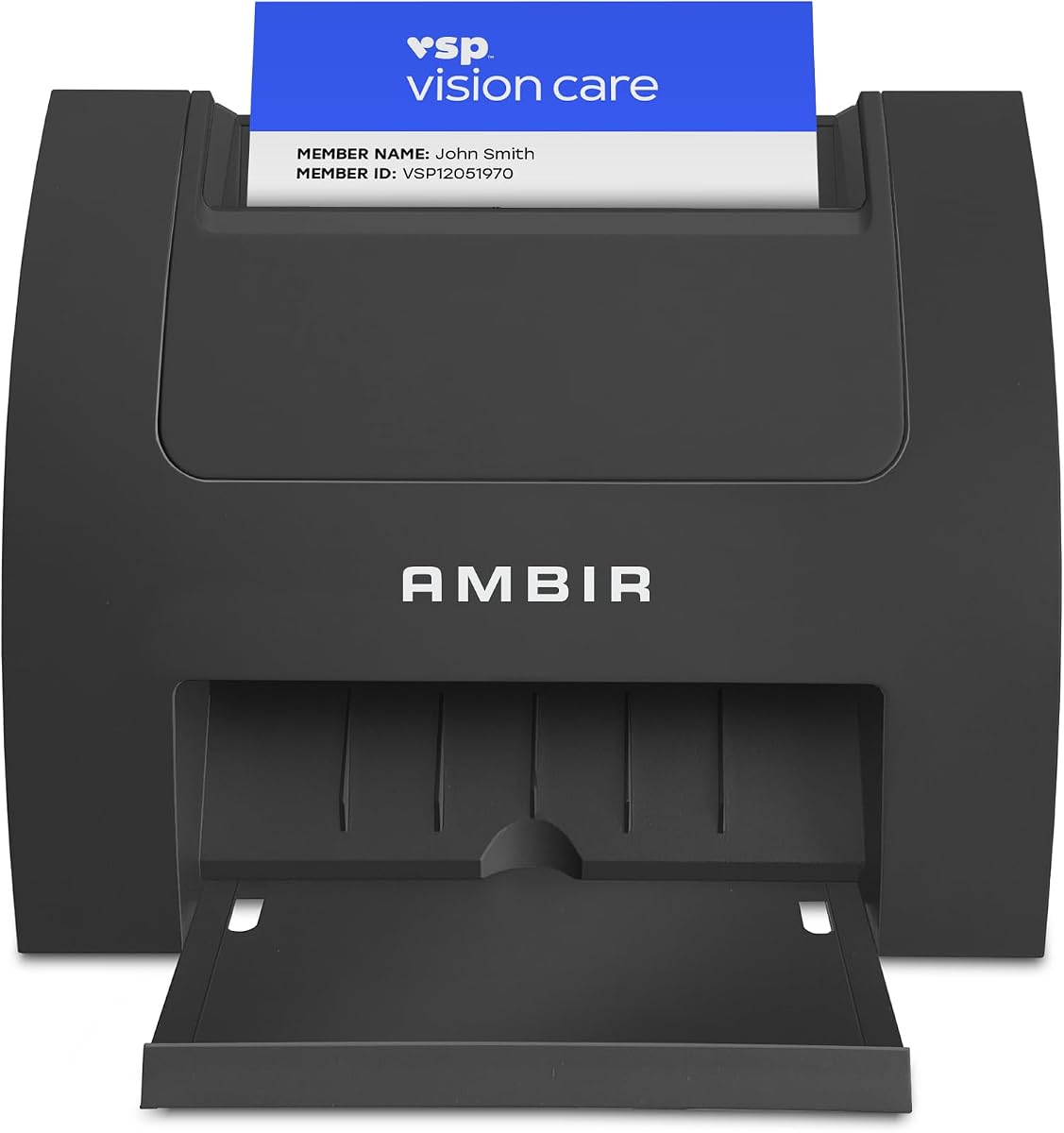


The Ambir ImageScan Pro 687-AS earns the strongest overall position in this guide because it combines fast duplex card capture with broad software compatibility and a polished range of export options. Its listed rating of 4.9 reflects an especially positive customer reception, while its ability to handle patient identification, insurance cards, driver's licenses, vaccine cards, and other raised-character documents makes it relevant to more than ordinary networking contacts.
We may earn a commission when you buy through this link, at no additional cost to you.
The most important feature is duplex scanning. Instead of feeding a card through once for its front and again for its reverse, the scanner captures both sides in one pass. That saves time when records need complete images, and the included AmbirScan software can save locally or to Box, Dropbox, Evernote, and Google Drive. TWAIN driver support also helps the device work with a wide range of imaging applications, while Citrix Ready certification provides confidence for managed office environments.
The scanner is not limited to archiving card images. Built-in webhook integration can send document metadata, including filename, page count, file size, and storage location, to connected applications. This makes it useful for automating document intake in services that use tools such as QuickBooks or DocuSign, as well as for keeping teams informed through platforms such as Slack. The important qualification is that this Zapier feature requires a Zapier Professional subscription.
This is the most convincing option for an office that needs high-quality, two-sided card images and a flexible route from scanning to storage or automation. It is especially suitable for reception desks, clinics, administrative teams, and professional practices. Buyers who only need occasional contact extraction may find a general document scanner more economical, but for dependable card-focused capture with strong compatibility, the 687-AS is the leading choice.
Capturing both sides in a single pass reduces repositioning and repetitive feeding. This is particularly valuable for identification and insurance cards, where the information may appear on either side and a complete image is more useful than a single-sided record.
AmbirScan supports local PDF, TIF, and JPG files alongside several named cloud destinations. Webhook support extends the scanner beyond basic archiving, although teams should confirm that the connected applications and subscription level match their automation needs.
We may earn a commission when you buy through this link, at no additional cost to you.
The PenPower WorldCard Pro is a dedicated business card scanner for users who want contact recognition and database management without the broader document features found on general-purpose scanners. It supports Windows and Mac and can recognize business cards in 24 languages. Its 3.3 rating is the lowest among the products reviewed, so buyers should approach it as a feature-focused budget option rather than assuming the same customer satisfaction level as the leading models.
We may earn a commission when you buy through this link, at no additional cost to you.
Its core job is straightforward: scan a card, recognize the printed information, and save it as an editable contact. The software supports several export and import paths, including vCard, CSV, text, and HTML. Users can exchange data with Address Book and tools associated with iPhone, iPod, and Microsoft Entourage, making the scanner more versatile for a mixed personal and office contact system.
Contact organization is another strength. The application provides editing, category assignment, individual notes or photos, keyword search, and advanced search. Clickable address and website fields can lead to maps and contact sites, reducing the number of steps between reading a card and using the information. This makes WorldCard Pro especially relevant to sales representatives, event organizers, and independent professionals who accumulate contacts through in-person meetings.
The main limitation is its narrower focus. Unlike the more expensive document and ID scanners in the list, the product information does not highlight duplex capture, cloud workflow automation, or comprehensive image correction. If the goal is to scan cards and maintain a usable contact database on a limited budget, this is a sensible starting point. If front-and-back capture or enterprise integration is essential, a higher-rated dedicated scanner may offer a more suitable overall experience.
The software does more than turn text into a note. Categories, photographs, editable fields, keyword search, and advanced search make it possible to treat scanned cards as a working contact library rather than a collection of disconnected image files.
Recognition across 24 languages is useful for international events and globally distributed teams. Compatibility with vCard, CSV, text, and HTML gives users several ways to move information into the contact tools already in use.
We may earn a commission when you buy through this link, at no additional cost to you.
The Ambir ImageScan Pro 667 is built around contact recognition rather than simply preserving a visual copy of a business card. Its optional local AI processing is designed to improve the extraction of names, titles, telephone numbers, and email addresses, making it an appealing option for users who plan to process a large collection of imperfectly printed or unusually formatted cards.
We may earn a commission when you buy through this link, at no additional cost to you.
The software can import recognized contacts directly into Microsoft Outlook and use automatic duplicate detection to keep that address book organized. It also supports shared contact folders, a useful feature for executive assistants and distributed offices where a central contact repository is more important than keeping every record on one desktop. OCR-based CSV output provides another path for uploading information to services such as Salesforce and Google Contacts.
Language support is listed for English, French, Italian, German, and Spanish when AI processing is enabled. The Zapier integration can pass parsed contact fields to connected apps, allowing a scan to create a CRM lead, trigger a message, schedule a task, or notify a team. As with the 687-AS, that automation depends on a Zapier Professional subscription and the user's connected workflow configuration.
One compatibility point deserves careful attention. Although the product title includes Windows PC and MAC, the supplied software details specify a single-PC license supported on Windows 10 and 11 in both 32-bit and 64-bit versions. Prospective Mac users should verify the current package and driver situation before purchasing. For Windows organizations seeking structured contact capture, local AI extraction, and shared-folder workflows, the 667 remains a compelling specialized tool.
The optional recognition engine processes contact fields on the local computer, which can suit organizations that want structured extraction without sending every scan to a cloud-based recognition service. It supports five listed languages and focuses on the fields teams most often need after a meeting.
Direct Outlook import and automatic duplicate detection reduce the work involved in maintaining an address book. Shared-folder scanning extends the same organizational benefits to teams that need a central destination rather than isolated desktop files.
We may earn a commission when you buy through this link, at no additional cost to you.
The Epson Workforce ES-50 is a lightweight mobile document scanner that also handles receipts and ID cards, making it a flexible option for a traveler, consultant, or home office that occasionally needs to digitize business cards. Its 4.3 rating places it among the stronger-reviewed products here, and its emphasis on portability clearly separates it from desktop feeders designed for high-volume stacks.
We may earn a commission when you buy through this link, at no additional cost to you.
The scanner accepts a single sheet at a time and can capture pages as quickly as 5.5 seconds. It supports documents up to 8.5 by 72 inches, which is useful for long receipts and continuous records. Epson ScanSmart supports review and saving, while Nuance OCR creates searchable PDFs and editable Word and Excel files. Users can also scan directly to supported online storage accounts.
USB 2.0 provides both power and data, eliminating the need for batteries or a separate power adapter. A TWAIN driver supports broad imaging-software compatibility, and automatic feeding mode can combine multiple inserted sheets into one file. These features make the ES-50 convenient for a remote office or for business-card capture immediately after meetings when returning to a larger office scanner is impractical.
The trade-off is that Epson ScanSmart is a document-scanning application rather than a comprehensive business card contact manager. Users who need automatic field extraction, duplicate removal, and categorized contact records should pair it with separate contact software. For image capture, portability, and OCR at a moderate level of investment, however, the ES-50 is a strong and adaptable choice.
USB power keeps the scanner simple to carry and deploy. It can be connected to a laptop or desktop wherever a USB port is available, making it well suited to mobile professionals and temporary workspaces.
Nuance OCR can turn scans into searchable PDFs and editable Word or Excel files. That makes captured business cards more flexible, especially when the goal is to retain an image while also extracting printed information.
We may earn a commission when you buy through this link, at no additional cost to you.
The Ambir PS670ST-AS is built for organizations that process many cards one side at a time and want fast, consistent imaging. Its stated goal is to scan a card in under two seconds, with output in color or grayscale. The vertical feed path is easy to approach and occupies less desk space, which makes it especially practical for reception counters, service desks, and busy shared offices.
We may earn a commission when you buy through this link, at no additional cost to you.
Image quality is another defining feature. The scanner produces true 600-dpi images intended to meet or exceed third-party software requirements. Bundled AmbirScan adds auto-scan, file-formatting, and cloud-saving options. It also supports continuous imaging, so users can keep feeding cards without repeatedly stopping for a prompt or reset, improving throughput when the volume of work is substantial.
The product is designed for Windows 10 and 11 systems running in 32-bit or 64-bit environments, and the title also identifies Mac support. USB power removes the need for a separate external supply. Webhook integration can send document metadata to connected applications, supporting automated intake and recordkeeping, but the Zapier feature requires a Professional subscription.
Its main limitation is clear from the name: it is a single-sided scanner. Users who need both faces of an ID, insurance card, or badge captured in one operation will find the 687-AS more suitable. For front-only card imaging, high speed, color quality, and a compact vertical format, the PS670ST-AS offers a focused solution with good operational efficiency.
Continuous automatic imaging reduces pauses during a busy session. With card capture stated at under two seconds, the scanner is designed for users who value throughput and a small physical footprint over duplex capture.
True 600-dpi color or grayscale output suits applications that need detailed, standardized card images. The stated image standard is particularly relevant to organizations using third-party software with specific capture requirements.
We may earn a commission when you buy through this link, at no additional cost to you.
The Ambir PS667 is included because many organizations digitize business cards in the same intake environments where they scan identification cards. Its listed 5.0 rating is the highest among the available products, and its focus on local processing, age verification, and customer management makes it distinct from general document scanners. It is not presented as a contact-recognition product, but it offers relevant lessons in security and controlled data handling.
We may earn a commission when you buy through this link, at no additional cost to you.
Automatic extraction reads 2D barcodes on valid United States and state-issued IDs, pulling information such as customer name, address, date of birth, and other key fields. Scanned data remains on the local system, avoiding a requirement for cloud storage or internet connectivity. This local-first approach is particularly relevant where customer information needs to be handled with control.
The software can flag minors according to customizable age restrictions, detect expired credentials, maintain customer visit records and ban lists, and export customer data. It also includes anti-passback functionality that detects repeat scans within a selected period, helping prevent the same ID from being presented repeatedly. Password protection, backup and restore tools, a two-year hardware warranty, and United States-based support add further operational value.
The bundled hardware and software are described as a turnkey solution with no subscription or ongoing fees. USB power and Windows and Mac compatibility make deployment straightforward. This is the right choice for retailers, venues, and regulated intake operations that need local ID verification. It is less directly aligned with ordinary business card contact management, so buyers should confirm that barcode-based ID extraction is the priority.
Keeping scanned information on the local system gives administrators greater control over sensitive records and avoids mandatory reliance on cloud storage or an internet connection. Password protection and backup tools help support an organized operating environment.
Customizable age limits, expiration detection, ban lists, and anti-passback checks support businesses that must verify identity repeatedly. These controls are more specialized than the contact-management features found on conventional business card readers.
We may earn a commission when you buy through this link, at no additional cost to you.
The ScanSnap iX1300 is a versatile document scanner whose wireless connectivity makes it a strong option for offices that do not want every scanning task tied to a wired workstation. It handles documents, photographs, receipts, business cards, thick items, and plastic cards, and it can operate in duplex mode at up to 30 pages per minute.
We may earn a commission when you buy through this link, at no additional cost to you.
One-touch operation is designed to keep scanning simple. Automatic de-skew, color optimization, and blank-page removal help produce consistent results without extensive driver setup. The exclusive Quick Menu allows users to scan, drag, and drop files into preferred computer applications. ScanSnap Home then brings document, receipt, business card, and photo organization into one software environment.
Connectivity is unusually flexible. The scanner can use USB or Wi-Fi and send files to Mac computers, personal computers, mobile devices, and cloud services. It can also scan to a Chromebook through a mobile app and be used without a computer at all. That last feature is valuable for shared offices where a team can capture cards at a central station without dedicating a computer to the device.
The trade-off is that ScanSnap Home focuses on document and image organization rather than the structured contact extraction offered by dedicated business card software. Users who need to preserve card images in several locations will appreciate the connectivity and media flexibility. Those who want parsed contact records should confirm that their preferred contact application can receive the scans or that separate OCR and contact-management tools are acceptable.
USB and Wi-Fi support let users choose between a permanent workstation and a more mobile setup. Wireless capture can also reduce the need to move physical cards back to a desk before digitizing them.
De-skew, color optimization, and blank-page removal are applied as part of the scanning workflow. These automatic features help maintain consistency when a varied collection of cards and documents is processed.
We may earn a commission when you buy through this link, at no additional cost to you.
The DocketPORT DP667 is a simple simplex card scanner for users who want a compact, portable way to turn cards into PDFs. At roughly the size of a stapler, it occupies far less space than a flatbed scanner and can be carried between offices or packed with travel equipment. Its 3.8 rating indicates a generally positive customer history, although the product does not offer the broader feature set of the leading models.
We may earn a commission when you buy through this link, at no additional cost to you.
USB power is a practical benefit. Because the scanner draws power from the computer's USB port, users do not need to find an outlet or carry a bulky AC adapter. The small footprint and low weight also make it suitable for temporary workstations, reception areas with limited space, and mobile offices that need occasional card imaging.
Included DocketScan acquisition software can scan directly to industry-standard PDF. That format is broadly useful because it preserves a clean digital record that can be stored, emailed, or opened with compatible document tools. The bundled TWAIN driver supports thousands of applications and hardware systems, making the scanner easier to incorporate into an existing imaging environment.
What the DP667 does not provide is equally important. It is a simplex card scanner, so both sides of a card cannot be captured in one pass. The supplied information also does not mention automatic contact-field recognition, duplicate detection, or a dedicated contact database. It is therefore best viewed as a straightforward PDF capture tool rather than a complete digital-contact solution, and a good fit for users who prioritize compactness and simple output.
The stapler-sized enclosure makes it easy to place the scanner where cards are received or keep it in a mobile kit. Its light weight adds convenience for professionals who move between workspaces.
DocketScan provides a direct route to a familiar document format, while the included TWAIN driver broadens the range of applications that can receive images. This keeps the scanner useful even without advanced contact automation.
We may earn a commission when you buy through this link, at no additional cost to you.
The Brother DS-640 is designed for mobile professionals who need to capture documents and cards while moving between locations. It weighs about 1.5 pounds and measures less than one foot in length, making it small enough for a bag, purse, or other compact carrying setup. Its 4.3 rating places it alongside the ES-50 as one of the better-rated portable options in this comparison.
We may earn a commission when you buy through this link, at no additional cost to you.
It scans up to 16 pages per minute, with the listed color speed matching black-and-white speed. Automatic color detection and adjustment, image rotation on PC, bleed-through prevention, background removal, text enhancement, and color drop help produce cleaner results. The software suite also includes document management and OCR functions, allowing captured information to be converted into more useful digital formats.
Brother iPrint&Scan provides several destinations, including the PC, network locations, cloud services, email, and OCR workflows. The scanner supports Windows, Mac, and Linux, and the listed driver set includes TWAIN and WIA for PC, ICA for Mac, and SANE. Power comes through the included micro USB 3.0 cable, so the device can operate wherever a computer connection is available.
The DS-640 is not marketed as a dedicated business card reader. Its image corrections and OCR are useful for creating searchable card records, but users who need automatic field extraction, contact categorization, and duplicate management may need separate software. Its strongest case is the mobile office: a consultant, student, salesperson, or field worker who wants a small, capable scanner that can travel from one meeting to the next.
The sub-one-foot length and approximately 1.5-pound weight make the DS-640 easy to carry. Its compact dimensions allow a user to keep scanning capability close at hand without relying on a full-size desktop feeder.
Scan-to options for a computer, network, cloud service, email, and OCR support different follow-up needs. Broad driver support also helps users fit the scanner into cross-platform document routines.
We may earn a commission when you buy through this link, at no additional cost to you.
The Epson Workforce ES-400 II is the premium office choice in this guide because it combines a 50-sheet automatic document feeder, duplex color capture, and strong file-management tools. Its 4.5 rating is among the highest here, and the design is aimed at offices that regularly handle stacks of documents alongside business cards, receipts, and other records.
We may earn a commission when you buy through this link, at no additional cost to you.
The automatic document feeder allows users to work through mixed paper efficiently, while duplex scanning captures both sides of each sheet. Epson ScanSmart adds previewing, email delivery, cloud uploads, and automatic file naming. Searchable PDFs can be created through OCR, and documents can be converted into editable Word or Excel files, making the scanner useful when business card information needs to become structured office data.
Its feeding system uses ultrasonic double-feed detection and dynamic skew correction to help prevent missed pages. Automatic cropping, blank-page removal, and background correction further improve the consistency of scanned output. Direct delivery to email, Dropbox, Evernote, Google Drive, and OneDrive helps connect the device to established sharing routines, while the included TWAIN driver supports integration with document-management software.
This scanner is larger than the portable and compact models, and its feature set is centered on documents rather than business card contact recognition. However, it is a strong premium option for a shared administrative office, legal practice, real-estate team, or executive assistant who needs a dependable feeder and flexible outputs. Buyers should choose it for capacity and office-grade workflow, not for automatic contact parsing.
The 50-sheet automatic feeder is the major advantage over single-sheet mobile scanners. Teams can process larger collections without feeding each page individually, while duplex capture preserves both sides in a single workflow.
OCR creates searchable PDFs and editable office files, while double-feed detection and dynamic skew correction improve document integrity. Together, these features make the scanner suited to records that need to be retained, searched, edited, and shared.
We may earn a commission when you buy through this link, at no additional cost to you.
Choosing a business card scanner means balancing capture quality, contact recognition, compatibility, throughput, and the way your organization stores and shares the resulting data. The most capable dedicated card readers are not automatically the right choice for every office, so begin with the workflow your team expects to use.
A scanner that produces a clear image is useful, but a scanner that extracts contact fields can save substantially more time. Dedicated contact-recognition software may identify names, companies, job titles, telephone numbers, email addresses, and addresses, while general document OCR may create searchable text without automatically building an address book. Consider whether you need image-based archiving, editable contact records, or both, and examine the languages that the recognition engine supports.
Prioritize tools that match the format and quality of your cards, including international contacts. AI-assisted extraction can improve results on complex layouts, but it should remain optional if some card images should not be processed automatically. Choose contact recognition when data entry is the main problem, and choose ordinary OCR when the primary goal is creating a searchable digital record.
A simplex scanner captures one face of a card during a pass, while a duplex scanner captures the front and back. Duplex is essential for identification cards, insurance cards, membership cards, and badges whose reverse sides contain important details. For ordinary business cards, simplex capture may be sufficient, especially when only the printed contact side matters. The extra capability is most valuable when complete visual records are required.
If you regularly handle IDs or two-sided credentials, prioritize duplex models such as the Ambir 687-AS or ScanSnap iX1300. If business cards are always printed on a single side and speed is more important, a compact simplex reader can be simpler and more focused.
Check both the hardware driver and bundled application before ordering. Some scanners support Windows and Mac, while others list a particular Windows release, 32-bit or 64-bit architecture, Linux, or mobile-device support. Titles can sometimes imply broader compatibility than the software details confirm, so check the current package and driver page for the exact model you are considering.
TWAIN compatibility is another useful indicator because it allows a scanner to work with many imaging applications. If your organization relies on a particular CRM, document-management platform, or contact system, verify that the scan output can be imported into it before purchase.
Throughput depends on more than a quoted pages-per-minute figure. A 50-sheet automatic feeder is well suited to routine office processing, while a single-sheet design works better for occasional or portable use. Dedicated card scanners can continuously capture cards with less user interaction, which matters at events, reception desks, and professional practices.
Estimate the number of cards processed during a normal day and the acceptable waiting time for each one. Choose capacity based on peak periods rather than the total size of a historic stack. A faster, simpler scanner may be more useful than a large feeder that will sit unused.
Raised printing, embossed characters, glossy finishes, plastic cards, and varied thicknesses can make scanning less consistent. Dedicated card scanners often include feed mechanisms designed for these materials, while general document scanners may require careful loading and may not support every card type. High resolution can preserve fine details, but image quality also depends on the scanner's optics and color handling.
Review the stated resolution and supported media before buying. The Ambir PS670ST-AS is listed for 600-dpi images, while the 687-AS emphasizes handling cards with raised characters. Choose a model whose feed path and image pipeline match the cards you actually receive.
A complete workflow should explain where scans go after capture. Local PDF, TIF, or JPG files may be sufficient for a small archive, while contact software can export vCard or CSV records. Cloud destinations, email, shared folders, and direct delivery to document systems make sharing easier across distributed teams. Zapier-style webhooks can further connect scans to CRM, messaging, and accounting tools, but may require a paid subscription.
Map the desired outcome before choosing hardware. If records must be searchable, select OCR output. If contacts must become address-book entries, select contact recognition and a compatible import format. If automation is required, verify the cost, metadata fields, and connected applications before committing to the scanner.
Portability matters for consultants, field representatives, event staff, and anyone who changes workspaces. A compact, USB-powered scanner can be carried in a bag and used wherever a computer is available. Dedicated vertical card readers can also save desk space at a reception counter without sacrificing card-focused performance. Desktop feeders with larger automatic trays prioritize volume over mobility.
Choose based on the dominant environment. A traveler will value weight, size, and independent power options, while a permanent reception desk may benefit more from continuous card feeding and a vertical form factor. A wireless model can reduce cable constraints in a shared office.
Business cards and identification records can contain personal or business-sensitive information. Some solutions process contact data locally, while others rely on cloud destinations or connected automation platforms. Local processing can reduce dependence on internet connectivity and give administrators more direct control over where records are stored, although organizational policies and applicable regulations still apply.
If data handling is sensitive, review storage locations, cloud options, account access, and deletion practices. The Ambir PS667 emphasizes local storage, while several other products explicitly support cloud services. Choose the model whose data path aligns with your security requirements.
Begin by installing the current manufacturer driver and bundled application on the intended computer. Connect the scanner with its supplied USB cable or establish a wireless connection if the model supports one. Open the scanning software, select an appropriate image format, and confirm the destination for saved files before processing a first card. For contact-recognition devices, choose the correct recognition language and verify that the intended address book or shared folder is selected.
Clean and inspect cards before feeding them. Remove staples, paper clips, adhesive residue, and loose debris that could jam the feed path or reduce image quality. Feed one card at a time unless the scanner has an automatic feeder, and follow the manufacturer guidance for plastic, embossed, glossy, or unusually thin cards. Review each scan for alignment, completeness, legibility, and correct field extraction before saving it to a contact record.
Maintain the scanner by keeping the feed mechanism clean, using only manufacturer-approved cleaning methods, and avoiding excessive force when inserting cards. Back up important contact databases and exported files regularly, especially when scans are stored locally. Periodically update the software and drivers, review shared-folder permissions, and test the export or automation process after any major application change so records continue to reach the intended destination.
Some models do, while others primarily create card images and searchable documents. Dedicated contact scanners may recognize names, companies, titles, phone numbers, email addresses, and addresses, then save the results to an address book or export them as vCard or CSV files. General-purpose document scanners often depend on separate OCR or contact-management software for structured extraction, so buyers should check the software features before purchasing.
Many card scanners can capture plastic identification cards, but the level of support varies. Some models have a vertical feed path designed for thin cards and embossed details, while others focus specifically on business cards or government IDs. Check the card dimensions, material, thickness, and whether both sides need to be captured. Dedicated ID models may also provide barcode extraction, age verification, and expiration checks that ordinary business card readers lack.
Duplex capture is better when both sides of a card contain information you need to retain. It captures the front and reverse in one pass, saving repeated handling. Single-sided models are usually sufficient for conventional business cards with meaningful information on one face and may suit occasional scanning or a more compact setup. The right choice depends on the cards your organization receives rather than simply on the larger feature list.
Often, yes, but the route depends on the scanner's output. Contact-recognition software may export directly to Outlook, Google Contacts, or a shared address book, while other devices can save vCard, CSV, PDF, or image files for later import. CRM compatibility may also depend on import rules, field mapping, and any software subscription required for automation. Test the complete export path with a few sample cards before deploying the device to an entire team.
Some do. Local OCR, local contact extraction, USB connections, and local file storage can keep core scanning functions available offline, while the Ambir PS667 specifically emphasizes local data storage. Cloud saving and connected automation require the appropriate internet access and services. If offline operation is important, confirm that both the recognition software and intended storage destination work without a network connection.
A higher resolution can help preserve small text and fine details, but the useful result also depends on the scanner's optics, contrast, color processing, and the source card. The Ambir PS670ST-AS is specified for 600-dpi images, which is noteworthy for users seeking detailed output. For most workflows, the more important factors are consistent alignment, clean color, reliable field recognition, and a file format that fits your contact system.
Wireless scanning can be convenient in a shared office because it allows the device to be placed near a reception counter without tying it permanently to one computer. The ScanSnap iX1300 supports USB and Wi-Fi, can connect to several device types, and can operate without a computer. However, wireless configuration and destination selection may require more setup than a simple USB connection, so consider the comfort of the people who will use the scanner.
Choose a primary contact system first, then design the export around it. Outlook or Google Contacts may suit individual professionals, while a shared folder or centralized CRM can support teams. Consistent categories, duplicate checks, regular backups, and clear file-naming conventions prevent scanned information from becoming an unmanaged archive. Review shared access carefully and retain only the information your organization legitimately needs.
The Ambir ImageScan Pro 687-AS stands out as the most complete choice for offices seeking fast duplex card capture, broad TWAIN compatibility, multiple storage destinations, and optional workflow automation. The PenPower WorldCard Pro offers a focused and economical approach for contact recognition across 24 languages, while the Epson Workforce ES-400 II serves demanding offices that value a 50-sheet feeder, dependable duplex capture, searchable PDFs, and flexible sharing.
Before choosing, prioritize the output your team actually needs. A dedicated contact reader is most useful when field extraction and address-book management are the goal. A general document scanner is better for flexible image capture, searchable files, and mixed media. Also consider operating system support, duplex needs, card materials, throughput, storage location, and the cost of any connected automation service.
Product details, ratings, software, and availability can change, so verify the current listing before purchasing. Compare the latest compatibility information, included accessories, warranty terms, and export options with your intended workflow. With those checks in place, you can select a business card scanner that saves time without creating a more complicated process than the one it replaces.

