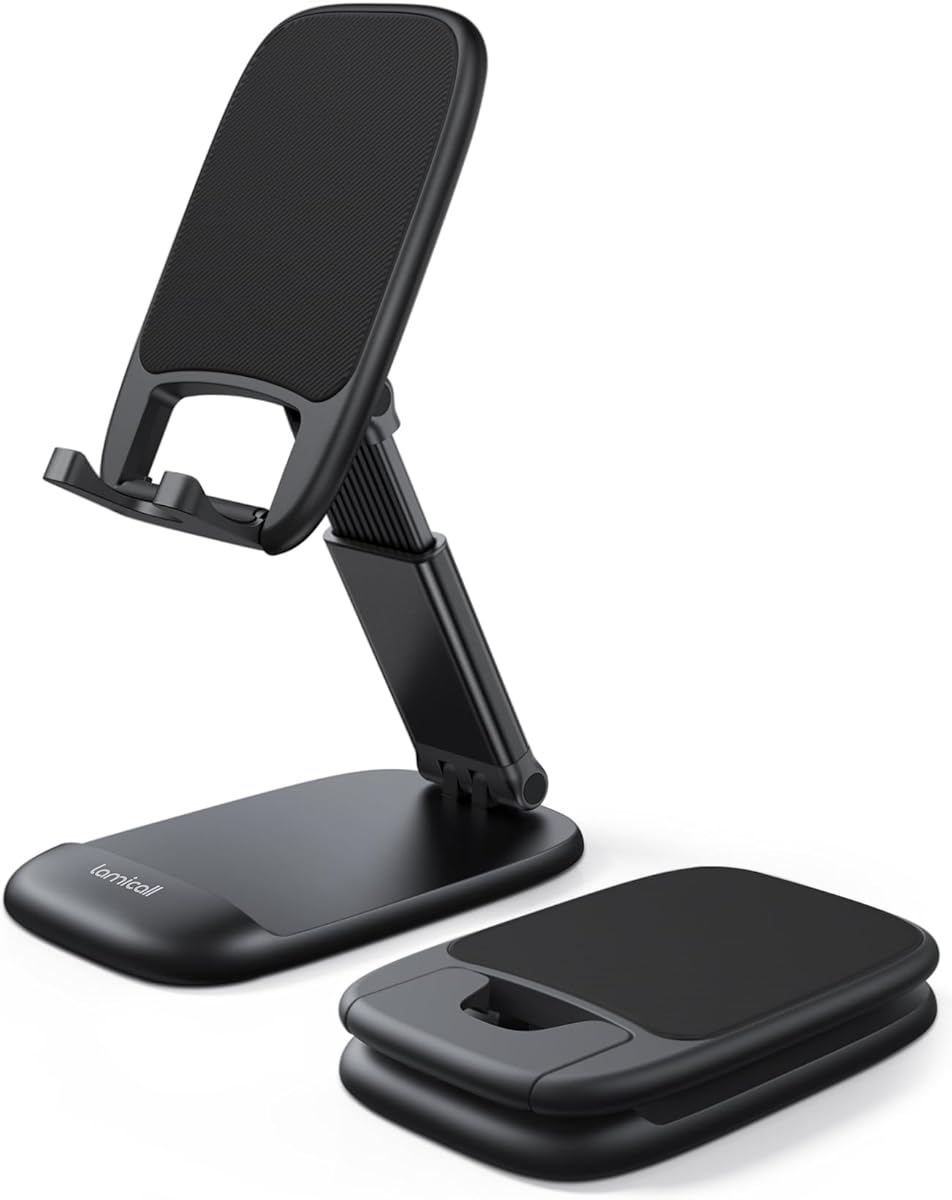
Lamicall Height Adjustable Phone Holder
4.8Editor score
Height and angle adjustable
Folds for easy portability
Weighted metal base
An iPhone stand for FaceTime can turn a cramped handheld call into a comfortable, hands-free experience. The right holder should hold the phone steadily, position the front camera near eye level, fit your case, and leave the charging port accessible when possible.
We compared the 10 featured stands on practical factors including height adjustment, tilt and rotation, base stability, device compatibility, portability, charging access, and usefulness for calls, meetings, recording, and everyday content creation. The list includes folding, telescoping, weighted, and magnetic designs.
Each review explains the stand's most useful features and practical limitations, helping you match the design to your workspace and routine. Product ratings reflect the supplied customer feedback, while availability and prices can change, so confirm current details before purchasing.
4.8Editor score
4.6Editor score

4.8Editor score
As an Amazon Associate we earn from qualifying purchases.
This side-by-side comparison highlights the differences in adjustment, construction, compatibility, and portability among the 10 leading stands, making it easier to identify the right design for FaceTime and other hands-free activities.


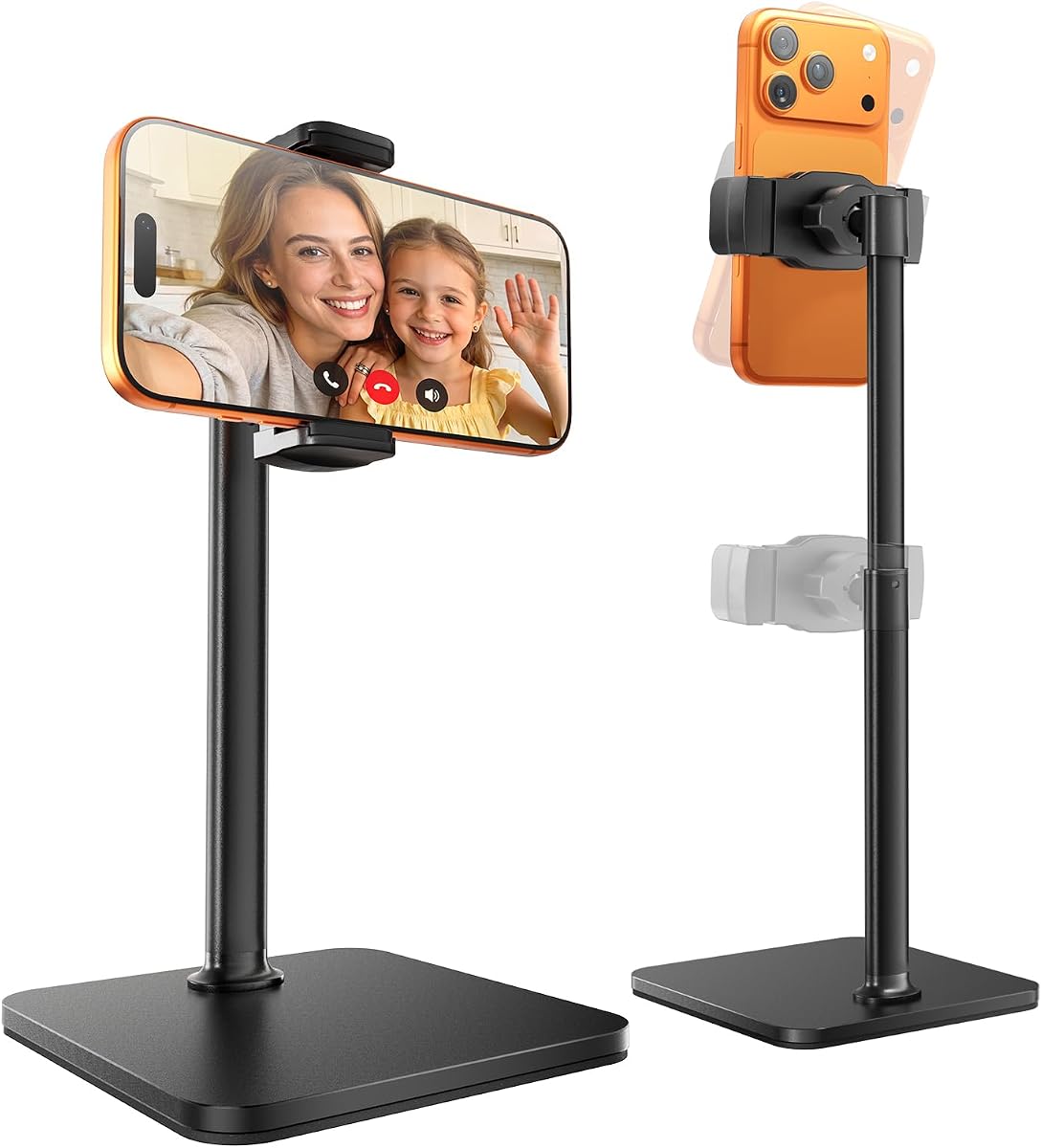

The COOPER ChatStand Sturdy Cell Phone Holder is a telescoping desk stand designed to keep an iPhone near face level for FaceTime, work meetings, recording, cooking, and other hands-free activities. Its 4.6 rating reflects generally favorable customer feedback, particularly for the supportive base and practical adjustment range.
We may earn a commission when you buy through this link, at no additional cost to you.
Its most important benefit is the nine-to-13-inch height adjustment. That range gives a user more control than a short fixed stand, helping bring the front camera and screen into a more natural position during a call. The padded, weighted metal base is intended to resist tipping, while the wide holders provide support for different phone sizes.
The trade-off is that this is not the most compact option. A telescoping column and broad base occupy more desk space than a folding aluminum stand, and the supplied information does not identify a dedicated charging-port opening. It is better suited to a permanent home-office, kitchen, or content-creation setup than to frequent travel.
This stand is a strong recommendation for someone who wants a stable, height-adjustable support for long FaceTime conversations and regular recordings. Choose it when camera height, stability, and a broad viewing range matter more than packing the stand into a pocket.
The telescoping adjustment raises the phone from nine to 13 inches, making it easier to align the FaceTime camera with your eyes. That can reduce the repeated downward glances associated with holding a phone flat on a desk.
A weighted metal base, broad support, and nonslip padding help the phone remain secure during extended conversations. This design is especially useful when a stand must support both the device and frequent touch interaction.
We may earn a commission when you buy through this link, at no additional cost to you.
The Lamicall Cell Phone Stand for Desk combines a compact folding design with height and angle adjustment, making it one of the most versatile choices for FaceTime in this roundup. Its 4.8 rating is the highest listed among the products, indicating strong satisfaction with its practical combination of portability, stability, and phone support.
We may earn a commission when you buy through this link, at no additional cost to you.
The stand extends by 3.2 inches and tilts vertically so the user can choose a more comfortable viewing angle. Thickened silicone mats appear at the backrest, hooks, and base feet, helping reduce sliding and scratching. It accommodates cases up to 0.71 inches thick and supports phones and tablets in the stated 4-to-8-inch range.
Its compact bi-folding construction is the main practical advantage over the larger telescoping models. It can move between a home desk, office, classroom, or trip more easily, yet the weighted metal base and telescopic rod help it remain steady once opened. The limitation is its relatively modest extension, so users seeking a very tall eye-level setup may prefer a longer telescoping stand.
This is the best budget-oriented selection for a buyer who wants a strong rating, broad compatibility, and easy portability without moving to a magnetic or more specialized creator stand. It is particularly effective for FaceTime, online classes, live streaming, and everyday desk viewing.
The bi-folding frame reduces to a pocket-sized form, making this stand easier to carry than a fixed-base or telescoping model. That portability is valuable for users who alternate between desks, study locations, and travel accommodations.
Enlarged silicone contact points support devices with cases up to 0.71 inches thick. These surfaces also help guard the phone against sliding and scratching during a long call.
We may earn a commission when you buy through this link, at no additional cost to you.
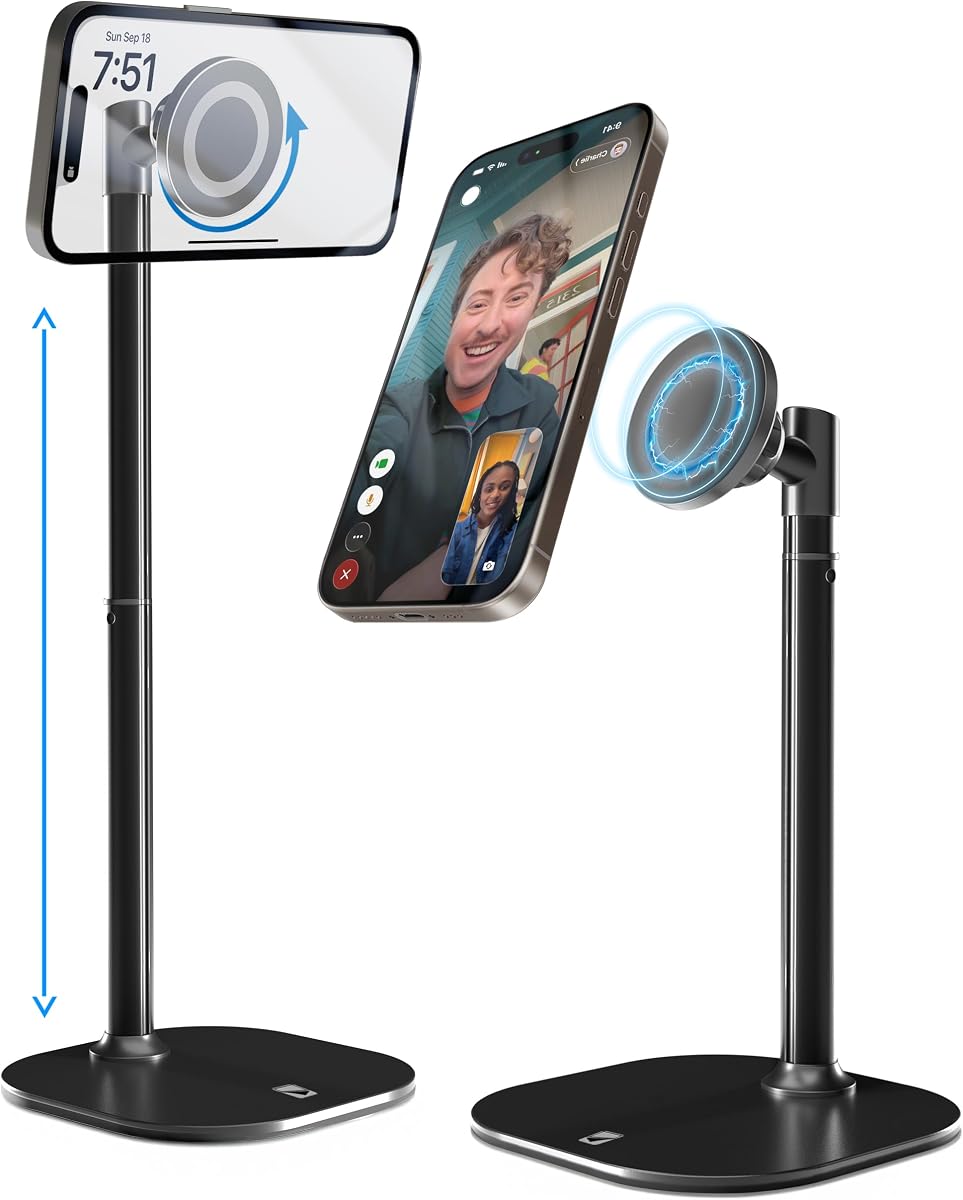
The COOPER MagStand Magnetic Phone Stand for Desk is designed for iPhones with magnetic attachment or compatible MagSafe cases. It earns the Editor's Choice distinction because its combination of quick one-handed placement, broad articulation, face-level adjustment, and a stable base is especially effective for FaceTime and video recording.
We may earn a commission when you buy through this link, at no additional cost to you.
The holder adjusts from nine to 13 inches and supports 360-degree rotation with up to 55 degrees of tilt. Those controls make it easy to switch between portrait and landscape viewing or move the camera toward the person speaking. A wide weighted metal-alloy base with EVA padding helps prevent tipping and cushions the desk.
The main limitation is dependence on magnetic compatibility. It is intended for MagSafe-compatible iPhones and cases, so buyers should verify their own device and case before choosing it. Some users may also prefer a conventional clamp that does not depend on magnets, particularly if they regularly switch between phones with different attachment systems.
This is the most adaptable recommendation for someone who moves between FaceTime, Zoom, studying, streaming, and kitchen recording. It is especially attractive when rapid portrait-to-landscape changes and near-eye-level framing are central to the user's workflow.
The magnetic connection makes it easy to lift the phone off or place it onto the stand without manipulating a separate clamp. That convenience is useful when a meeting starts unexpectedly and the phone must be raised quickly.
Full rotation and a 55-degree tilt range let you choose whether the camera faces you, another person, or the work surface. This is valuable for demonstrations as well as two-person FaceTime conversations.
We may earn a commission when you buy through this link, at no additional cost to you.
The DIMONCOAT Phone Stand for Desk is built for users who want a large range of vertical and horizontal positioning. It has a 4.4 rating and stands out for a height range of 8.66 to 14.96 inches, plus 180-degree rollover and 360-degree rotation for FaceTime, meetings, reading, and live video work.
We may earn a commission when you buy through this link, at no additional cost to you.
The weighted metal base is paired with a thick EVA mat to improve grip and protect the desktop. Its upgraded silicone clip is designed to keep thicker devices secure, and the listed compatibility extends to cases up to 0.75 inches. These details make it a practical choice for users who normally leave a protective case on their phone.
Its greater size and complexity can be disadvantages in a compact workspace. The supplied 4.4 rating is also lower than those of the leading selections, although it remains a solid score. Buyers who only need a modest adjustment may find this stand offers more movement than necessary.
Choose the DIMONCOAT when camera positioning flexibility is the priority. It suits a dedicated desk where the stand can remain extended and needs to shift between eye-level calls, lower reading positions, overhead or inverted angles, and live recording.
The combination of vertical extension, rollover, and rotation allows the phone to move through a wide variety of viewing positions. That versatility helps when one person shares a desk, when recipes need a downward angle, or when a recording needs an inverted perspective.
The thick EVA base mat improves stability while shielding the desktop from scratches. A widened silicone clip supports cases up to 0.75 inches and reduces the chance that the phone will slide or fall.
We may earn a commission when you buy through this link, at no additional cost to you.
The OCYCLONE Phone Stand for Desk is a fully foldable option designed for users who want a dependable FaceTime holder that can move between a home, office, classroom, or travel setup. Its 4.6 rating reflects a favorable balance of adjustability, stability, portability, and everyday versatility.
We may earn a commission when you buy through this link, at no additional cost to you.
Four independently adjustable points let the user choose low positions for typing, medium positions for calls and live streaming, or higher positions for reading and viewing. The reinforced structure and soft pads on the base and support surface are designed to remain steady while protecting the phone from scratches and general wear.
One especially useful detail is the reserved charging-port space, allowing the device to charge while remaining on the stand. On the other hand, the stated compatibility extends to 4-to-13-inch smartphones, but a very large device held at an extended angle may still require more support than a standard phone.
This stand is best for people who value a compact footprint and need a single accessory for calls, online classes, recipes, streaming, and gaming. It is a particularly sensible choice for hybrid workers who carry their phone between locations.
The frame collapses into a slim form for a pocket, backpack, or laptop bag. That makes it easier to maintain a comfortable FaceTime setup wherever the day begins, rather than keeping the phone flat and looking down.
A reserved opening around the charging port lets a connected cable pass through while the phone remains raised. This is useful for long meetings, tutorials, or streaming sessions that depend on continuous power.
We may earn a commission when you buy through this link, at no additional cost to you.
The LISEN Cell Phone Stand is a compact, screw-secured desk holder made for FaceTime, Zoom, video viewing, and other activities that benefit from a raised screen. Its 4.5 rating reflects customer approval of its adjustability, stable design, and useful charging and cable-management features.
We may earn a commission when you buy through this link, at no additional cost to you.
The stand offers a seven-to-8.5-inch height range and an angle adjustment from five to 85 degrees. Anti-skid silicone covers the back and bottom to reduce sliding and scratching. A built-in charging hole and smart cable management help keep the workspace tidy while the phone is on display.
Its compact scale and relatively narrow height adjustment make it less suitable for someone seeking a tall, face-level setup. It also includes a screw and hexagon screwdriver, so it is not as immediately portable as a one-piece folding stand. These are modest inconveniences rather than serious drawbacks for desk use.
Choose the LISEN when desk space matters, charging access is important, and you want an attractive holder for FaceTime at a home office or kitchen. It works especially well when the phone will remain in one location and the call position can be adjusted around a compact base.
The integrated charging opening routes the cable through the stand rather than directly across the phone. This reduces visual clutter and helps the cable remain in place while FaceTime continues.
A five-to-85-degree adjustment allows the display to sit upright for a call or lean farther back for viewing. The small footprint makes it practical on desks where room is limited.
We may earn a commission when you buy through this link, at no additional cost to you.
The OMOTON C2 Adjustable Aluminum Cell Phone Stand is a polished metal option for FaceTime, gaming, and video viewing. It has a 4.8 rating and earns the Best Premium distinction for its sturdy three-millimeter aluminum body, refined finish, 270-degree rotation, and integrated charging cutout.
We may earn a commission when you buy through this link, at no additional cost to you.
The hook extends far enough to support a phone while wearing a heavy case, and larger silicone pads help prevent slipping and scratching. Its dimensions and low profile are designed to provide stability without the visual bulk of a tall telescoping stand. The charging opening also means the phone can remain connected during a long call.
Because the stand uses a fixed-height metal body rather than a telescoping column, it cannot raise the camera to the same degree as several taller models. Aluminum may also feel heavier when moved between locations. It is therefore most appropriate as a permanent desk accessory, not a constantly traveling solution.
Choose the OMOTON C2 for a home or office that benefits from a refined, durable-looking stand. It is an excellent match for users who value smooth adjustment, case support, charging access, and a compact aluminum silhouette over maximum height.
The thicker aluminum construction gives the stand a substantial feel and supports steady placement. Smooth edges and a silver finish also allow it to blend naturally with a modern desk setup.
A 270-degree adjustment makes it simple to change the viewing direction, while the extended hook supports phones with heavy cases. Silicone pads reduce movement and surface wear during use.
We may earn a commission when you buy through this link, at no additional cost to you.
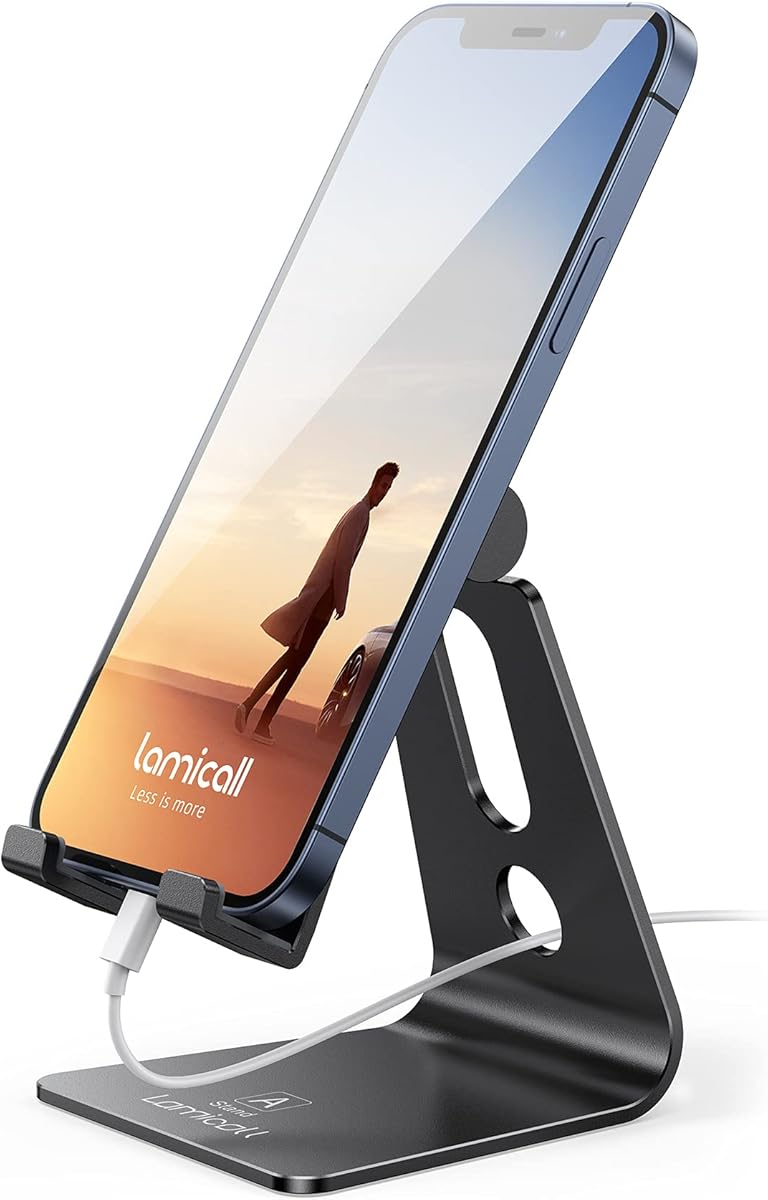
The Lamicall Aluminum Cell Phone Stand is an elegant desk accessory designed for calls, movies, recipes, and FaceTime. Its 4.7 rating reflects favorable feedback for the smooth aluminum finish, stable construction, protective cushions, and straightforward everyday usability.
We may earn a commission when you buy through this link, at no additional cost to you.
A low gravity center helps the stand remain steady, while rubber cushions protect the phone from scratches and sliding. The metal body has smooth edges and a metallic appearance that suits both home and office environments. The compatibility listing covers numerous iPhone, Samsung, and other device models, generally with the case left on.
The hook is 14 millimeters wide, so the device or case must not exceed that thickness. The product guidance also recommends landscape orientation for phones larger than six inches to improve stability. Those constraints are worth checking before purchasing, particularly for users with unusually protective cases.
This stand is a strong choice for someone who wants a clean, understated appearance without giving up stable support. It works especially well for regular FaceTime use at a fixed desk, where a low-profile aluminum holder provides a more permanent and polished look than a bright plastic model.
The aluminum alloy body, smooth edges, and metallic finish give the stand a refined appearance. It can serve as a visible part of the workspace rather than an item that looks purely utilitarian.
The low center of gravity helps prevent tipping, and rubber cushions minimize sliding and scratching. Portrait use works for many phones, while larger models may feel more secure in landscape orientation.
We may earn a commission when you buy through this link, at no additional cost to you.
The tounee Phone Stand for Desk is designed for FaceTime alongside live selling, unboxing, tutorials, cooking videos, product reviews, and other recording tasks. Its 4.5 rating indicates a solid reception for the combination of height adjustment, stable base, and broad creator-oriented use cases.
We may earn a commission when you buy through this link, at no additional cost to you.
The stand extends from eight to 11 inches and provides 50 degrees of tilt, offering enough movement to frame face-level calls, overhead demonstrations, and wider shots. A reinforced weighted base and nonslip silicone pads are designed to reduce shake while the user types, gestures, or scrolls.
Its open-grip design accepts devices up to 9.5 centimeters wide and 1.5 centimeters thick, including many regular cases, but it excludes bulky armor-style cases. It also lacks a magnetic connection and is aimed at 4-to-7-inch smartphones, so it is not the natural choice for a large tablet or a MagSafe-specific workflow.
Choose the tounee when you want one stand to support both conversations and content creation. It is especially useful for creators who regularly alternate between eye-level framing and higher, more top-down angles while keeping the phone stable.
The combination of height extension and tilt supports both face-level framing and higher instructional views. That makes the stand practical for tutorials, live selling, unboxing, and everyday FaceTime.
The weighted base and silicone pads help the phone remain still while you type, scroll, or gesture. This reduces unwanted movement in recordings and provides a more reassuring platform for a call.
We may earn a commission when you buy through this link, at no additional cost to you.
The CreaDream Aluminum Cell Phone Stand is a low-profile holder for FaceTime, YouTube, gaming, recipes, charging, and general desk use. Its 4.7 rating reflects strong customer approval for the sturdy metal body, smooth 270-degree adjustment, and ability to support phones with protective cases.
We may earn a commission when you buy through this link, at no additional cost to you.
The widened hook is designed to fit devices with cases, while rubber pads and feet protect against scratches and sliding. Compatibility spans 4-to-8-inch smartphones and e-readers, including a wide selection of iPhone, Samsung Galaxy, LG, iPad mini, tablet, Nexus, and Kindle models.
Its fixed height is the clearest drawback for FaceTime use. If your eye level is well above the desk, a low stand may still encourage a downward viewing angle. It also lacks the telescoping range offered by several taller options, so it is better as an adjustable viewing-angle holder than a height-adjustable workstation stand.
Choose the CreaDream when you want a durable, elegant holder that works across several kinds of devices. It is a good permanent desk option for calls near normal seated eye level, bedside use, kitchen reference viewing, and charging while you watch content.
The 270-degree adjustment allows the phone to be repositioned for portrait or landscape viewing. That flexibility is useful for FaceTime, video playback, reading, and light gaming without moving the entire stand.
The wider hook offers room for devices in protective cases, while rubber pads guard contact surfaces. The aluminum body gives the holder a steady, refined feel without requiring a large mounting plate.
We may earn a commission when you buy through this link, at no additional cost to you.
The right FaceTime stand depends on where you use it, how you hold your phone, whether you travel, and whether your case or charging setup creates special requirements. These factors help narrow the field before comparing construction and adjustability.
A useful stand should bring the front camera close to eye level so you do not spend an entire call looking down at the phone. Telescoping models with roughly nine to 13 inches of vertical reach are more likely to match a seated person's natural sightline, while shorter stands work best when the phone can sit on a monitor riser or near the user's eye level.
Prioritize a stand that reaches your actual eye line, not merely the tallest advertised position. Test the viewing angle before settling into a long meeting.
FaceTime conversations benefit from a stand that can redirect the phone toward the person speaking. Models offering rotation and tilt are more useful when two people share a desk, when you want to switch between portrait and landscape, or when a recipe, drawing, or live demonstration needs a different camera angle.
Choose multiple points of adjustment if you change workspaces frequently. A fixed-angle holder is simpler and often adequate for one permanent desk.
A stable base prevents the phone from wobbling when you tap the screen or when someone walks near the desk. Weighted metal designs, broad footprints, reinforced hinges, and nonslip pads are valuable features for long calls and video recording. A wider base may take more room, but it can provide greater confidence than a narrow folding arm.
Look for a weighted base and visible nonslip pads. Check that the support locks firmly before beginning a call.
Many iPhone users keep a case on while making calls, so the cradle, clip, or hook must accommodate the combined width and thickness of the phone and case. Some products support cases up to 0.71 or 0.75 inches, while others specify a much narrower 0.55-inch limit. Magnetic stands also require a MagSafe-compatible phone or case.
Measure the total device thickness and check the stand's stated limit. This simple step can prevent a poor fit or an unsupported grip.
Long FaceTime sessions can drain a battery quickly, so a charging cutout or reserved cable space can be valuable. Some stands route the cable through the frame or base, while others allow the phone to rest in landscape orientation over a cable. Confirm the opening is large enough for your connector and case before buying.
Prioritize integrated charging access if the stand will accompany meetings or streaming. Otherwise, keep a suitable charging cable nearby.
Folding stands are easier to carry between a home, office, classroom, or trip, while weighted and telescoping models generally offer a larger, more permanent footprint. A compact aluminum holder can look tidy on a small desk but may not raise the camera sufficiently. A tall creator stand may provide better framing while consuming more space.
Choose a folding design for mobility and a weighted design for permanence. Measure available desk space before committing.
A reliable stand should resist repeated folding, tilting, and rotation without loosening. Foldable hinges are convenient but may feel less rigid than a weighted base, while screw-secured models can be very steady once assembled. Aluminum provides a substantial feel, while plastic frames can offer lighter weight and greater portability.
Consider how often you will reposition the phone. Favor a firm locking mechanism for frequent calls and a lightweight frame for constant travel.
The best FaceTime stand may also support online classes, Zoom meetings, recipes, streaming, gaming, content creation, or hands-free cooking. Taller and more flexible models tend to serve several activities better, while a compact stand is sufficient when the phone stays in one position. Additional features such as cable routing, magnetic attachment, and broad tilt can improve versatility.
List your most common tasks before choosing. A stand that meets your regular workflow is more valuable than one with a feature you rarely use.
Place the stand on a stable, level surface and fully extend or unfold it before inserting the phone. Set the camera near your natural eye line, then adjust the tilt and rotation until you can see yourself and the other person without leaning forward. For magnetic models, attach the phone directly to the magnetic holder or use a compatible MagSafe case.
Open the charging access if you plan to use a cable, and route the cable without pulling against the phone or frame. Join the FaceTime call at a comfortable distance, use headphones or speakerphone when appropriate, and avoid repeatedly moving the stand while talking unless you need to redirect the camera for another person or task.
Wipe the metal, silicone pads, and base with a soft, dry or lightly damp cloth. Do not use harsh chemicals, and avoid pushing excessive force against the clip, hooks, hinge, or magnetic surface. Periodically check screws and locking joints, and avoid leaving a phone on the stand where it can be knocked onto the desk.
The best height places the front camera as close to your natural eye level as possible while you remain comfortably seated. Many telescoping stands reach approximately 9 to 13 inches, but the ideal setting depends on your body, chair, desk, and whether you use an external monitor. Test the camera position before beginning a long call.
No. FaceTime works with any stable stand that securely supports your phone. A magnetic stand is simply more convenient for quick attachment if your iPhone or case supports MagSafe. A conventional clamp or gravity cradle may be preferable if you use a nonmagnetic case or switch among several phones.
Only if the stand provides adequate charging access. Products with a dedicated cutout, cable opening, or side clearance allow a cable to remain connected while the phone is raised. Check the opening and your connector, especially when using a thick case, because the cord may otherwise push the phone out of position.
It depends on the stand's stated thickness limit and the total thickness of your phone and case. Some models support cases up to 0.71 or 0.75 inches, while others have narrower hooks. Magnetic models may require a compatible MagSafe case, and very bulky protective cases may require a wider or more capable holder.
A wide weighted base, reinforced structure, nonslip pads, and firmly locking adjustment points generally provide the best stability. Telescoping and creator-oriented stands often include substantial weighted bases, while low-profile aluminum models are also steady but may not provide as much camera height. Stability should be checked whenever the phone or angle changes.
A foldable stand is generally easier to carry because it collapses into a compact shape for a pocket, backpack, or laptop bag. Fixed aluminum and weighted creator stands may offer a more polished look and consistent positioning, but they occupy more space. Consider how often you will move the stand before choosing between portability and permanence.
Yes. A stable stand can keep the camera framed consistently for tutorials, product demonstrations, live selling, unboxing, and other recordings. Weighted bases and flexible tilt controls help reduce shake, while taller positions can support face-level or overhead compositions. Choose the framing and orientation that best suit the content.
Portrait orientation is the familiar choice for a single-person FaceTime call and keeps the interface vertical. Landscape orientation can feel more natural for two people beside each other and may improve stability with larger phones. Some stands are easier to adjust between the two, so consider which orientation you use most often.
The Lamicall Height Adjustable Holder is the strongest budget-minded choice because it combines a 4.8 rating, foldable portability, weighted construction, and flexible viewing angles. The COOPER MagStand is the most versatile pick for compatible magnetic phones, while the OMOTON C2 provides a refined aluminum design with smooth rotation and charging access.
Prioritize camera height, stability, case fit, and the way you actually use your phone. A tall telescoping stand is useful for dedicated face-level calls, a folding model suits frequent travel, and a magnetic or aluminum holder can deliver a cleaner permanent desk setup. Charging access matters for long sessions or continuous recording.
Before buying, verify the stand's dimensions, device and case limits, and compatibility with your preferred orientation. Prices, ratings, and product availability can change, so check the current listing and recent customer feedback to make the most informed final decision.