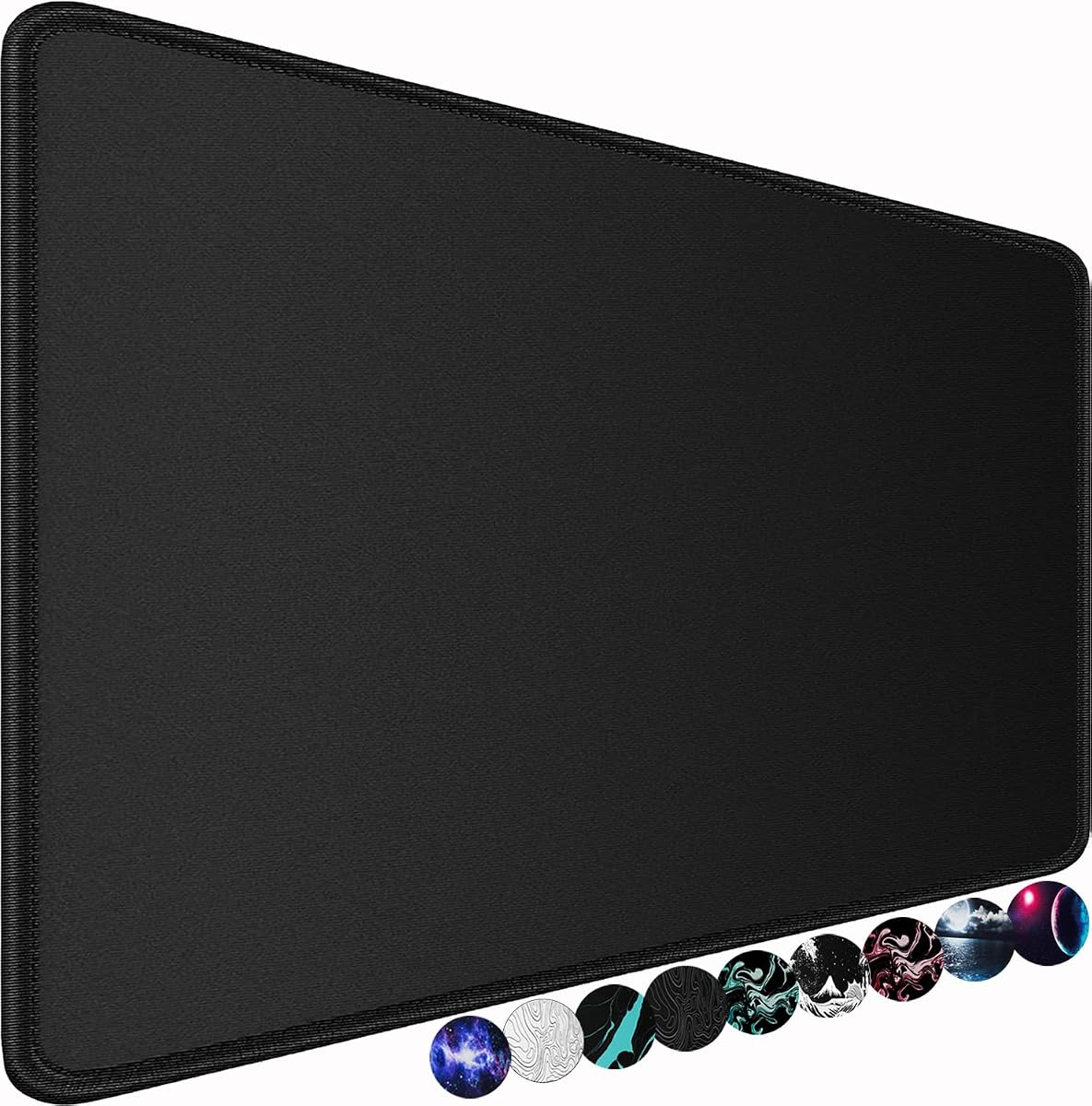
Large Gaming Mouse Pad
4.7Editor score
Generous 31.5-inch width
Smooth breathable lycra
Water-resistant coating
Rubber anti-slip base
Oversized mouse pads turn a crowded desktop into a more consistent workspace by providing ample room for mouse movement, a keyboard, and frequently used accessories. A successful large pad balances a smooth tracking surface, a grippy base, durable edges, manageable thickness, and enough coverage to match your desk and play style.
We compared ten oversized mouse pads using the supplied dimensions, materials, surface descriptions, stability features, edge construction, cleaning guidance, and customer ratings. The list covers extra-wide desk mats, extended gaming surfaces, professional cloth options, budget-friendly models, and XXL choices for gaming and productive office use.
Each pick highlights a different balance of coverage, control, durability, and practicality. The first three receive our Best Overall, Best Budget, and Best Premium distinctions, while the remaining reviews explain who may benefit from each alternative. Product availability and prices can change, so confirm the current listing before buying.
4.7Editor score

4.8Editor score

4.7Editor score
As an Amazon Associate we earn from qualifying purchases.
The comparison below highlights the major differences in footprint, thickness, surface material, edge protection, base grip, and spill resistance, making it easier to select a large pad for your desk, keyboard, and preferred range of mouse movement.


The Black Shark Manta P4 combines a very large 47.2 by 23.6-inch footprint with a 4.8 customer rating, making it the strongest all-around recommendation in this guide. Its 3mm thickness gives it more substance than a basic thin mat, while the special-textured cloth surface is designed to support quick movement, accurate control, and use with optical or laser gaming mice.
We may earn a commission when you buy through this link, at no additional cost to you.
Coverage is the Manta P4's defining strength. The surface can accommodate a monitor, keyboard, mouse, headphones, and other desk items, reducing the need to move accessories between different materials. Precision-stitched edges help prevent fraying, and the rubber base is designed to keep the mat firmly positioned during rapid mouse movement. A clean, logo-free top also makes the pad easier to incorporate into a minimalist workspace.
There are two practical trade-offs. First, this is a very large mat, so buyers should measure both the usable desk area and any monitor or equipment stands before ordering. Second, the manufacturer notes that natural rubber can produce an initial smell, which may fade after the mat has been placed in a ventilated area. Neither issue undermines its strong combination of tracking, stability, and practical coverage.
Choose the Manta P4 if you want one oversized surface for both gaming and work, particularly if you use a low-DPI mouse or wide mouse movements. It is also a sensible choice for users who dislike lifting and repositioning the mouse when they approach the edge of a smaller pad. For a roomy, durable, and adaptable full-desk option, this is the most balanced pick in the roundup.
The 47.2-inch width gives the mouse a much larger operating area than a conventional extended pad. That extra room is valuable for low-DPI setups, large swipes, and games in which repositioning the mouse can interrupt momentum.
A dense rubber base, precision-stitched perimeter, and 3mm profile work together to keep the mat flat and stable. The result is a surface that supports controlled tracking without collecting loose edges or bunching easily around a keyboard.
We may earn a commission when you buy through this link, at no additional cost to you.
This 31.5 by 15.75-inch gaming mouse pad delivers a useful extended format without moving into the largest desk-mat category. Its 4.7 rating reflects a favorable balance of surface smoothness, stability, spill resistance, and comfort, making it a practical choice for gamers and office users who want more room than a standard rectangular pad.
We may earn a commission when you buy through this link, at no additional cost to you.
The breathable lycra surface is intended to provide fast, controllable movement, and the product information specifically identifies accurate tracking as a core benefit. Beneath it sits an anti-slip rubber base with a heavy grip. Stitched edges add structural protection, while the water-resistant coating encourages spilled liquid to bead and slide rather than immediately soak into the material.
The primary limitation is simply its size. At 31.5 inches wide, it is large enough for a keyboard and mouse, but it does not cover as much of the desktop as the 46-, 47-, 48-, or 60-inch alternatives in this list. The coating should also be understood as water resistant rather than as permission to leave liquid unattended. Its soft material is described as helping reduce keyboard noise and improve comfort during extended use.
This is an excellent choice for budget-conscious buyers who want a large, dependable surface without moving to a 47-inch full-desk format. It suits compact gaming setups, shared workstations, and users who want a mat broad enough for a keyboard while keeping the overall footprint manageable. It is our Best Budget selection because it adds the most useful everyday features at this price tier.
The lycra top balances quick movement with enough control for routine office navigation. It is particularly appropriate for users who want a responsive surface without the need for a very thick, heavily cushioned model.
The spill-resistant coating and stitched perimeter make routine care easier. Liquid can bead on the surface for removal, while reinforced edging helps protect the cloth from fraying and deformation.
We may earn a commission when you buy through this link, at no additional cost to you.
The SteelSeries QcK XXL is a premium 35 by 16-inch gaming surface built around SteelSeries' established micro-woven cloth design. Its 4.7 rating and supplied track record of more than 10 million units sold make it a confident selection for players who place a premium on consistent sensor performance and professional pedigree.
We may earn a commission when you buy through this link, at no additional cost to you.
The high thread count and smooth woven surface are designed to optimize tracking accuracy for optical and laser mice. At 35 inches wide, the pad can cover a keyboard and mouse for a clean battlestation, and it is substantial enough to create a defined play area without extending across a multi-monitor workspace. The durable rubber base is engineered to resist movement and maintain a solid platform.
Compared with the thickest models in the guide, the QcK XXL is listed at only 0.08 inches. It therefore emphasizes precision and a low-profile feel rather than wrist cushioning or dramatic desk protection. Its width also falls short of the 47-inch and larger alternatives, so buyers with very broad arm movements should verify that 35 inches is enough room for their setup.
The SteelSeries QcK XXL is best for competitive-minded users who want a refined, consistent surface and already appreciate the wider SteelSeries ecosystem. It is less suitable for someone whose main priority is covering most of a large desk. Within the extended-pad category, however, it is our Best Premium pick because the focus on cloth quality, tracking, and dependable grip supports the experience more directly than novelty features alone.
The high thread-count weave is calibrated to provide smooth movement and accurate tracking across optical and laser sensors. This makes the pad well suited to fast play and controlled corrections without requiring a coarse texture.
At 35 by 16 inches, the QcK XXL creates a dedicated area for a keyboard and mouse. It offers enough room for a conventional gaming layout while remaining more restrained in footprint than the 60-inch options.
We may earn a commission when you buy through this link, at no additional cost to you.
The KTRIO Oversized Gaming Pad is designed as a 47.3 by 23.6-inch full-desk mat for gamers who prefer wide mouse movement and a unified surface. Its 4.7 rating reflects a strong set of practical features, including a micro-weave textile, reinforced edges, water resistance, and a soft, dense natural-rubber backing.
We may earn a commission when you buy through this link, at no additional cost to you.
Unlike a thin speed cloth, the micro-weave surface is presented as a balance between smooth gliding and controlled stopping. That makes it useful for players who need to change direction or halt the pointer precisely. The backing is intended to keep the pad flat and firmly attached even on imperfect desk surfaces, and the large footprint can hold a keyboard, mouse, monitor stand, and accessories.
The obvious trade-off is the need for desk space. KTRIO specifically advises measuring before purchasing, and the 23.6-inch depth may be excessive for a compact workstation. Its water-resistant coating also means routine prompt cleanup rather than leaving spills unattended. Despite those practical cautions, the product is a compelling full-desk option when the available area can support it.
This mat is best for low-DPI gaming, low-sensitivity setups, multi-monitor arrangements, and users who want a consistent mouse-friendly area across nearly the entire desk. It is a particularly good option for gamers who value control as much as speed. If you can accommodate the footprint, the combination of coverage, tracking balance, stable grip, and spill resistance makes it a strong alternative to the Manta P4.
The 47.3-inch width offers ample room for a gaming mouse to travel without frequently reaching an edge. This is especially useful for lower-DPI users and for anyone who prefers broad, sweeping movements.
The micro-weave textile is designed to offer a compromise between rapid gliding and precise stopping. That balance can feel more versatile than a highly abrasive control surface or a completely smooth speed mat.
We may earn a commission when you buy through this link, at no additional cost to you.
The 3XL Huge Mouse Pad uses a 48 by 24-inch size to provide one of the broadest work surfaces in the roundup. Its 4.6 rating and simple design make it an appealing full-desk option for users who want a generous tracking area, a soft microfiber surface, and a rubber base that holds firmly beneath both mouse and keyboard.
We may earn a commission when you buy through this link, at no additional cost to you.
The microfiber fabric is described as smooth and soft, with precision tracking intended to remain comfortable during gaming, writing, reading, typing, and general computer work. Its overlapping curved bottom pattern increases contact with the desktop and is designed to reduce sliding. A waterproof coating adds another layer of practical protection, allowing spilled liquid to be cleaned without immediately damaging the mat.
At 48 inches wide and 24 inches deep, this is not a compact purchase. It will consume much of an average desk and may be more than necessary for a laptop-only or compact office setup. The product listing also contains some spelling and grammar errors in its description, although the main specifications remain clear. Consumers should pay close attention to the listed dimensions and return terms before ordering.
Choose this model for a broad desktop, a gaming setup that benefits from nearly full-desk coverage, or an office where one mat can unify mouse and keyboard movement. It is a straightforward alternative for users who prioritize width, softness, easy cleaning, and strong base grip over branded software ecosystems or a more premium cloth finish.
The 48 by 24-inch dimensions allow the mouse to roam across nearly a full workstation. It is particularly helpful when you want the keyboard and mouse to share one consistent material and visual zone.
The soft microfiber construction can make long typing or writing sessions more comfortable. A protective coating and stable base also allow the mat to function as a broader desk blotter.
We may earn a commission when you buy through this link, at no additional cost to you.
This massive 46-inch gaming mouse pad is defined by its 5mm thickness, 6mm stitched edge, and logo-free design. With a 4.8 rating, it is one of the strongest choices for buyers who want an oversized surface with substantial cushioning rather than the thin, minimalist feel of a traditional esports cloth.
We may earn a commission when you buy through this link, at no additional cost to you.
The high-density woven polyester is heat treated to create a smooth texture intended to deliver both speed and control. At 5mm, the mat also cushions the forearms and wrists while remaining firm enough to support normal mouse movement. Its 46-inch width means users are unlikely to hit the edge during large movements, and the logo-free top avoids distracting graphics during serious sessions.
The main compromise is bulk. A pad this thick is less likely to sit as flat under a keyboard, may occupy more visual and physical space, and will feel materially different from a 3mm cloth or a low-profile professional surface. Its 17.3-inch depth is also less generous than the nearly square full-desk models. The washable construction and water-resistant top improve long-term practicality, although care instructions should still be followed.
This model is ideal for long gaming sessions, general desktop use, and users who appreciate a softer landing for their hands. It is a strong option for keyboard-and-mouse setups that occupy a wide but relatively shallow section of the desk. Choose it when cushioning and durability are priorities and the appearance of a thick, logo-free mat appeals to you.
The 5mm core adds noticeable softness beneath the mouse and wrists while remaining firm enough for controlled movement. It is one of the most substantial mats featured in this comparison.
A professionally stitched perimeter helps prevent the cloth from separating from the rubber base during cleaning. The water-resistant surface and washable design add useful resilience for a frequently used mat.
We may earn a commission when you buy through this link, at no additional cost to you.
The 4XL Huge Mouse Pad is the largest option in the guide, measuring 60 by 30 inches with a 0.12-inch profile. Its 4.8 rating reflects a simple but effective proposition: an enormous amount of movement space, a smooth tracking surface, stitched edges, and an upgraded production process intended to reduce chemical smells and fumes.
We may earn a commission when you buy through this link, at no additional cost to you.
At this scale, the pad can cover most or all of a large desk. That gives the mouse room to move in any direction and allows the keyboard and other accessories to remain on a single surface. Precision traction is intended to support gaming without a heavily abrasive texture, while the simple black finish works easily with a range of computer setups.
The enormous footprint is the central trade-off. A 60-inch mat requires far more space than conventional extended pads, so it is more realistic in a dedicated gaming room, spacious office, or very large workstation. Its 0.12-inch thickness offers less wrist and forearm cushioning than the 5mm model, and the supplied feature list is less detailed than those of several competitors. These limitations do not affect the core benefit of expansive tracking space.
This is the option to consider when your priority is maximum usable area rather than compactness, deep cushioning, or premium brand pedigree. It suits gamers with high-sensitivity mice who still prefer generous movement, creative professionals using large desktop workspaces, and anyone who wants a consistent surface spanning a large desk. Measure carefully before purchase.
A 60-inch width removes the usual need to recenter a mouse near the edge. It can also make a large desk feel more organized by giving the entire workstation one continuous surface.
The manufacturer highlights an upgraded production process designed to decrease smells or fumes. That detail is particularly relevant for buyers sensitive to strong chemical odors in new products.
We may earn a commission when you buy through this link, at no additional cost to you.
The Razer Gigantus V2 XXL combines a smooth micro-weave surface with 4mm high-density rubber foam, giving it a more substantial feel than many cloth competitors. Its 4.7 rating makes it a solid option for users who want responsive gliding, a stable base, and a mat that remains flat across imperfect desktop surfaces.
We may earn a commission when you buy through this link, at no additional cost to you.
Razer says the surface is calibrated with pixel-precise accuracy and optimized across mouse sensors. The intent is to reduce the need to lift and reposition the mouse during demanding movements, while the micro-weave allows quick swipes suited to both fast and controlled playstyles. The rubber foam support gives the XXL more cushioning than the Large version, while the anti-slip base helps it remain stable during competitive play.
The supplied product information does not state the exact XXL dimensions, so anyone comparing this model directly with the 47-, 48-, and 60-inch options should verify the physical measurements on the current listing. It also covers less space than a true full-desk mat, making it a closer fit to an extended gaming layout than a broad workstation. Despite those points, the 4mm profile and stable foam construction are meaningful strengths.
Choose the Gigantus V2 XXL if you want a well-finished gaming cloth with more cushion than a traditional low-profile esports pad. It is especially attractive for Razer users who value a recognizable ecosystem and a surface that blends fluid movement with control. It also suits fast sessions in which lifting and resetting the mouse would be inconvenient.
The high-density rubber foam is intended to remain uniformly flat even where the desk has minor unevenness. A flatter surface can support more consistent tracking and reduce unwanted changes in feel.
The micro-weave top supports quick, fluid swipes without being presented as an aggressive control texture. It is a versatile choice for players who alternate between rapid movement and precise corrections.
We may earn a commission when you buy through this link, at no additional cost to you.
The ASUS ROG Scabbard II Arctic Gray XXL is a 35.4 by 15.7-inch extended mouse pad built for gaming setups that need a broader surface without the footprint of a 47-inch mat. It has a 4.6 rating, and its defining features are a soft cloth surface, resistance to water, oil, and dust, anti-fray edges, and a non-slip base.
We may earn a commission when you buy through this link, at no additional cost to you.
The extended dimensions provide useful room for a keyboard and mouse, helping define a consistent gaming area and reducing the chance that the mouse will stop when it reaches a small mat's boundary. The soft cloth is intended to offer a comfortable contact surface, while the protective qualities are useful in a room where drinks, food oils, or accumulated dust are likely to reach the desktop.
The main limitation is the limited detail supplied for this particular model. Its rating, dimensions, and headline features are clear, but the product data does not provide the same depth of information about thread count, foam construction, or exact tracking behavior. It is also an extended pad rather than a full-desk mat, so buyers who want to cover a multi-monitor workspace will need a larger option.
The Scabbard II XXL is most appropriate for gamers and office users who appreciate ASUS ROG styling, want a soft extended surface, and value protection against several common forms of desk contamination. It is a sensible option for a dedicated keyboard-and-mouse setup where a 35.4-inch width is sufficient and a deeper, 60-inch mat would be excessive.
Resistance to water, oil, and dust makes the surface easier to maintain around food, drinks, and a frequently used computer desk. The protective layer should still be complemented by sensible spill-cleaning habits.
At 35.4 by 15.7 inches, the pad provides ample room for a keyboard and mouse while remaining more practical than a massive desk covering. It is a balanced footprint for many gaming layouts.
We may earn a commission when you buy through this link, at no additional cost to you.
The Razer Gigantus V2 Large is the most compact selection in this roundup, but it still provides the benefits associated with a substantial gaming cloth: a micro-weave surface, high-density foam, and a non-slip base. Its 4.6 rating makes it worth considering for gamers who want more room than a basic mousepad without taking over the entire desk.
We may earn a commission when you buy through this link, at no additional cost to you.
The surface is optimized for a range of mouse sensors and is designed to provide total tracking responsiveness, with particular emphasis on reducing the need to lift and reposition the mouse. At 3mm, the high-density rubber foam gives the pad more shape and comfort than a thin conventional mat while remaining lighter and less bulky than the 4mm XXL and 5mm alternatives.
Its defining limitation is coverage. Because the exact dimensions are not included in the supplied information and the product is designated Large rather than XXL, it will not provide the same free movement area as the full-desk products in this guide. Players with high DPI may find it adequate, but low-DPI users and broad sweeping movements may still reach the edges. It also lacks a stated spill-resistant coating in the supplied data.
Choose this model if you are familiar with the Razer brand, want a clean black gaming surface, and prefer a moderate step up from a standard mousepad. It works well for medium and large keyboard-and-mouse layouts, provided you do not need a nearly continuous desk covering. It is also a sensible complement to a multi-monitor workspace where a smaller dedicated pad is more appropriate.
The calibrated micro-weave surface is intended to support accurate tracking across common mouse sensors. Its smooth structure allows fluid swipes while retaining enough consistency for controlled corrections.
The 3mm high-density foam adds comfortable separation from the desk, while the anti-slip base helps the mat remain stable. This combination makes it more purposeful than an unstructured fabric sheet.
We may earn a commission when you buy through this link, at no additional cost to you.
The right oversized mouse pad depends on desk dimensions, mouse sensitivity, desired tracking feel, cushioning, and maintenance needs. Comparing these factors before shopping helps prevent an excellent surface from being impractical or poorly matched to your setup.
Oversized is a broad category, and the footprints in this guide range from 31.5 by 15.75 inches to 60 by 30 inches. A model that sounds compact by gaming-pad standards may still dominate a small workstation, while a 60-inch mat can be perfect for a dedicated gaming room. Measure the width and depth of the area that will remain clear after accounting for monitor stands, speakers, lamp arms, docking stations, and other accessories. Also check whether the front edge of the mat can extend beyond the desk without creating a tripping or snagging concern.
Low-DPI users generally benefit from more physical space because their pointer travels farther across the desk. High-DPI mice require less distance to cross the screen, so an extended or moderately large pad may be enough. Gamers who use exaggerated flicks should also prioritize a wide surface to avoid lifting and recentering the mouse. Full-desk dimensions such as 47 by 23.6 inches or 48 by 24 inches suit broad mouse movement, while a 31.5-inch model can still be practical for conventional layouts.
A smooth micro-woven surface generally supports fast, fluid movement and is valued in competitive settings. A textured control surface can provide more resistance, helping the mouse stop precisely during corrections. Some products in this guide describe a balance between smooth glide and controlled stopping power. Think about the games you play: competitive shooters may reward a consistent low-friction cloth, while strategy games and creative applications may benefit from firmer control. Avoid choosing solely on claims about speed, since consistent texture often matters more than a dramatic surface description.
Thickness ranges from a very low profile to the 5mm cushioning offered by one of the largest models here. Thin cloth pads often feel precise and remain easy to use beneath a keyboard. Medium pads around 3mm or 4mm provide a balance of structure, wrist support, and desk protection. Extra-thick surfaces can reduce pressure on the forearms, but they may feel bulky and can create a noticeable transition at the desk edge. Consider how long you use your computer, whether you rest your wrists directly on the pad, and whether your keyboard will sit over its front edge.
A large pad is heavy and awkward to reposition, so a dependable rubber base is essential. A base with a textured or overlapping curved underside is more likely to resist movement on smooth or imperfect desks. Stitched edges are equally important because they help keep the cloth from separating, peeling, or curling away from the base. The products here commonly mention precision stitching, reinforced borders, or anti-fray construction. These details are especially valuable for owners who wash their mats or use them daily in a high-wear gaming area.
A water-resistant coating can make everyday cleanup much easier by causing small spills to bead on the surface. Water resistance should not be confused with unlimited waterproofing, so prompt cleanup remains important. Check whether the manufacturer identifies the mat as washable, and follow the care instructions for the specific material. Stitched edges are also helpful during cleaning because they reduce the chance that the top layer will peel away. For a desk where drinks are common, a protective coating can preserve the surface and the appearance of the area beneath it.
A soft or cushioned mat can reduce the sound produced when your wrists, forearms, or keyboard rest against it. That can make a shared office, late-night room, or streaming setup feel quieter. Very thin surfaces generally transmit more sound from the desk, while thicker foam can damp contact noise more effectively. The effect depends on your typing posture and the materials on the desk, so consider whether you type heavily or keep your hands on the pad. This factor is secondary to tracking and stability for dedicated gaming, but it matters for prolonged office use.
Large dark mats tend to integrate easily with gaming equipment because they avoid bright patterns that can distract during competitive play. Several options in this roundup use a logo-free or understated black surface, while the ASUS ROG model offers an Arctic Gray finish for buyers who want something slightly more distinctive. A simple design also makes it easier to coordinate the mat with a keyboard, mouse, monitor, and other accessories. Aesthetically, however, the surface should still be chosen with your room lighting and desk finish in mind.
Before using a new oversized mouse pad, clean both the desktop and the underside of the mat. Dust, crumbs, and grit can create drag, interfere with tracking, and cause long-term abrasion. Make sure the pad is completely dry, lay it flat, and smooth any curled corners before placing the keyboard and mouse on it. For the most consistent feel, keep the same orientation throughout each session rather than rotating the mat to find a different area.
Use the central tracking region for normal play and reserve the edges for less frequent positioning movements. Avoid dragging the pad across the desk, because movement can twist the surface or separate the stitched border from the rubber base. If the pad shifts, lift it and reposition it instead. When using a low-DPI mouse, the extra room becomes especially valuable, but periodic mouse calibration may still help maintain consistent pointer behavior on a new surface.
For routine care, disconnect or move the keyboard if necessary and wipe the surface with a soft, lightly damp cloth. Avoid harsh chemicals, abrasive pads, and excessive water. If a spill occurs, remove it promptly rather than allowing it to soak in. Follow the product-specific care instructions for washing, drying, or storage, and always allow the mat to dry completely before placing it back on the desk.
A larger mouse pad can be better when it gives your preferred mouse movement more room, reduces the need to lift and recenter the mouse, and creates a consistent surface for both keyboard and mouse. It is especially helpful for low-DPI users and broad sweeping motions. However, a huge pad is not automatically superior if your desk is too small, the surface is uncomfortable for your setup, or you do not use the added area.
The size itself does not improve accuracy, but a suitable surface can support more consistent tracking by providing room for complete movements and reducing edge encounters. Surface weave, base stability, and cleanliness also influence the experience. A high-DPI player may achieve similar consistency on a smaller quality pad, while a low-DPI player is more likely to benefit from a genuinely large surface.
Cloth mouse pads generally offer a softer feel, quieter contact, and more forgiving glide than hard glass or plastic surfaces. They can also provide useful wrist cushioning, although the amount depends on thickness. Hard surfaces often feel fast and can be easy to clean, but they are unforgiving, create more noise, and provide little comfort during long sessions.
A width around 31.5 to 35 inches is often sufficient for a keyboard and mouse, while approximately 46 to 48 inches works well for broad mouse movement and more extensive desk coverage. A 60-inch mat is best for a large dedicated workstation. The most useful width is the one that supports your mouse technique without forcing accessories into a cramped arrangement.
Yes, because a large mat has more surface area and can place uneven force on its base when a user leans on one side. A dense rubber backing, textured underside, and low-profile edge help keep the pad from sliding. It is also important to clean the underside before first use, since dust can substantially reduce grip and encourage the mat to move during play.
For most models in this roundup, a soft, lightly damp cloth is appropriate for routine cleaning, provided the product is not submerged and the care instructions do not prohibit moisture. Water-resistant coatings should be wiped promptly. A washable model may support more thorough cleaning, but it should be dried flat and fully before use to prevent warping or base separation.
Greater thickness can provide more cushioning for the wrists and forearms, but it is not automatically more comfortable for every person. Thin cloth may feel more precise and fit better beneath a keyboard, while medium or thick foam can reduce pressure and noise. Your typing posture, wrist contact, and sensitivity to height changes should guide the choice.
It can, but only if the dimensions match the available desktop area after accounting for monitor stands and arm bases. Wide mats around 46 to 60 inches are better suited to broad or multi-monitor workstations than the 31.5-inch model. Measure the usable surface and check the depth carefully so the mat does not interfere with drawers, desk frames, or chair movement.
The Black Shark Manta P4 is the strongest all-around choice because it combines exceptional coverage, smooth tracking, 3mm thickness, stitched edges, and a stable base. The Large Gaming Mouse Pad stands out as the Best Budget option with its generous 31.5-inch format, lycra surface, and water-resistant coating. For buyers wanting a premium professional surface, the SteelSeries QcK XXL provides established cloth performance, accurate tracking, and dependable grip.
The other picks make sense when your priorities differ. KTRIO and the 48-inch 3XL model are strong full-desk choices, while the 5mm gaming pad prioritizes cushioning and the 60-inch 4XL model maximizes workspace. Razer Gigantus V2 options suit established gaming ecosystems, and the ASUS ROG Scabbard II XXL provides a protected extended surface with a clean gray finish. First choose the footprint, then consider tracking, thickness, grip, and cleaning needs.
Before making a final purchase, verify the latest dimensions, materials, and care instructions on the current product page. Ratings and product configurations can evolve over time, and prices change more frequently. Comparing the current listing with your desk measurements and mouse habits is the surest way to choose an oversized pad you will continue to use comfortably.