
TP-Link AX1800 WiFi 6 Router
4.4Editor score
Wi-Fi 6 dual-band performance
Up to 1.8 Gbps aggregate bandwidth
Four high-gain antennas
Best router for Sky Broadband guide comparing Wi-Fi 6, Wi-Fi 6E, Wi-Fi 7, wired routers, coverage, ports, features, and setup.
A router for Sky Broadband must turn the provider’s connection into a dependable home network, but the best choice depends on your property, devices, and plan. Wi-Fi generation, wired port speed, coverage, and easy configuration can matter more than headline numbers when choosing a model.
This guide compares ten routers using the supplied specifications and customer ratings, considering wireless standards, bands, Ethernet options, coverage claims, security features, and suitability for Sky connections. It includes standalone wireless routers, wired VPN hardware, and one cable modem-router combination for readers who need a different connection arrangement.
Each review explains who should consider the product and where it has limitations. The top selections represent practical choices across value, performance, and advanced features, while lower-ranked options may still suit specific needs. Prices and promotions change frequently, so confirm current availability and terms before purchasing.
4.4Editor score

4.4Editor score

4.3Editor score
The table below compares all ten products by wireless standard, coverage, wired connectivity, and their clearest use case, making it easier to identify the right option for a Sky Broadband connection.


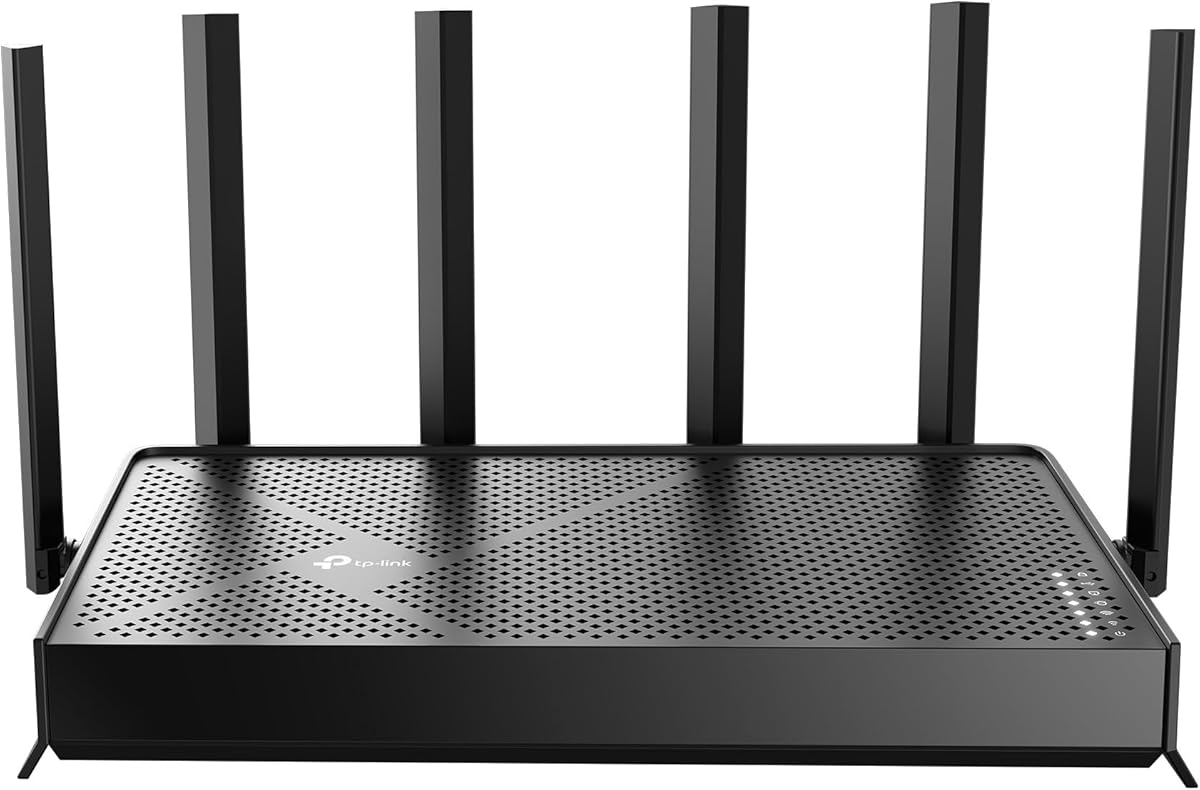
The TP-Link AX1800 WiFi 6 Router, also identified as the Archer AX21 V5, combines a 4.4 rating with features that make it a sensible all-purpose choice for a Sky Broadband home. Its dual-band Wi-Fi 6 platform promises up to 1.2 Gbps on 5 GHz and up to 574 Mbps on 2.4 GHz, providing ample headroom for common household traffic.
We may earn a commission when you buy through this link, at no additional cost to you.
Its strongest qualities are practical rather than extravagant. OFDMA lets the router communicate with multiple devices more efficiently, while beamforming, four high-gain antennas, and a front-end module focus coverage toward clients farther away. The router also supports OpenVPN and PPTP server functions, adding flexibility for users who want to reach their home network remotely.
There are two important limitations. It does not include a modem, so users need the existing Sky equipment or another compatible modem and connection arrangement. It is also a dual-band model and does not support the 6 GHz band, meaning newer Wi-Fi 6E or Wi-Fi 7 clients will still connect through the 2.4 GHz and 5 GHz radios.
This is an excellent recommendation for most people replacing a router supplied with a broadband package. It combines modern wireless efficiency, useful coverage features, straightforward app-based management, and broad ISP compatibility without moving into specialist networking territory. It is our top overall choice for a balanced Sky Broadband setup.
OFDMA and beamforming are especially useful in a connected household where phones, televisions, work devices, and consoles compete for capacity. The router focuses radio energy toward connected clients while allowing simultaneous transmissions to more users.
The model is designed to work with common internet providers and requires a separate modem. Installing it alongside the Sky connection is generally more approachable than configuring a specialist business router.
We may earn a commission when you buy through this link, at no additional cost to you.
The Linksys WRT54GL is a 4.1-rated Linux-based broadband router with a distinctive history of enthusiast appeal. Unlike modern Wi-Fi 6 and Wi-Fi 7 alternatives, it combines a Wireless-G access point with four switched 10/100 Ethernet ports and two external antennas.
We may earn a commission when you buy through this link, at no additional cost to you.
Its main attraction is the open software platform. Users familiar with compatible Linux-based router firmware may value the ability to inspect settings, install services, and tailor behavior beyond a basic consumer interface. The built-in SPI firewall, WPA2 support, DMZ indicator, and dedicated Ethernet status lights also suit a straightforward traditional network.
The trade-offs are substantial for a modern broadband household. Its maximum wireless link rate is 54 Mbps, while every Ethernet port operates at 10/100 rather than Gigabit speeds. The product listing also references older Windows platforms, and the hardware lacks the multi-band, OFDMA, high-capacity features expected from current Wi-Fi routers.
It is best suited to an older setup, a technical user experimenting with open router software, or a requirement for a simple Linux-based platform. For most Sky Broadband users seeking fast Wi-Fi, gigabit wired connections, and modern device capacity, one of the Wi-Fi 6 options will be substantially more appropriate.
The Linux foundation distinguishes the WRT54GL from current all-in-one mesh-style systems. That flexibility can be valuable when users want more control, but it also requires greater technical confidence.
Four 10/100 Ethernet ports are useful for a small wired network, though they cannot match Gigabit transfer rates. Wireless-G likewise prioritizes simplicity and legacy compatibility over speed.
We may earn a commission when you buy through this link, at no additional cost to you.
The TP-Link ER605 is a 4.4-rated wired Gigabit VPN router built around flexible port allocation. It has one Gigabit WAN port, two Gigabit WAN/LAN ports, and two Gigabit LAN ports, allowing up to three connections to operate as WAN interfaces when appropriate.
We may earn a commission when you buy through this link, at no additional cost to you.
This model makes the most sense for a home office, small business, or technically inclined household that needs robust routing rather than Wi-Fi broadcasting. Its security controls include firewall policies, denial-of-service defense, IP, MAC, and URL filtering, local management, and support for numerous VPN protocols.
The USB port adds useful resilience because it can host a compatible 4G or 3G modem for WAN backup. That creates a secondary connection path if the primary broadband service experiences an outage, although actual functionality depends on hardware compatibility and the mobile network.
Its lack of integrated wireless is the defining trade-off. A Sky Broadband household needs this router only if it already has a suitable access point or mesh system, or if it deliberately wants separate wired routing and wireless components. For general home use, it is a specialist alternative rather than the first router most people should buy.
Reassigning ports between WAN and LAN functions makes the ER605 adaptable to different network arrangements. Its Gigabit interfaces also provide a better foundation for high-speed wired transfers than older 10/100 equipment.
Support for IPsec, OpenVPN, L2TP, and PPTP gives administrators more ways to build remote-access paths. A supported USB mobile modem can preserve WAN connectivity during an outage.
We may earn a commission when you buy through this link, at no additional cost to you.
The TP-Link Archer BE230 carries a 4.2 rating and introduces Wi-Fi 7 to a dual-band home router. It supports Multi-Link Operation, Multi-RUs, and 4K-QAM, with stated band speeds of up to 2,882 Mbps on 5 GHz and 688 Mbps on 2.4 GHz.
We may earn a commission when you buy through this link, at no additional cost to you.
Its standout feature is the inclusion of a 2.5G WAN/LAN port alongside another 2.5G LAN port and three 1G LAN ports. That mix makes it easier to connect a suitably fast broadband modem or create a multi-gigabit local link without relying on an external switch.
Coverage is stated for up to 2,000 square feet and as many as 60 devices, aided by four internal antennas and beamforming. It also supports EasyMesh-compatible systems, HomeShield tools, and voice assistant integration. However, the router remains dual-band, so it does not exploit the extra 6 GHz spectrum found on tri-band models.
Choose the BE230 when newer client hardware, multi-gigabit wiring, or future Wi-Fi 7 readiness matters. If most connected devices only support Wi-Fi 6, the extra protocol features may not produce a visible advantage, but the faster Ethernet design still offers a practical upgrade path.
Multi-Link Operation, Multi-RUs, and 4K-QAM improve efficiency and resilience when paired with compatible clients. The benefits are most relevant as more phones, laptops, and other devices add Wi-Fi 7 support.
The 2.5G ports provide room for faster broadband and local connections, while EasyMesh compatibility allows additional access points to expand coverage without relying on a single large router.
We may earn a commission when you buy through this link, at no additional cost to you.
The TP-Link AX3000 Wi-Fi 6 Router earns a 4.4 rating and offers a balanced specification for a typical connected home. Its dual radios are stated at up to 2,402 Mbps on 5 GHz and 574 Mbps on 2.4 GHz, giving it more aggregate capacity than the AX1800 alternative.
We may earn a commission when you buy through this link, at no additional cost to you.
OFDMA is the key technology for homes that place many devices online simultaneously. By permitting more efficient sharing of a band, it can reduce contention, latency, and jitter when users are streaming, gaming, joining calls, and browsing at once. Four high-gain external antennas and beamforming add useful reach.
Target Wake Time can improve device communication efficiency and battery life, while a larger heat sink and revised case design help maintain stable performance. The router also supports VPN server and client functions, Alexa control, and basic network security, parental controls, quality of service, and reporting.
As with most standalone routers, a separate modem is required for most providers. The lack of 6 GHz means it cannot take full advantage of Wi-Fi 6E clients. Even so, it remains an attractive value-oriented choice for Sky Broadband users who want current Wi-Fi 6 performance, strong antenna coverage, and useful household management features.
The 5 GHz radio has enough stated capacity for high-bandwidth household tasks, while OFDMA helps prevent each additional device from creating unnecessary wireless contention.
Basic HomeShield functions cover network scans, IoT device identification, parental controls, quality of service, and scheduled reports. These tools make the model more approachable than the specialist ER605.
We may earn a commission when you buy through this link, at no additional cost to you.
The GL.iNet Flint 2 has a 4.5 rating, the highest among the products in this guide. It is a Wi-Fi 6 gaming router with eight-stream wireless capability, a claimed total throughput of up to 6 Gbps, 1GB of DDR4 memory, and 8GB of eMMC storage.
We may earn a commission when you buy through this link, at no additional cost to you.
Its two 2.5G ports are especially significant for users seeking fast wired connections. The router also provides dedicated support for WireGuard and OpenVPN, with listed VPN speeds of up to 900 Mbps and 880 Mbps respectively, although actual results depend on the internet service, VPN location, provider, and surrounding network.
AdGuard Home support adds local DNS filtering for unwanted tracking and selected advertisements. The web administration system is more involved than a basic mobile-router interface, and the manufacturer specifically recommends updating the firmware during initial setup to improve performance and the user experience.
This router is ideal for gamers, remote workers, and technically confident users who want both high wireless throughput and multi-gigabit networking. For a straightforward Sky Broadband household, its added flexibility is not always necessary, but for those who value VPN performance and customization, the Flint 2 stands out.
Eight-stream Wi-Fi 6 hardware gives compatible devices more capacity, while the dedicated VPN support can create an efficient route to a remote server. Actual latency remains dependent on the chosen server and provider.
AdGuard Home allows unwanted tracking and selected ad categories to be blocked through a local DNS interface. Generous memory and storage also provide room for additional plugins and advanced configurations.
We may earn a commission when you buy through this link, at no additional cost to you.
The NETGEAR Nighthawk RAX36 has a 4.4 rating and combines dual-band Wi-Fi 6 with a conventional set of four Gigabit LAN ports. It is marketed for gaming, streaming, video conferencing, and general browsing, with coverage stated for up to 2,000 square feet and as many as 25 devices.
We may earn a commission when you buy through this link, at no additional cost to you.
The four wired ports make it attractive for users who still rely on Ethernet for a desktop, game console, television, or local storage device. Built-in VPN functionality and a USB 3.0 port expand the model's utility, while its stated provider compatibility extends to cable, satellite, fiber, and DSL services up to 1 Gbps.
It does not contain a cable modem, so this is a router-only purchase. That distinction is important because a Sky Broadband arrangement may involve an existing modem or a provider-supplied connection device. The Ethernet ports are limited to 1 Gbps, meaning buyers cannot take advantage of multi-gig service through wired connections.
The RAX36 is a sound choice for gamers who prioritize stable Gigabit LAN ports and a recognizable Nighthawk feature set. It is less compelling when a household needs 2.5G or 10G wired connectivity, the newest Wi-Fi generation, or a self-contained cable modem. Within those limits, it remains a versatile and well-rated router.
Four Gigabit Ethernet ports give connected consoles, computers, and streaming devices a stable wired path. This can reduce unnecessary wireless contention where gaming latency matters.
The router works with several broadband types, but it requires an external connection device. Buyers should confirm how their existing provider equipment connects before replacing it.
We may earn a commission when you buy through this link, at no additional cost to you.
The TP-Link Archer AXE75 combines a 4.3 rating with true tri-band Wi-Fi 6E and up to 5,400 Mbps aggregate wireless bandwidth. It dedicates 2,402 Mbps to each of the 6 GHz and 5 GHz bands, with another 574 Mbps available on 2.4 GHz.
We may earn a commission when you buy through this link, at no additional cost to you.
The 6 GHz band is its defining advantage. Compatible modern phones, laptops, tablets, and other clients can use a cleaner, wider spectrum that supports faster and more responsive connections. A 1.0 GHz dual-core CPU and 512 MB of high-speed memory provide the processing capacity behind that performance.
EasyMesh compatibility allows the router to join a broader whole-home network with compatible routers, extenders, or wireless powerline adapters. It supports VPN server and client roles through OpenVPN, PPTP, and L2TP, and includes basic HomeShield features for network security, parental controls, quality of service, and reports.
The premium features only benefit compatible clients, so a household consisting entirely of older Wi-Fi 5 or Wi-Fi 6 devices may not experience the full benefit. A separate modem is also normally required. For users ready to adopt Wi-Fi 6E, however, the AXE75 offers an excellent balance of bandwidth, processing power, and expansion options.
Separating compatible clients onto 6 GHz reduces congestion and opens more channel width. This is particularly useful for recent devices capable of benefiting from the cleaner spectrum.
EasyMesh compatibility makes it possible to add access points in difficult areas of a large home. The router’s memory and dual-core processor also support more demanding network management than basic models.
We may earn a commission when you buy through this link, at no additional cost to you.
The NETGEAR Nighthawk CAX30 is a 4.1-rated combination cable modem and Wi-Fi 6 router. It uses DOCSIS 3.1 and dual-band AX2700 wireless technology, providing up to 2.7 Gbps of combined wireless speed while covering a stated area of up to 2,000 square feet.
We may earn a commission when you buy through this link, at no additional cost to you.
The integrated modem is the main attraction for homes served by compatible cable providers. Four Gigabit Ethernet ports support wired devices, while DOCSIS 3.1 OFDMA is designed to improve response during congested periods. The Nighthawk app offers guided setup, speed tests, device pausing, guest networks, and remote management.
Most importantly for this keyword, the product is not compatible with Sky Broadband. Its published provider list covers Xfinity, Spectrum, Cox, and other cable systems, but explicitly excludes providers such as Verizon, AT&T, CenturyLink, DirecTV, and DISH. It also cannot support bundled voice plans.
The CAX30 is included because it can be relevant to readers comparing router-and-modem combinations, but it should not be purchased for a Sky connection. It is an excellent choice only when the household has a supported cable service and wants one box to handle both connection and wireless networking.
Combining DOCSIS 3.1 cable modem hardware with AX2700 Wi-Fi removes the need for two separate boxes in supported homes. It is intended for homes where the provider uses a compatible coaxial cable network.
Cable modem-router combinations must be approved for the exact provider and plan. Since Sky Broadband is not listed as compatible, this product should be excluded from a Sky-specific purchase.
We may earn a commission when you buy through this link, at no additional cost to you.
The TP-Link Archer BE600 is a 4.2-rated tri-band Wi-Fi 7 router built for demanding homes. Its stated wireless capacity reaches 5,765 Mbps on 6 GHz, 2,882 Mbps on 5 GHz, and 1,032 Mbps on 2.4 GHz, while Multi-Link Operation combines multiple bands for resilience.
We may earn a commission when you buy through this link, at no additional cost to you.
Its most remarkable feature is the wired networking. A 10G WAN/LAN port, a 2.5G WAN/LAN port, and three 2.5G LAN ports provide extensive multi-gig connectivity. That makes it suitable for pairing with a fast broadband modem or moving large files between compatible local devices.
Coverage is stated for up to 2,600 square feet and 120 devices, assisted by six positioned antennas and beamforming. HomeShield provides network protection, parental controls, and IoT security, while VPN client support lets household devices access remote VPN servers without individual VPN applications.
This is a high-end option for large properties, abundant connected devices, fast fiber or multi-gig broadband, and owners willing to invest in matching client hardware. A Sky Broadband household with a slower connection or older devices will not obtain the full benefit, so the BE600 is better viewed as long-term infrastructure than an automatic upgrade for every home.
The 10G and 2.5G ports create a flexible backbone for fast broadband, local storage, and modern workstations. They also provide a clear upgrade path beyond standard Gigabit Ethernet.
Tri-band Wi-Fi 7, six antennas, and beamforming support a stated 120-device environment. As with all wireless routers, actual coverage depends on the building, layout, interference, and distance from each client.
We may earn a commission when you buy through this link, at no additional cost to you.
The best router for Sky Broadband should match your actual line speed, home layout, device mix, and appetite for management. Start with the supplied modem or connection arrangement, then assess wireless generation, Ethernet speed, coverage, and useful security features.
Choose networking hardware that can handle your contracted speed without becoming the bottleneck. Fast Wi-Fi can still be limited by the modem, Ethernet ports, provider network, Wi-Fi adapters, and interference. Match available ports to the line speed rather than relying solely on a router’s maximum wireless figure.
For a mixed household, prioritize dual-band Wi-Fi 6 unless you already own Wi-Fi 6E clients. Consider Wi-Fi 6E or Wi-Fi 7 when compatibility is confirmed and the hardware budget supports the future upgrade path.
Measure dead zones before buying and place the router centrally where possible. For larger homes, a router with EasyMesh support or a planned multi-router system may deliver more consistent results than a single high-powered unit.
Choose Gigabit ports for normal broadband and local use. Move to 2.5G or 10G only when your internet plan, modem, network storage, workstation, and other endpoints can benefit from those faster links.
Do not select a router solely by its advertised client count. Consider whether the home uses smart-home accessories, work-from-home video calls, cloud gaming, and 4K or 8K streaming at the same time.
Avoid buying solely for a VPN label. Confirm the exact protocols, number of simultaneous connections, required configuration, and whether you need a VPN client, server, or both. For basic browsing, firmware updates, a strong password, and WPA2 or WPA3 may be sufficient.
Favor a management interface that matches your technical confidence. A polished app is helpful for ordinary household maintenance, while advanced routing and VPN options generally require more deliberate configuration and ongoing maintenance.
Think about expansion before buying, but avoid paying for sophisticated features that will remain unused. Select an ecosystem that fits your budget, device compatibility needs, and willingness to manage additional network hardware.
Begin by identifying what equipment Sky Broadband currently supplies and how the new router will connect. Most standalone models require a separate modem, so connect the modem’s output to the router’s WAN or Internet port, then use an Ethernet connection for initial setup if possible. Follow the manufacturer’s setup wizard, create a unique administrative password, and update the router’s firmware before fine-tuning wireless settings.
Position the router in a central, elevated location away from enclosed cupboards, microwave ovens, and other potential sources of interference. Choose a memorable 5 GHz or 6 GHz network name and a strong password, while keeping the 2.4 GHz network for distant or less demanding devices. If the home is large or has awkward construction, add compatible mesh access points rather than forcing one router to cover every room.
Treat firmware updates, password changes, and occasional security scans as routine maintenance. Check connected devices, remove unfamiliar access, and review parental controls when household needs change. Keep ventilation clear, avoid placing the router on soft or enclosed surfaces, and restart it occasionally if performance becomes unstable. Wired connections remain preferable for stationary, high-traffic devices whenever the available Ethernet ports allow.
Not necessarily. If the router supplied by Sky Broadband provides sufficient coverage, speed, and Ethernet ports for your home, it may meet your needs. Replacing it becomes worthwhile when Wi-Fi performance is weak, the equipment lacks modern features, wired connections are too slow, or you want easier control over a larger network. Check the specifications of the existing equipment before deciding.
A better router can remove local bottlenecks and improve wireless efficiency, but it cannot exceed the internet speed delivered by the provider. Your contracted plan, modem, connection type, server performance, and network congestion all influence results. A modern router is most valuable when the current equipment cannot distribute the available connection effectively.
Yes. The TP-Link Archer AX21 V5 and AX3000 are dual-band Wi-Fi 6 models that work with a separate broadband modem. They offer modern efficiency features such as OFDMA and beamforming without requiring a Wi-Fi 6E or Wi-Fi 7 client. Their practical advantage comes when several devices use the network at once.
Choose Wi-Fi 6E or Wi-Fi 7 when you already own compatible clients or plan to adopt them soon. The 6 GHz band and newer efficiency features can improve performance, but older clients will continue using the more familiar bands. For a mixed household without compatible hardware, a good dual-band Wi-Fi 6 router may deliver a more practical experience.
Most modern routers that support Ethernet WAN connections can work behind a separate modem. Compatibility depends on how the Sky equipment supplies internet access and whether your plan requires provider-specific features. The NETGEAR CAX30 is not suitable because it is a DOCSIS 3.1 cable modem-router combination for supported cable providers, not Sky Broadband.
The number depends on how many fixed devices you want to connect directly. Two to four Gigabit ports may cover a typical home, while a game console, desktop, smart television, and network storage device can quickly use several. For faster broadband or local file transfers, consider the ER605, Flint 2, BE230, or BE600 with Gigabit, 2.5G, or 10G options.
A mesh system is often better for large or multi-floor homes because multiple coordinated access points can reduce dead zones. A powerful standalone router may be sufficient for a compact property with few walls. Models such as the AXE75, BE230, and BE600 support EasyMesh-compatible expansion, allowing you to add coverage where it is genuinely needed.
Most products listed here are standalone routers and require a separate modem or bridge device. The NETGEAR CAX30 is the exception because it combines a DOCSIS 3.1 cable modem with Wi-Fi, but it is intended for compatible cable providers and does not support Sky Broadband. Check the supplied connection equipment and your provider requirements before finalizing a purchase.
The TP-Link Archer AX21 V5 stands out as the best overall choice because it combines Wi-Fi 6 efficiency, beamforming coverage, OFDMA, and VPN server support in an approachable package. The AX3000 is the best budget-oriented alternative for users who want more aggregate wireless capacity, while the Archer AXE75 is the best premium option for compatible Wi-Fi 6E devices and larger homes.
Prioritize the features your household will actually use. A reliable dual-band Wi-Fi 6 router is sufficient for many Sky connections, but more concurrent devices may justify OFDMA, additional coverage may require EasyMesh, and a faster broadband package may need 2.5G or 10G ports. Technicians and advanced users can consider the ER605 or Flint 2 for dedicated routing and VPN requirements.
Before ordering, confirm that the router works with the existing modem or required provider equipment, verify the physical port layout, and check current product availability and pricing. Promotions can change during the year, but a well-matched router should provide stable coverage, sufficient wired capacity, and an interface that fits your household.