
Epson FastFoto FF-680W
4.5Editor score
Up to 36 photos per batch
Automatic photo enhancement
Single-step duplex capture
A scanner for archiving photos should balance image quality, gentle handling, speed, and dependable file organization. The best choice depends on whether you digitizing loose prints, mounted albums, receipts, or large family collections. Flatbeds offer careful control, while automatic feeders and dedicated photo scanners make larger archives more practical.
We compared the ten products in this guide by examining resolution, supported photo sizes, feeding method, restoration tools, software, connectivity, and handling features. The list includes dedicated photo scanners, general-purpose flatbeds, portable sheet-fed models, and high-speed scanners designed to organize both documents and images without slowing down large projects.
Each review explains where a scanner stands out, where its design imposes limits, and which type of archivist it best serves. Ratings and specifications reflect the supplied product information, while recommendations focus on real workflow considerations rather than a single universal winner. Product availability and retailer offers can change, so check the latest listing before purchasing.
4.5Editor score

4.3Editor score

4.5Editor score
As an Amazon Associate we earn from qualifying purchases.
The comparison below highlights each scanner's core format, speed, resolution, and workflow strengths, making it easier to identify the right option for casual digitizing or large-scale archival projects.


The Epson FastFoto FF-680W earns a 4.5 rating and stands out as a purpose-built photo archiving machine with genuine throughput. It can scan as quickly as one photo per second at 300 dpi, accept up to 36 photos in a batch, and preserve Polaroids, panoramas, postcards, and prints as large as 8 by 10 inches. Its strongest feature for family archives is the ability to capture a photo and handwritten notes on its reverse in one duplex pass.
We may earn a commission when you buy through this link, at no additional cost to you.
The scanner also reduces the manual work involved in restoring and organizing images. Automatic enhancement, color restoration, red-eye reduction, deskewing, cropping, and rotation are all included. Resolution choices support ordinary sharing, 600 dpi TIFF archiving, and 1200 dpi enlargement work. The FastFoto app lets users add notes or voice messages, create slideshows, and use wireless setup, while USB provides a dependable wired alternative.
Document features broaden its usefulness beyond photographs. Epson ScanSmart includes OCR for searchable output, and long documents can be scanned at speeds up to 45 pages per minute on a single side and 90 images per minute with duplex scanning. Dropbox and Google Drive upload options help create backup paths, and the included carrier sheet plus Safetouch technology are reassuring for fragile prints. The trade-off is a dedicated design that may take more desk space than a basic flatbed.
This is the strongest recommendation for someone digitizing a meaningful collection without wanting to place each print manually. It suits loose prints, mixed standard sizes, and archives that benefit from batch processing. Buyers wanting a low-cost scanner for only occasional single images may find a flatbed simpler, while large institutional projects should consider the ScanSnap iX2500 Photo Edition for its touchscreen-driven workflow.
Processing up to 36 photos at once makes the FastFoto practical for albums, envelopes, and batches of loose snapshots. Automatic cropping and deskewing also reduce the repetitive edits that otherwise slow down a large digitizing session.
Safetouch handling, a carrier sheet, and a microfiber cloth address common concerns with old photographs. Automatic color restoration and red-eye reduction provide a useful starting point before careful manual review.
We may earn a commission when you buy through this link, at no additional cost to you.
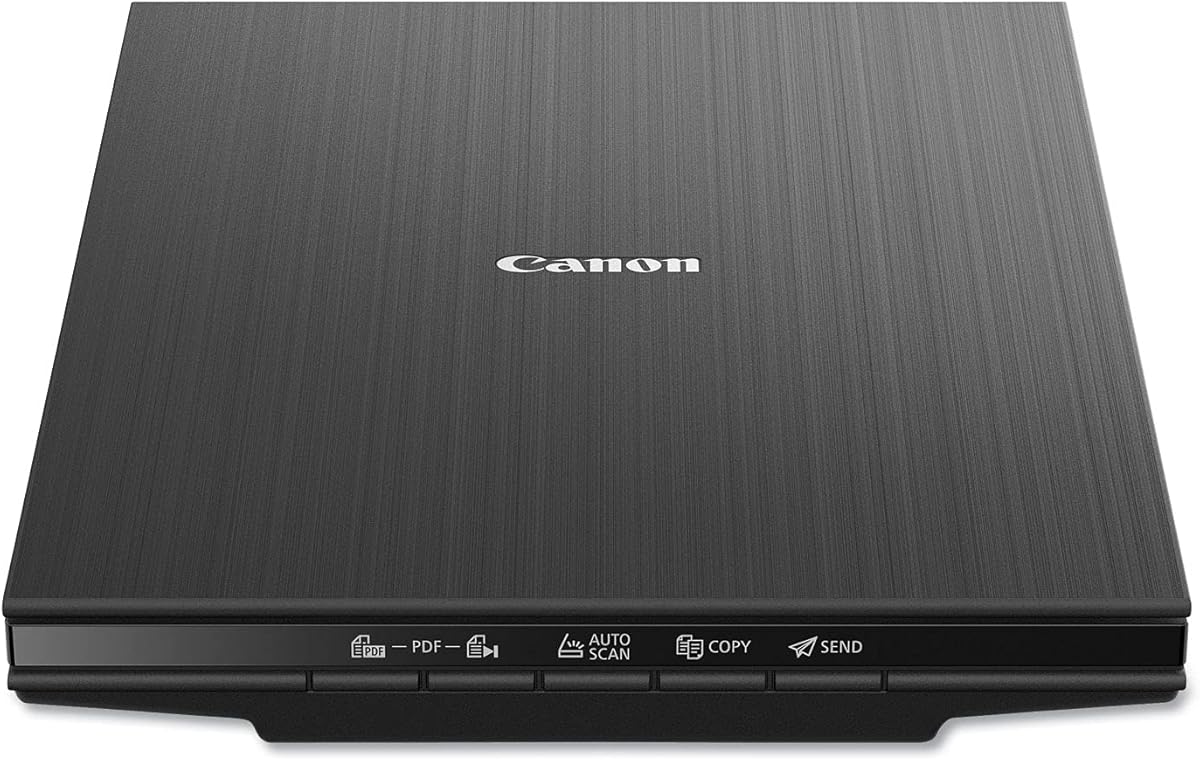
The Canon CanoScan LiDE 400 has a 4.1 rating and offers a simple way to digitize prints without investing in a large desktop model. Its flatbed design provides a predictable scanning surface for photographs, documents, and other flat materials. At 7.7 by 14.5 by 0.4 inches, it is especially appropriate for a home office, apartment, or archive where shelf space is limited.
We may earn a commission when you buy through this link, at no additional cost to you.
The stated 4800 by 4800 dpi resolution is useful for detailed prints and images that may later be enlarged. Image-enhancement features include color restoration and dust removal, helping older photographs regain clarity. Auto Scan mode detects the material on the glass, while dedicated PDF buttons can create editable, searchable multipage PDF files. A USB Type-C cable supplies both data and power, reducing the number of connections required.
Its main limitation is the flatbed format itself. Every print must be placed on the glass, scanned, removed, and repositioned, so this model is not intended to race through a large box of loose photographs. It also lacks the automatic feeder and specialized photo batch functions found in the Epson FastFoto. Users should still inspect results and clean the glass to prevent dust from affecting new scans.
Choose the LiDE 400 for occasional photo digitizing, mixed document tasks, or a workspace where minimalism matters. It is a sensible companion for preserving family snapshots while keeping paperwork organized. Archive owners with hundreds of prints should choose an automatic feeder, while users making frequent high-resolution copies from mounted albums may prefer a flatbed with a removable or high-rise lid.
The high stated resolution provides ample detail for ordinary photo preservation, while the shallow body makes storage and placement easy. It is particularly useful for individual portraits, school projects, and scanned keepsake documents.
Color restoration and dust removal address two familiar issues with scanned keepsakes. Auto detection and one-touch PDF controls make the scanner approachable for users who want a guided workflow rather than extensive manual configuration.
We may earn a commission when you buy through this link, at no additional cost to you.
The HP Small USB HPPS100 has a 4.2 rating and brings a different approach to archival scanning through its slim, portable, single-sheet design. It can handle material from 2 by 2.9 inches up to 8.5 by 14 inches, making it suitable for photographs, postcards, receipts, business cards, brochures, and standard papers. A stated 1200 dpi resolution offers a practical balance between detail and manageable file sizes.
We may earn a commission when you buy through this link, at no additional cost to you.
Its 15-pages-per-minute speed is sufficient for moderate batches of loose photographs or documents, while the sheet-fed form factor is much easier to carry than a desktop flatbed. HP WorkScan for Windows and MacOS provides auto-scan, size detection, previewing, zooming, cropping, background cleanup, edge and hole removal, and image optimization. The result is a workflow designed to reduce both setup time and repetitive editing.
The principal limitation is simplex scanning, which captures only one side at a time. The sheet-fed approach also does not accommodate books or bound photo albums without risk because there is no flatbed surface. Its greatest strengths are portability and document versatility, so it is not the first choice for someone whose main goal is careful album scanning or duplex capture of handwritten photo notes.
The HPPS100 makes sense for a mobile archive, home business, or mixed collection that travels between locations. It is especially helpful for digitizing small snapshots and correspondence on the go. For mounted albums, choose a flatbed; for large loose-print batches, choose a dedicated feeder; and for a stationary computer workflow, consider a model with wireless cloud transfer.
The compact profile can move between a home, office, or business trip without the space demands of a flatbed. USB 2.0 power and connectivity keep the setup straightforward for users who already rely on a laptop.
HP WorkScan can detect size, clean backgrounds, remove edges and holes, and optimize images. These tools are particularly helpful when a collection contains photographs mixed with receipts, cards, and irregular paper.
We may earn a commission when you buy through this link, at no additional cost to you.
The AMBIR Photo Scanner Bundle receives a 4.3 rating and is built specifically around a photo-centered archiving workflow. It supports common prints from 1 by 1 inches through 8 by 10 inches, along with panoramic images up to 12 inches. The 300 and 600 dpi choices cover everyday sharing and higher-quality preservation without requiring a more complex multi-resolution interface.
We may earn a commission when you buy through this link, at no additional cost to you.
Its most distinctive bundle includes a bellow-based blower, microfiber cloth, anti-static soft brush, and protective carrier sheet. These accessories make it easier to prepare fragile prints before scanning and clean the glass afterward. Automatic cropping and deskewing reduce common alignment problems, while Picture Studio by AMBIR handles fading restoration, filters, borders, brightness, contrast, exposure, sharpness, and gamma adjustments.
Organization is another reason this scanner earns an editor's choice. Users can import existing images from Apple Photos, Google Photos, cameras, and memory drives, then build custom albums. Tags, favorites, and notes help locate material within a growing library. A single USB cable handles both power and connection, and compatibility with both Mac and PC broadens the practical audience. The drawback is that the software centers on a wired computer workflow rather than direct wireless transfer.
This is the most compelling choice for a new archivist who values both careful physical preparation and organized digital results. It works especially well for mixed batches of standard prints, panoramas, and small images. A dedicated high-volume professional should consider the ScanSnap iX2500 Photo Edition, while a basic flatbed may better suit someone who scans only a few items and prioritizes minimal software complexity.
The included cleaning kit helps separate dust removal from the scanning process itself. A blower, anti-static brush, microfiber cloth, and carrier sheet provide a more complete care setup than a bare scanner package.
Custom albums, tags, favorites, and notes make it possible to create a usable digital collection rather than a folder of unidentified images. Importing existing digital photographs also allows the library to grow beyond newly scanned prints.
We may earn a commission when you buy through this link, at no additional cost to you.
The Epson Perfection V19 II has a 3.9 rating and delivers a familiar flatbed combination of high resolution, compact construction, and document features. Its 4800 dpi optical resolution is the main attraction for photographers who want detailed source files or plan to enlarge scans. One-touch buttons streamline common tasks, and the removable high-rise lid allows books and photo albums to be scanned without removing the entire top section.
We may earn a commission when you buy through this link, at no additional cost to you.
This model handles more than flat photographs. Epson ScanSmart can create searchable PDF files and editable Word, Excel, and PowerPoint documents through OCR. Easy Photo Fix restores color to faded photographs with one click, while USB power eliminates the need for a separate power adapter. The built-in kickstand permits vertical storage, and the stated weight of 3.1 pounds makes the unit easy to reposition on a desk.
As with any flatbed, there is no automatic feeder, so large photo collections require individual placement. A letter-sized document can be scanned in as little as 10 seconds, which is adequate for occasional work but not a high-volume archive solution. The 3.9 rating also suggests this model may not deliver the same level of overall satisfaction as higher-rated dedicated photo scanners, even though its core specifications are attractive.
The V19 II is a good fit for students, hobbyists, and home archivists who want detailed scans of a limited collection. Choose it for album pages, artwork, illustrations, books, and mixed documents when a compact footprint matters. For hundreds of loose prints, a feeder-based model will save considerable time, and for a professionally managed library, advanced touchscreen and cloud workflows may justify a more capable unit.
The 4800 dpi optical resolution makes the V19 II useful for enlarging and capturing fine details in prints, artwork, and documents. The high-rise removable lid adds practical album access without turning the scanner into a full-size production model.
Searchable PDFs and editable office documents make the scanner relevant to mixed household archives. One-touch controls, USB power, and vertical storage help it remain convenient outside a dedicated office.
We may earn a commission when you buy through this link, at no additional cost to you.
The Epson Perfection V39 II has a 3.7 rating and is built around detailed image capture, creative projects, and convenient document handling. Its 4800 dpi optical resolution provides a useful foundation for enlarging and preserving photographs, while the removable high-rise lid lets users scan books and other thick materials. The scanner supports photos, artwork, illustrations, and ordinary documents.
We may earn a commission when you buy through this link, at no additional cost to you.
One feature distinguishes it from the closely related V19 II: Epson ScanSmart can stitch oversized images together. That capability is valuable for large prints, panoramas, and creative layouts that exceed a single scan bed. It can also send scans to cloud storage services, and Easy Photo Fix restores faded color in a single step. Letter-sized documents can be handled in approximately 10 seconds.
The main limitations are its 3.7 rating and the absence of an automatic feeder. The lower rating should prompt buyers to consider their exact needs, particularly if consistent photo color, automatic alignment, or rapid batch processing is the priority. Like other flatbeds, it also requires individual placement and careful glass preparation, so it is best suited to deliberate rather than high-speed workflows.
Choose the V39 II if you want a capable flatbed for mixed creative and preservation projects. It is a strong option for oversized images, art, and album material where the high-rise lid and stitching function matter. A dedicated feeder such as the Epson FastFoto or AMBIR bundle will better serve someone digitizing hundreds of loose prints, while the ScanSnap Photo Edition offers the most advanced automated organization features.
Oversized image stitching is particularly useful for panoramic photographs and wide creative pieces. It allows a result larger than the scan bed to be assembled through the software workflow.
Easy Photo Fix offers a convenient starting point for faded prints, while cloud transfer can shorten the path from scanning to storage. The controls remain approachable for users who do not want to configure a complicated professional application.
We may earn a commission when you buy through this link, at no additional cost to you.
The ScanSnap iX2500 has a 4.3 rating and offers an advanced, high-speed workflow for large archives containing documents, receipts, cards, and photographs. Its large touchscreen, 100-sheet feeder, 45 pages per minute duplex throughput, and wireless connectivity create a more automated experience than a basic flatbed. It is positioned as the upgraded replacement for the discontinued iX1600.
We may earn a commission when you buy through this link, at no additional cost to you.
The touchscreen is the defining feature. Users can select personalized profiles, send files to a PC, Mac, mobile device, or cloud service, and use Quick Menu to move scans into favored computer applications. Automatic optimization, naming, and sorting reduce the administrative burden after capture. Wi-Fi 6 allows direct transfer without a computer, while USB-C provides a wired alternative for flexible setup.
Paper handling receives careful attention. A brake roller system feeds pages smoothly, a multi-feed sensor detects sheets stuck together, and skew detection helps prevent damage and data loss. These features are particularly relevant when scanning mixed stacks or when maintaining a long, consistent production workflow. The tradeoff is that this is a general document scanner with photo organization, rather than a model dedicated primarily to fragile prints.
The standard iX2500 is best for a busy archive that must process documents and photos together, especially when wireless transfer, touchscreen profiles, and automatic sorting matter. Buyers focused specifically on delicate photography and large photo batches should examine the Photo Edition, which adds carrier sheets and photo-specific setup. For simpler needs, a compact flatbed offers a shorter and usually less demanding workflow.
Personalized profiles let a user define where scans should go and how they should be handled. Direct routing to computers, mobile devices, and cloud services is especially helpful when a project spans several destinations.
The brake roller, multi-feed detection, and skew controls work together to support smoother large-scale runs. These safeguards are valuable for mixed stacks where photographs, receipts, and multipage records are handled together.
We may earn a commission when you buy through this link, at no additional cost to you.
The Epson WorkForce ES-50 has a 4.3 rating and prioritizes portability, quick setup, and efficient handling of loose documents and photos. It scans a single page in as little as 5.5 seconds, accepts documents up to 8.5 by 72 inches, and digitizes receipts and identification cards. Automatic feeding mode can combine multiple inserted sheets into one file, reducing the need to start a separate scan for every page.
We may earn a commission when you buy through this link, at no additional cost to you.
The scanner is powered entirely through USB 2.0, so it needs neither batteries nor an external power supply. Epson ScanSmart provides a straightforward interface for scanning, reviewing, and saving. Nuance OCR creates searchable PDFs and editable Word and Excel files, while cloud support sends files directly to online storage. A compatible TWAIN driver broadens its usefulness with other imaging software.
Photo archiving is possible, but this is primarily a compact document scanner. The sheet-fed design is suited to loose prints, postcards, receipts, and pages that can pass through a narrow feed path. It cannot scan a mounted album like a flatbed, and its single-sheet handling is not as convenient as a larger automatic feeder for hundreds of items. There is no dedicated carrier sheet or photo-specific profile in the supplied information.
The ES-50 is a good choice for a mobile or space-conscious workflow, especially when documents and snapshots are digitized in modest quantities. Users who often travel, work from different locations, or want a lightweight addition to a laptop setup will appreciate its simplicity. Those creating a large photo archive should prioritize a dedicated photo feeder or a more advanced high-speed unit.
A 5.5-second scan time and USB-only power make the ES-50 easy to deploy wherever a computer is available. Automatic acceptance of each inserted sheet creates a continuous workflow for loose paper.
Nuance OCR, searchable PDF output, editable office files, and cloud scanning add useful structure to a mobile workflow. The included driver and TWAIN support also make the scanner relevant to established imaging setups.
We may earn a commission when you buy through this link, at no additional cost to you.
The ScanSnap iX2500 Photo Edition has a 4.5 rating and represents the most advanced photo-focused option in this guide. It can scan as many as 100 photos per minute, while its automatic document feeder holds up to 100 documents or 36 photos. This combination of throughput and capacity is designed for serious family archives, event collections, and businesses that regularly digitize prints.
We may earn a commission when you buy through this link, at no additional cost to you.
Three photo carrier sheets are included for delicate prints, and quick-start instructions help users create suitable photo scanning profiles. The large touchscreen makes those profiles easy to select and adjust. Files can be automatically optimized, named, and sorted, then sent to a PC, Mac, mobile device, or cloud service. Wi-Fi 6 supports direct wireless transfers, while USB-C provides a wired connection when desired.
The Photo Edition combines high throughput with the same sophisticated document workflow as the standard iX2500. That makes it suitable for collections containing photographs plus receipts, cards, and records. The premium position is the main consideration: a household needing only a handful of prints may not require this level of automation. Cloud and mobile routing also requires compatible accounts and initial configuration.
This scanner is the leading recommendation for users who expect to digitize large collections regularly and value speed, organization, and flexible destinations. Its dedicated carrier sheets and photo profiles are especially meaningful for fragile prints. The Epson FastFoto offers a more affordable dedicated-photo route, while the AMBIR bundle is a strong choice when restoration tools and a physical cleaning kit are the top priorities.
A throughput of up to 100 photos per minute and a 36-photo feeder capacity are ideal for large print collections. Carrier sheets add a practical layer of protection for fragile or loosely printed photographs.
Touchscreen profiles, automatic naming, sorting, and optimization create a repeatable archive process. Direct delivery to computers, mobile devices, and clouds provides flexibility once the initial settings are configured.
We may earn a commission when you buy through this link, at no additional cost to you.
The Brother DS-640 has a 4.3 rating and delivers a compact scanning solution for people who need to digitize papers and photographs away from a permanent desk. It is less than one foot long and weighs approximately 1.5 pounds, making it easy to place in a bag or carry between locations. The included micro USB 3.0 cable allows operation without an available outlet.
We may earn a commission when you buy through this link, at no additional cost to you.
Its stated speed reaches 16 pages per minute, with color scanning operating at the same rate as monochrome capture. The free iPrint&Scan desktop app supports scanning to a computer, network, cloud services, email, and OCR destinations. Automatic color detection and adjustment, image rotation, bleed-through prevention, background removal, text enhancement, and color drop help improve mixed-document results without extensive manual cleanup.
The scanner supports Windows, Mac, and Linux, along with TWAIN and WIA on PC, ICA on Mac, and SANE drivers. That broad compatibility is a meaningful advantage for a portable device likely to move between different systems. However, it scans only one side at a time, and its software is oriented toward documents rather than specialized photo restoration. There is also no flatbed surface for albums or fragile oversized prints.
The DS-640 is best for travelers, commuters, and small offices that need an inexpensive, highly portable sheet scanner. It can handle receipts, cards, letters, and loose photographs with a focus on convenience. For extensive photo archives, a dedicated feeder or high-resolution flatbed will provide more appropriate handling, while users duplex records regularly should choose a model built for two-sided capture.
Its sub-one-foot length and approximately 1.5-pound weight make the DS-640 easy to transport. Powering through the included cable simplifies use with compatible laptops that do not provide a convenient scanner connection.
Scanning to email, cloud services, networks, OCR workflows, and the computer gives users several practical routes. Windows, Mac, and Linux support broadens its usefulness for a device intended to travel.
We may earn a commission when you buy through this link, at no additional cost to you.
The right archival scanner depends on the shape, condition, quantity, and intended use of your collection. Resolution, handling, workflow, and storage should be considered together rather than treating any one specification as decisive.
A flatbed gives you direct control over fragile prints, album pages, artwork, and documents. You place each item on the glass, which makes alignment and cropping predictable, but large collections require substantial manual handling. An automatic feeder scans multiple loose prints much faster, although it may not suit curved album pages, very fragile material, or mixed sizes. Dedicated photo feeders can also include carrier sheets for protection.
Resolution determines how much fine detail a file can retain. Dedicated photo scanners often offer 300, 600, and 1200 dpi choices, allowing you to balance image size against enlargement potential. Flatbeds with 4800 dpi can capture very fine detail for prints, slides, artwork, and documents, but that does not automatically make every workflow convenient. Consider whether files are intended for screen viewing, family sharing, preservation, or frequent printing.
The most useful scanner accepts the dimensions found in your collection. Common sizes include 2 by 2 inches, 3 by 5 inches, 4 by 6 inches, 5 by 7 inches, and 8 by 10 inches. Some models also support panoramic photographs, postcards, Polaroids, or mixed-size batches. A flatbed generally accommodates more varied dimensions, while a feeder may require specific trays, templates, or carrier sheets.
Old photographs often benefit from automatic color restoration, red-eye reduction, dust removal, deskewing, cropping, and rotation. These features can provide a strong initial result, but automatic processing should still be checked for unnatural skin tones, lost detail, or aggressive sharpening. A separate cleaning kit with a blower, soft brush, and microfiber cloth can be more valuable than a long list of software filters when the physical prints are dusty or fragile.
A scan is only useful if you can identify it later. Photo-focused software may provide albums, tags, notes, favorites, automatic naming, and sorting. Document tools can add searchable text through OCR, create editable Word or Excel files, and combine multipage records into a single PDF. Cloud destinations, direct mobile transfer, and wireless connections can simplify backup, although they may require compatible accounts and initial setup.
USB is dependable, widely compatible, and often enough for a fixed scanning station. USB Type-C can simplify modern laptops, while Wi-Fi and Wi-Fi 6 allow direct transfer to a computer, phone, or cloud without a cable. Portable sheet-fed models are useful for collections that travel or for people without a dedicated desk. A wireless feature is less important if your workflow already depends on one computer in a permanent location.
Throughput matters when scanning hundreds of prints or mixed records. Flatbeds commonly scan one page at a time, while automatic feeders may hold dozens of documents or a smaller number of photos. Look for multi-feed detection, skew correction, and smooth feed systems because those details can prevent missing pages, damaged prints, and repeated rescans. A faster advertised rate is most valuable when the software also prepares files with minimal manual intervention.
Original photographs cannot be replaced if a feeder bends them or a carrier sheet leaves a mark. A high-rise removable lid helps with books and albums, while a protective carrier sheet separates loose prints during automatic feeding. Dust removal tools, careful glass cleaning, and gentle software corrections are also important. Delicate items should be scanned individually and reviewed closely, regardless of the scanner's stated specifications.
Prepare the workspace before scanning. Clean the scanner glass with a suitable soft cloth, dust the originals gently, and make sure the device is on a stable, level surface. Sort photographs by approximate size, identify any fragile or curved items, and decide on a consistent folder or album structure. Keeping the physical and digital order aligned makes it much easier to compare the archive with its source collection later.
For a flatbed, place one item at a time with its edges inside the scan area and avoid pressing down on fragile surfaces. For an automatic feeder, use the recommended carrier sheet and check that the feed path is clear. Select the resolution based on the intended use, enable automatic cropping and deskewing when appropriate, and perform a small test scan before processing the full batch. Review representative images for color, sharpness, alignment, and cropped edges.
After each session, power off the scanner as directed, close the lid or release any remaining paper, and clean the glass and feed rollers as needed. Use a validated backup strategy with at least two copies in separate locations, and keep the original prints in archival-safe storage. Save important scans in a widely supported format with descriptive names, and record which folder corresponds to each box, album, or date range of originals.
A 300 dpi setting is often sufficient for ordinary sharing and on-screen viewing, while 600 dpi provides a stronger preservation option when prints may be enlarged. Higher resolutions create larger files and require more storage, so there is little reason to use them for every image if your intended use is modest. Consider making 600 dpi files for especially valuable or detailed prints and keeping routine snapshots at 300 dpi.
Choose 600 dpi for most archival photo projects because it captures fine detail while keeping file sizes manageable. A 1200 dpi option can be useful for small prints, significant enlargement, or close inspection of textured originals. Always check a test scan and avoid using the highest resolution automatically, since large files can make organization and backup more difficult.
A flatbed is usually better for mounted album pages, curved prints, and unusually shaped photographs because each item stays flat and under direct control. A sheet-fed scanner is faster for loose standard-sized prints and can reduce repetitive handling. Your collection's size, condition, and format should determine which approach is practical.
Yes, but the scanner must support duplex capture. The Epson FastFoto FF-680W explicitly scans the image and handwritten reverse content in a single pass. Single-sided models can still capture the back in a separate scan, but matching and organizing two files becomes less convenient.
Create a consistent folder structure before scanning, such as separate folders for each year, event, or family member. Photo software with albums, tags, favorites, and notes can add another layer, while automatic naming helps distinguish files. Keep a simple index that connects digital folders to the original boxes or albums, and back up the organized collection in more than one location.
Gentle cleaning can reduce visible dust and lower the need for aggressive digital correction. A blower, soft brush, and microfiber cloth are useful for many dry prints, but valuable or unstable photographs should be handled by a conservator. Never rub fragile surfaces forcefully, and avoid liquids or chemical cleaners unless their safety has been established.
TIFF is often preferred for preservation because it is lossless and retains more detail without generation loss. JPEG is more convenient for everyday viewing and sharing because the files are smaller and widely supported. A practical approach is to preserve a high-quality master while creating smaller copies for everyday use, provided storage and your chosen software support that workflow.
Yes, and all ten models in this guide can scan more than photographs. Flatbeds are particularly flexible for documents, albums, and mixed media, while automatic feeders help with multipage records and loose prints. Look for searchable PDF output and OCR when you need readable or editable documents in addition to image preservation.
The Epson FastFoto FF-680W is the strongest overall choice for most home archives because it combines fast batch scanning, several resolution settings, duplex capture, automatic photo enhancements, and wireless flexibility. The AMBIR Photo Scanner Bundle stands out for its photo-cleaning accessories, editing tools, and built-in organization, while the ScanSnap iX2500 Photo Edition offers the most sophisticated high-volume workflow.
Prioritize the format of your collection before comparing specifications. Album owners should look at flatbed models with a high-rise removable lid, while people with hundreds of loose prints will benefit more from an automatic feeder and carrier sheets. Resolution should match the final purpose, and software features matter most when they reduce repetitive editing and make the finished archive easy to search and back up.
Before buying, check the current retailer listing, compatibility details, included accessories, and available support for the software you intend to use. Product configurations and retailer offers can change, so confirming the current listing helps ensure that the scanner you select still matches the workflow and features described in this guide.