
LG UltraGear 27GX704A-B
4.5Editor score
Glossy True Black 400 display
Up to 1300-nit peak brightness
Comprehensive modern port selection
An OLED monitor for a dark room must balance rich blacks with enough brightness, contrast, and color accuracy to reveal detail without washing out the image. The best models also manage reflections, provide fast motion handling, and include useful OLED-protection features for long viewing sessions.
This guide compares ten 27-inch, 32-inch, and 34-inch OLED gaming monitors using the supplied specifications, including panel type, resolution, refresh rate, response time, HDR certification, color coverage, adaptive-sync support, connectivity, and anti-glare features.
Each entry explains who the monitor suits, why its dark-room characteristics stand out, and where practical trade-offs may appear. The top picks reflect the strongest combinations of picture quality, speed, features, and value, while current prices and availability can change.
4.5Editor score

4.7Editor score

4.6Editor score
As an Amazon Associate we earn from qualifying purchases.
The comparison covers ten OLED gaming monitors ranging from focused 27-inch models to expansive 32-inch and curved 34-inch displays. It highlights the factors that most affect a dark-room setup: black level, brightness, contrast, color, refresh rate, response time, reflection handling, protection tools, connectivity, and physical adjustability.


The Samsung 27-inch Odyssey OLED G6 (G61SH) combines a QD-OLED panel, 1440p resolution, 240Hz refresh rate, and 0.03ms response time in a well-balanced gaming package. Its 4.7 supplied rating is the highest among the ten models, and the feature set is particularly convincing for a dark-room display where saturated highlights and controlled blacks matter.
We may earn a commission when you buy through this link, at no additional cost to you.
Samsung specifies high brightness, a wide color range, and Pantone validation across more than 2,100 colors and over 110 skin-tone shades. HDR10 support adds brighter highlights and nuanced shadows, while the QD-OLED panel gives the monitor a strong foundation for both games and dark cinematic content. Glare Free Technology is particularly relevant in rooms with unavoidable ambient light because it is intended to reduce distracting reflections.
The G6 is also a serious gaming monitor. Its 240Hz refresh rate and 0.03ms response time suit fast competitive play, while AMD FreeSync Premium helps reduce choppiness, lag, and tearing. OLED Safeguard adds a thermal modulation system designed to help prevent burn-in, addressing one of the practical concerns that accompanies OLED ownership. The height-adjustable stand pivots, tilts, and swivels for easier positioning.
The main limitation is resolution: at 1440p, the G6 does not offer the pixel density of a 4K OLED. It is also important to treat a QD-OLED panel with normal care and use its protective features. Even so, the combination of class-leading supplied rating, strong refresh rate, color validation, HDR support, anti-reflection technology, and flexible stand makes the Odyssey OLED G6 the strongest all-around recommendation.
The QD-OLED panel and HDR10 support give the G6 the visual foundation for deep blacks, brighter highlights, and shadow detail. Pantone validation also makes it a credible option for mixed gaming and entertainment use.
A 240Hz refresh rate, 0.03ms response time, and AMD FreeSync Premium cover the essentials for responsive competitive gaming. The adjustable stand makes it easier to place the display correctly in a dark gaming area.
We may earn a commission when you buy through this link, at no additional cost to you.
The ASUS ROG XG27AQDMGR is a 26.5-inch glossy OLED monitor designed for users who want a refined mix of speed, color accuracy, and protection. It carries a 4.6 supplied rating, a 240Hz refresh rate, 0.03ms response time, and DisplayHDR 400 True Black compliance, giving it a strong feature set for a dedicated dark-room setup.
We may earn a commission when you buy through this link, at no additional cost to you.
Color performance is one of the clearest reasons to consider it. The monitor covers 99% of DCI-P3, supports true 10-bit color, and has a Delta E below two, according to the supplied specifications. Those characteristics make it appealing not only for games but also for photo and video work where subtle gradients and accurate hues are important. Its glossy TrueBlack WOLED panel is designed for sharp imagery and minimal haze.
ASUS OLED Care Pro adds a Neo Proximity Sensor that detects when the user leaves and switches the screen to black to help reduce the risk of burn-in. The supplied information also lists a three-year warranty with advance replacement and burn-in coverage. DisplayWidget Center provides mouse-based access to OLED-care functions and settings, while AI-enhanced gaming features add optimization tools for different play styles.
A glossy panel is a deliberate choice, but it can reflect lamps, windows, and pale walls even in a dark room. Users who need a deliberately controlled environment will benefit from its contrast and clarity; those who cannot prevent reflections may prefer a matte-style alternative. With its strong warranty, sensor-based protection, accurate color, and 240Hz performance, it is the premium choice in this group.
The glossy TrueBlack WOLED panel, 99% DCI-P3 coverage, and true ten-bit color support create an image-rich option for dark rooms. A Delta E below two also makes it suitable for color-sensitive creative workflows.
OLED Care Pro and its proximity sensor help manage prolonged static imagery by turning the display black when the user steps away. The three-year burn-in coverage adds reassurance for long-term ownership.
We may earn a commission when you buy through this link, at no additional cost to you.
The LG UltraGear 27GX704A-B stands out as a value-oriented dark-room option with specifications usually associated with premium gaming displays. It combines a 27-inch glossy OLED panel, 1440p resolution, 240Hz refresh rate, 0.03ms response time, and a 4.5 supplied rating with a broad selection of ports and ergonomic adjustments.
We may earn a commission when you buy through this link, at no additional cost to you.
LG specifies a typical brightness of 275 nits and peak brightness of up to 1,300 nits. That range is useful in a dark room because the monitor can deliver punchy highlights while still presenting deep black levels. VESA DisplayHDR True Black 400 certification, a 1.5M:1 contrast ratio, and up to 98.5% DCI-P3 coverage further support the case for vibrant HDR gaming and detailed dark scenes.
Connectivity is unusually complete for a gaming monitor. Dual HDMI 2.1, DisplayPort 1.4, USB 3.2 upstream, and two USB 3.2 downstream ports make it convenient for a multi-device desk. NVIDIA G-SYNC Compatible and AMD FreeSync Premium Pro cover both major adaptive-sync ecosystems, while Dynamic Action Sync, a crosshair, an FPS counter, and Black Stabilizer support practical gaming needs.
OLED Care is also well represented, with brightness controls, protection features, and automatic pixel-care cycles that run during standby or shutdown. Height, tilt, swivel, and pivot adjustments make the display easier to position. The glossy surface does call for deliberate room control, and the listed title contains an unusual resolution spelling, but the core QHD specification is clear. It is a well-equipped budget pick for fast OLED gaming.
Typical 275-nit brightness and peaks up to 1,300 nits provide room for vivid HDR highlights. Combined with deep blacks and a 1.5M:1 contrast ratio, the panel can make shadow detail feel distinct.
Dual HDMI 2.1, DisplayPort, and three USB 3.2 connections make this a convenient choice for a desk with a PC, console, peripherals, and accessories. Both G-SYNC Compatible and FreeSync Premium Pro are supported.
We may earn a commission when you buy through this link, at no additional cost to you.
The Samsung 27-inch Odyssey OLED G5 (G50SF) offers a QD-OLED panel, 1440p resolution, HDR10, and Pantone validation at a more moderate gaming refresh rate. Its 4.4 supplied rating reflects a balanced set of features rather than an emphasis on the highest possible frame rate.
We may earn a commission when you buy through this link, at no additional cost to you.
Its picture credentials are strong. Samsung describes the QD-OLED display as delivering high color accuracy and brightness, while Pantone validation covers more than 2,000 colors. HDR10 is included for brighter highlights and nuanced shadows, giving the monitor a useful foundation for dark games and cinematic entertainment. Glare Free technology helps the picture remain clear when external light cannot be eliminated entirely.
At 180Hz with a 0.03ms GTG response time, the G5 remains quick, although it trails the 240Hz and 360Hz alternatives. It also supports G-SYNC compatibility and AMD FreeSync to help reduce lag and screen tearing. Auto Source Switch+ is a useful desk feature for users moving between a gaming PC, console, and other connected sources.
Samsung’s OLED Safeguard thermal modulation system is designed to help prevent burn-in, another important consideration for OLED ownership. The G5 is therefore a sensible choice for a player who values color, reflections, and flexible source switching more than the absolute highest refresh rate. It is a versatile 27-inch option, though its native resolution remains below the 4K models.
Pantone validation and HDR10 make the G5 appealing for games as well as general entertainment. Its QD-OLED panel should create vivid imagery while retaining the deep blacks that motivate an OLED upgrade.
Auto Source Switch+ reduces friction when several devices are connected. G-SYNC compatibility and AMD FreeSync provide broad adaptive-sync support for a mixed gaming setup.
We may earn a commission when you buy through this link, at no additional cost to you.
The ASUS ROG XG32UCWG is a 32-inch 4K glossy OLED monitor aimed at buyers who prioritize pixel density, cinematic black levels, and creative versatility. It has a 4.3 supplied rating and introduces a dual-mode design that can operate at 4K 165Hz or Full HD 330Hz.
We may earn a commission when you buy through this link, at no additional cost to you.
At 3840 x 2160, the panel offers the finest resolution in this group. Its TrueBlack glossy surface is engineered for zero haze and sharp imagery, while VESA DisplayHDR 400 True Black compliance, 99% DCI-P3 coverage, true ten-bit color, and Delta E below two make it well suited to photo and video editing as well as gaming. The rich-black presentation fits a properly controlled room particularly well.
The display also carries G-SYNC Compatible technology, 0.03ms response time, and ASUS OLED Care Pro with a Neo Proximity Sensor. The sensor switches the screen to black when the user is away to help reduce burn-in risk. A three-year warranty with advance replacement and burn-in coverage strengthens the package for buyers making a long-term investment in an OLED panel.
Connectivity includes USB-C with 15-watt power delivery, HDMI 2.1, and DisplayPort 1.4, providing practical options for a modern desk. The trade-offs are physical: a 32-inch glossy display takes up substantial room and can show lamps or windows. Its native 165Hz rate is lower than the fastest 27-inch alternatives, but the 330Hz Full HD mode offers a competitive option. For detail-focused users, it remains one of the most complete choices here.
The 3840 x 2160 resolution gives text, menus, and fine game detail greater definition than 1440p alternatives. A glossy TrueBlack panel and wide DCI-P3 coverage suit dark, controlled viewing environments.
The hotkey-controlled dual mode switches between 4K at 165Hz and Full HD at 330Hz. This makes the monitor useful for both detailed single-player work and fast competitive games.
We may earn a commission when you buy through this link, at no additional cost to you.
The ASUS ROG Strix XG27ACDNG is built for competitive gaming, combining a 26.5-inch QD-OLED panel, 1440p resolution, 360Hz refresh rate, and 0.03ms response time. Its 4.5 supplied rating supports its reputation as a fast, feature-rich monitor with a strong emphasis on picture quality as well.
We may earn a commission when you buy through this link, at no additional cost to you.
True ten-bit color, 99% DCI-P3 coverage, Delta E below two, and VESA DisplayHDR 400 True Black compliance give the display a refined appearance. A dark room benefits from the contrast and color range, especially in games built around moody environments and bright interactive effects. The 0.03ms timing should be particularly attractive to players who value motion clarity.
Thermal management is unusually prominent. A custom heatsink, advanced airflow design, and ASUS OLED Care+ functions work together to support the panel and reduce burn-in risk. ROG-exclusive anti-flicker technology is also designed to reduce flicker when refresh rates fluctuate. DisplayWidget Center enables mouse-based access to OLED-care features and display adjustments.
G-SYNC Compatible technology targets smooth, tear-free play with reduced input lag and stutter, while the listed AI Gaming features provide additional optimization tools. A three-year warranty with advance replacement and burn-in coverage adds ownership confidence. The trade-off is that 360Hz is far more specialized than most gaming systems require, and very high refresh modes can constrain brightness. Competitive players who need every available speed advantage will find this model especially compelling.
The 360Hz refresh rate and 0.03ms response time make this one of the quickest options listed. It does not sacrifice the visual fundamentals, with ten-bit color and 99% DCI-P3 coverage supporting detailed, saturated imagery.
A custom heatsink and advanced airflow support sustained performance, while OLED Care+ targets image retention. Anti-flicker technology and a three-year burn-in warranty further distinguish the package.
We may earn a commission when you buy through this link, at no additional cost to you.
The LG UltraGear 32GX850A-B is a large 32-inch 4K glossy OLED monitor that combines a detailed canvas with competitive refresh options. It holds a 4.5 supplied rating and supports 4K at 165Hz or Full HD at 330Hz, giving it flexibility for cinematic games, desktop work, and competitive titles.
We may earn a commission when you buy through this link, at no additional cost to you.
LG's Micro Lens Array+ technology is intended to improve brightness and viewing angles compared with earlier UltraGear OLED displays. Typical brightness is listed at 275 nits. VESA DisplayHDR True Black 400 certification, a 1.5M:1 contrast ratio, and up to 98.5% DCI-P3 coverage deliver the visual fundamentals for rich blacks and vivid highlights in a dark room.
The gaming feature set is broad. Dynamic Action Sync is designed to reduce input lag, Black Stabilizer brightens dark areas, an FPS counter reports frame rate, and a crosshair improves aiming precision. G-SYNC Compatible and AMD FreeSync Premium Pro cover both major sync platforms. The 0.03ms response time supports clean motion handling, while the hotkey-controlled dual mode lets users choose maximum detail or maximum speed.
The monitor also carries three UL certifications covering anti-glare, flicker-free operation, and low blue light. Height, tilt, swivel, and pivot adjustments make the large panel easier to position. As with other glossy OLEDs, reflections need active management, and 32 inches may be too large for a compact desk. For a room that can accommodate it, however, the combination of 4K detail, high brightness, and dual-mode speed is hard to overlook.
A 32-inch 4K canvas makes the monitor well suited to expansive game worlds, detailed interfaces, and media. The 1.5M:1 contrast ratio and True Black 400 certification support clean shadow-to-highlight transitions.
The monitor can remain in 4K at 165Hz for visual detail or switch to Full HD at 330Hz for competitive play. A full range of stand adjustments helps accommodate the large screen.
We may earn a commission when you buy through this link, at no additional cost to you.
The Acer Predator X27U W1 pairs a 26.5-inch QD-OLED panel with 1440p resolution, 240Hz refresh rate, and 0.03ms gray-to-gray response time. Its 4.5 supplied rating reflects a balanced specification sheet that should appeal to players seeking speed and contrast without moving to a 32-inch panel.
We may earn a commission when you buy through this link, at no additional cost to you.
The WQHD quantum-dot OLED display uses true ten-bit color and is described as delivering cinematic color and strong contrast. With 99% DCI-P3 coverage, Delta E below two, and HDR10, it offers a credible mix of vibrancy and accuracy. Those qualities work well in a dark room, where rich black levels and saturated highlights can make games look more immersive.
Motion performance is a major strength. The 240Hz refresh rate and 0.03ms response time target fluid, low-ghosting play, while AMD FreeSync Premium synchronizes monitor and graphics-card frames to reduce tearing and stuttering. The ZeroFrame design minimizes visible bezels, helping the 26.5-inch display feel more immersive without moving to an ultrawide format.
Image-retention-refresh functionality is included to help keep images from sticking, which is useful for an OLED that may remain on a static page or menu for extended periods. The supplied specifications do not detail the panel's anti-glare treatment or list a premium adaptive-sync tier, so buyers who are highly sensitive to reflections should verify those details. Within its category, it remains an attractive high-speed QD-OLED option.
A 240Hz refresh rate, 0.03ms response, and 99% DCI-P3 coverage create a strong gaming specification. True ten-bit color and Delta E below two also support more demanding visual use.
The ZeroFrame design gives the 26.5-inch panel a clean appearance that suits a focused desk. Image-retention-refresh functionality helps protect the viewing experience during static content.
We may earn a commission when you buy through this link, at no additional cost to you.
The LG UltraGear 34GX900A-B is the broadest and most visually immersive monitor in the guide. Its 34-inch 3440 x 1440 OLED panel wraps around the user with an 800R curve, while a 240Hz refresh rate and 0.03ms response time keep fast gameplay smooth.
We may earn a commission when you buy through this link, at no additional cost to you.
Peak brightness is listed at up to 1,300 nits using a 1.5% APL measurement. VESA DisplayHDR True Black 400 certification, a 1.5M:1 contrast ratio, and up to 98.5% DCI-P3 coverage support a vivid picture with deep blacks. The steep curve brings more content into peripheral vision, making the monitor particularly compelling for immersive single-player games.
AMD FreeSync Premium Pro and NVIDIA G-SYNC Compatible support smooth frame delivery across PC and next-generation console setups. HDMI 2.1, DisplayPort 1.4, and USB Type-C with 65-watt power delivery make the monitor useful in a productivity-focused desk as well as a gaming station. The Switch app can divide the screen into as many as six sections and launch video calls through hotkeys.
Advanced features include Dynamic Action Sync, Black Stabilizer, an FPS counter, and a crosshair. UL-verified flicker-free, discomfort-glare-free, and low-blue-light certifications add another layer of user comfort. A two-year limited warranty and OLED Care pixel-cleaning tools support long-term care. The main limitations are desk size and personal comfort with curved screens, but for a dedicated dark gaming room, its combination of scale, brightness, and surround-like curvature is distinctive.
The 800R curve and ultrawide resolution expand the field of view beyond a conventional 16:9 monitor. This can make races, flight games, and cinematic adventures feel more enveloping.
Up to 1,300-nit peak brightness, 98.5% DCI-P3 coverage, and a 1.5M:1 contrast ratio create vivid imagery. Anti-glare-related certifications and OLED Care tools support a controlled viewing experience.
We may earn a commission when you buy through this link, at no additional cost to you.
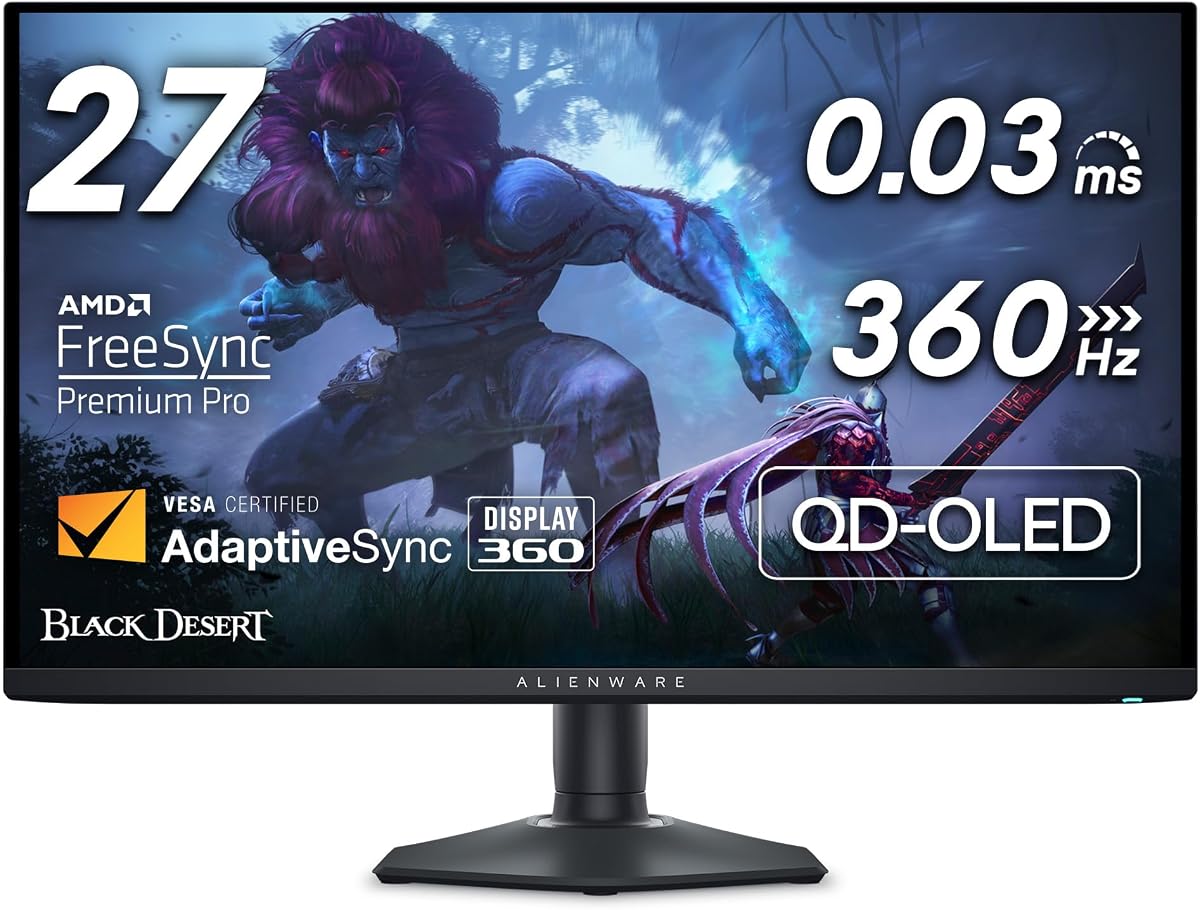
The Alienware AW2725DF is a 26.7-inch QD-OLED monitor built around competitive gaming performance. It combines 1440p resolution with a 360Hz refresh rate, 0.03ms gray-to-gray response time, AMD FreeSync Premium Pro, and VESA AdaptiveSync, earning a 4.3 supplied rating.
We may earn a commission when you buy through this link, at no additional cost to you.
Picture quality remains a major strength rather than an afterthought. QD-OLED technology provides rich color and clarity, while the infinite contrast ratio and VESA DisplayHDR True Black 400 certification support deep blacks and bright highlights in the same scene. Color coverage reaches 99.3% DCI-P3 with Delta E below two, making the monitor suitable for vivid games and accurate visual work.
The 360Hz refresh rate is a major attraction for esports-style titles, while 0.03ms response minimizes blurring and ghosting according to the supplied information. FreeSync Premium Pro and AdaptiveSync help maintain smooth, tear-free images. Connectivity includes HDMI, DisplayPort, and USB 3.2 Gen 1, allowing a flexible mix of game systems, computers, and peripherals.
Height, tilt, swivel, and pivot adjustments make it easier to optimize the viewing angle in a dark setup. As with every fast OLED, however, the available brightness at demanding refresh levels should be considered, and the supplied details do not provide a comparable peak-brightness figure. The 1440p resolution also limits fine detail versus 4K alternatives. Even so, this is a focused choice for competitive players who want 360Hz speed in a relatively compact 26.7-inch format.
The 360Hz refresh rate and 0.03ms response time make this among the quickest gaming monitors listed. AdaptiveSync and FreeSync Premium Pro support smooth delivery when the graphics hardware can supply the frames.
An infinite contrast ratio supports dramatic dark scenes, while 99.3% DCI-P3 coverage and Delta E below two deliver accurate color. The compact format avoids the desk demands of an ultrawide.
We may earn a commission when you buy through this link, at no additional cost to you.
Choosing an OLED monitor for a dark room involves balancing black level, brightness, panel finish, motion performance, and long-term care. The right priorities depend on whether the display is used mainly for competitive gaming, cinematic entertainment, or demanding creative work.
OLED technology is valued because individual pixels can switch off, enabling extremely dark black levels and high inherent contrast. A monitor with DisplayHDR True Black 400 certification or an explicitly stated infinite contrast ratio is well suited to a room with controlled lighting, where subtle differences between deep shadow areas remain visible. These specifications are especially valuable in games and films that rely on nighttime scenes, dark interfaces, and controlled lighting.
Prioritize true black performance and a strong contrast specification. In practice, room lighting still matters because a glossy surface can reflect bright objects even when the emitted blacks are deep.
Dark-room image quality depends on more than the darkest possible pixel. Peak brightness supports punchy HDR highlights, while typical brightness determines how well the panel remains visible when the surrounding room is nearly black. Models with 275-nit typical brightness and substantially higher peak figures can provide more visible impact, although brightness may vary with operating mode and the size of the bright area.
Look for both typical and peak brightness, along with any applicable window-size measurement. Choose enough brightness for punchy highlights without making the display uncomfortable to view for long periods.
Glossy OLED panels can look exceptionally crisp and vivid in a dark, controlled room, but they may reveal lamps, windows, and pale walls. Anti-glare or anti-reflection treatments are helpful when ambient light cannot be controlled. Some LG models carry certifications for anti-glare, while Samsung’s G6 and G5 specify Glare Free technology. A glossy display is not automatically problematic, but it demands more deliberate room setup.
Choose gloss for maximum clarity in a controlled space or anti-glare treatment for a more forgiving environment. Test the screen under your actual lighting conditions whenever possible.
Refresh rate determines how many frames the monitor can display each second, while response time influences how quickly pixels change color. Competitive users may prioritize the 360Hz models, while 240Hz is more than sufficient for many high-refresh setups. Every product in this guide lists 0.03ms response time, so refresh rate, adaptive-sync support, GPU capability, and game type become more useful differentiators.
Match the refresh rate to your hardware and preferred genres. Higher rates can improve motion clarity, but very high modes may reduce brightness and require considerably more demanding graphics output.
A 27-inch 1440p OLED offers a focused footprint and strong pixel density for competitive gaming, while 32-inch 4K models provide more workspace and finer detail. A 34-inch 3440 x 1440 ultrawide creates greater immersion but requires more desk space and may offer a lower pixel density per inch than a 32-inch 4K screen. Curvature is another personal preference rather than a strict performance measure.
Choose 27 inches for a compact gaming desk, 32 inches for 4K detail and productivity, or 34 inches for an enveloping ultrawide view. Consider distance, desk depth, and your tolerance for curved layouts.
A dark room can reveal both excellent HDR color and the weaknesses of an inaccurately calibrated panel. Look for wide DCI-P3 coverage, true ten-bit color, low Delta E values, and recognized VESA DisplayHDR certification. Models reaching 99% or more DCI-P3 coverage are well suited to saturated game imagery, while ten-bit output and low Delta E can benefit photo and video editing.
Prioritize recognized HDR certification alongside coverage and accuracy figures. A wide gamut alone does not guarantee that every color is reproduced accurately.
Static menus, dashboards, and desktop elements can contribute to image retention on an OLED display. Useful protection measures include pixel-refresh cycles, thermal modulation, proximity sensors that black out the panel when the user leaves, and image-retention refresh functions. Warranty duration and explicit burn-in coverage also matter for buyers planning to keep the monitor for several years. Protection features reduce risk but do not eliminate the need for sensible use.
Look for automatic care routines, screen-blacking behavior, and meaningful burn-in coverage. Use screensavers and varied content, and follow the manufacturer’s recommended operating guidance.
Modern gaming setups benefit from multiple high-bandwidth inputs and convenient USB connectivity. HDMI 2.1, DisplayPort 1.4, USB-C power delivery, and USB hubs can simplify connections among a PC, console, laptop, and peripherals. Physical adjustment matters just as much: height, tilt, swivel, and pivot controls allow the screen to be positioned at a comfortable height and viewing angle.
Match ports to your devices and verify that the stand offers the adjustments you need. USB-C charging is particularly useful for laptop-based desks, while multiple video inputs support source switching.
Start by positioning the display away from direct light sources, including windows, lamps, and bright wall art. A dark room benefits from controlled reflections, particularly on glossy models. Use the included stand adjustments to set the panel at a comfortable height, then choose a picture mode and brightness level suited to the content rather than relying on the brightest available setting.
For gaming, enable the appropriate adaptive-sync option in both the monitor and graphics software. Check that the operating mode matches the desired resolution and refresh rate, especially on the dual-mode 32-inch displays. Use the monitor’s care functions, such as pixel refresh, standby routines, proximity-based black screens, and thermal management, and avoid leaving high-contrast static content onscreen for long periods.
Clean the panel with a soft, lint-free microfiber cloth and follow the manufacturer’s cleaning guidance. Avoid pressing hard on the screen or using abrasive, solvent-based, or ammonia-heavy cleaners. To maintain deep blacks without unnecessary eye strain, keep the room mostly dark, begin with moderate brightness, and adjust from there according to the content and viewing environment.
OLED monitors generally offer deeper blacks and higher perceived contrast because individual pixels can switch off completely. That makes them especially effective in a dark room for movies and games with shadow detail. However, brightness, reflection handling, and personal comfort also matter, so a good LED model may still be more practical in a room with uncontrolled light.
No. Gloss can provide excellent clarity, saturation, and perceived contrast when the room is properly controlled. The trade-off is that lamps, screens, and pale surfaces may become visible in the panel. Anti-glare alternatives are easier to place in mixed lighting, while glossy models reward a dedicated setup with minimal direct reflections.
OLED panels can develop image retention under prolonged static content, although modern models include protection routines designed to mitigate the risk. A proximity sensor, thermal modulation, pixel refresh, and automatic standby care are useful features. These systems reduce risk but do not make static use irrelevant, so screensavers and varied content remain sensible habits.
Choose 27-inch 1440p for a compact gaming setup, competitive play, and a lower pixel workload. A 32-inch 4K OLED is better for fine detail, larger workspaces, and mixed entertainment use. Both can excel in a dark room, so the deciding factors are screen size, GPU capability, media habits, and desk space.
No. A 240Hz OLED is excellent for fast games and high-refresh setups, while 180Hz models can still deliver smooth performance for many players. Competitive users may prefer 360Hz, but higher refresh rates demand more from the graphics system and can reduce available brightness in demanding modes. The best choice depends on the games and hardware you actually use.
No. A 0.03ms pixel response is extremely fast and helps minimize visible ghosting, but real-world clarity also depends on refresh rate, frame rate, image quality settings, and motion-processing behavior. It is best viewed as one part of a complete gaming package rather than a guarantee that every fast-moving scene will look blur-free.
The right brightness depends on the room, content, and viewing habits. Lower settings are generally easier on the eyes and preserve OLED contrast, while higher settings improve visibility and HDR impact. Monitors with strong peak brightness can provide brighter highlights, but a comfortable setting is more important than operating the panel at its maximum.
Use accurate picture modes, suitable brightness, and the correct adaptive-sync option rather than making major changes simply because the room is dark. The monitor’s own OLED-care features should remain enabled, and static content should be minimized. If reflections are visible on a glossy panel, changing the room layout or adding indirect, controlled lighting may help more than altering the color settings.
The Samsung Odyssey OLED G6 is the strongest overall option because it combines QD-OLED picture quality, 240Hz performance, Glare Free technology, Pantone validation, and a highly adjustable stand. The ASUS ROG XG27AQDMGR is the premium choice for buyers who prioritize accurate color, a glossy true-black panel, proximity-sensor protection, and burn-in coverage, while the LG UltraGear 27GX704A-B delivers a particularly well-rounded budget package.
Prioritize the characteristics that matter in your room. Competitive players should weigh refresh rate and adaptive sync, creative users should examine ten-bit color and Delta E accuracy, and viewers concerned about reflections should consider the panel finish carefully. OLED care tools, brightness capability, connectivity, and stand adjustment are equally important for long-term usability.
Finally, check current prices and availability before purchasing, since promotions and product costs can change. Compare the current listing with the specifications in this guide, confirm that your graphics hardware and desk can support the selected resolution and refresh mode, and make sure the display’s brightness and reflection behavior suit the lighting conditions in your room.
