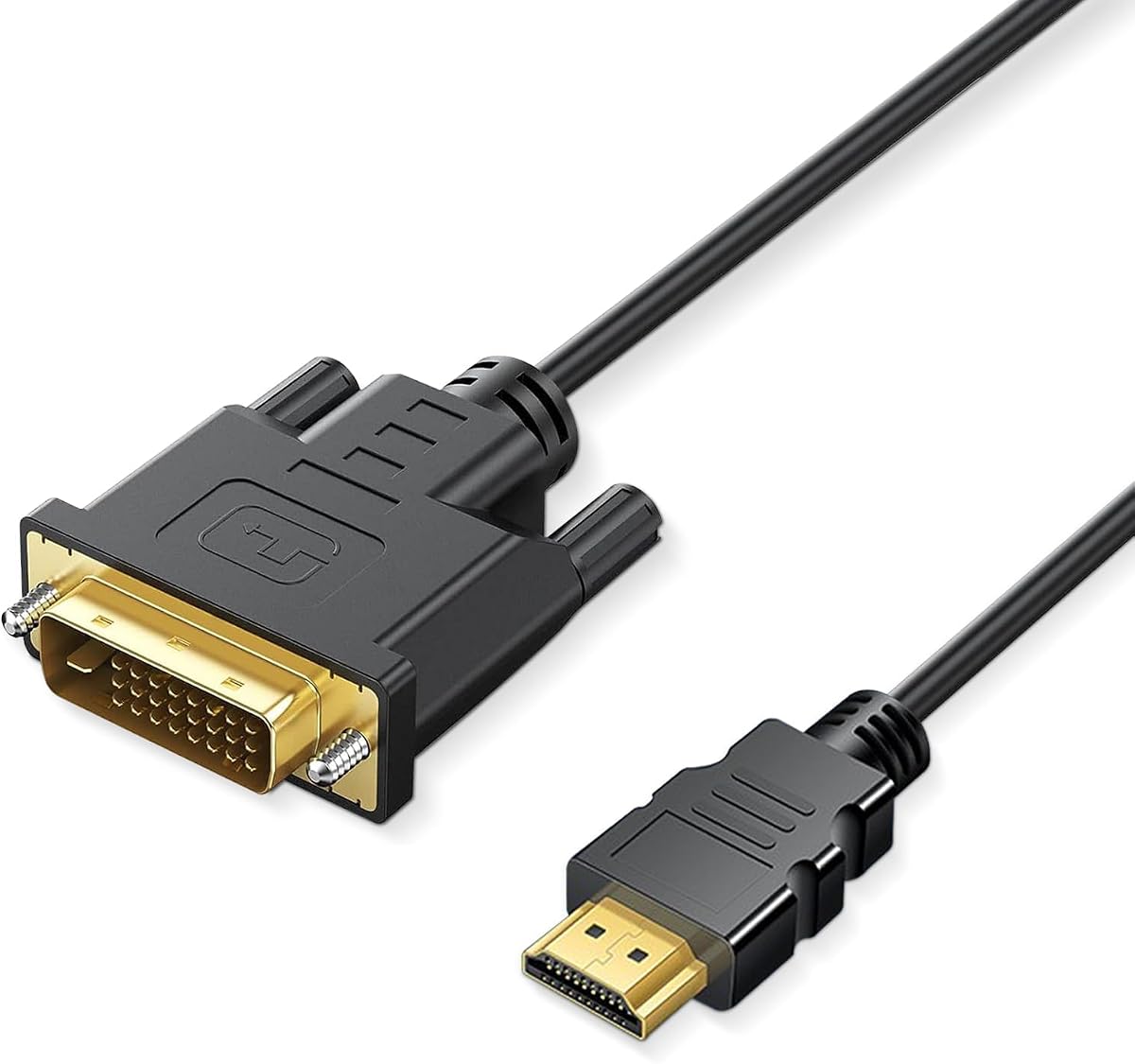
HDMI to DVI Adapter Cable, Bi-Directional DVI-D 24+1 Male to Male
4.9Editor score
Highest listed customer rating
Compact two-way connection
Full HD 60Hz support
Broad device compatibility
Our HDMI to DVI Adapters Cables guide compares ten options for resolution, cable length, connector design, device compatibility, shielding, build quality, and
HDMI to DVI adapters and cables bridge displays that use different digital video connectors, making them useful for older monitors, projectors, graphics cards, televisions, and legacy game consoles. The right choice depends on connector gender, cable length, supported resolution, signal direction, and whether the DVI port is DVI-D or DVI-I.
The products in this guide were compared using their stated specifications, including supported resolutions, connector configurations, shielding, cable length, compatibility, construction, and installation requirements. The list covers conventional male-to-male cables, short two-way adapters, and two-packs for buyers who need a compact solution for travel or a spare connection.
Each review explains where a product is strongest, where its limitations may matter, and which setup it suits best. The leading choices include a feature-rich six-foot cable, a compact high-rated adapter, and a longer option with lifetime warranty support. As with all buying guides, availability and current prices can change over time.
4.9Editor score

4.7Editor score
4.7Editor score
This side-by-side comparison highlights each cable or adapter's form factor, supported resolution, connector configuration, and practical advantages, helping you identify the most appropriate option for an older display, compact setup, or extended connection.


The Capshi HDMI to DVI-D 24+1 Adapter Cable is a six-foot, male-to-male solution that earns an Editor's Choice position for its balanced combination of reach, construction, and broad device support. Its listed customer rating is 4.7, placing it among the strongest groups in this comparison. The cable is designed to carry digital video between HDMI and DVI-D equipment in either direction, which gives it more flexibility than a one-purpose adapter.
We may earn a commission when you buy through this link, at no additional cost to you.
Resolution support includes 800×600, 1024×768, 1280×1024, 1600×1200, and 1080p, covering many of the display modes still encountered on older LCD and LED monitors. The cable uses 24K gold-plated full-metal connectors, oxygen-free copper lines, reinforced nylon braid, and aluminum foil. Those combined shielding and conductor details make it a sensible choice for a desk, entertainment center, or temporary computer installation where cable quality and reach both matter.
The principal limitation is the nature of DVI itself. Although the connector may physically fit some DVI-I sockets, only digital signals can pass through it, so analog DVI functionality is unavailable. The product also cannot overcome the audio limitations of a DVI-equipped display. Finger-tightened screws provide a secure DVI connection, while molded strain relief is intended to preserve connector integrity through repeated installation and removal.
This is a strong recommendation for someone connecting a laptop, desktop graphics card, game console, Blu-ray player, or streaming device to a DVI monitor or projector. The six-foot length is particularly useful when the source and display are not directly adjacent. Buyers who only need a few inches of reach may find the cable cumbersome, but for a permanent setup, the combination of useful length and strong physical specifications makes it an excellent general-purpose pick.
At six feet, the cable offers enough distance to route around a monitor stand, desk edge, or entertainment unit without immediately requiring an extension. This makes it more practical for semi-permanent installations than a very short pigtail adapter.
Aluminum foil, nylon braid, and oxygen-free copper lines form a construction aimed at preserving stable digital transmission. The specification is particularly helpful when the cable runs near computers, game systems, or other electronics that may generate interference.
We may earn a commission when you buy through this link, at no additional cost to you.
Amazon Basics HDMI to DVI Adapter Cable is a three-foot, bi-directional option with a 4.7 customer rating. It offers a familiar, uncomplicated alternative for people who need to connect an HDMI source to a DVI display or reverse the signal direction. The included product is a complete cable rather than a small adapter that requires a separate HDMI or DVI lead.
We may earn a commission when you buy through this link, at no additional cost to you.
Its key strength is straightforward compatibility. The cable works with HDMI equipment and DVI-D 24+1 devices, and it is also compatible with DVI-I 24+5 equipment for digital operation. The listed resolution target is 1080p, which suits many legacy computer displays, projectors, televisions, and game consoles. Gold-plated connectors and a net jacket provide basic conductivity and exterior protection for regular use.
The most important limitation is clearly stated: this cable cannot support 4K at 60Hz. That restriction makes it less attractive for modern high-resolution displays or users who want headroom for future equipment. Its three-foot length is also modest, so a computer positioned farther from a projector or monitor may require a different arrangement. As with other DVI solutions, analog DVI-I signals and native DVI audio are not advantages of this product.
Amazon Basics is a sensible choice for a nearby display, a temporary test setup, or a basic 1080p installation where simplicity matters. The three-foot format is easier to manage than a long lead, and the complete male-to-male design avoids buying another cable. Buyers prioritizing 4K, unusually long reach, or extensive shielding should look elsewhere, but the requirements for this product are focused and well understood.
Because both ends are already attached, the cable can be installed without a separate HDMI or DVI lead. That simplicity is valuable for occasional connections, travel, troubleshooting, and straightforward monitor replacement.
Knowing that the product is limited to 1080p prevents an unpleasant mismatch with a 4K monitor. Matching the cable to the actual display capability is essential for a reliable, low-latency video experience.
We may earn a commission when you buy through this link, at no additional cost to you.
The BENFEI HDMI to DVI cable combines bi-directional operation with one of the broadest explicitly listed device ranges in the guide. It carries a 4.7 customer rating and is designed to bridge DVI-equipped televisions, monitors, projectors, and graphics hardware with HDMI sources such as laptops, desktops, Blu-ray players, Xbox systems, PlayStation consoles, Roku devices, and other set-top equipment.
We may earn a commission when you buy through this link, at no additional cost to you.
Its listed resolution support extends from 800×600 through 1920×1200 and 1080p, providing useful flexibility across common computer and television modes. Aluminum foil and braid shielding are specified to reduce electromagnetic and radio-frequency interference. Gold-plated connectors, molded strain relief, and DVI thumbscrews add practical durability and help maintain a secure connection, which is especially valuable with desktop equipment that may be moved occasionally.
The product is not intended to turn DVI into a full-featured analog or audio connection. DVI-I 24+5 devices are listed as compatible, but the relevant transmission remains digital, and native DVI audio is unavailable. The common 1080p ceiling is also worth noting. It should not be selected for a display that depends on 4K at 60Hz, high refresh rates, or other advanced video modes outside the listed specification.
BENFEI is a good match for a gaming, streaming, or general-purpose setup that includes older DVI display hardware but uses modern HDMI source devices. Its compatibility list reduces the need to cross-reference every connector type before buying. For a buyer who wants a direct cable, bi-directional flexibility, and credible shielding without moving beyond 1080p, it is one of the more versatile options in the comparison.
The named source devices include game consoles, streaming boxes, computers, and disc players. This broad range makes the cable easier to reuse when a display, console, or computer changes.
Double shielding and a screw-secured DVI end are useful around desktop computers and entertainment systems. The additional fasteners also help prevent accidental disconnections in a semi-permanent setup.
We may earn a commission when you buy through this link, at no additional cost to you.
This six-foot HDMI to DVI cable is a practical, feature-focused option with a 4.7 customer rating. It supports bi-directional transmission, so a DVI source can feed an HDMI display or an HDMI source can feed a DVI-equipped television, monitor, or projector. The product listing explicitly emphasizes choosing the correct source direction, which is an important detail when using the same cable in more than one setup.
We may earn a commission when you buy through this link, at no additional cost to you.
The cable supports up to 1080p for LCD and LED monitors and can mirror or extend video to a larger screen. Its 24K gold-plated all-metal connector is described as corrosion resistant, while the PVC jacket provides an additional protective layer. Hand-tightened screws help secure the DVI side, reducing the chance that a connected monitor or projector will be pulled loose.
A complete six-foot male-to-male cable is easy to understand and generally less complicated than pairing a compact adapter with another cable. The trade-off is flexibility: unlike a short coupler, this option cannot adapt to every source or display socket shape without the appropriate additional cable. It also remains limited to digital DVI functionality and the listed 1080p resolution target.
This product fits people connecting an Apple TV, laptop, desktop, Blu-ray player, game console, Roku device, or similar HDMI source to a DVI display. It is also useful for extending a computer image to a secondary screen, subject to the source's operating-system and graphics-card capabilities. For buyers who want a ready-made cable with useful reach, this is a clean, understandable choice.
Bi-directional capability reduces the need to maintain separate HDMI-to-DVI and DVI-to-HDMI leads. The active source must still be identified correctly before the connection is expected to display an image.
The stated device range covers everyday source components as well as popular game systems. A six-foot lead also provides enough room to place a laptop or console close to a television rather than directly beside it.
We may earn a commission when you buy through this link, at no additional cost to you.
CableCreation's 15-centimeter HDMI to DVI adapter is built for compact connections and has a 4.7 customer rating. Unlike a standard male-to-male lead, it presents a male connector at one end and a female connector at the other, allowing it to work with cables already attached to the source and display. That makes it particularly useful when fixed HDMI or DVI leads are already installed.
We may earn a commission when you buy through this link, at no additional cost to you.
The adapter supports two-way digital transmission and resolutions from 800×600 through 1920×1200 and 1080p. It is compatible with common source components such as laptops, desktops, Blu-ray players, Xbox systems, PlayStation 3 and 4, and Nintendo devices. Its construction includes a 24K gold-plated full-metal connector, aluminum foil and braid shielding, and an oxygen-free copper core, all of which are helpful for maintaining a dependable digital link.
Compactness is both its main attraction and its main limitation. Fifteen centimeters is enough to bridge the gap between adjacent connectors or change the gender of an existing cable, but it offers virtually no routing flexibility. The product listing also notes that its DVI connector lacks audio capability, so sound must travel through a separate analog, optical, or other suitable connection.
This adapter is best for a desk where both devices are close, for travel, or for converting the connector type of an installed cable. It is less appropriate when the source and display are several feet apart, because a longer cable would still be required. For that reason, it is a focused accessory rather than the most broadly convenient option, but a very useful one for the right installation.
The 15-centimeter lead is particularly effective when a monitor or television sits directly beside a laptop, mini PC, or game console. It keeps the installation tidy and avoids excess cable around the desktop.
The male-to-female configuration changes the gender of an existing connection rather than imposing a fixed cable length. This can solve a connector mismatch while preserving the original cable.
We may earn a commission when you buy through this link, at no additional cost to you.
The HDMI to DVI 24+1 Adapter has a 4.9 customer rating, the highest listed score among these products. It uses a compact male-to-male design and supports bi-directional transmission, making it a practical option for connecting an HDMI source to a DVI display or a DVI source to an HDMI television, monitor, or projector. Its strongest appeal is the combination of a strong customer rating with a small, straightforward form.
We may earn a commission when you buy through this link, at no additional cost to you.
The listed video support reaches 1080p Full HD at 60Hz and includes 800×600, 1024×768, 1280×1024, 1600×1200, and 1920×1200 modes. Gold-plated connectors and molded strain relief are designed to withstand repeated insertions, while finger-tightened screws provide a secure DVI connection. The compatibility list includes Apple TV, Roku, PlayStation 3, 4, and 5, Xbox One and 360, Nintendo Wii and Switch, Raspberry Pi, Blu-ray and DVD players, and other HDMI devices.
As a compact adapter, it is most useful when the two devices are close together. Its exact cable length is not stated in the supplied product information, so buyers who need substantial separation should verify the physical dimensions before ordering. The DVI connection carries digital video but does not turn a DVI-equipped display into a native audio device, and DVI-I analog operation is not offered.
The adapter earns a Best Budget designation because it covers the essential needs of a digital HDMI-to-DVI link without adding specialized features. It is well suited to a compact gaming station, desktop troubleshooting arrangement, or nearby monitor where bi-directional use and Full HD support matter more than extra cable length. For most buyers seeking a small, well-rated adapter, it is an excellent starting point.
The 4.9 customer rating indicates strong reported satisfaction, although ratings should still be considered alongside connector fit and intended resolution. Here, the core feature set directly addresses common legacy-display needs.
Compatibility with current and older game systems, streaming devices, computers, and disc players makes the adapter reusable. It is particularly helpful for mixed-device households that alternate between HDMI sources.
We may earn a commission when you buy through this link, at no additional cost to you.
The HDMI to DVI 5ft cable offers a middle ground between the short adapters and longer six-foot leads. Its customer rating is 4.5, which is slightly lower than the ratings attached to most of the other products, but its specifications remain focused and useful. It provides bi-directional digital transmission, 1080p-class resolution support, and a five-foot cable designed for flexible placement.
We may earn a commission when you buy through this link, at no additional cost to you.
The product supports 800×600, 1024×768, 1280×1024, 1600×1200, 1920×1200, and 1080p modes. Construction includes 24K gold-plated full-metal connectors, oxygen-free copper lines, and a doubled shielded PVC coat intended to resist signal loss and remain flexible. The stated compatibility includes televisions, laptops, Blu-ray players, desktops, PCs, PlayStation 3 and 4 systems, TV boxes, Xbox 360 and One, Roku, and Wii U, with DVI displays, monitors, and projectors on the output side.
The buyer's tip on the listing is worth emphasizing: this is a DVI-to-HDMI cable, not a VGA or DisplayPort lead. Users must confirm both the interface and required length before purchase. Audio is not natively carried by the DVI connector and must be handled separately. Its rating and 1080p ceiling do not make it a premium 4K solution, but neither is that its stated purpose.
This cable is a good general option when five feet provides more routing freedom than a three-foot lead without creating an unnecessarily long run. It suits a computer near a larger monitor, a game console positioned near a television, or a temporary presentation arrangement. Buyers who value construction details and want a balanced amount of cable reach should find it more compelling than the alternatives.
Five feet is often easier to manage than a six-foot cable while still providing more freedom than a compact adapter. It works well for desktop arrangements where the display sits at the back of a desk.
The doubled PVC shielding and oxygen-free copper lines are intended to balance durability, signal stability, and flexibility. That combination suits permanent installations and repeated setup changes.
We may earn a commission when you buy through this link, at no additional cost to you.
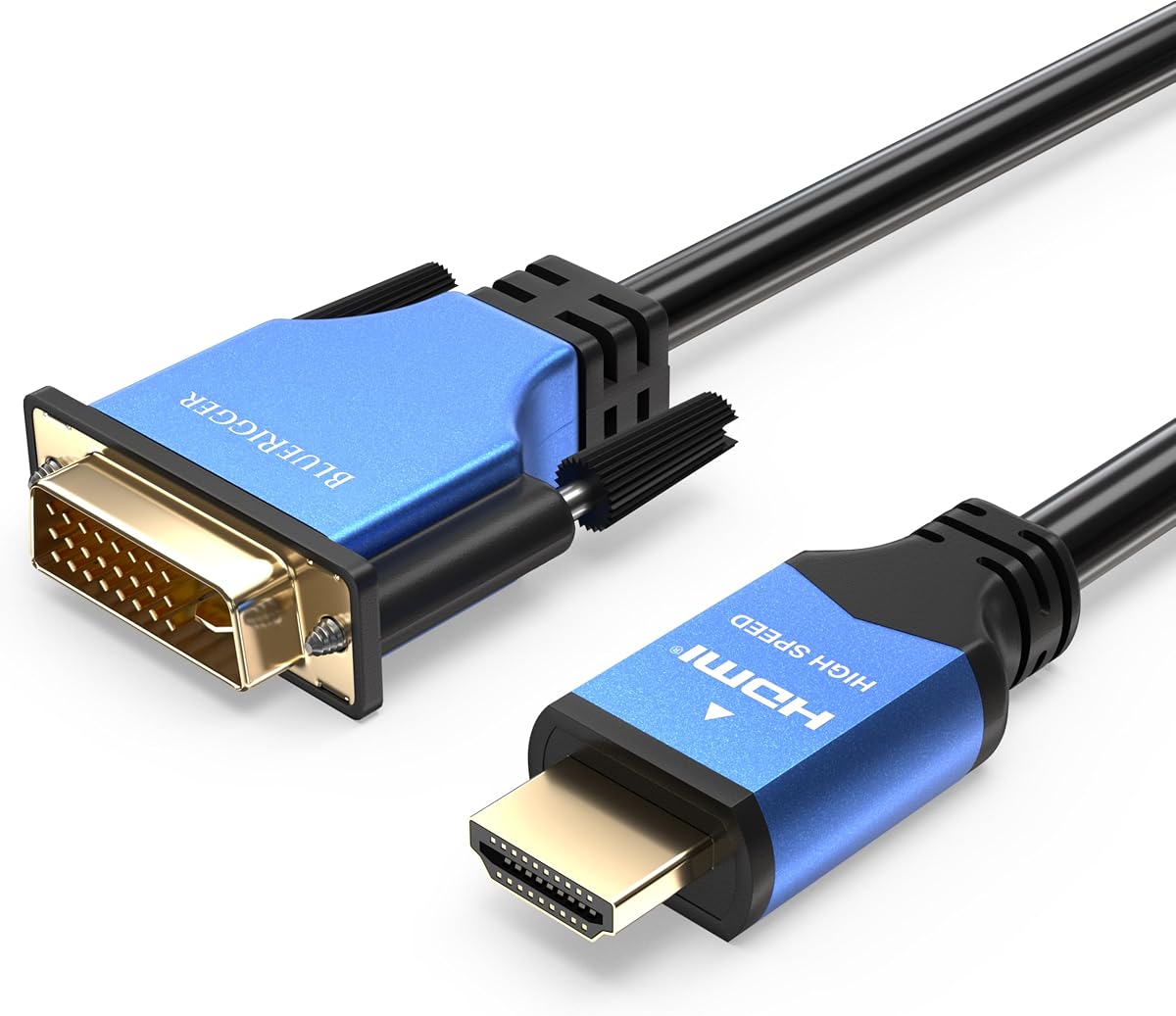
The BlueRigger DVI to HDMI Adapter Cable combines a six-foot length, 1080p support, and a 4.7 customer rating with explicit lifetime warranty coverage. It is a male-to-male, bi-directional cable for connecting HDMI-enabled source devices to DVI displays or DVI sources to HDMI-enabled displays. The stated use cases include computers, Raspberry Pi systems, streaming devices, Blu-ray players, game consoles, graphics cards, monitors, projectors, and televisions.
We may earn a commission when you buy through this link, at no additional cost to you.
Its physical design emphasizes both conductivity and durability. A durable aluminum-alloy shell protects the connector, while the flexible PVC jacket supports everyday handling. Corrosion-resistant 24K gold-plated connectors and oxygen-free copper wiring are specified for conductivity. Non-slip DVI screws secure the cable to the display, reducing movement at a connection point that can otherwise be vulnerable to repeated plugging and unplugging.
The product supports digital signals only and works with both DVI-D 24+1 and DVI-I 24+5 equipment, but it does not support DVI-I analog signals. Audio can pass through when the source graphics card and installed drivers support it, and the listing advises using recent graphics hardware and current audio drivers. This is a conditional feature rather than a promise that every HDMI source will send audio through the DVI endpoint.
BlueRigger stands out because the lifetime warranty and US-based customer support complement a well-specified cable. It is a good recommendation for a permanent monitor or projector connection, particularly when the source might include a Raspberry Pi, game console, or modern graphics card that can potentially handle audio. The six-foot length and secure DVI connector also make it more practical for semi-permanent installations than a tiny pigtail adapter.
The lifetime warranty provides a different kind of purchase confidence beyond the listed customer rating. Buyers who value company support and long-term ownership should find that particularly reassuring.
Compatibility with Raspberry Pi, current game consoles, streaming hardware, and graphics cards makes the cable useful in several technical environments. The DVI end gives older displays a path to newer HDMI source equipment.
We may earn a commission when you buy through this link, at no additional cost to you.
CableCreation's two-pack DVI to HDMI adapter is designed for buyers who want a compact converter and a spare. Each adapter has a DVI male end and an HDMI female end, supporting bi-directional use between a DVI-equipped computer and an HDMI display or between an HDMI source and a DVI-equipped television, monitor, or projector. Its customer rating is 4.6, reflecting solid reported satisfaction without reaching the guide's highest mark.
We may earn a commission when you buy through this link, at no additional cost to you.
The adapters support up to 1080p Full HD and listed 3D use. Their 24K gold-plated connectors resist corrosion and oxidation, while high-grade PVC molding offers anti-skid properties and protection against wear and drops. Because each HDMI socket is female, the user must already have a suitable HDMI cable, and the DVI side may also need an appropriate cable or source connection depending on the equipment being linked.
The two-pack is a notable convenience for travel, offices with multiple workstations, or households that regularly move displays. One adapter can remain in a laptop bag while the other is stored near a projector or television. Audio must be transmitted separately, and the product's 1080p target should be checked against the intended display. DVI-D 24+1 and DVI-I 24+5 female ports are included in the stated compatibility.
This package is a good choice when portability and having a backup matter more than a permanently attached lead. It is also useful for testing a DVI source on an HDMI display or connecting an HDMI laptop to an older DVI monitor. For a single permanent desktop connection, a complete male-to-male cable may be simpler, but this two-pack offers more flexibility and redundancy for a modest hardware set.
Keeping two compact adapters allows one to be deployed while the other remains available for travel, a second workspace, or troubleshooting. The adapters are light and easy to carry without excess cable.
The female HDMI end accepts a standard HDMI cable, while the male DVI end fits a DVI-equipped source or display. This makes the package useful when suitable fixed cables are already installed.
We may earn a commission when you buy through this link, at no additional cost to you.
The DTECH DVI to HDMI Adapter is a compact male-to-female converter with a 4.6 customer rating. Its distinguishing feature is the listed ability to support resolutions up to 4K at 30Hz, as well as 1920×1200 and 1080p Full HD. It is bi-directional, allowing it to serve as a DVI-source-to-HDMI-display adapter or an HDMI-source-to-DVI-display adapter.
We may earn a commission when you buy through this link, at no additional cost to you.
The gold-plated connector is designed to resist corrosion and improve durability. Grip treads and screws on the DVI connector make attachment easier and help maintain a secure connection. The DVI male end is stated to fit both DVI-D 24+1 and DVI-I 24+5 female ports, while the product remains limited to digital DVI operation. A separate HDMI or DVI cable is required because this is an adapter rather than a complete lead.
The 4K at 30Hz capability is useful for a 4K display operating at a standard refresh rate, but it should not be confused with 4K at 60Hz. It also cannot handle 144Hz, and the DVI endpoint does not natively carry audio. Those limitations make it important to confirm the monitor, source device, operating system, graphics settings, and available cable connections before buying.
DTECH is a strong choice for a nearby monitor, laptop, game console, television, or projector that uses a DVI connection while the computer uses HDMI. The compact format avoids a permanently stretched cable, and the screws are particularly useful for a monitor on a desk. Buyers who need 4K at 60Hz or a complete male-to-male lead should choose accordingly, but for the listed digital modes this is a versatile and well-focused adapter.
Supporting 4K at 30Hz gives the adapter relevance for compatible high-resolution displays, especially those used for productivity rather than demanding high-refresh gaming. The actual mode must be selected in the source device.
Thumb screws and grip treads help the DVI connection remain stable while the small footprint reduces desk clutter. The HDMI female end also permits use with a conventional HDMI cable.
We may earn a commission when you buy through this link, at no additional cost to you.
Choosing an HDMI to DVI adapter or cable requires matching the connector format, signal direction, resolution, and physical distance to your equipment. The following factors help narrow the options and avoid compatibility surprises.
Start by inspecting the ports on both the source device and the display. A male-to-male cable is a complete, ready-made connection when one device has an HDMI male output and the other has a DVI male input. A male-to-female adapter is more useful when you want to retain an existing HDMI cable or convert the gender of an installed connection. DVI-D and DVI-I sockets can have different physical pin layouts, so the shape and labeled input type must be checked before purchase.
Choose connectors that fit your equipment exactly and avoid assuming that every DVI socket supports every feature. Confirm the adapter's stated DVI-D or DVI-I compatibility and remember that the DVI side carries digital video only in these products.
HDMI and DVI can carry digital video in either direction, and all ten products are described as bi-directional. Nevertheless, the source must be identified correctly before the connection is made. HDMI-to-DVI means the computer or other source has HDMI and the display has DVI; DVI-to-HDMI reverses that arrangement. A cable does not automatically act as an active converter, so the connected source must actually output the appropriate digital signal.
Look for explicit two-way wording when one cable may serve several devices. Also confirm whether you need one-way video only or a connection that may pass audio through a compatible graphics card and properly installed drivers.
Most of the listed cables support common resolutions up to 1080p, which remains appropriate for many older monitors and projectors. The DTECH adapter goes further by claiming 4K at 30Hz, while the Amazon Basics cable explicitly cannot support 4K at 60Hz. Matching the product to the native mode of your display is more important than choosing the highest number printed on the packaging.
For gaming or demanding applications, check both the source output and the display input before buying. Refresh rate, resolution, and adapter capability must all align for a stable image.
Length determines how neatly and comfortably the equipment can be positioned. Three-foot cables suit nearby screens, five- and six-foot leads provide more routing freedom, and a 15-centimeter adapter is ideal for adjacent equipment or modifying an existing cable. Adapters also require separate HDMI or DVI cables, which means their practical reach depends on those cables.
Choose the shortest length that comfortably reaches between the source and display. Excessively long cable can create unnecessary clutter, while an adapter that is too short may force an awkward connection or require an entirely different cable.
DVI-D generally refers to the digital-only 24+1 configuration, while DVI-I 24+5 has a more complex pin arrangement that can be associated with both digital and analog capabilities. The products here can transmit digital video to compatible DVI-I ports, but they do not provide DVI-I analog transmission. That distinction is important if the source or display relies on legacy analog signals.
For most modern digital-display uses, a compatible DVI-D input is the key requirement. Check the display manual and identify the exact input label before ordering to prevent a physical or functional mismatch.
DVI traditionally lacks native audio, so an HDMI to DVI connection does not automatically carry sound to a DVI monitor. Several listings explicitly state that audio must be sent separately through another suitable cable or connection. Some graphics cards can transmit audio through their video output when suitable hardware and current drivers are present, but that capability should not be assumed for every source.
If sound matters, plan a separate audio route and check the source's available outputs. The HDMI-to-DVI cable handles video; it is not a universal solution for an audiovisual installation.
Shielding helps preserve signal quality in environments with nearby computers, game systems, power equipment, and other potential interference sources. Aluminum foil, braided shielding, or doubled shielding are listed across several options. Gold-plated connectors are intended to maintain conductivity and resist corrosion, while molded strain relief, flexible jackets, and DVI thumbscrews address repeated handling and accidental disconnection.
Prioritize products that combine useful shielding with secure connector fittings. Construction details matter most for a cable that will remain installed, travel between locations, or sit behind a crowded entertainment center.
Some listings offer a lifetime warranty, while the CableCreation two-pack includes two adapters, and the compact adapters generally require separate cables. Compare what actually arrives in the box rather than assuming a complete connection is included. A product with a longer warranty and responsive support may offer added confidence, while a two-pack can be especially useful for travel or keeping a spare.
Verify the package contents, required cables, warranty terms, and return policy before ordering. These details can make one seemingly similar adapter much more convenient than another.
Begin by confirming that the source and display use the correct digital interfaces. Connect the HDMI end to the source and the DVI end to the display while both devices are powered off, if possible. If using a male-to-female adapter with separate cables, attach the HDMI cable to the adapter's female end and connect the male DVI end to the DVI-equipped source. Tighten the DVI thumbscrews by hand until secure, without applying excessive force.
Power on the source, select the appropriate display input, and configure the source to output the resolution and refresh rate supported by both the source and the display. If the screen is blank, confirm that the signal direction is correct and that the chosen DVI input is digital. For a graphics-card connection that may carry audio, install current display and audio drivers and select the appropriate output device. Otherwise, use a separate audio connection for sound.
To preserve the cable or adapter, disconnect it from the source before removing it from a display rather than pulling against the attached connector. Support both sides when unplugging, avoid sharp bends near the strain relief, and keep the connection away from moisture, excessive heat, and strong tension. Periodically check the thumbscrews and connector fit, especially if the equipment is moved frequently.
Usually not through the DVI connection itself because DVI is primarily a digital video interface. Some graphics cards can transmit audio through a DVI output when the hardware and current drivers support it, but this depends on the complete source setup. A separate audio cable or connection is the dependable solution for most installations.
DVI-D generally uses a 24+1 digital-only configuration, while DVI-I commonly uses a 24+5 layout associated with digital and analog capabilities. The products in this guide can send digital video to compatible DVI-I sockets, but they do not support DVI-I analog signals. Check the exact input on the display before buying.
All ten products listed here are described as supporting bi-directional digital transmission. You can connect an HDMI source to a DVI display or a DVI source to an HDMI display, provided the source is actually producing the matching signal. The cable does not create a signal that the source is not configured to output.
Most of the listed products focus on resolutions up to 1080p, and the Amazon Basics cable explicitly does not support 4K at 60Hz. The DTECH adapter is the exception, with a stated maximum of 4K at 30Hz and an inability to handle 144Hz. Confirm both the source and display capabilities before selecting a 4K mode.
Most compact adapters require a separate HDMI or DVI cable because the adapter only changes the connector type. The CableCreation two-pack and DTECH adapter have female HDMI ends that accept an HDMI lead. By contrast, the male-to-male products provide a complete connection without an additional cable of the same type.
First, confirm that the DVI input is digital and that the source and display are negotiating a supported resolution and refresh rate. Check that the cable's direction matches the actual source output, and try power-cycling both devices. Also check the selected display input, installed graphics drivers, and whether the DVI thumbscrews are secure.
Many of the products explicitly list PlayStation, Xbox, and Nintendo systems among compatible sources. The console must have an available HDMI output, and the target display must have a compatible DVI digital input. Resolution and refresh-rate requirements still apply, and some gaming scenarios may demand capabilities beyond the listed 1080p modes.
Choose a complete male-to-male cable for a straightforward, direct connection that is ready to plug in. Choose a male-to-female adapter when you already own suitable cables, want to change their connector gender, or need a compact travel accessory. Consider the required distance carefully because a compact adapter does not provide meaningful reach by itself.
The Capshi six-foot cable stands out as the most versatile complete-cable option, combining useful reach, bi-directional transfer, 1080p support, shielding, and secure fittings. The highly rated HDMI to DVI 24+1 adapter is a compelling compact choice for nearby equipment, while the BlueRigger cable earns the premium recommendation through its strong construction details and lifetime warranty support.
Before buying, prioritize the exact DVI input, connector gender, available space, required resolution, and audio plan. A longer cable is not automatically better, and a higher resolution specification only helps when the source and display support the same mode. For audio, assume a separate connection is necessary unless every component in the graphics-card chain explicitly supports DVI audio output.
Product availability and current prices can change, so compare the final listing, included components, and specifications before purchasing. Checking the current product page also helps confirm details such as warranty terms, package contents, and any updates to the listed compatibility information.