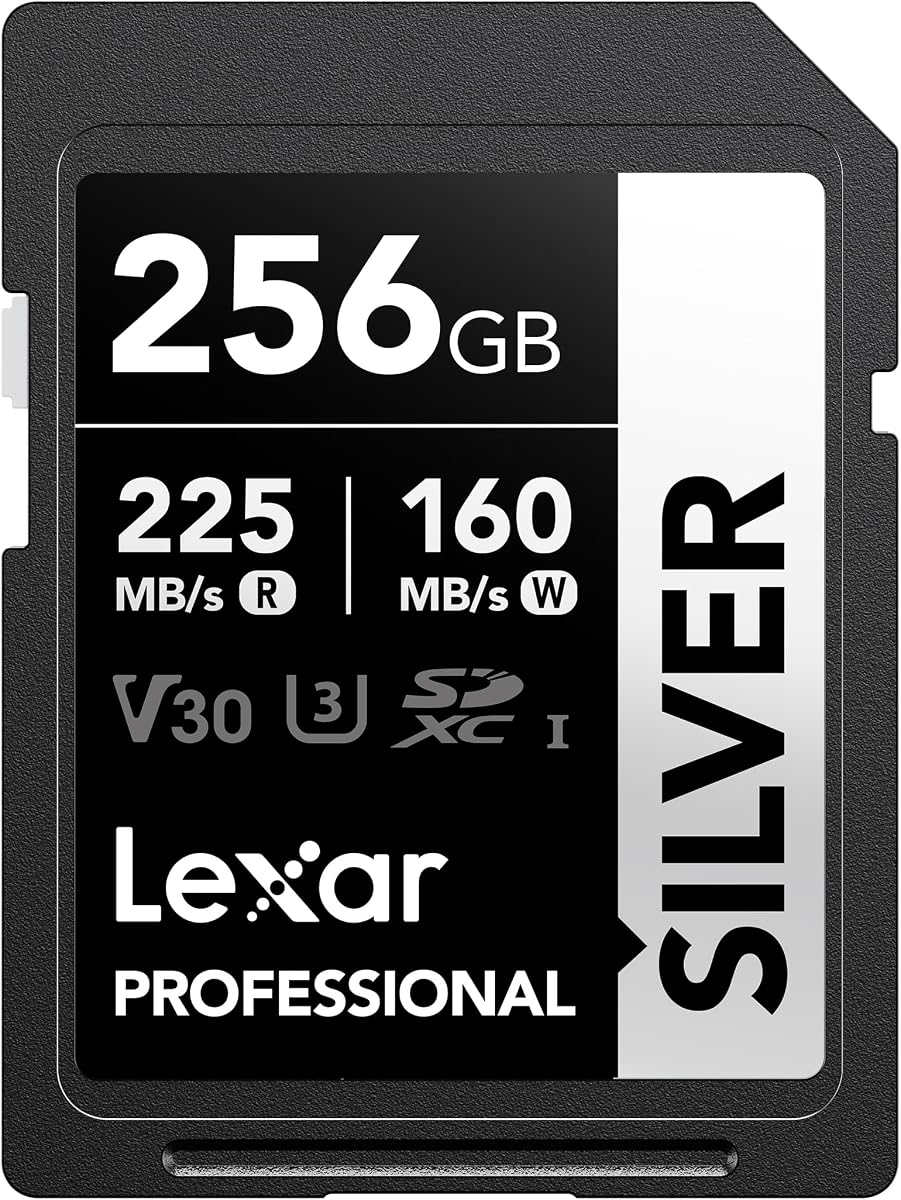
Lexar 256GB Silver SD Memory Card
4.7Editor score
Up to 225MB/s reads
Up to 160MB/s writes
4K 60FPS support
Discover the best memory card for Canon R10 options, comparing speeds, capacities, durability, recording support and features for every type of photographer.
The Canon EOS R10 is built for creators who want sharp stills, fast bursts and dependable 4K video, but it still needs a dependable SD card to unlock its full potential. A suitable card balances capacity, sustained write performance, compatibility and durability instead of relying on headline transfer speeds alone.
We compared ten full-size SD cards using the specifications and feature descriptions supplied for each product. The guide covers UHS-I and UHS-II options, several capacities, maximum read and write speeds, 4K support, U3 and V30 classifications, durability claims and Canon compatibility.
Each review explains where a card stands out, where compromises may appear and which photographers should consider it. Top picks are identified for balanced performance, budget value and premium features, while current prices and availability can change after this guide is published.
4.7Editor score

4.8Editor score

4.8Editor score
The comparison below places all ten candidates side by side, focusing on the speed class, capacity, interface, maximum performance and video capabilities that matter most when using an SD card in a Canon EOS R10.


The SanDisk 128GB Extreme PRO SD UHS-I Card combines a generous but portable capacity with performance suited to the Canon EOS R10. Its 4.8 rating reflects a strong customer history, while U3 and V30 ratings make it a logical option for 4K UHD workflows. The card also advertises read speeds up to 250MB/s and write speeds up to 120MB/s.
We may earn a commission when you buy through this link, at no additional cost to you.
The headline read speed is particularly useful when moving completed files from a card reader to a computer, although the R10 itself will not necessarily approach that transfer rate. Its video speed classifications support 4K UHD capture, and the 128GB capacity gives photographers room for RAW files, Full HD clips and selected 4K recordings without making the card excessively large.
The main limitation is capacity rather than function. A full day of high-resolution stills or extended 4K recording can fill 128GB quickly, and the newest Extreme PRO family reaches its highest stated write speed at capacities of 256GB and above. Buyers who routinely record long videos may prefer a larger option, while travel photographers can benefit from carrying multiple smaller cards.
This is an excellent general-purpose choice for a photographer who wants strong transfer performance, reliable video classes and enough room for a moderate shooting day. It also suits mixed workflows involving both still photography and 4K clips, making it one of the most balanced options in this guide.
The 128GB capacity offers a useful compromise between recording time and portability. It is large enough for a substantial collection of photographs while remaining easy to organize as a single or primary working card.
U3 and V30 support align with the demands of 4K UHD recording, while the stated write speed provides useful headroom for still images and video files sharing the same card.
We may earn a commission when you buy through this link, at no additional cost to you.
The Lexar 256GB Silver SD Memory Card is a strong value-oriented choice for an EOS R10 owner who records a mixture of photographs and video. It carries a 4.7 rating, supports 4K recording at up to 60FPS, and includes U3 and V30 performance designations. The 256GB capacity also gives it more room than many similarly positioned cards.
We may earn a commission when you buy through this link, at no additional cost to you.
Its maximum read speed of 225MB/s and write speed of 160MB/s are both strong for UHS-I media. These figures can shorten file transfers when the camera, reader and computer support the relevant interfaces, while the write rating provides a useful margin for Full HD and 4K capture. Canon compatibility is explicitly included, alongside compatibility with cameras from Sony, Nikon and other major brands.
The card is also described as wearproof, drop-proof, temperature-proof, x-ray-proof, shockproof, magnetic-proof and vibration-resistant. These protections do not make it indestructible, but they are reassuring for travel, outdoor shoots and regular handling. The tradeoff is that it remains an ordinary UHS-I card and cannot deliver the interface-level performance of a UHS-II model.
This card is best for photographers who want substantial capacity and strong 4K support without paying for the premium UHS-II option. It should suit event shooters, students and everyday creators who want one dependable 256GB card for a wide range of Canon EOS R10 assignments.
At 256GB, the card gives photographers a useful buffer for RAW images, edited video files and multiple 4K clips. It is particularly practical for all-day events where changing cards too often can interrupt the workflow.
Its listed resistance to shock, temperature, magnetic fields, vibration, water and X-rays supports use in demanding environments, although the card should still be stored and handled carefully.
We may earn a commission when you buy through this link, at no additional cost to you.
The GIGASTONE 128GB SD Card 4K Camera Pro provides a practical combination of capacity, 4K compatibility and buyer support. It has a 4.6 rating, supports 4K Ultra HD video and is backed by a five-year limited warranty. Its product information also highlights a five-year data recovery service, which adds a different kind of reassurance to the purchase.
We may earn a commission when you buy through this link, at no additional cost to you.
The advertised data transfer speed reaches up to 100MB/s, considerably below the 200MB/s or greater read figures advertised by several rivals. That difference is most noticeable when transferring large batches of files, but the card still presents a potentially balanced option for standard photographic workflows. It is a full-sized SD card measuring 32mm by 24mm, so physical compatibility with the R10's card slot is straightforward.
The card is listed as waterproof, temperature-proof, X-ray-proof, shock-proof and magnetic-proof. Buyers should still interpret these claims as resistance-oriented features rather than permission to leave the card submerged or exposed to severe conditions. The included mini case offers a practical way to store or transport the card, and the recovery support may be particularly reassuring for users storing important photographs.
The GIGASTONE is a sensible consideration for photographers who value warranty coverage, data recovery and physical protection more than maximum transfer speed. It works best for stills, everyday shooting and 4K recording when rapid offloading is not the central requirement.
The advertised five-year data recovery service distinguishes this card from many conventional alternatives. It does not prevent loss, but it provides a potential path for recovering files from an eligible failed card.
A 128GB card is large enough for a substantial day of standard photography, making it practical for users who want to limit the number of cards carried on assignments.
We may earn a commission when you buy through this link, at no additional cost to you.
This 256GB SanDisk Extreme PRO SD Memory Card is a well-established option for Canon EOS R10 users who want a generous capacity and fast file transfer. It has a 4.8 rating, supports up to 200MB/s read speeds and provides write speeds up to 140MB/s. U3 and V30 classifications make it suitable for 4K UHD video and sequential burst photography.
We may earn a commission when you buy through this link, at no additional cost to you.
SanDisk QuickFlow technology is designed to accelerate offloading when used with compatible devices, and the card can be paired with the separately sold SanDisk Professional PRO-READER for maximum stated performance. In actual use, results will depend on the camera, reader, interface, file sizes and conditions, so buyers should treat 200MB/s as a compatible-system maximum rather than a guaranteed camera transfer rate.
Its main limitation is that it remains a UHS-I card, while the newest ProGrade option uses UHS-II. For most R10 workflows, however, UHS-I remains the normal standard, and the 256GB capacity is often more valuable than a faster interface that the camera may not fully exploit. Buyers should also account for the cost of a suitable high-speed reader if rapid offloading is important.
This card is an excellent all-rounder for photographers who shoot bursts, record 4K video and want a moderate-to-fast workflow. It is especially compelling for users who already own compatible SanDisk readers or value the established Extreme PRO product family.
The QuickFlow feature makes reader selection important. A compatible UHS-I reader and suitable computer storage can help users approach the advertised read speed when handling large media files.
The 256GB capacity supports long mixed-media shoots, while U3, V30 and 140MB/s write performance provide useful margin for 4K clips and sequential still-image capture.
We may earn a commission when you buy through this link, at no additional cost to you.
The updated SanDisk 256GB Extreme PRO SD UHS-I Card is the strongest all-around recommendation for a Canon EOS R10. It pairs substantial capacity with read speeds up to 250MB/s and write speeds up to 170MB/s, and its U3 and V30 classifications support demanding 4K UHD workflows. A 4.8 rating further supports its reputation among users.
We may earn a commission when you buy through this link, at no additional cost to you.
The 170MB/s maximum write speed is a meaningful improvement over many UHS-I options in this list and provides ample performance for 4K video, still-image bursts and mixed shooting sessions. Its 256GB capacity also reduces the likelihood of running out of space during an event, while the SanDisk Memory Zone desktop application can help organize, back up and transfer content through a card reader.
As with every advertised maximum, real transfer performance depends on the host equipment. The R10's card reader and a computer connection may not sustain 250MB/s, so a suitable card reader may be needed to realize the card's full offloading potential. Even without that upgrade, the card's sustained performance and video classes are well aligned with serious EOS R10 use.
This is the card to choose when the goal is a strong mixture of capacity, write performance, video support and fast transfers. It suits advanced hobbyists, working photographers and hybrid creators who want one card that can handle both stills and demanding 4K footage.
A stated write speed of up to 170MB/s gives this card a useful performance margin when the R10 records 4K video, captures sequential bursts or stores multiple file types during the same session.
The 256GB capacity is large enough for many professional-style assignments, reducing card changes while keeping the storage burden lower than the largest-capacity alternatives.
We may earn a commission when you buy through this link, at no additional cost to you.
The GIGASTONE 256GB SD Card 4K Camera Pro combines useful capacity with support for 4K Ultra HD and A1 application performance. It has a 4.7 rating and advertises transfer speeds up to 170MB/s. Its 256GB capacity is particularly attractive for creators who want to shoot long events or make many RAW files without constantly rotating cards.
We may earn a commission when you buy through this link, at no additional cost to you.
The V30 classification provides a defined minimum sustained video performance level, while A1 is useful for app-intensive workflows such as loading applications directly from the card. The listed compatibility includes digital cameras, HD camcorders, DSLRs and PCs, giving the card a broader role beyond the Canon EOS R10. A mini case is included for storage and transport.
Its principal weakness is that the 170MB/s figure is described as a data transfer speed rather than a clearly separated write specification. That makes direct comparisons with cards advertising explicit read and write figures less precise. Nevertheless, the V30 rating, 4K compatibility and stated 170MB/s transfer capability present a strong package for general camera use.
This is a good choice for a photographer who values capacity, recovery support and broad compatibility. It is particularly compelling for longer assignments where 256GB is more useful than an extra increment of transfer speed, and its five-year limited warranty adds welcome support.
At 256GB, the card can hold a large body of RAW photographs and video footage, helping event and travel photographers minimize interruptions caused by frequent card changes.
A1 support adds value for compatible applications, while the stated camera, camcorder, DSLR and PC compatibility broadens its usefulness beyond a single Canon body.
We may earn a commission when you buy through this link, at no additional cost to you.
The 64GB SanDisk Extreme PRO SD Memory Card offers an interesting combination of flagship-family speed and a compact capacity. It has a 4.8 rating, advertises read speeds up to 250MB/s and supports 4K UHD, Full HD, U3 and V30. Those characteristics make it capable for the Canon EOS R10 despite being one of the smaller options in the guide.
We may earn a commission when you buy through this link, at no additional cost to you.
The stated 170MB/s write speed is strong for a 64GB card and gives the R10 useful headroom for 4K recording, burst photography and mixed workflows. The SanDisk Memory Zone application can assist with backups, organization and transfers, while the card's compact storage footprint is easy to carry in a small camera bag or pocket.
Capacity is the decisive limitation. A long event, an extensive landscape session or several hours of high-quality video could fill 64GB before the end of the day. The R10's actual recording duration also depends on its selected resolution, frame rate and compression settings, so users should not treat a single number as a universal recording limit.
The card is best for short shoots, travel days, backup media or photographers who prefer to change cards frequently. It may also be an economical way to add a high-performance card to a kit, although users should carry a second card rather than rely on one 64GB unit for an entire assignment.
The card's 250MB/s read and 170MB/s write figures show that low capacity does not necessarily mean weak performance. It remains well classified for 4K UHD recording.
Its 64GB format is easy to organize into daily or assignment-specific sets, helping photographers balance storage limits with a disciplined backup routine.
We may earn a commission when you buy through this link, at no additional cost to you.
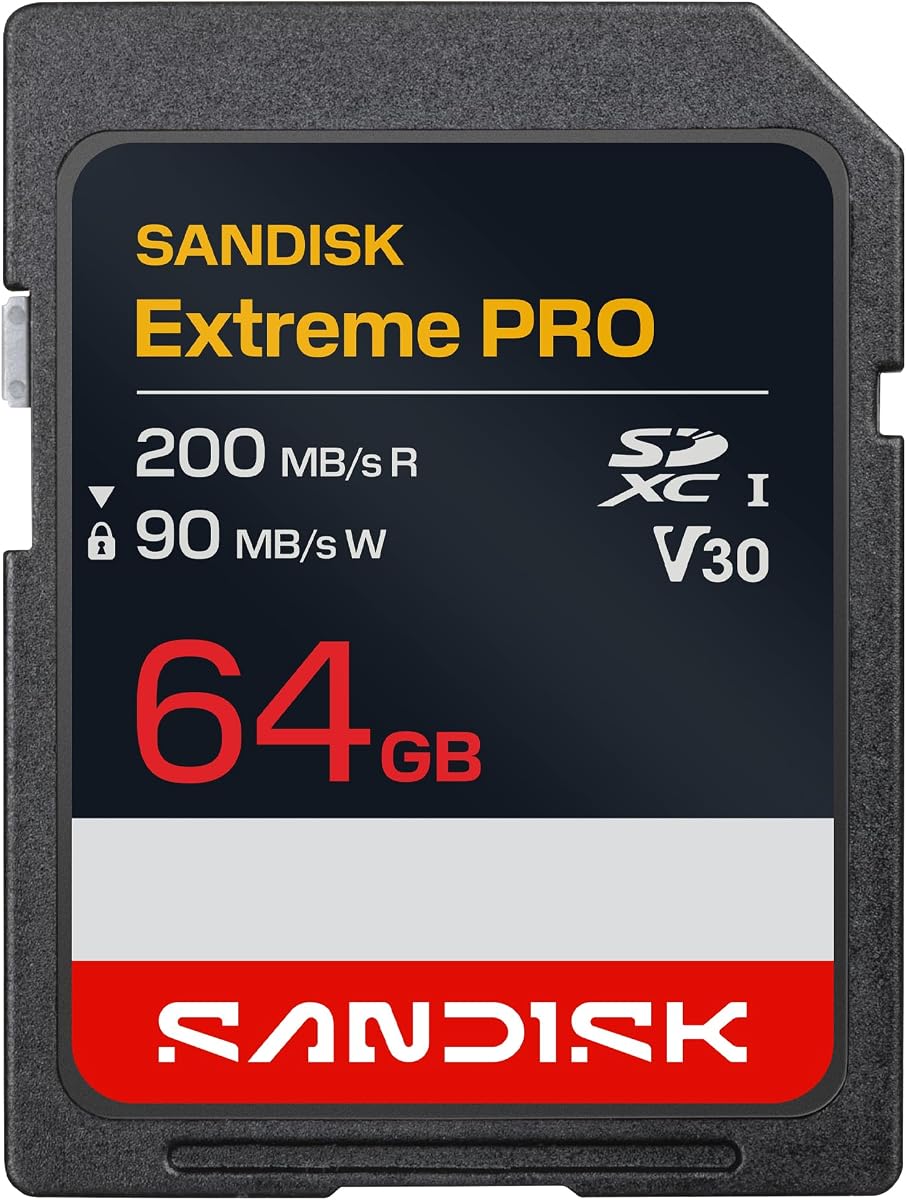
The 64GB SanDisk Extreme PRO SDXC UHS-I Memory Card is a proven option for photographers who want quick transfers and formal 4K UHD support. Its 4.8 rating, 200MB/s maximum read speed, C10 designation, U3 rating and V30 classification make it suitable for a Canon EOS R10, including video and sequential burst capture.
We may earn a commission when you buy through this link, at no additional cost to you.
SanDisk QuickFlow technology is intended to reduce offloading time with compatible devices, and the card is advertised for pairing with the separately available SanDisk Professional PRO-READER. Its write speed of up to 90MB/s is lower than the 140MB/s and 170MB/s figures of several other Extreme PRO cards here, but V30 guarantees a defined minimum sustained video rate of 30MB/s.
The 64GB capacity is the main constraint for extended work. It can work well for portraits, short events, travel days and moderate video sessions, but users recording 4K for long periods should consider a larger card. A second card is advisable even when using larger media because separating files across cards can make recovery and organization easier.
This product is a straightforward choice for R10 owners who recognize the established SanDisk Extreme PRO line and need a compact, fast-transferring card for shorter assignments. It is less attractive for intensive 4K production than higher-write-speed 256GB alternatives.
The V30 designation communicates a sustained 30MB/s video performance level, giving users a more meaningful baseline than a read-speed headline alone when assessing recording suitability.
QuickFlow support and a compatible PRO-READER can improve workflow speed, although the reader is sold separately and the complete connection chain influences final transfer results.
We may earn a commission when you buy through this link, at no additional cost to you.
The ProGrade Digital SDXC UHS-II V90 Iridium Memory Card is the premium choice in this lineup. It has a 4.8 rating, supports read speeds up to 300MB/s and advertises a minimum sustained write speed of 90MB/s under UHS-II. Its V90 designation provides a more demanding video class than the V30 cards competing in the same guide.
We may earn a commission when you buy through this link, at no additional cost to you.
The 128GB capacity is moderate, but the performance specifications are exceptional. A sustained write rate of 90MB/s offers considerable headroom for 4K, 8K and RAW-oriented workflows, subject to the camera and its recording settings. The card is optimized for cinematic cameras and high-resolution production, and it explicitly lists Canon among its compatible camera brands.
ProGrade also emphasizes rigorous testing of every card, serialized tracking of key components and manufacturing data, and a three-year warranty. The optional Refresh Pro software is designed to sanitize and monitor card health, although it is sold separately. As with every premium card, buyers should confirm that their reader and computer can exploit UHS-II; otherwise, much of its transfer advantage may remain inaccessible.
The ProGrade Iridium is best for creators who value sustained performance, quality control and premium support more than minimizing purchase cost. It is a compelling choice for the Canon EOS R10 when paired with appropriate UHS-II equipment and used for demanding 4K or RAW workflows.
The 90MB/s minimum sustained write figure is the standout specification. It provides a strong performance floor for demanding recording sessions rather than focusing only on maximum read speed.
Individual testing, serialized component tracking and health-monitoring software support a more managed workflow, which can be valuable to professionals handling important media.
We may earn a commission when you buy through this link, at no additional cost to you.
The 512GB SanDisk Extreme PRO SD Memory Card is built for photographers who want to minimize card changes. It retains a 4.8 rating, offers read speeds up to 200MB/s and write speeds up to 140MB/s, and carries U3 and V30 classifications for 4K UHD workflows. For an extended event, a long trip or sustained video production, its storage capacity is the primary attraction.
We may earn a commission when you buy through this link, at no additional cost to you.
Using one large card keeps the workflow simple, but relying on a single card also concentrates risk. A camera failure, accidental deletion or physical damage could affect a much larger body of work than it would on a smaller card. For critical assignments, a second card and a disciplined backup process remain important even when capacity is abundant.
The 140MB/s write speed gives the card ample headroom for 4K video and sequential still capture, while QuickFlow can accelerate offloading through compatible hardware. It is still limited to the UHS-I interface, so users seeking more than 200MB/s reads or a 90MB/s minimum sustained write rating may prefer the ProGrade UHS-II alternative.
This card is best for high-volume workflows, extended video sessions and photographers who deliberately work with fewer cards. It is less attractive for casual users who may rarely fill a much smaller card, but it offers exceptional flexibility for demanding production.
A 512GB capacity can hold extensive RAW and video libraries, which is valuable for conferences, weddings, long expeditions and multi-day assignments where stopping to swap cards is inconvenient.
Read speeds up to 200MB/s and writes up to 140MB/s complement the large capacity, although compatible readers and fast computer storage remain important for efficient offloading.
We may earn a commission when you buy through this link, at no additional cost to you.
The right card for a Canon EOS R10 is one that offers enough capacity, meets the camera's recording requirements and provides reliable sustained performance. Speed class, interface, durability and workflow should be considered together rather than by looking at a single maximum-speed number.
Capacity determines how many photographs and video clips can be stored before the card fills. A 64GB card is compact and useful for short assignments, 128GB suits many regular shooting days, 256GB gives event and travel photographers more flexibility, and 512GB minimizes card changes during extended production. The right amount depends on image quality, video resolution, frame rate, compression and whether RAW files are used.
Choose capacity based on your normal output and add a safety margin for high-resolution files. More capacity is convenient, but a smaller multi-card setup can make files easier to organize and reduce the impact of a single card failure.
U3 and V30 appear on most of the performance-oriented cards in this guide, making them sensible choices for 4K UHD recording. V30 identifies a sustained write rate of 30MB/s, while U3 is the UHS speed class intended for compatible 4K host devices. The ProGrade Iridium raises the video requirement to V90 with a stated 90MB/s minimum sustained write speed, offering extra margin for demanding workflows.
Look for a class that clearly covers your intended recording mode, and treat the stated speed as a useful minimum rather than a guarantee that every frame rate is possible. Camera settings and host-device support also influence the result.
Read speed affects how quickly files can be moved from a card reader to a computer. Write speed matters more during recording because the camera must save each image or video segment as it is created. The cards in this guide advertise read speeds ranging from 100MB/s to 300MB/s, while write figures vary by model and may be stated only as a general transfer speed.
Prioritize sustained write performance for video and fast reads for offloading. Remember that the R10, card reader, interface and computer must all support the relevant maximum, and ordinary USB connections often become the limiting factor.
Most full-size SD cards for the Canon EOS R10 use UHS-I, and the majority of cards in this guide provide strong performance within that interface. The ProGrade Iridium uses UHS-II, offers up to 300MB/s reads and states a 90MB/s minimum sustained write rate. That additional interface can benefit compatible card readers and demanding production workflows, but it may not produce a dramatic improvement in every camera-based task.
Choose UHS-I for broad value and familiar compatibility, or UHS-II for premium performance and greater sustained headroom. Confirm that the reader and computer support UHS-II before expecting the advertised advantage.
A standard full-size SD card is the correct physical format for the Canon EOS R10, and each product in this guide is described as a full-size or SDXC card. The listed capacities also fall within the SDXC range. Compatibility with Canon cameras is explicitly mentioned for several products, while the GIGASTONE cards are described as suitable for digital cameras, camcorders, DSLRs and PCs.
Check the stated capacity, interface and video class rather than relying only on the brand name. For modern RAW images and extended 4K workflows, an SDXC card with U3 or the appropriate V rating is the safer direction.
Memory cards are exposed to impact, temperature changes, magnetic fields, moisture and daily wear. The GIGASTONE and Lexar products list extensive protective properties, while the SanDisk Extreme PRO family emphasizes resilience in demanding conditions. A mini case is included with both GIGASTONE cards, and the GIGASTONE listings also advertise data recovery support and a five-year limited warranty.
Choose a card with credible environmental protections, but also protect it through sensible handling, storage and backups. No durability claim makes a card immune to loss, so maintain copies of important files and follow proper ejection procedures.
Some cards include value beyond their physical specifications. SanDisk Memory Zone supports backup, organization and transfer through a card reader, while ProGrade Refresh Pro can sanitize and monitor card health. The ProGrade card can also be paired with compatible professional readers, and SanDisk describes its PRO-READER as a way to approach maximum transfer speeds, although the reader is sold separately.
Consider the complete workflow rather than the card in isolation. A fast reader, reliable card reader, cable and backup software can materially improve the experience, but these accessories may cost more than the card itself.
Before inserting a new card, confirm that it is a full-size SDXC card and format it in the Canon EOS R10 using the camera's normal card-format function. This creates the proper file structure and helps the camera recognize the available capacity. Before formatting, transfer important files and confirm that a separate backup exists.
Use a compatible card reader when transferring large media files. Insert the card, copy the contents to organized folders on the computer, and verify that the copy is complete before formatting or reusing the card. Avoid removing a card while the camera is writing, reading or displaying a transfer in progress, and use the camera's proper shutdown procedure before changing media.
Keep cards in their cases when they are not in use, protect them from moisture, excessive heat and physical impact, and avoid leaving them in direct sunlight inside a hot vehicle. Periodically inspect contacts for dirt and check important footage after transfers. When a card feels damaged, behaves unusually or produces recording errors, stop using it and replace it rather than repeatedly reformatting it.
The Canon EOS R10 uses a full-size SD card rather than a microSD card. For dependable operation and modern high-resolution recording, an SDXC card with U3 and at least V30 is a sensible target. Larger-capacity UHS-II cards may fit, but their extra performance depends on the complete reader and computer setup.
A 64GB card is sufficient for many short photo sessions and can support 4K recording when its speed class is appropriate. It may fill quickly during long events, high-resolution bursts or extended video. Photographers who regularly shoot all day should consider 128GB or 256GB and carry a second card.
A V90 card is not necessarily required for normal R10 photography or many 4K workflows, because most of the suitable cards here carry U3 and V30 classifications. It provides a higher 90MB/s minimum sustained write target, which can be attractive for demanding recording or production workflows. The additional cost may not be justified for every user.
A card that cannot sustain the required write rate may interrupt recording, prevent recording or cause other errors, particularly at demanding settings. It does not directly determine sensor quality, but reliable high-speed storage is essential for preserving the data the camera captures. The R10's supported frame rates and modes should also be checked before recording.
UHS-II can provide faster transfers and a higher sustained write specification, but much of that benefit depends on a compatible UHS-II reader and computer connection. For still photography and shorter video sessions, a good UHS-I card may provide the most practical value. The ProGrade Iridium is worth considering for demanding workflows and premium construction.
Yes, formatting the card in the camera is the standard approach before using a new or reused card. It prepares the file system and card structure for the camera. Always copy and verify important files first because formatting erases the card, and the camera should not be powered off or disconnected during the process.
The right number depends on expected image and video volume. One larger card simplifies handling, while multiple smaller cards can make daily organization easier and limit the impact of a single failure. A professional workflow should include multiple cards, at least one backup device and verification that every file has been copied safely.
Faster reads mainly improve offloading time, which matters when copying large batches of RAW images or video. During recording, sustained write performance and the appropriate speed class are more relevant. A high read speed is useful, but capacity, reliability, durability and a complete backup workflow usually matter more over the life of a shoot.
The updated SanDisk 256GB Extreme PRO stands out as the most balanced overall recommendation, combining up to 250MB/s reads, 170MB/s writes, a 256GB capacity and U3 plus V30 support. The Lexar Silver 256GB provides strong value and 4K 60FPS capability, while the ProGrade Iridium 128GB represents the premium choice with UHS-II, V90 and a 90MB/s minimum sustained write rate.
Prioritize capacity that matches the length of your shoots, a speed class appropriate for the video you record and a card you can back up reliably. UHS-I cards such as the 128GB and 256GB SanDisk Extreme PRO models are versatile for most users, while the GIGASTONE options stand out for recovery support and the Lexar card offers a particularly balanced feature set.
Ratings and specifications provide a useful starting point, but current prices, compatibility details and retailer availability can change over time. Check the exact capacity and model being sold, confirm the card works properly in the Canon EOS R10, and protect every important shoot with more than one copy of the recorded media.