
TP-Link AX3000 Wi-Fi 6
4.4Editor score
Dual-band Wi-Fi 6
OFDMA reduces wireless contention
HomeShield Quality of Service
Explore ten routers with SQM, comparing gaming latency, bandwidth control, Wi-Fi coverage, VPN features, and whole-home performance in our expert buying guide.
Routers with SQM are especially relevant when gaming, streaming, working, and browsing compete for the same limited internet connection. Smart Queue Management can allocate bandwidth more intelligently, reduce bufferbloat, and keep latency steadier under heavy loads. The right model also needs strong wireless hardware, capable processing, and flexible networking features.
This guide compares ten routers using the supplied specifications, customer ratings, port layouts, wireless standards, and stated capabilities. It covers Wi-Fi 6, Wi-Fi 6E, and Wi-Fi 7 models, with particular attention to gaming performance, QoS-related controls, VPN support, multi-gigabit connectivity, coverage, device capacity, and ease of management.
Each pick highlights the product's strongest contribution to the category, from affordable whole-home connectivity to premium multi-gigabit performance. SQM implementation and available settings can vary by model and firmware, so buyers should verify the current interface before purchasing. Product prices and configurations also change over time.
4.4Editor score

4.5Editor score

4.3Editor score
The comparison below places all ten routers side by side, emphasizing wireless generation, wired connectivity, coverage, processing, VPN support, and the SQM or QoS considerations relevant to keeping real-time traffic responsive.

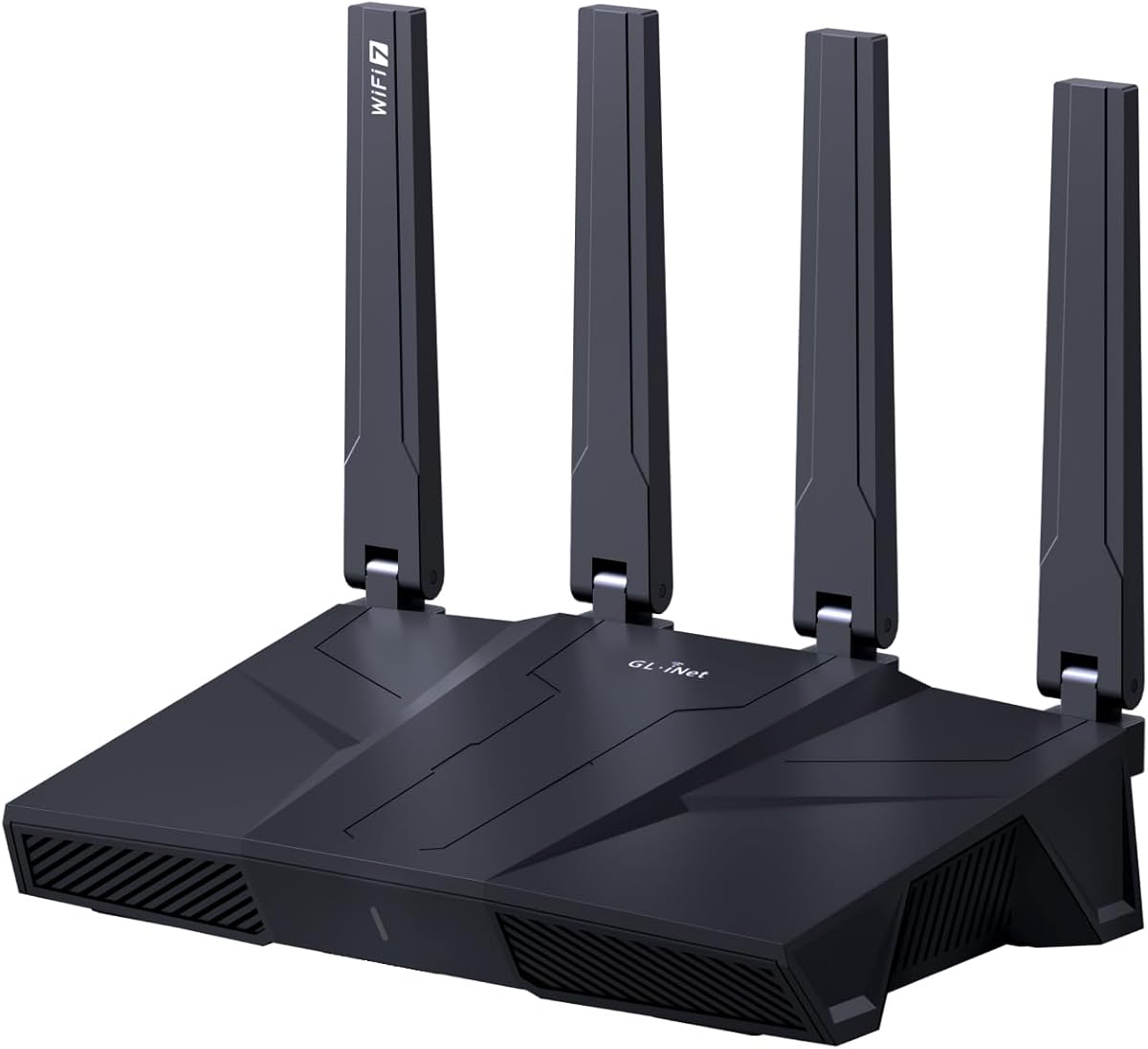


The GL.iNet GL-MT6000 Flint 2 earns the Editor's Choice position because it combines a gaming-oriented Wi-Fi 6 platform with unusually generous memory and fast VPN hardware. Its 4.5 rating is the highest among the ten supplied products. The router supports wireless speeds up to 6 Gbps, uses eight-stream Wi-Fi 6, and includes two 2.5G Ethernet connections for flexible wired networking.
We may earn a commission when you buy through this link, at no additional cost to you.
Its most attractive feature for SQM-focused users is the combination of processing power and expandable capabilities. The router has 1GB of DDR4 memory and 8GB of eMMC storage, providing room for additional plugins and configuration work. OpenVPN speeds are stated at up to 880 Mbps and WireGuard at up to 900 Mbps, allowing a powerful router to manage encrypted traffic without forcing every connected device to run its own VPN client.
The Flint 2 also supports AdGuard Home, giving users a familiar interface for DNS-based filtering of unwanted tracking and selected advertisements. It can serve more than 100 devices, making it suitable for a busy household that wants granular control over devices, services, and bandwidth priorities. Setup is straightforward through the web admin panel, although connecting by Ethernet is the most dependable initial method.
There are trade-offs to consider. It operates on the dual-band Wi-Fi 6 standard rather than Wi-Fi 6E or Wi-Fi 7, so it cannot take advantage of a dedicated 6GHz band. It also needs a compatible cable or fiber modem. Even so, the combination of gaming focus, fast networking, VPN capability, and flexible administration makes it the strongest general-purpose choice for users who want SQM-oriented control without moving to the newest wireless generation.
A router that can prioritize real-time traffic becomes more valuable when household uploads compete with cloud backups, streaming, and large file transfers. The Flint 2's strong CPU, ample RAM, and expandable storage provide a capable foundation for bandwidth rules, VPN use, and plugin-based control. Buyers should still confirm that the current firmware exposes the exact SQM or QoS controls they need.
The two 2.5G ports add meaningful wired flexibility for a compatible modem, gaming desktop, or network storage device. Fast WireGuard and OpenVPN processing also makes this a practical choice for users who want to protect selected devices or route an entire network through a secure tunnel.
We may earn a commission when you buy through this link, at no additional cost to you.
The TP-Link AXE5400 Tri-Band Wi-Fi 6E Router combines three wireless bands with straightforward family-oriented controls. Its 4.3 rating reflects a strong balance of performance and features. The 6GHz band adds room for modern wireless clients, while OFDMA and a 1 GHz dual-core processor help the router handle simultaneous traffic more efficiently.
We may earn a commission when you buy through this link, at no additional cost to you.
It is one of the clearest choices in this list for buyers seeking an explicit QoS feature. TP-Link HomeShield includes Quality of Service among its free tools, alongside a security scan, IoT device identification, basic parental controls, and weekly or monthly reports. These functions provide a practical starting point for distributing bandwidth among competing devices, although users wanting advanced SQM algorithms should confirm the available controls in the current firmware.
The router also supports both VPN server and client functions using OpenVPN, PPTP, and L2TP. That makes it useful for accessing a remote network or sending selected traffic through a VPN. EasyMesh compatibility allows additional compatible routers, extenders, or wireless powerline adapters to be added when a larger property needs broader coverage.
Its main limitation is its wired interface. Unlike several gaming and Wi-Fi 7 models in the guide, it does not offer multi-gigabit ports. It is still an excellent match for homes that value a dedicated 6GHz band, easy expansion, and built-in QoS more than ultrafast wired connections. Most internet providers also require a separate modem.
Quality of Service is among the free HomeShield features listed for this model. It offers a more approachable way to organize bandwidth for gaming, streaming, and routine browsing than a deeply technical router interface, making the AXE75 useful for households that want controls without extensive network experience.
The 2.4GHz, 5GHz, and 6GHz bands can separate different types of devices and reduce pressure from legacy 2.4GHz equipment. The dedicated high-speed band also gives compatible Wi-Fi 6E clients more room, particularly in congested neighborhoods.
We may earn a commission when you buy through this link, at no additional cost to you.
The TP-Link Archer BE600 is a tri-band Wi-Fi 7 router built for homes with fast broadband, many connected devices, and a need for modern multi-gigabit wiring. Its 4.2 rating is solid, while the specification sheet highlights aggregate speeds up to 5,765 Mbps on the 6GHz band, 2,882 Mbps on 5GHz, and 1,032 Mbps on 2.4GHz.
We may earn a commission when you buy through this link, at no additional cost to you.
Multi-Link Operation is the most significant feature for responsive connectivity. By combining multiple bands, it can improve consistency when devices move or individual links encounter interference. The router also uses Multi-RUs, 4K-QAM, and channels up to 320MHz. These technologies are particularly relevant to SQM users because low wireless delay is less useful when the wireless link itself is struggling for capacity.
Its wired connectivity is unusually flexible for a residential router. There is one 10Gbps WAN/LAN port, one 2.5Gbps WAN/LAN port, and three 2.5Gbps LAN ports. A compatible multi-gig modem can therefore take advantage of faster internet service while wired devices receive dedicated high-speed connections. The router can also support up to 120 devices across a stated area of 2,600 square feet.
Wi-Fi 7 benefits depend on compatible devices, and an ordinary gigabit internet plan will not make the fastest wireless specifications visible in everyday use. Even so, the Archer BE600 is an attractive choice for early Wi-Fi 7 adopters, busy households, and anyone who wants 10G and 2.5G paths without moving to the highest-end equipment. VPN support and an app-based setup interface add practical convenience.
The ability to use multiple bands simultaneously can improve connection continuity in dense environments. That creates a better foundation for bandwidth management because real-time applications are less likely to suffer from a weak individual wireless link.
A 10G port and four 2.5G-capable ports support modern modems, laptops, network storage, and gaming systems. This makes the BE600 useful for users who want to prepare a home for multi-gigabit service rather than relying entirely on future wireless upgrades.
We may earn a commission when you buy through this link, at no additional cost to you.
The GL.iNet Flint 3 offers a flexible combination of tri-band Wi-Fi 7, five 2.5G ports, and a 1GB memory configuration. Its 4.3 rating makes it one of the stronger-rated products in the comparison. The router can deliver wireless speeds up to 9 Gbps and includes Multi-Link Operation, enhanced OFDMA, 4K-QAM, and preamble puncturing.
We may earn a commission when you buy through this link, at no additional cost to you.
For SQM-focused setups, the abundance of processing resources and ports is an important advantage. The router can connect over 100 devices and is designed to accommodate additional plugins. That gives administrators room to implement traffic controls, monitoring, DNS filtering, VPN services, and other features without starting with minimalist hardware. Users should update the firmware during initial setup because the manufacturer specifically says this can enhance performance and the overall experience.
AdGuard Home support adds another layer of network management. Users can filter selected advertisements and unwanted tracking through a DNS interface rather than depending only on per-device controls. The router also supports Bark parental-control integration, website filtering, safe search, and usage limits, making it relevant to mixed-purpose family networks.
The trade-offs are that Wi-Fi 7 benefits require compatible clients, and the stated coverage of up to 2,000 square feet may not satisfy every large home without help. Its five 2.5G ports are a major advantage for users who want flexible wired deployment without stepping up to 10G. For users who want broad administration flexibility alongside modern wireless performance, the Flint 3 is one of the most compelling picks here.
The 1GB DDR4 configuration and 8GB of storage provide useful headroom for additional router functions. That is meaningful for buyers who want to combine traffic shaping, DNS services, VPN use, monitoring, and plugins on a single platform.
Five 2.5G Ethernet ports are unusual at this level and allow several high-speed wired connections without requiring a separate switch. A compatible multi-gig modem can also help ensure that the fastest available internet plan is not constrained by a gigabit WAN port.
We may earn a commission when you buy through this link, at no additional cost to you.
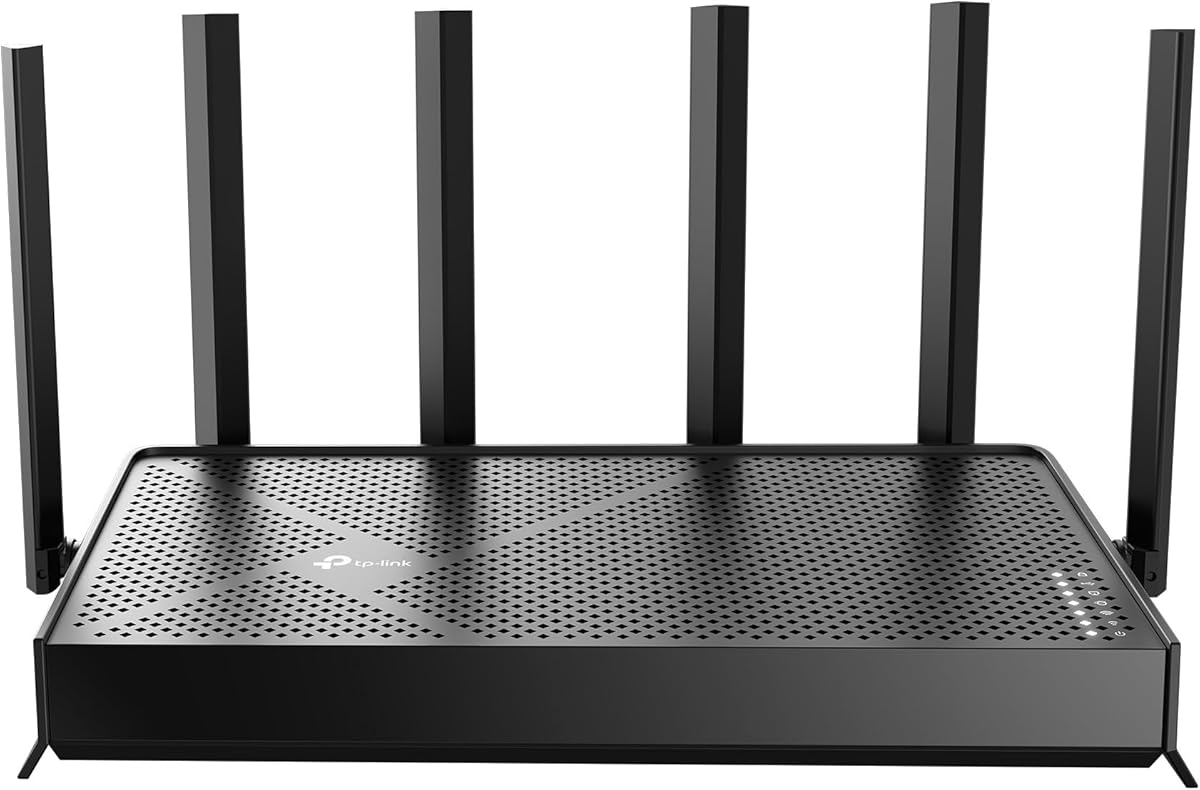
The TP-Link Dual-Band AX3000 is the budget-focused selection in this guide. It combines a 4.4 rating with dual-band Wi-Fi 6 speeds of up to 2,402 Mbps on 5GHz and 574 Mbps on 2.4GHz. Those theoretical figures place it squarely in the mainstream category, but its more important value is the combination of OFDMA, beamforming, and an explicit Quality of Service feature.
We may earn a commission when you buy through this link, at no additional cost to you.
OFDMA allows multiple clients to share a band more efficiently, while four external antennas and beamforming help direct coverage toward connected devices. Target Wake Time can reduce client power consumption, and the redesigned cooling system is intended to limit heat-related throttling. These features make the router suitable for homes where modest hardware complexity is preferable to a premium enthusiast design.
The Quality of Service option within the free portion of TP-Link HomeShield is especially relevant to this roundup. It provides a recognizable starting point for allocating bandwidth among gaming, streaming, browsing, and other traffic. Users seeking more precise SQM algorithms may need additional options or firmware support, but the stated QoS feature makes this model more relevant than one that offers no bandwidth controls at all.
The compromise is clear: this is a dual-band Wi-Fi 6 router with gigabit Ethernet rather than a Wi-Fi 6E or Wi-Fi 7 system. It cannot exploit the 6GHz band, and most users will still need a separate modem. Even so, its strong customer rating, accessible feature set, and straightforward provider compatibility make it the most sensible value-oriented choice for many households.
HomeShield's included Quality of Service feature gives users a direct way to address congestion without buying a more advanced enterprise-style router. It is a practical starting point for identifying which devices should receive priority during busy evening hours.
OFDMA, beamforming, Target Wake Time, and a revised cooling design help the AX3000 perform efficiently. These details make it a sound option for apartments and modest homes that need reliable Wi-Fi 6 without the overhead of tri-band or multi-gigabit equipment.
We may earn a commission when you buy through this link, at no additional cost to you.
The TP-Link Archer AX21 V5 is a straightforward dual-band Wi-Fi 6 router with a 4.4 rating. It offers up to 1,200 Mbps on the 5GHz band and 574 Mbps on 2.4GHz, for an AX1800 aggregate figure of 1.8 Gbps. Its appeal comes from a simple feature set, broad provider support, and coverage-oriented design rather than premium multi-gigabit connectivity.
We may earn a commission when you buy through this link, at no additional cost to you.
Four high-gain antennas, beamforming, and an advanced front-end module work together to focus signal toward clients and improve reach. OFDMA helps multiple devices share wireless capacity more efficiently, which can make the network feel more consistent during periods of heavy use. Tether app setup and the recommendation to install current firmware make configuration accessible for everyday users.
The router supports OpenVPN and PPTP server functions, allowing compatible home devices to reach remote networks without separate client software. That can be useful for travelers or for accessing services on a home network. However, the supplied specifications do not explicitly identify a dedicated SQM or QoS feature, so buyers seeking granular queue management should verify the current HomeShield and interface options before purchasing.
The AX21 V5 is best suited to apartments, smaller homes, and users who want proven Wi-Fi 6 performance without multi-gigabit ports or Wi-Fi 7. It requires a separate modem for most internet services. Its limitations are simple: no 6GHz band, no multi-gigabit Ethernet, and fewer advanced bandwidth features than the AXE75 or AX3000.
OFDMA improves efficiency when several clients transmit on the same band. It cannot create additional internet capacity, but it can reduce contention and help keep latency more consistent when the household is active.
The Tether app handles guided setup and network management, while OpenVPN and PPTP server support adds remote-access options. This combination suits users who want useful networking features without needing to operate a highly specialized router.
We may earn a commission when you buy through this link, at no additional cost to you.
The GL.iNet Flint 3e combines Wi-Fi 7 performance with a strong emphasis on gaming and VPN use. It has a 4.2 rating, 1GB of DDR4 memory, and stated wireless speeds up to 6.5 Gbps. Unlike tri-band models, it uses two bands, making it a potentially simpler option for homes that do not yet have many Wi-Fi 7 clients.
We may earn a commission when you buy through this link, at no additional cost to you.
Multi-Link Operation is the standout Wi-Fi feature. It can combine multiple bands for stable connections and efficient transfers, while 4K-QAM, enhanced OFDMA, preamble puncturing, and Multi-RUs improve capacity and performance in suitable conditions. These features complement any SQM configuration by making the wireless link less likely to become the bottleneck.
VPN performance is particularly notable, with WireGuard and OpenVPN speeds stated at up to 1,100 Mbps. Users can protect a gaming console, smart television, or other device without installing VPN software on every platform. AdGuard Home support provides DNS-level filtering, and Bark integration adds website filtering, safe search, and usage limits for families.
The listed coverage of up to 2,500 square feet sounds generous, but real results depend on layout, walls, interference, and client placement. It also lacks a 6GHz band because it is dual-band, so a tri-band router may be better for users with a large collection of modern wireless devices. Still, the Flint 3e offers an appealing balance of processing power, VPN speed, and manageable Wi-Fi 7 features for gaming households.
Stated VPN throughput of up to 1,100 Mbps makes the Flint 3e attractive for users who want the entire network or selected devices to route through WireGuard or OpenVPN. Actual performance varies with the internet service, server location, provider, and local network conditions.
A dual-band configuration can reduce clutter compared with a tri-band router and may be easier to manage in a smaller home. The trade-off is the loss of a dedicated 6GHz band, which matters when several compatible clients need high-bandwidth wireless links.
We may earn a commission when you buy through this link, at no additional cost to you.
The NETGEAR Nighthawk RS700S is designed for busy homes that need extensive wireless capacity and premium wired connectivity. Its 4.4 rating is among the highest in the list. The tri-band Wi-Fi 7 platform supports aggregate speeds up to 19 Gbps across 2.4GHz, 5GHz, and 6GHz, with MU-MIMO and OFDMA helping multiple clients operate concurrently.
We may earn a commission when you buy through this link, at no additional cost to you.
NETGEAR states coverage up to 3,500 square feet for as many as 200 devices. Six? The supplied listing specifies a 12-stream design rather than the number of antennas, so the strongest supported points are the tri-band layout, beamforming-oriented design, and high stated device capacity. Larger or multistory homes may still benefit from an Orbi mesh system.
Wired connectivity includes one 10Gbps WAN port, one 10Gbps LAN port, and four gigabit LAN ports. That makes the router suitable for premium fiber connections, gaming rigs, NAS devices, and smart televisions, although buyers wanting several 2.5G ports may prefer one of the TP-Link or GL.iNet models in this guide. Setup and management are handled through the Nighthawk app on iOS or Android.
The supplied specifications do not explicitly confirm an SQM or QoS control, so buyers should verify current firmware options. NETGEAR Armor is available as a separate subscription after a free trial, which is worth considering when comparing the total ownership experience. Within the guide, the RS700S stands out for very high wireless throughput, broad stated capacity, and strong wired options for demanding homes.
A 12-stream tri-band design, MU-MIMO, and OFDMA are well suited to many simultaneous devices. This helps households where smart-home equipment, work devices, consoles, and streaming clients all share the same access connection.
The 10G WAN port can take advantage of a compatible multi-gig modem, while the 10G LAN port provides a fast path to a network storage system or workstation. Four additional gigabit LAN ports cover standard wired equipment.
We may earn a commission when you buy through this link, at no additional cost to you.
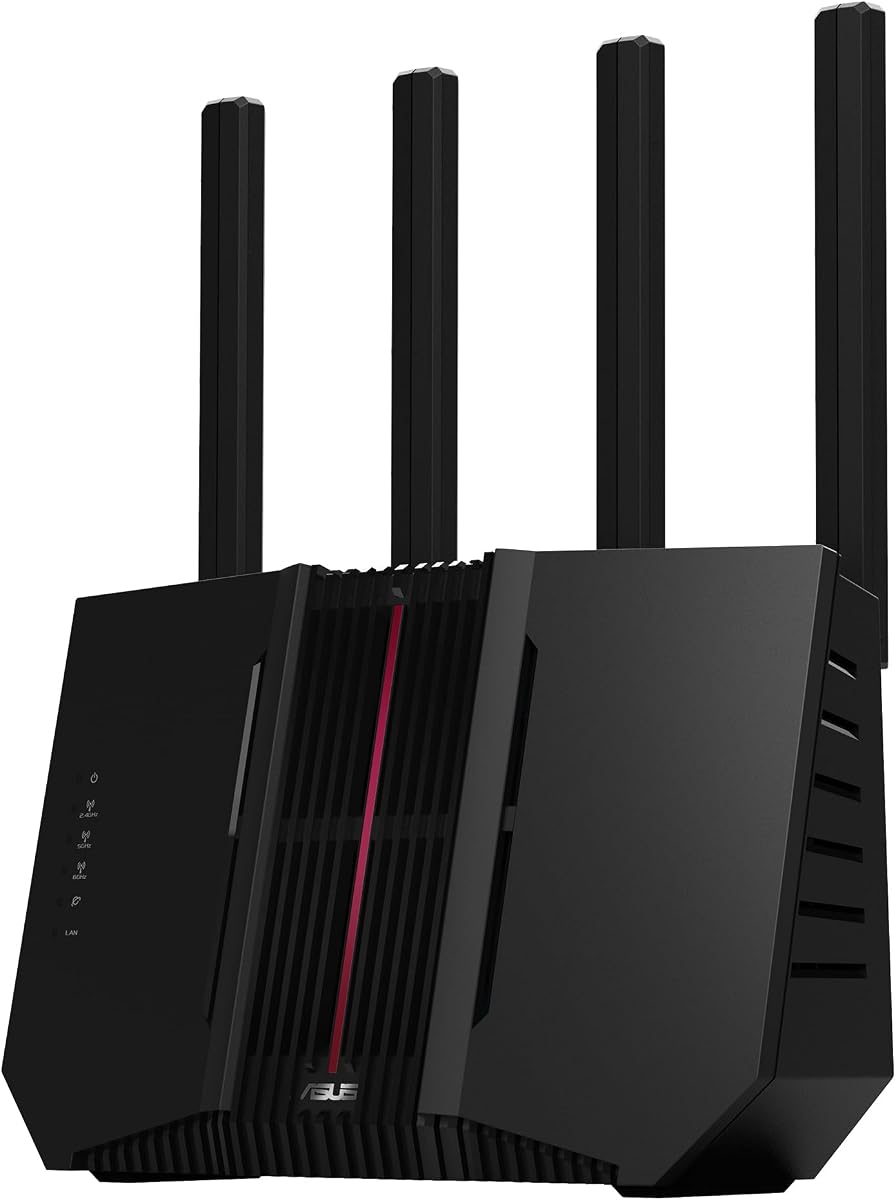
The ASUS RT-BE88U is the premium selection because it combines Wi-Fi 7 performance, an unusually powerful processor, and two distinct 10G interfaces. Its 4.3 rating reflects a feature-rich design aimed at demanding networks. Wireless throughput is stated at up to 7,200 Mbps with Multi-Link Operation and 4096-QAM.
We may earn a commission when you buy through this link, at no additional cost to you.
Its quad-core 2.6GHz 64-bit processor is the key differentiator for advanced network management. That level of processing can benefit VPN services, firewall functions, traffic controls, and other tasks that benefit from a capable CPU. The router also supports AI WAN detection, flexible WAN configuration, and a USB port for 4G LTE or 5G mobile tethering, making it adaptable to more than a standard wired connection.
Security and remote access are comprehensive. AiProtection Pro with Trend Micro provides commercial-grade network protection, one-tap scanning, comprehensive VPN support, and site-to-site VPN. Guest Network Pro can establish up to five SSIDs for IoT management, instant VPN connections, and parental controls. These features make the RT-BE88U particularly attractive to users who want more control over traffic and network segmentation.
The primary compromise is that its premium specifications may exceed the needs of an average household. Actual wireless performance still depends on client devices, and 10G service must be available through the internet provider. The SFP+ and RJ45 10G ports, however, offer exceptional wired flexibility, while AiMesh makes it possible to create a seamless whole-home network. It is the strongest choice here for advanced administrators.
A quad-core 2.6GHz processor provides substantial headroom for encryption, firewall functions, and network administration. That headroom is especially relevant for SQM users who may also operate VPNs, parental controls, IoT segmentation, and monitoring tools simultaneously.
The standard 10G WAN/LAN port and SFP+ port allow fast fiber or high-speed LAN arrangements, while USB tethering offers an alternative when conventional broadband is unavailable. This flexibility supports temporary setups, backup connections, and specialized wired networks.
We may earn a commission when you buy through this link, at no additional cost to you.
The ASUS RT-BE9700 is a high-speed tri-band Wi-Fi 7 router with a 3.9 rating. It supports 320MHz channels in the 6GHz band, 4096-QAM, and aggregate wireless speeds up to 9,700 Mbps. These specifications place it among the most capable wireless platforms in the comparison, although its customer rating is lower than those of the other nine products.
We may earn a commission when you buy through this link, at no additional cost to you.
Multi-Link Operation lets compatible devices use multiple bands at the same time, supporting stable connections and efficient transfers. The router's 6GHz capability can provide additional spectrum for modern clients, while a wide channel configuration prepares it for high-capacity local networks. As with other Wi-Fi 7 models, real-world results depend on the devices connecting and the surrounding environment.
ASUS offers AI WAN detection, flexible WAN settings, and USB support for 4G LTE or 5G mobile tethering. Its triple-level ASUS Network Security design includes a commercial-grade cloud database and is described as subscription-free. Comprehensive VPN functions include site-to-site VPN and the Instant Guard mobile app for connecting securely over public Wi-Fi.
The supplied information does not explicitly confirm a particular SQM or QoS implementation, so this model is best viewed as a high-performance foundation that buyers should verify against their required traffic controls. Its 3.9 rating is the lowest in the guide, and Wi-Fi 7 benefits require modern hardware. For buyers who want high tri-band throughput, broad VPN support, and easy AiMesh expansion, it remains a compelling premium option.
Support for 320MHz channels can make the 6GHz band more useful for high-throughput local traffic. The benefit is greatest in homes with several modern clients and relatively little interference in that spectrum.
AiMesh compatibility allows compatible ASUS equipment to join a seamless roaming network. This is useful for larger homes where one router may not deliver consistent coverage through multiple floors, thick walls, or sprawling layouts.
We may earn a commission when you buy through this link, at no additional cost to you.
Choosing a router for SQM involves balancing traffic-control capability, wireless performance, processing power, wired speed, coverage, and management features. The following factors help narrow the field without overlooking the hardware needed to support demanding home networks.
In short, confirm the precise bandwidth-control feature before buying, rather than relying on a generic gaming label.
Choose the standard that matches current clients and likely upgrades, not merely the highest headline speed available.
Give processing headroom priority when advanced traffic management and other network services will run simultaneously.
Match the WAN port to the internet plan, then count the multi-gigabit LAN ports needed by wired devices.
Ensure strong coverage before fine-tuning queues, since a weak signal can undermine responsive traffic management.
Choose the VPN and DNS functions that match the devices requiring protection, rather than selecting on speed figures alone.
Choose capacity above the current device count to leave room for streaming, smart-home, and future equipment.
Favor interfaces and security tools you will actually maintain, and verify whether advanced services carry a subscription.
Begin by updating the router to its current firmware before configuring SQM, QoS, or any other advanced feature. Connect it to a compatible modem or gateway, complete the guided setup process, and place it in an open central location. Test the wired connection first so any later wireless problems are not confused with an internet-service issue. Record baseline latency and throughput during both idle and busy periods before changing queue settings.
Configure traffic priorities gradually. Begin with modest limits, monitor performance, and adjust rather than making extreme changes that can starve essential services. Use guest networks and IoT segmentation where supported, keep firmware current, and create strong administrator credentials. If the router offers VPN, DNS filtering, or parental-control functions, enable only the services needed and confirm that each additional function does not reduce gaming latency.
For long-term care, periodically check device connectivity, wired port speeds, signal strength, and current firmware. Keep the router away from enclosed cabinets, direct sunlight, and sources of heat. If coverage is weak, improve placement before adding more equipment, and use mesh expansion only where a dead zone remains. Review traffic rules whenever internet service or household usage changes so SQM settings continue to reflect actual needs.
Smart Queue Management is intended to allocate bandwidth fairly among active connections and reduce the latency caused by large uploads or downloads. Instead of allowing one busy transfer to fill the available queue, it can identify traffic and distribute service more intelligently. The exact implementation varies by router, so buyers should check the current firmware for the specific controls and supported scheduling behavior.
They are related but not always identical. QoS is the broader category for prioritizing or limiting different types of network traffic, while SQM refers to queue management designed to control congestion more dynamically. Some routers list a basic Quality of Service option without offering advanced smart queue controls. Check the interface and documentation to determine which functions are actually available.
SQM can reduce bufferbloat and keep latency steadier when the connection is being filled by another device, but it cannot fix every source of lag. Wi-Fi interference, weak signal, overloaded processors, packet loss, and limitations of the internet service can also cause problems. A capable router, wired Ethernet for the gaming device, and a direct connection to the modem remain valuable.
No. SQM primarily concerns traffic management and does not require a particular wireless generation. Wi-Fi 6 or Wi-Fi 6E routers can work well when the processor, software, and wired interface meet the user's needs. Wi-Fi 7 is more attractive for households with compatible clients that need Multi-Link Operation, wider channels, or greater wireless capacity.
Most of the listed routers require a separate cable, fiber, or DSL modem, although some service providers offer gateway units that combine modem and router functions. Connecting the router to a compatible modem or gateway is normally required. Check the ISP's equipment policy and ensure that the router's WAN port supports the speed of the local service.
VPN encryption and remote routing add processing work and can affect throughput or latency. Modern hardware can reduce the impact, and several products provide stated OpenVPN or WireGuard speeds, but actual results depend on the ISP, server location, provider, and network conditions. For gaming, test both VPN-enabled and direct connections to identify the best balance of privacy and responsiveness.
Match the router to both the internet plan and the number of active clients. A gigabit connection can be served by a gigabit WAN port, while a multi-gig service benefits from 2.5G or 10G networking. Wireless speed also depends on client capabilities, distance, interference, and the number of simultaneous users, so aggregate ratings alone do not determine real performance.
A powerful central router is sufficient when every client has a strong signal. A mesh system is usually more appropriate for large homes, multistory layouts, or stubborn dead zones because it improves radio coverage. Whichever approach is chosen, the traffic-management settings should remain consistent across the network so devices do not switch between conflicting policies.
The GL.iNet GL-MT6000 Flint 2 stands out as the best overall option because it pairs gaming-focused Wi-Fi 6 with fast VPN processing, generous memory, and multi-gigabit connectivity. The TP-Link AX3000 is the budget selection, offering dual-band Wi-Fi 6 and explicit HomeShield QoS, while the ASUS RT-BE88U is the premium choice for powerful processing, dual 10G interfaces, and advanced network administration.
Prioritize confirmed bandwidth controls, processing headroom, a WAN port that matches the internet plan, and wireless coverage that reaches every important device. Wi-Fi 7 can provide useful headroom, but a simpler Wi-Fi 6 model may produce a better result when the client devices, service speed, and advanced features do not require it. Verify current firmware and management options before making a final decision.
Prices and product configurations change over time, so confirm the current listing, supported features, warranty terms, and compatibility before purchasing. The included product links are useful starting points for checking current availability and details. Use the comparison and buying guide to narrow the field, then prioritize the model that best matches the home's actual traffic pattern and network hardware.